
eslint-plugin-regular-expression
v0.1.8
Published
An ESLint plugin that allows you to ban or require specific patterns in code identifiers and literals using regular expressions. Ideal for enforcing consistent naming conventions and coding standards across your project.

Maintainers
 takasqr
Readme
eslint-plugin-regular-expression

Custom ESLint rules with regexp
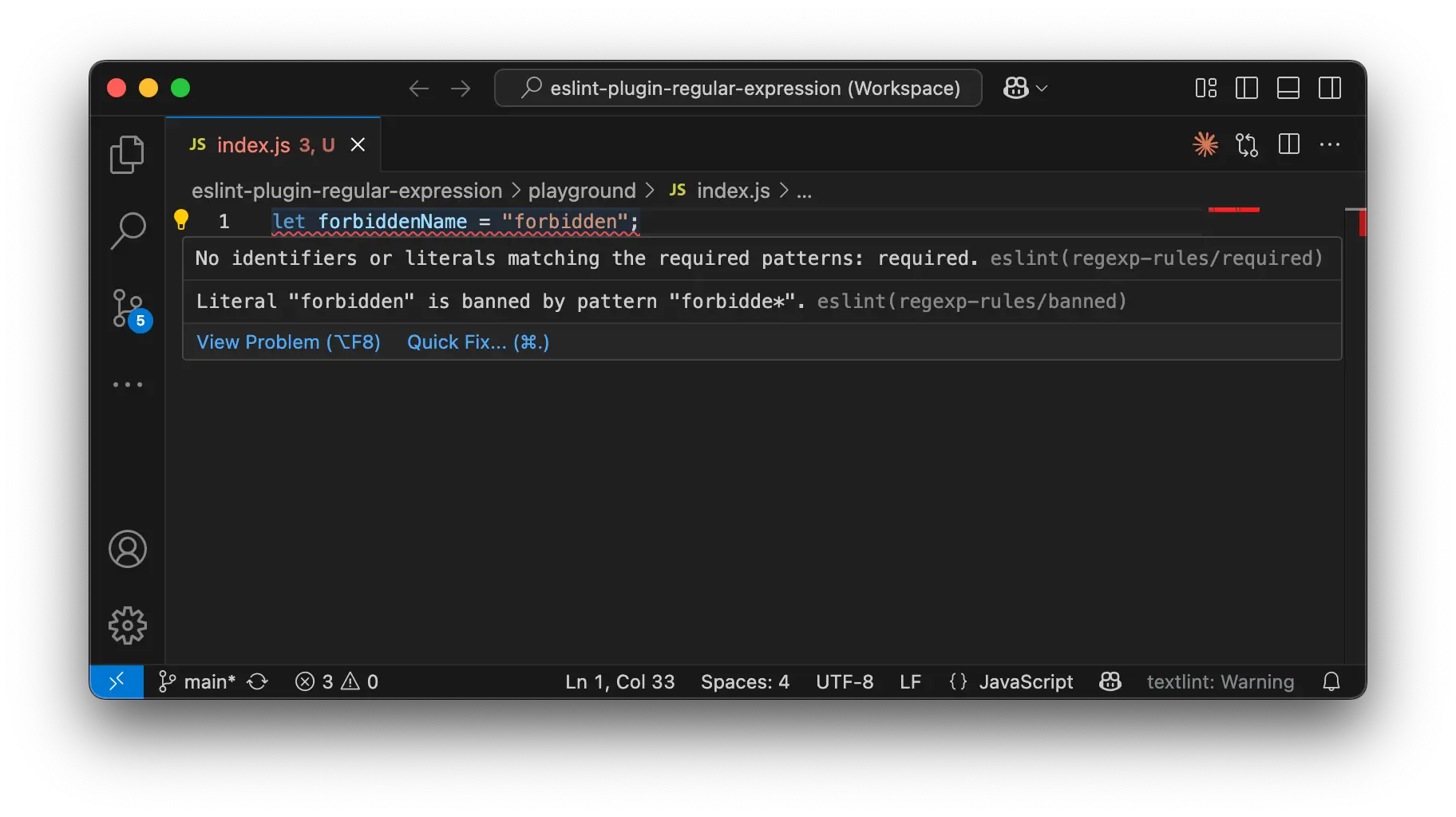
Overview
eslint-plugin-regular-expression is a plugin that enables defining ESLint rules using regular expressions. You can specify forbidden or required patterns for variable names, function names, string literals, and more.
Features
- Ban Patterns: Prohibit specific patterns using regular expressions for variable names, function names, strings, and more.
- Require Patterns: Enforce the presence of specific patterns (expressed with regular expressions) in your code.
Installation
Install with the following command:
npm i eslint eslint-plugin-regular-expression -DUsage
After installation, add the plugin to your ESLint config. eslint-plugin-regular-expression supports Flat Config.
Example:
eslint.config.js
import regexpRules from 'eslint-plugin-regular-expression';

export default [
  {
    files: ["*.js", "*.ts"],
    plugins: {
      'regexp-rules': regexpRules,
    },
    rules: {
      'regexp-rules/banned': ['error', { patterns: ["forbidde*"] }],
      'regexp-rules/required': ['error', { patterns: ["required"] }],
    },
  },
];
In this example:
- The
bannedrule prohibits patterns matchingforbidde*. - The
requiredrule enforces that the patternrequiredappears somewhere in the code.
This plugin can be used in both JavaScript and TypeScript projects.