
expo-dynamic-icons
v1.0.3
Published
Dynamic App Icon Library for Expo (Android)


Readme
My Dynamic Icons
🎥 See it in action:
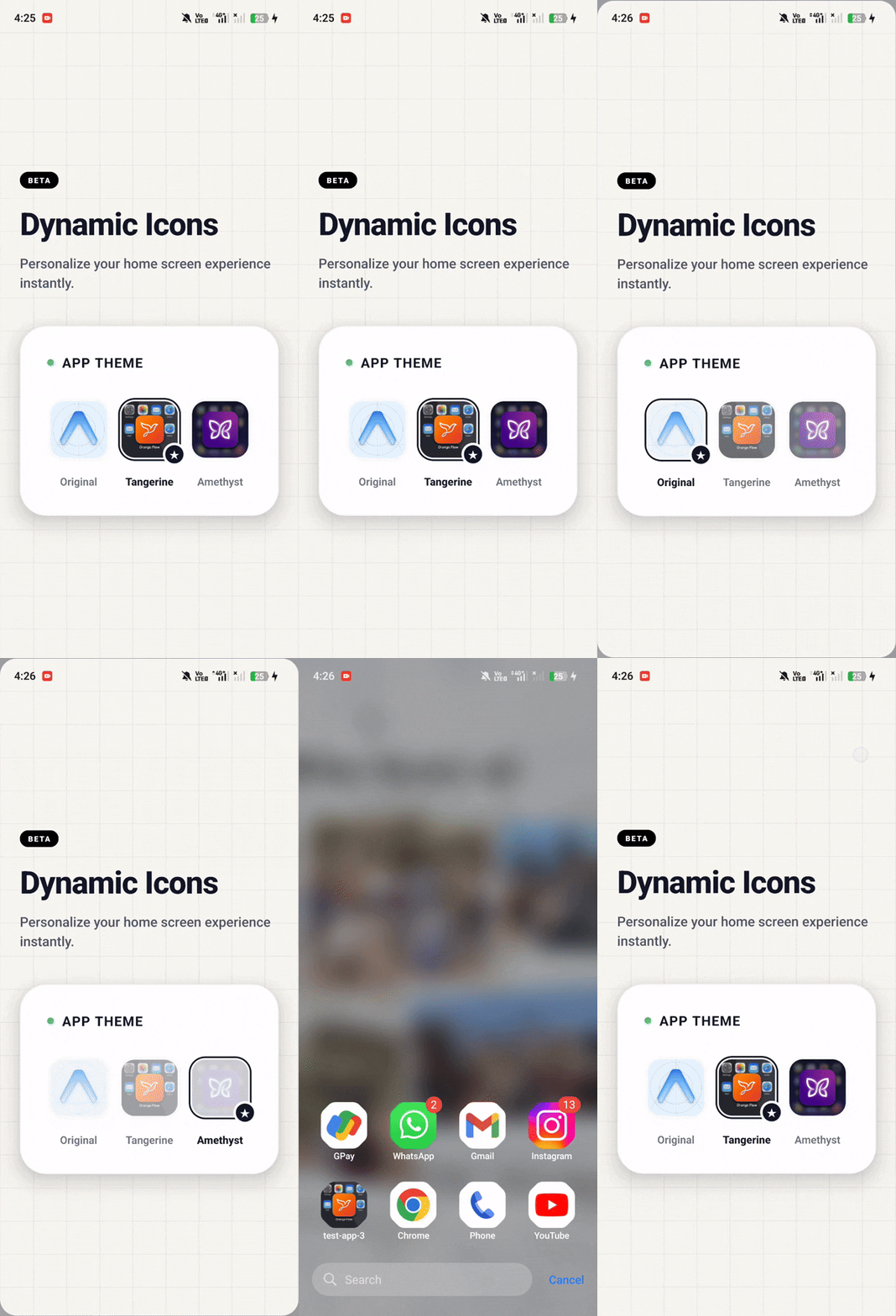
A powerful, easy-to-use React Native Expo library that allows you to dynamically change your Android app icon at runtime!
Features
- Instant Icon Switching: Change your app's home screen icon programmatically.
- Expo Config Plugin: Zero manual native configuration required.
- Auto-Assets: Automatically moves your local
.pngfiles into the Android build. - Android Native: Built with a highly efficient Kotlin bridge.
(Note: Currently supports Android only. iOS support coming soon!)
1. Installation
Install the package via npm:
npm install expo-dynamic-icons2. Setup
Place your custom .png icon files anywhere inside your Expo project (e.g., inside assets/icons/).
Then, open your app.json (or app.config.js) and configure the plugin. You provide the plugin with an object where the keys are the icon names you want to use, and the values point to the local image paths:
{
  "expo": {
    "plugins": [
      [
        "expo-dynamic-icons",
        {
          "icons": {
            "orange": {
              "image": "./assets/icons/orange.png"
            },
            "purple": {
              "image": "./assets/icons/purple.png"
            }
          }
        }
      ]
    ]
  }
}
3. Build (Expo Go is NOT Supported)
Because this library modifies native Android code (injecting <activity-alias> into your AndroidManifest) and uses native Kotlin bridging, it cannot be used inside the standard Expo Go app.
You must generate the native directories and compile a custom Development Build.
Run the following command to automatically inject the XML aliases, copy your .png files, and launch your app:
npx expo run:android4. Usage in JavaScript
Import the library anywhere in your React Native code and call setAppIcon() to instantly update the icon on the user's home screen.
import { View, TouchableOpacity, Text, Image } from 'react-native';
import { setAppIcon } from 'expo-dynamic-icons';

export default function App() {
  return (
    <View style={{ flex: 1, justifyContent: 'center', alignItems: 'center' }}>

      {/* Set a Custom Icon */}
      <TouchableOpacity onPress={() => setAppIcon('orange')} style={{ flexDirection: 'row', alignItems: 'center' }}>
        <Image source={require('./assets/icons/orange.png')} style={{ width: 24, height: 24, marginRight: 8 }} />
        <Text>Change to Orange Icon</Text>
      </TouchableOpacity>

      {/* Revert back to the Default App Icon */}
      <TouchableOpacity onPress={() => setAppIcon('default')} style={{ marginTop: 20 }}>
        <Text>Reset to Default Icon</Text>
      </TouchableOpacity>

    </View>
  );
}
How it Works
Behind the scenes, the native Android PackageManager receives the request and toggles the enabled state of your application's activity-alias components. Since the aliases are pre-registered with the Android OS via our Expo Plugin, the home screen launcher instantly detects the change!