
expo-ocr-kit
v0.1.4
Published
On-device OCR module for Expo and React Native using ML Kit (Android) and Vision (iOS)

Maintainers
 manojkanth
Readme
Expo OCR Kit
On-device text recognition for Expo and React Native.
expo-ocr-kit is a native OCR module built with the Expo Modules API. It uses ML Kit on Android and Vision on iOS, and exposes a single typed API for both platforms.
Demo
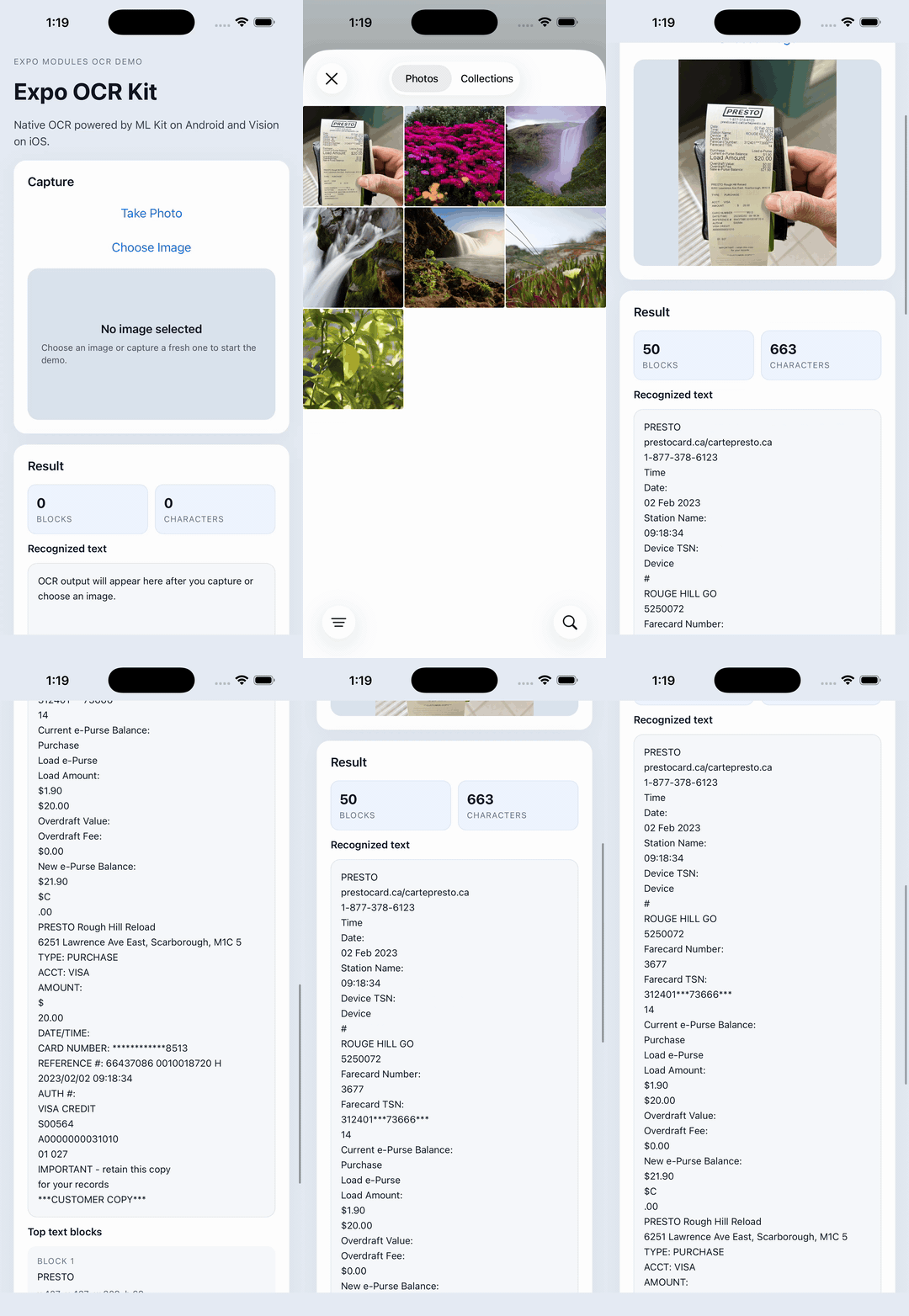
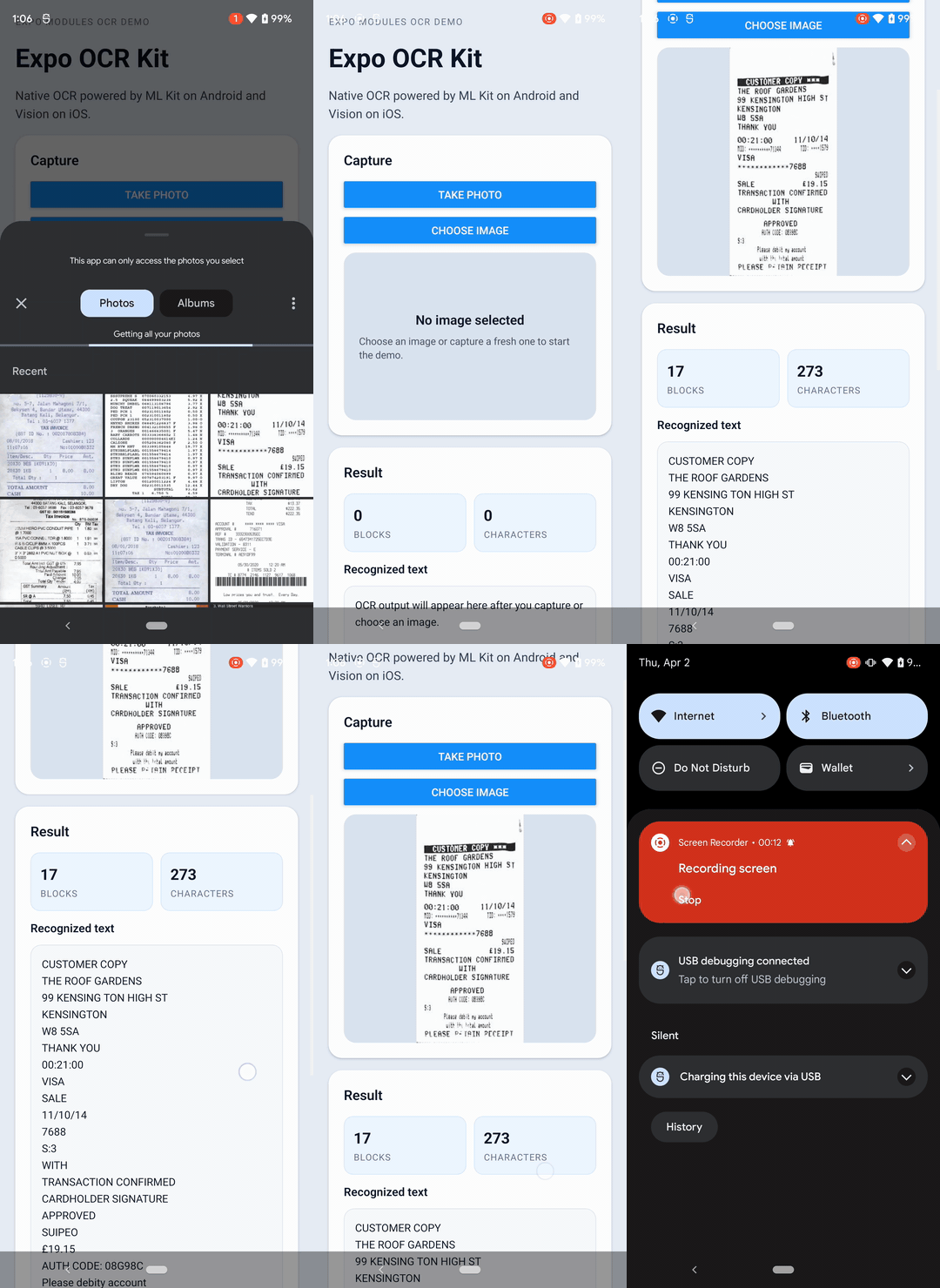

Why this package
- Built with the Expo Modules API
- Works in Expo development builds, prebuild workflows, EAS Build, and bare React Native
- Uses platform OCR engines directly instead of a generic wrapper
- Returns normalized cross-platform bounding boxes
- Includes a minimal Expo config plugin for camera permission setup
- Downsamples large images before OCR to reduce memory pressure
Installation
npm install expo-ocr-kitUsage
import { recognizeText, type OcrResult } from 'expo-ocr-kit';

const result: OcrResult = await recognizeText(uri);
uri should be a local image URI.
API
type OcrBoundingBox = {
  x: number;
  y: number;
  width: number;
  height: number;
};

type OcrBlock = {
  text: string;
  boundingBox: OcrBoundingBox;
};

type OcrResult = {
  text: string;
  blocks: OcrBlock[];
};
Bounding boxes are returned in image-space coordinates with a top-left origin on both platforms.
Expo support
This package contains native code.
- Supported: Expo development builds
- Supported:
expo prebuild - Supported: EAS Build
- Supported: bare React Native
- Not supported: Expo Go
Typical Expo workflow:
npx expo prebuild
npx expo run:android
npx expo run:ios
expo-ocr-kit does not provide camera capture. The OCR API is image-based, so your app should capture or pick an image first, then pass that image to OCR.
If your Expo app already uses the camera and you want this package to add the native camera permission entries during prebuild, you can use the bundled config plugin:
{
  "expo": {
    "plugins": [
      [
        "expo-ocr-kit",
        {
          "cameraPermission": "Allow this app to capture images for OCR."
        }
      ]
    ]
  }
}
The config plugin adds:
- iOS:
NSCameraUsageDescription - Android:
android.permission.CAMERA
Runtime permission requests are still your responsibility.
What makes it different
Most OCR packages in this space fall into one of three buckets:
- older React Native wrappers with dated native integrations
- platform-specific text recognition packages
- Vision Camera frame-processor plugins focused on real-time OCR
expo-ocr-kit is aimed at a different use case:
- Expo-first native module architecture
- batch OCR on local images
- clean JS API for both Expo and bare React Native apps
- native implementation details kept behind a small, typed surface
If you need real-time OCR from camera frames, a Vision Camera plugin is the right tool. If you need a production-friendly OCR module for captured images, scanned documents, screenshots, and imported files, this package is the better fit.
Implementation notes
- Android uses ML Kit with URI loading, EXIF-aware rotation handling, and image downsampling.
- iOS uses Vision with
CGImageSourcethumbnail decoding and coordinate normalization. - Large images are processed on reduced-size native buffers, but bounding boxes are scaled back to the original image space before they are returned.
Design direction
The core API stays intentionally generic:
recognizeText(uri: string): Promise<OcrResult>Receipt parsing, invoice extraction, field detection, and domain-specific post-processing belong above OCR rather than inside the low-level recognition API.
Notes for contributors
- Native iOS builds can be sensitive to filesystem paths with spaces. A path without spaces is recommended when working on the example app locally.
- If you change native Kotlin or Swift code, rebuild the app. Metro reload is only enough for JavaScript changes.