
expo-plaid-link
v1.0.4
Published
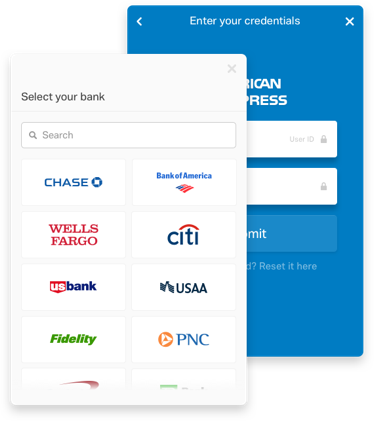
Plaid Link is a quick and secure way to integrate with the Plaid API. Here is an Expo component which can be easily drop into your Expo project.

Maintainers
 chentong1966
Readme
Expo Plaid Link
Plaid Link is a quick and secure way to integrate with the Plaid API. Here is an Expo component which can be easily drop into your Expo project.
To get started you need to sign up at https://plaid.com/ for free Palid API keys. This front end component need you put your PUBLIC_KEY in place, and your private key is used at backend to futhur call to get Transactions etc.
Client uses this front end component Plaid Link to establish link with bank and Plaid return a public_token, you send the public_token back to your server to use the public_token with your private key to get an access_token and item_id which you use for access transactions etc.
Usage
npm i expo-plaid-linkAPI
//******************** Code Smaple *****************************

    import React from 'react';
    import { StyleSheet, Text, View } from 'react-native';
    import PlaidClient from 'expo-plaid-link';

    export default function App() {
      return (
        <View style={{flex: 1}}>
        <Text>Plaid Client</Text>

        <PlaidClient
          selectAccount="false"
          env="sandbox"
          PublicKey="[PUBLIC_KEY]"
          origin='localhost'
          product="auth,transactions"
          clientName="Plaid Link"
          webhook="https://requestb.in"
          PlaidLinkUri='https://cdn.plaid.com/link/v2/stable/link.html'
          onLoad={onLoad}
          onEvent={onEvent}
          onConnected={onConnected}
          onExit={onExit}
          onReady={onReady}
          onAcknowledged={onAcknowledged}
          onMessage={onMessage}
          onPlaidRef={onPlaidRef}
        />

        </View>
      );
    }

    function onLoad(obj){console.log('call back onLoad:',obj)}
    function onReady(obj){console.log('call back onReady:',obj)}
    function onAcknowledged(obj){console.log('call back onAcknowledged:',obj)}
    function onConnected(obj){console.log('call back onConnected:',obj);}
    function onExit(obj){console.log('call back onExit:',obj)}
    function onEvent(obj){console.log('call back onEvent:',obj)}
    function onMessage(obj){console.log('call back onMessage:',obj)};
    function onPlaidRef(obj){console.log('call back onPlaidRef:',obj)};

//******************************************************
Returned data object
For more information please read their docs
For test in Sandbox mode the credentials are:
    username: user_good
    password: pass_good