
expo-video-clipper
v0.1.0
Published
Expo native module for clipping/trimming videos and extracting preview frames, with progress events — AVFoundation on iOS, Media3 Transformer on Android

Maintainers
 ikemeze
Readme
expo-video-clipper


An Expo Modules native library for clipping/trimming videos and extracting preview frames, with real-time progress events.
- iOS — AVFoundation (
AVAssetExportSession), progress via KVO - Android — Media3 Transformer, progress via
getProgresspolling; output is re-encoded to H.264/AAC for maximum device compatibility
Built for and battle-tested in a production app (QuickMechs).
Demo
| Pick & trim | Clip with progress | Preview & save |
| :---: | :---: | :---: |
| 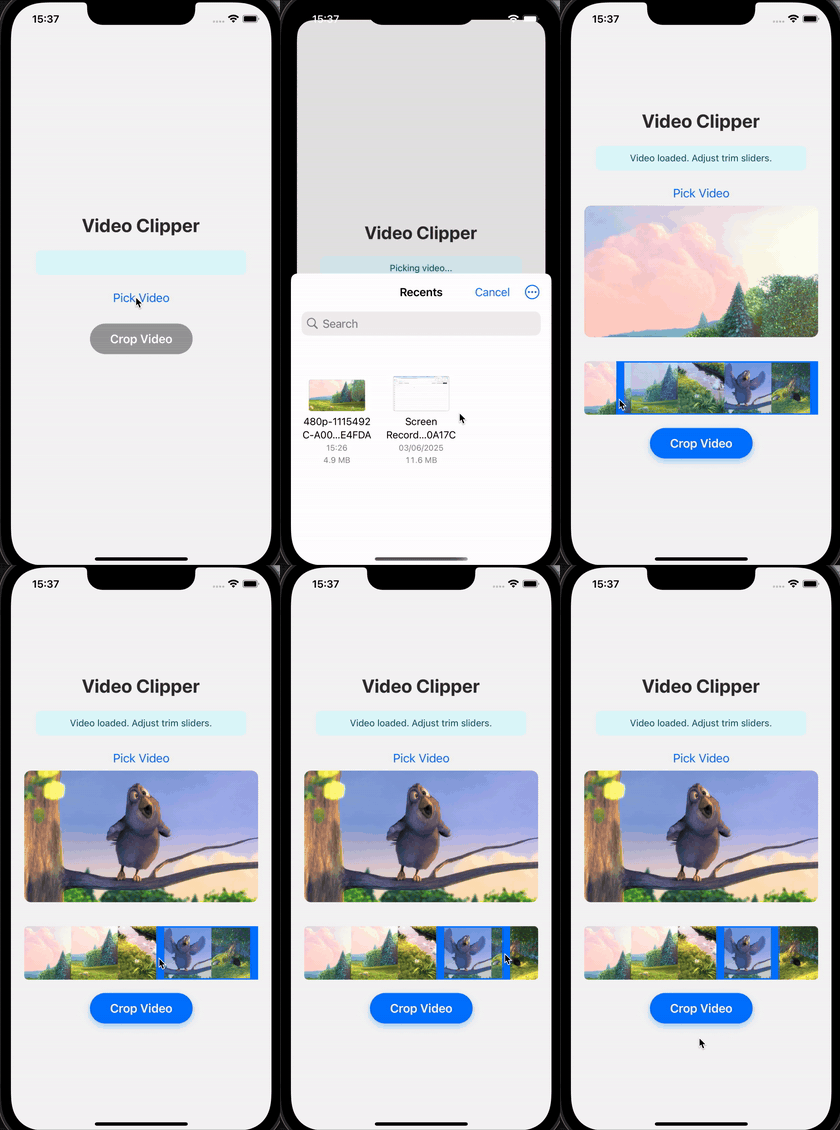 |
| 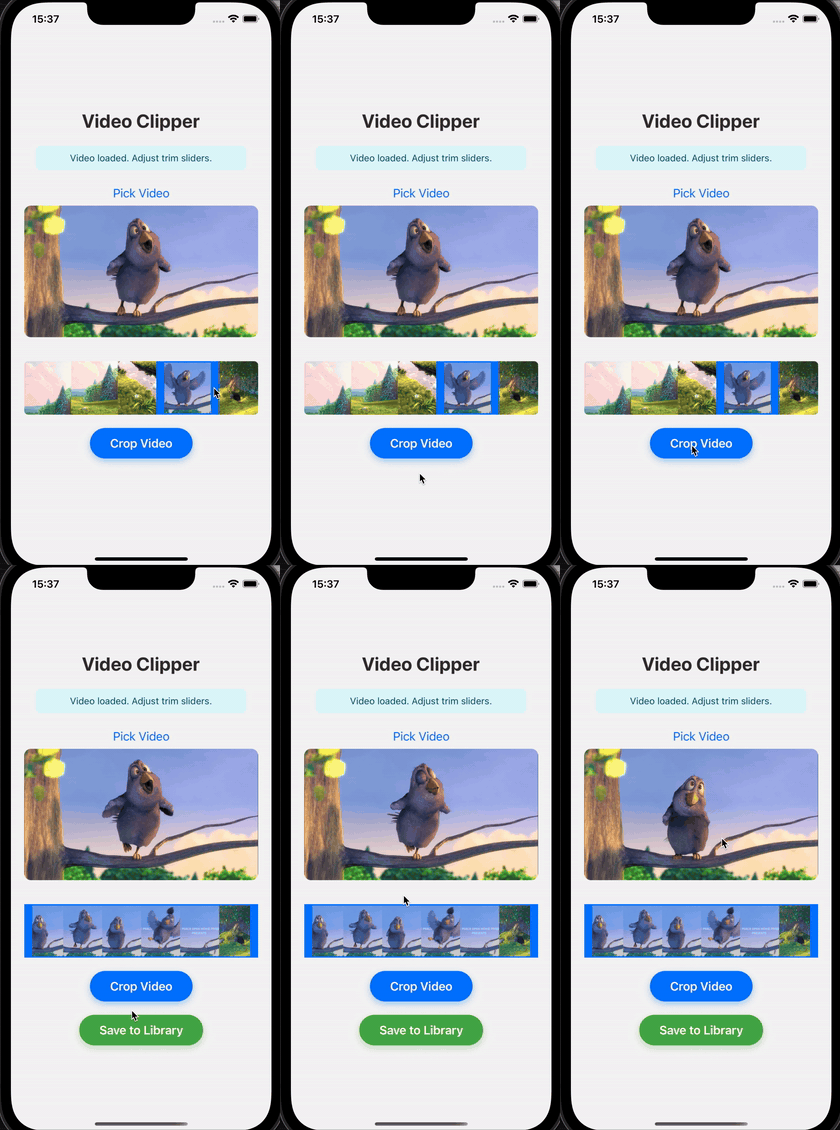 |
| 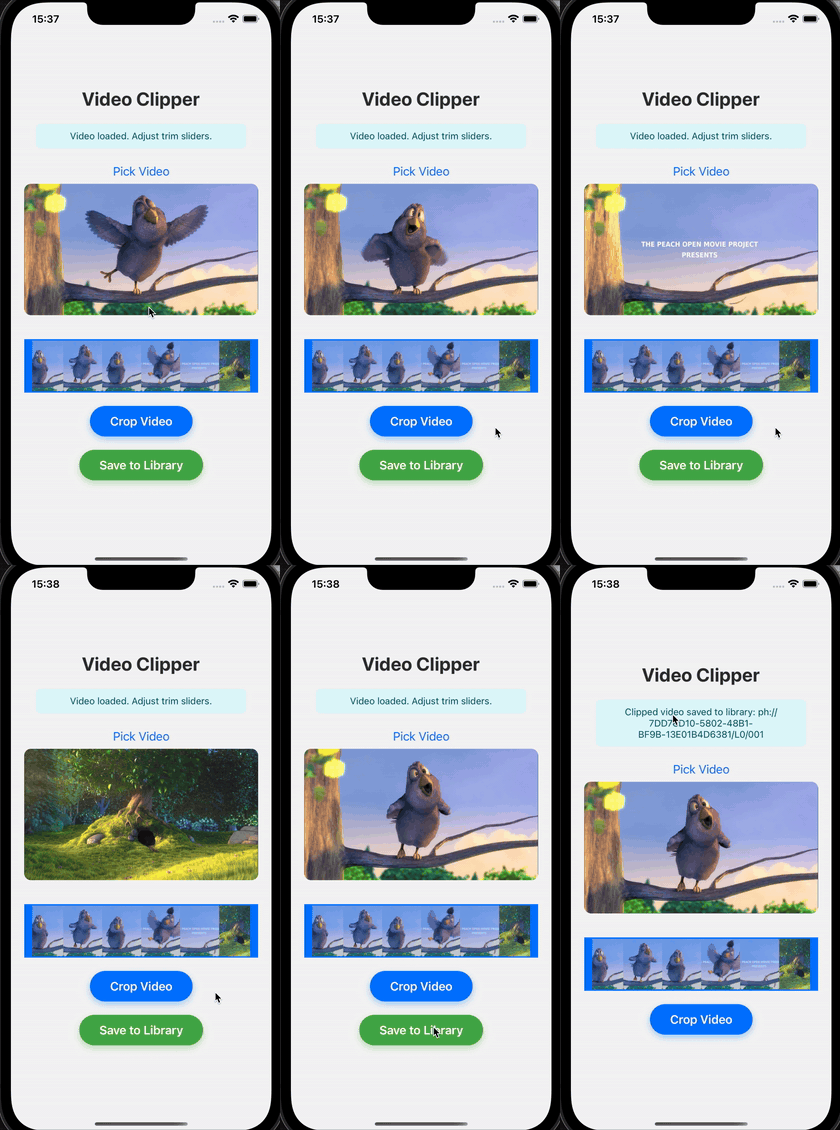 |
|
And the same flow on Android, including live clipping progress via Media3:
Features
- ✂️
clipVideo— trim a video to a[startTime, endTime]range, returns the output.mp4path - 🖼
generateFrames— extract N evenly-spaced JPEG thumbnails (great for trim-preview strips) - 📊
addClipProgressListener— continuous progress events from0.0to1.0on both platforms - ⛔️
cancelClip— cancel an in-flight export
Installation
npx expo install expo-video-clipperThis is a native module: it works with development builds and bare React Native apps — not in Expo Go.
Compatible with Expo SDK 52+ (built against SDK 53; uses only the stable Expo Modules DSL, which is unchanged through SDK 56).
- Managed (CNG) projects: run
npx expo prebuild(or just build with EAS) — the module is autolinked. - Bare React Native projects: make sure Expo Modules are installed, then run
npx pod-install.
Permissions
The module itself requires no permissions — it reads the URI you pass it and writes to the app's cache directory. If your app reads videos from the user's library or saves results back to it, request those permissions in your app (e.g. with expo-media-library).
Usage
import {
  clipVideo,
  generateFrames,
  cancelClip,
  addClipProgressListener,
} from 'expo-video-clipper';

// Subscribe to progress (0.0 – 1.0)
const subscription = addClipProgressListener(({ progress }) => {
  console.log(`Clipping: ${(progress * 100).toFixed(0)}%`);
});

// Clip seconds 10–15 out of a local video file
const outputPath = await clipVideo({
  source: 'file:///path/to/video.mp4',
  startTime: 10,
  endTime: 15,
});
// -> "/…/tmp/clippedVideo-<uuid>.mp4"

// Generate 10 evenly-spaced preview frames (JPEG paths, chronological order)
const frames = await generateFrames({
  source: 'file:///path/to/video.mp4',
  count: 10,
});

subscription.remove();
The output lives in the app's temporary/cache directory — move or copy it (e.g. with expo-file-system) if you need to keep it, or save it to the photo library with expo-media-library.
Returned values are bare filesystem paths. Prefix them with file:// before passing to video players (expo-av, expo-video), <Image>, or expo-file-system:
const playableUri = `file://${outputPath}`;A complete pick → preview → trim → clip → save flow is in example/.
API
clipVideo(options: ClipOptions): Promise<string>
Clips a video to the given time range. Resolves with the output file path.
| Option | Type | Description |
| ----------- | -------- | ------------------------------------------------------------------ |
| source | string | URI of the input video (file://… path readable by your app) |
| startTime | number | Clip start in seconds (>= 0, < endTime) |
| endTime | number | Clip end in seconds (> startTime, <= video duration) |
Only one clip operation can run at a time; a second call rejects with ERR_CLIP_IN_PROGRESS.
generateFrames(options: GenerateFramesOptions): Promise<string[]>
Extracts count evenly-spaced JPEG frames. Resolves with file paths in chronological order. Frames are thumbnail-sized (aspect ratio preserved).
| Option | Type | Description |
| -------- | -------- | ---------------------------------------- |
| source | string | URI of the input video |
| count | number | Number of frames to extract (> 0) |
cancelClip(): Promise<void>
Cancels the in-flight clipVideo call, if any. The pending promise rejects with ERR_EXPORT_CANCELLED (iOS) or ERR_CLIP_FAILED (Android).
addClipProgressListener(listener): EventSubscription
Subscribes to onClipProgress events ({ progress: number }, 0.0–1.0). Call .remove() on the returned subscription to unsubscribe.
Error codes
| Code | Meaning |
| -------------------------- | -------------------------------------------------- |
| ERR_INVALID_OPTIONS | Missing/invalid source, startTime, endTime, or count |
| ERR_INVALID_TIME | Time range outside the video duration |
| ERR_INVALID_ASSET / ERR_INVALID_DURATION | Video could not be read |
| ERR_CLIP_IN_PROGRESS | Another clip operation is already running |
| ERR_EXPORT_FAILED / ERR_CLIP_FAILED | Native export failed |
| ERR_EXPORT_CANCELLED | Export cancelled via cancelClip() (iOS) |
| ERR_FRAME_EXTRACTION | Frame extraction failed |
Platform notes
- Android re-encodes to H.264/AAC rather than passthrough-muxing. This trades some speed for reliability: passthrough can hit Media3's
ERROR_CODE_MUXING_TIMEOUT(7002) with input profiles some device muxers mishandle. - iOS exports with
AVAssetExportPresetHighestQualityandshouldOptimizeForNetworkUse. content://URIs are supported forgenerateFrameson Android; forclipVideo, preferfile://URIs (copy pickers' results into your cache directory first — see the example app).
Example app
cd example
npm install
npx expo run:ios     # or: npx expo run:android
Contributing
Issues and PRs are welcome! Please run npm run lint and npm test before submitting.
License
MIT © Ikem Ezechukwu