
express-mongo-crud
v1.3.0
Published
An express middleware to dynamically add mongo crud APIs for mongoose models

Maintainers
 rahil471
Readme
express-mongo-crud
Express middleware to instantly add crud apis for your mongoose express application. You only need to define the models and include the middleware. The CRUD apis exposed can be used in conjunction with your existing or new APIs.
Tutorial
https://ciphertrick.com/2017/03/29/easily-add-mongo-crud-apis-nodejs-express-project/
Usage
Installation
npm i express-mongo-crud --save
Middleware
var express = require('express');
var app = express();
var mongoose = require('mongoose');
var bodyParser = require('body-parser');
var PORT = 3000;

// REQUIRE MIDDLEWARE
var instantMongoCrud = require('express-mongo-crud'); // require the module


mongoose.connect('localhost:27017/mongocrud');

var options = { //specify options
	host: `localhost:${PORT}`
}

//USE AS MIDDLEWARE
app.use(bodyParser.json()); // add body parser
app.use(instantMongoCrud(options)); // use as middleware

app.listen(PORT, ()=>{
	console.log('started');
})
Models
By default the express-mongo-crud will look for models directory in the root path (ie: as the same level on node_modules). express-mongo-crud will expose CRUD APIs for any model added to this directory.
A model file should follow the following convention.
<modelname>.model.js
A model is a mongoose schema with extra options as configuration
module.exports = function(mongoose){
    return [{
    name: {type: String, required: true},
    description: {type: String},
    uniqueId: { type: String, required: true, index: true, unique: true},
    email: {type: String},
    authorSite: {type: String},
    authorImg: {type: String},
    banner: {type: String},
    authorTag: {type: String},
    location: {type: String},
    slug: {type: String},
    socialLinks: {type: Object},
    isApplicationUser: {type: Boolean, default: false},
    status: {type: String, default: 'active', enum: ['active', 'inactive', 'deleted']},
    appUserDetails: {
        id: {type: mongoose.Schema.Types.ObjectId},
        email: {type: String}
    }
}, {
    timestamps: true,
    createdby: true,
    updatedby: true
}]
};
APIs
The following APIs are supported for now.
- list documents: GET /{model}/list
- Add document: POST - /{model}
- Update document: PUT - /{model}/{_id}
- Fetch a document: GET - /{model}/{_id}
- Delete: DELETE - /{model}/{_id}
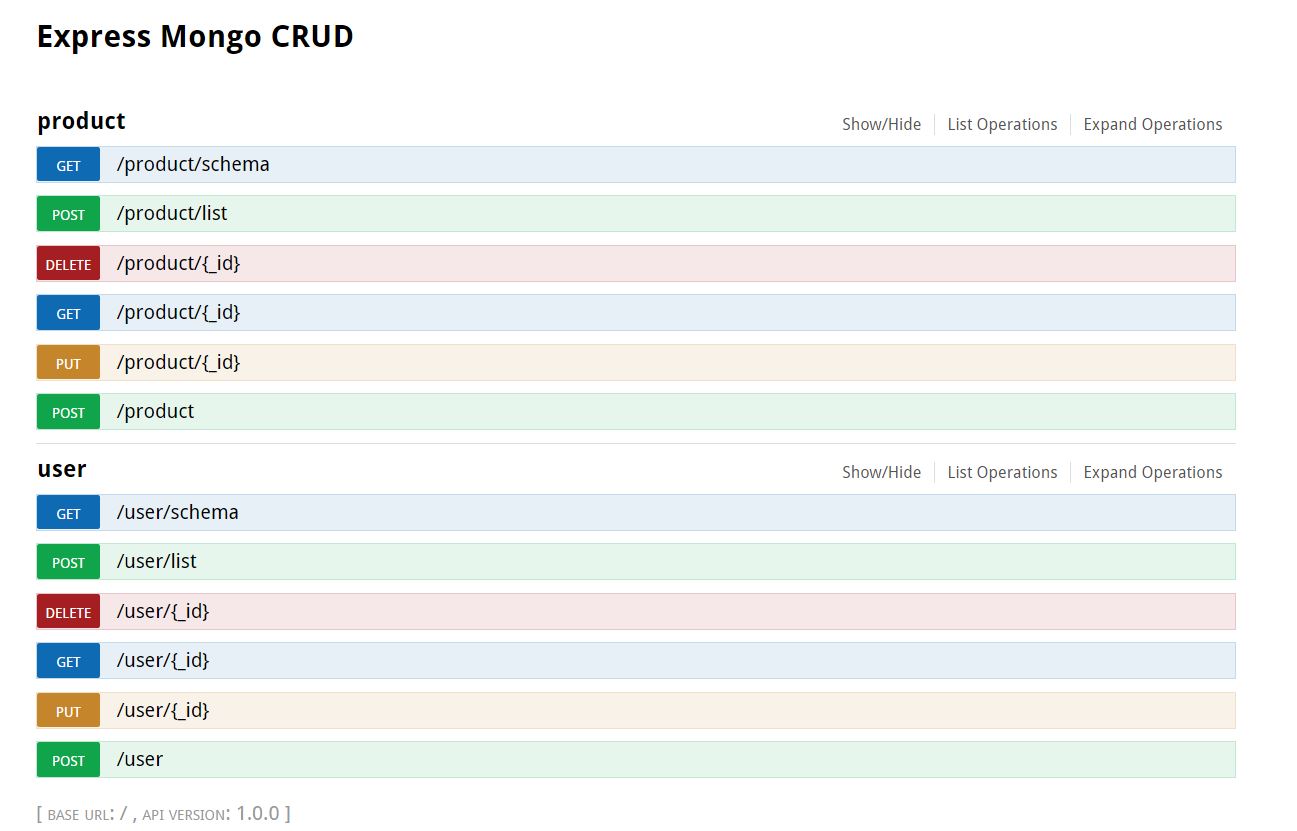
Swagger Suite
The project provides a swagger suite and would be made availaible at <host>/apidoc
Todos
configurable models directory
proper error handling
Support for mongoose populate in list
Adding prefix path
~~Advance swagger documentation - Per model grouping/taging for swagger~~
Configure project name in swagger doc
Support for joi validations