
fat-todoist
v1.0.2
Published
CLI utility which recursively adds local Folders-As-Tasks in Todoist. Can optionally also add files as tasks with the `--files` flag.

Maintainers
 dan-dm
Readme
fat-todoist 



About
fat-todoist is a simple CLI utility which recursively adds local Folders-As-Tasks in Todoist. Can optionally also add files as tasks with the --files flag.
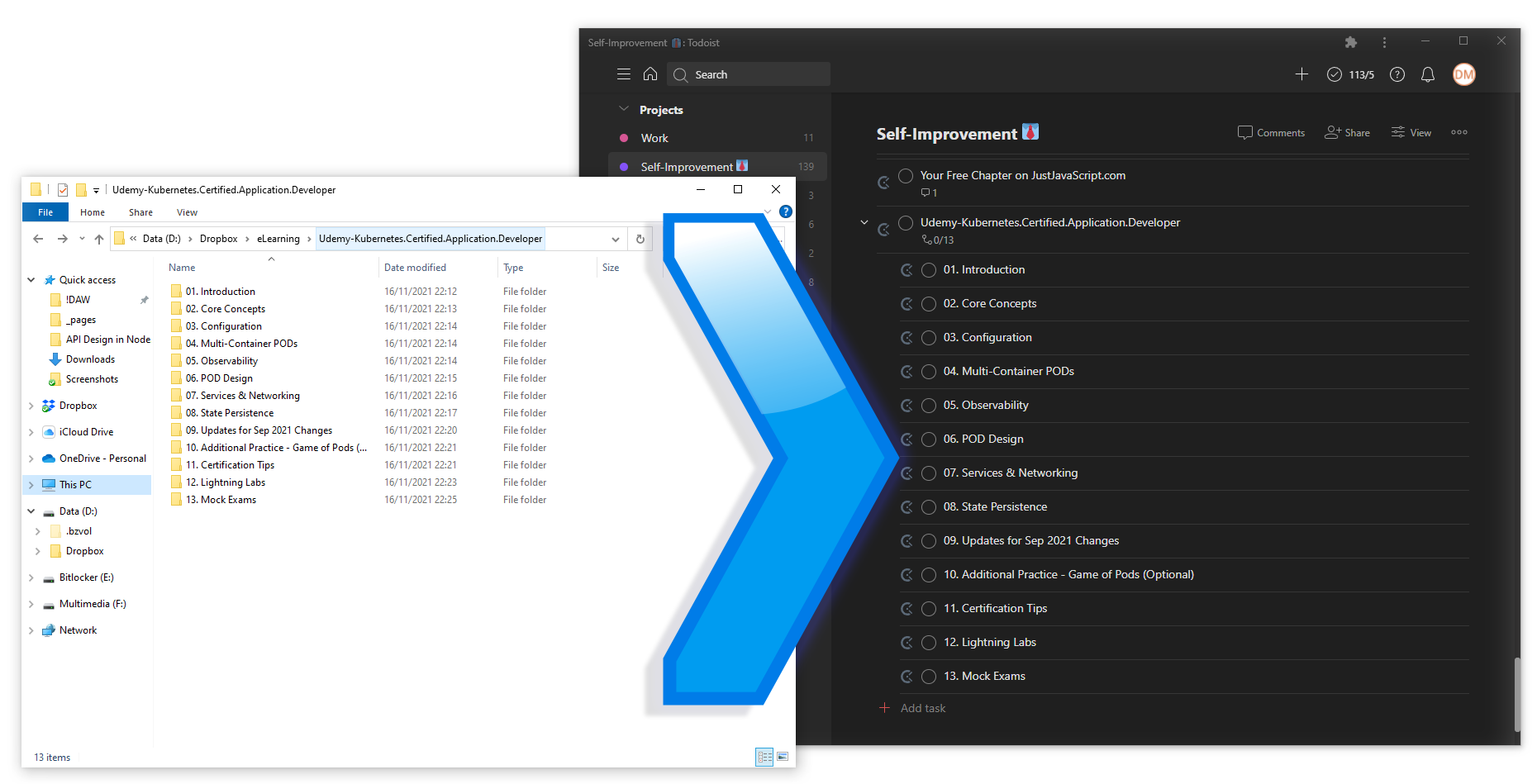
Preparation
- For one, you obviously need a Todoist account.
- You need your Todoist API key, you will find it near the bottom of this page.
Installation
//  install globally
npm install -g fat-todoist

//  use in any folder with the --api token flag
fat-todoist --api 'xxxxxxxxxxxx'

//  or, you can alternatively export the token to process.env & just run `fat-todoist` cmd
export TODOIST_API_KEY='xxxxxxxxxxxx'

//  you could also hardcode your token as TODOIST_API_KEY in './lib/fat-todoist.js'
//  (might want to `npm rm -g` the package & re-install it)
let TODOIST_API_KEY = process.env.TODOIST_API_KEY || 'xxxxxxxxxxxx'
Good-to-know
- By design, the current folder's name is used as the name of the project in Todoist. This cannot be changed.
- By default, the parent project is 'Self-Improvement', but you can specify an alternate via the
--parent flag, or have it be an empty string which will create projects directly in Todoist root. - Also by default, just the folder/subfolder structure is cloned as tasks inside Todoist, this structure aligns well with chapter/module based projects.
- An include files flag ―
--filesis available in case needed (for example when adding a folder with eBooks to read as tasks in Todoist) - Do note that folders with a large number of files will take quite a long time to process, AND also keep in mind that you might hit the API maximums (currently 300 tasks per project). There's not much to do about that!
- An include files flag ―
Usage
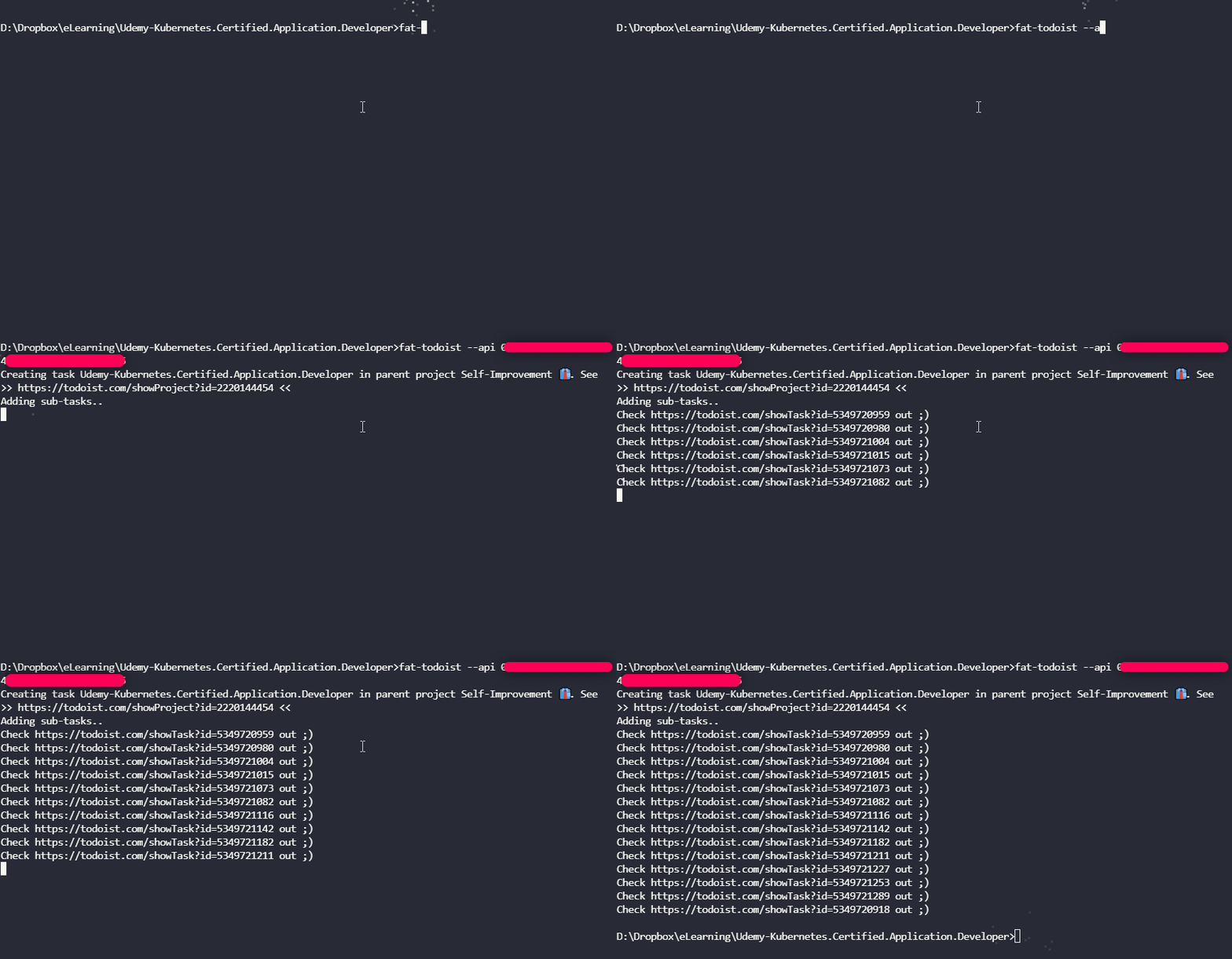
$ fat-todoist --help
Usage: fat-todoist.js --parent [Parent Project] --api [API key] --files

Commands:
  fat-todoist.js [opt]  add [F]olders [A]s [T]asks in Todoist

Options:
  --help     Show help                                                 [boolean]
  --version  Show version number                                       [boolean]
  --parent   Specify the parent project. Default is: Self-Improvement
  --api      Specify your Todoist API token
  --files    Also add [F]iles as tasks
Disclaimer:
This project is not an official Todoist integration. ie: this functionality was missing, so I added it. Magic!✨
Made with JS, node and ❤. Todoist is just awesome.