files-explore
v1.0.9
Published
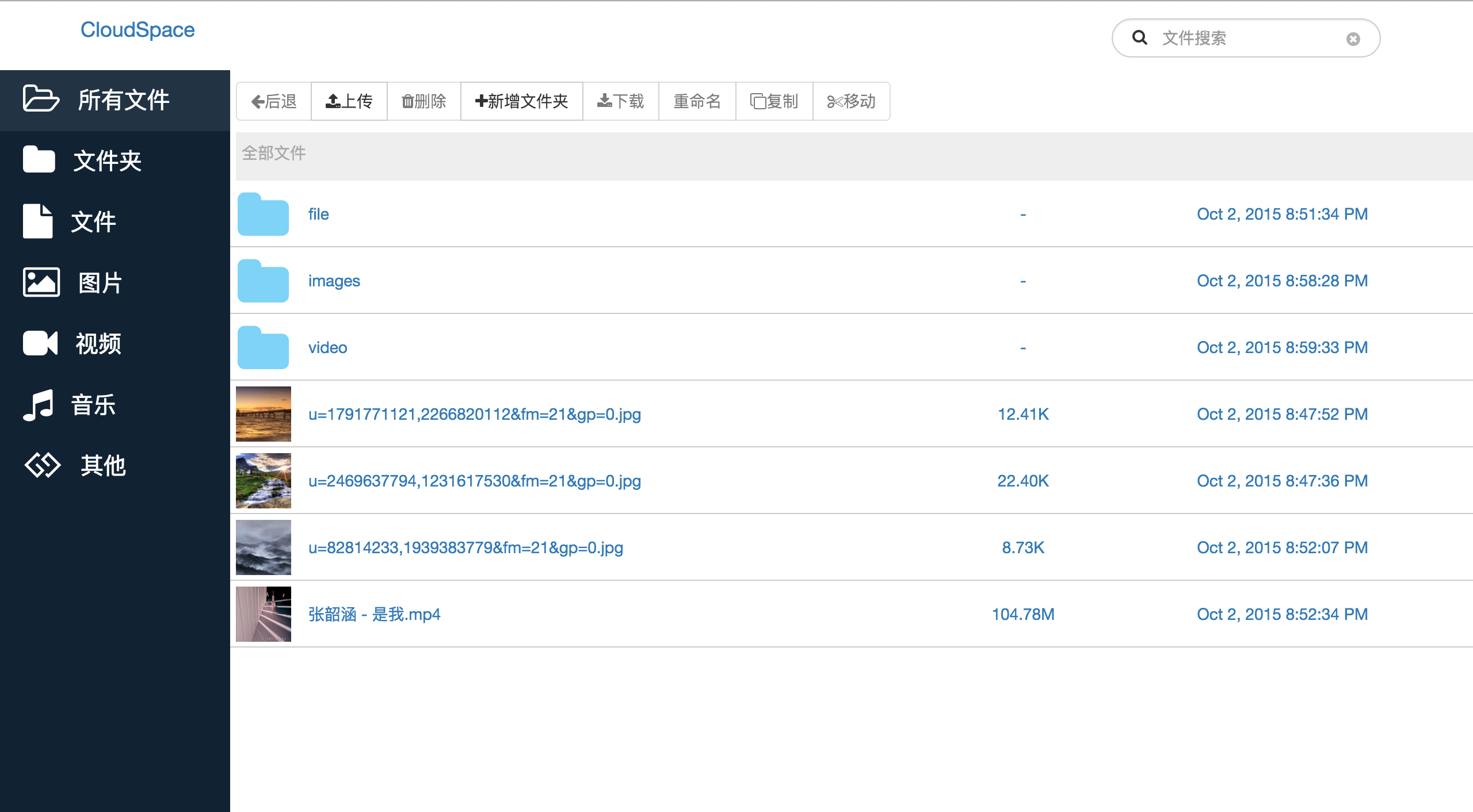
this is an auto web server for files explore


Readme
readme
install
- install global
npm install files-explore -g - start
files-explore path portr - for example 'files-explore /usr/local 8080'
pathis the directory you want to show, the default value is current pathportis the http server port, default value is8088
安装
- 全局安装 ``npm install files-explore -g`
- 启动
files-explore path port - 比如
files-explore /usr/local 8080 path参数是你想访问的文件夹路径,默认值是当前路径port参数是http服务器的端口号,默认值是8088
instruction
it support image
thumbnail, but you must installimagemagick. If you are a Mac user, you can installimagemagickwith brew.brew install imagemagick.it also support
video thumbnailand other types of vide, but you must installffmpeg. If you are a Mac user, you can install with brew,brew install ffmpeg.
说明
- 如果想显示缩略图,请先安装
imagemagick,Mac系统可以使用brew install imagemagick - 如果想显示视频缩略图和在线预览
mp4mkv之外的格式视频, 请安装ffmpeg,Mac系统可以使用brew install ffmpeg
develop
- it build with browserify-build, it is a build tool with browserify browser-sync gulp
git clone https://github.com/chenkehxx/files-explore.gitnpm installnpm install -g browserify-buildnode server/app path portbrowserify-build configbrowserify-build start- open the url:
http://localhost:8080with brower
开发
- 开发构建工具是browserify-build,这是一个基于browserify browser-sync gulp的构建工具
git clone https://github.com/chenkehxx/files-explore.gitnpm installnpm install -g browserify-buildnode server/app path portbrowserify-build configbrowserify-build start- 在浏览器中打开``http://localhost:8080
tips
- it supports
es6, - it supports
unit test, the config file is attest/karma.conf.js, then you can run the test with the command linekarma start test/karma.conf.js - it supports
e2e test, the config file is attest/protractor.conf.js, then you can run the test with the comman lineprotractor test/protractor.conf.js
提示
- 支持es6写法
- 支持
unit test相关配置文件在test/karam.conf.js执行命令karma start test/karma.conf.js - 支持
e2e test相关配置文件在test/protractor.conf.js执行命令protractor test/protractor.conf.js
screenshots