
fileswitcher
v1.0.0
Published
An unopinionated extension that will quickly jump to a file, of any type or location in your project)], related to the currently opened file.
Downloads
17

Maintainers
 johnathanludwig
Readme
FileSwitcher
FileSwitcher is an unopinionated VSCode extension that allows you to quickly jump to a file, of any type or location in your project, related to the currently opened file.
Switch to a test file and back to your code, go from JS to CSS, from a models folder to a controllers folder, and so on.
Easily write your own rules to match any file type based on your own application structure.5
Preview
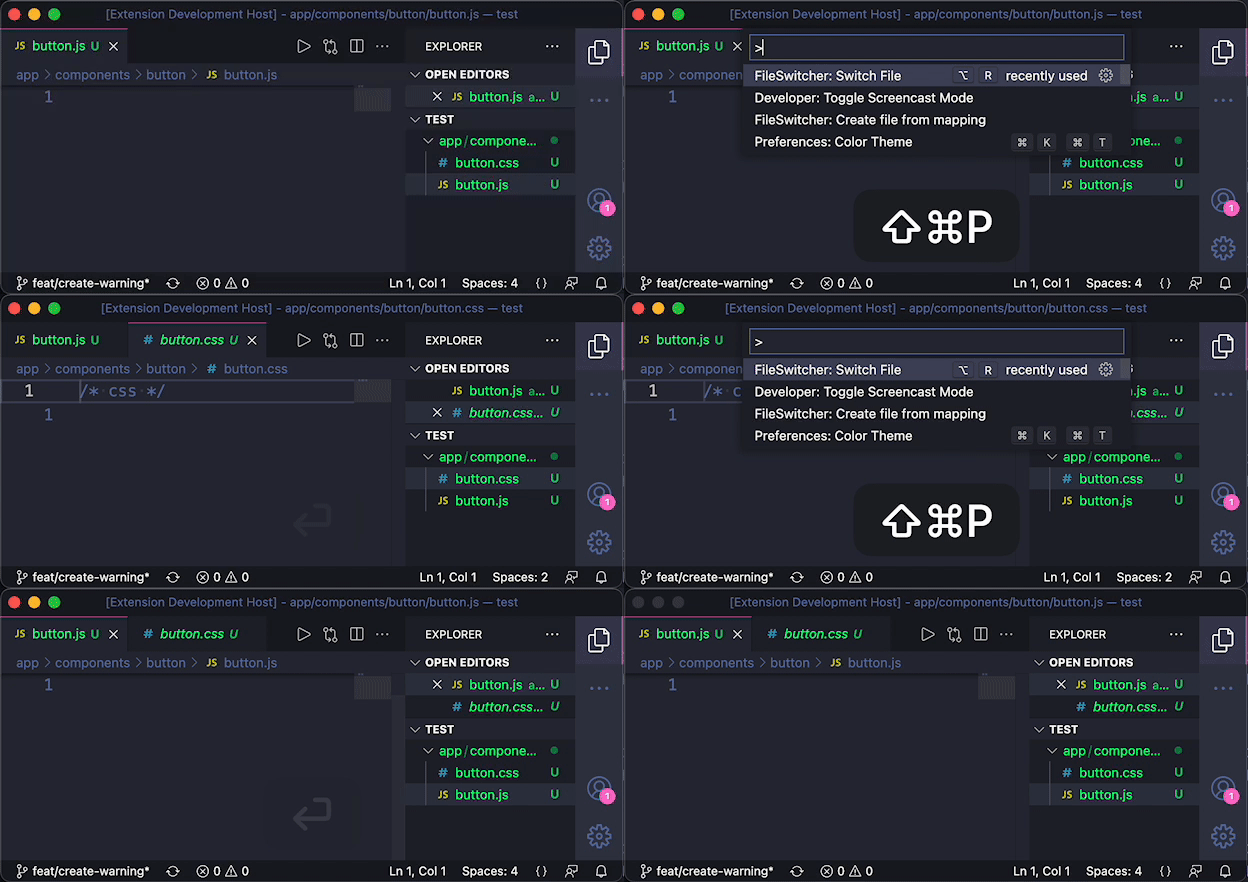
Switch File
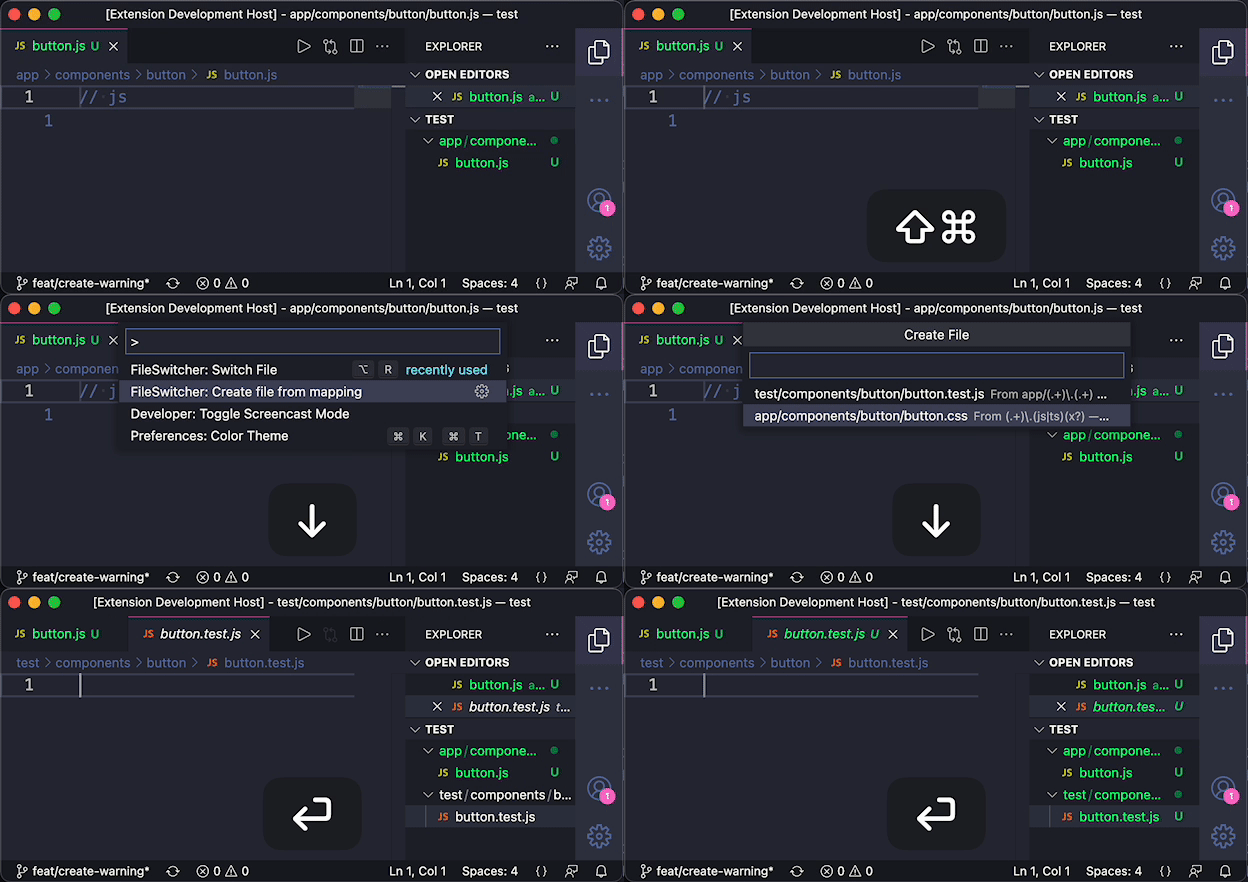
Create File
Commands and Keybindings
Switch File
Opens a matching file in the current editor. If multiple matches are found a select will be displayed.
Default Keybind: alt + R
Switch File in Split Editor
Opens a matching file like "Switch File" but in a split editor.
Default Keybind: alt + shift + R
Create file from mapping
Will display a list of mappings for the current file that do not exist. When selecting one it will create the file at the given path.
List generated mappings for current file
Displays the generated file names used for matching for the current file. Useful for debugging mappings.
Configuration
fileswitcher.mappings
A configurable set of rules for files to match related files. Mappings should be an array of JSON objects. Each object should include a from and a to key.
The from key must be a string that converts to a regex. This regex should match the file you are triggering the "Switch File" command on.
The to key should be a string path to the target file to open when "Switch File" is triggered. You may use matches in the regex in the from setting by using :<match number>.
Example
"fileswitcher.mappings": [
  {
    "from": "app/(.+)\\.(.+)", // app/components/button/button.js
    "to": "test/:1.test.:2"    // test/components/button/button.test.js
  },
  {
    "from": "test/(.+).test\\.(.+)", // test/components/button/button.test.js
    "to": "app/:1.:2"                // app/components/button/button.js
  }
]
In the example above, triggering switch file on app/components/button/button.js will match the first mapping, set :1 to components/button/button and :2 to js. Then it will open the related file test/components/button/button_test.js. Triggering again on the test file will then match with the second mapping, and switch back to app/components/button/button.js.
Credits
Inspired by atom-ruby-test-switcher.