
flowline-echarts-vue3
v0.0.5
Published
echarts折线图流光效果实现
Downloads
18


Readme
flowline-echarts-vue3
实现效果
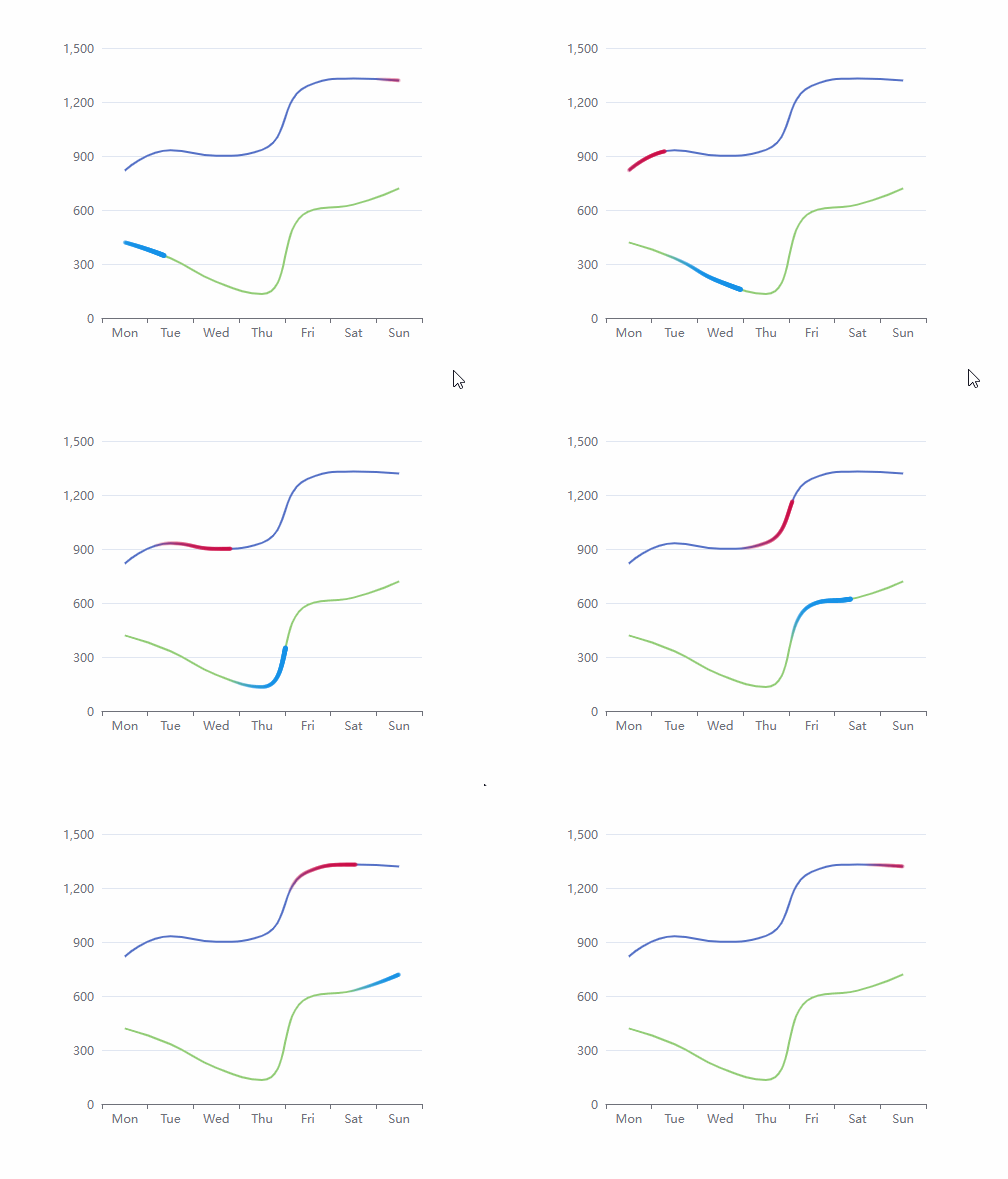
使用包管理器
我们建议您使用包管理器(如 NPM、Yarn 或 pnpm)安装
# 选择一个你喜欢的包管理器
# NPM
$ npm install flowline-echarts-vue3 --save

# Yarn
$ yarn add flowline-echarts-vue3

# pnpm
$ pnpm install flowline-echarts-vue3
需要额外安装Echarts依赖
# 选择一个你喜欢的包管理器
# NPM
$ npm install echarts --save

# Yarn
$ yarn add echarts

# pnpm
$ pnpm install echarts
组件使用
定义echarts options
import { FlowLineEcharts } from "flowline-echarts-vue3";
import "flowline-echarts-vue3/style.css";

// 正常定义echarts options
const optionsProps = {
    xAxis: {
        type: "category",
        data: ["Mon", "Tue", "Wed", "Thu", "Fri", "Sat", "Sun"]
    },
    yAxis: {},
    series: [
        {
            data: [820, 932, 901, 934, 1290, 1330, 1320],
            type: "line",
            symbol: "none",
            smooth: true,
            flowLineConfig: {
                enabled: true,
                colorStep: ["#CF0B4499", "#CF0B4400"],
                radiusStep: [2, 2],
                lineLength: 100,
                dur: 4,
                animateStep: 0.01,
                delay: 100,
            }
        },
    ]
}

/** 主要在series中折线图的flowLineConfig配置流光效果, 以下为默认值即对应解释
{
    enabled: true, // 开启关闭流光效果
    colorStep: ["#CF0B4499", "#CF0B4400"], // 流光效果头尾颜色,如果一致则为纯色,如果为不同颜色,会自动生成渐变色
    radiusStep: [2, 2], // 流光头尾半径长度,设置不同长度可展示彗星效果
    delay: 100, // 两次流光动画之间循环的间隔
    //以下三个值协同控制流光长度
    lineLength: 100, // 流光是由lineLength个圆进行动画运动组成的视觉效果,此处定义圆的个数
    dur: 4, // 流光的圆沿折线图执行完一次动画所需要的时间
    animateStep: 0.01, // 上一个圆开始运动后,下一个圆开始运动的时间间隔,如果流光运动速度较快,防止出现明显锯齿,需要调小该值
}
*/
将optionProp传给组件
<flow-line-echarts :options-prop="optionsProps" ref="flowLineRef"></flow-line-echarts>调用组件setOption方法
const flowLineRef = ref();
// 如果options是动态变更的值,则需要使用nextTick,等待组件读取options成功后调用
nextTick(() => {
    flowLineRef.value.setOptions();
});