
fltrec
v1.0.11
Published
FlightRecorder (fltrec) is a solution for quickly saving and updating mock data json responses from your APIs.


Readme

FlightRecorder (fltrec) is a solution for quickly saving and updating mock data json responses from your APIs. FlightRecorder is built around the Postman Newman CLI Tool. Simply reference your postman collection and environment files while running FlightRecorder and your json responses will be saved to the output directory you've specified. Optionally, you can also use FlightRecorder to generate a mock server implementation for iOS (Swift) and Android (Kotlin) based on your postman collection and environment files.
Why Use FlightRecorder?
It's an easy way to create and update mock data for tests
There are a number of network request mocking frameworks available for both iOS and Android. FlightRecorder has built in support for OHHTTPStubs and okhttp/mockwebserver These frameworks allow you to test your app in a reliable way regardless of server state. These mocking frameworks are especially useful when testing UI elements that display responses from a backend service. Using mock responses you can gaurantee that the response will be the same every time so it's easy to write tests against. However, the drawback to these mock responses are that they can get stale. As useful as these tests can be, it's possible that things on the backend can change without you realizing it and leave your tests out of date. FlightRecorder provides an easy way to update all of you mock responses in one go.
Uses Postman to automate mock response gathering
Getting all of the mock responses for a whole application can be tedious. However, if you create a postman collection (or already have one) to store all of the network requests your app makes you can regenerate your mock responses and server stubs with a single command!
Installation
npm install fltrec -g
Dependencies
Postman is used to create the API documentation used by FlightRecorder to generate mock server stubs and save responses from the live API.
If you'd like to generate an automated mock server implementation for iOS you'll need OHHTTPStubs. You can see a sample implementation of OHHTTPStubs in the example project.
Passing the -m flag with "swift" (-m swift) will generate a MockNetworkRequestManager class for the referenced Postman Collection.
If you'd like to generate an automated mock server implementation for Android you'll need okhttp/mockwebserver. You can see a sample implementation of okhttp/mockwebserver in the example project. Passing the -m flag with "kotlin" (-m kotlin) will generate a MockNetworkRequestManager class for the referenced Postman Collection.
Demo
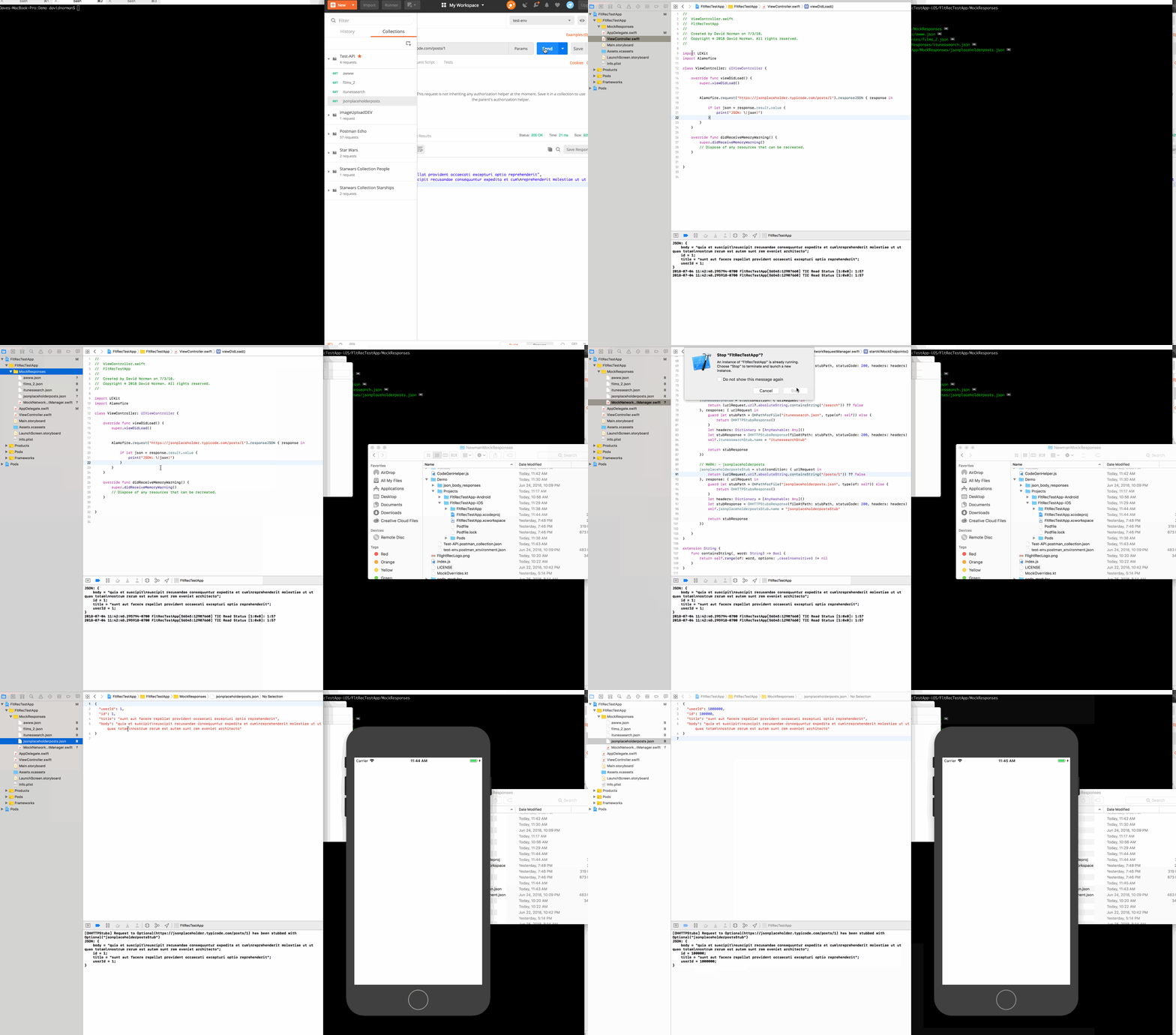
How To
Usage: collection [options]

Options:

-e, --environment <environment>        the relative path to the environment file
-o, --output <output>                  The path to the output directory where you would like to save the network request body responses
-v, --verbose                          verbose logging
-m, --mustache <mustache>              default mustache template [swift, kotlin] or the relative path to the mustache template file
-r, --requestManager <requestManager>  the path to the output directory for the MockNetworkRequestManager
-x, --extension <extension>            extension for mustache template output (e.g. swift, kt, etc...)
-h, --help                             output usage information
Examples
Two sample projects are provided as example implementations of mock servers for both iOS and Android. The two implementations are different, but both implementations are made easily maintainable with the use of FlightRecorder.
- Clone this repo and navigate to the
Demo/Projects/FltRecTestApp-iOS/directory - Open the
FltRecTestApp.xcworkspaceworkspace - In the MockResponses Xcode directory you will see a number of JSON files and the
MockNetworkRequestManager.swiftfile
- These files have been generated by FlightRecorder and can be easily regenerated using this command:
fltrec collection Test-API.postman_collection.json -e test-env.postman_environment.json -m swift -o Projects/FltRecTestApp-iOS/FltRecTestApp/MockResponsesThis command will use the Postman Collection and Environment file in the current directory to make the network requests specified in the collection (using the environment variables of the referenced Environment file) and save the JSON body responses to the specified output directory (Projects/FltRecTestApp-iOS/FltRecTestApp/MockResponses).
The -m swift flag also notifies flight recorder to generate an OHTTPMock implementation file called the MockNetworkRequestManager
- The MockNetworkRequestManager is directed to start intercepting and replacing network request responses with the command in
AppDelegate.swift
MockNetworkRequestManager.sharedManager.startAllMockEndpoints()You can experiment with this feature by commenting and uncommenting startAllMockEndpoints() in the AppDelegate to switch from live network requests to mocked requests. You can also modify the jsonplaceholderposts.json file to see changes reflected in the mocked response. Running FltRec again will overwrite jsonplaceholderposts.json and make sure the mock response accurately reflects the response from the server.
- Clone this repo and navigate to the
Demo/Projects/FltRecTestApp-Android/directory - Open the Android Studio Project
- In the
res/rawdirectory you will see a number of JSON files.
The MockNetworkRequestManager is in the repository directory.
These files have been generated by FlightRecorder and can be easily regenerated using this command:
fltrec collection ../../Test-API.postman_collection.json -e ../../test-env.postman_environment.json -o app/src/main/res/raw -r app/src/main/java/com/davidwnorman/flightrectestapp/repository -m kotlinThis command will use the Postman Collection and Environment file to make the network requests specified in the collection (using the environment variables of the referenced Environment file) and save the JSON body responses to the specified output directory (app/src/main/res/raw). The MockNetworkRequestManager is generated in the directory specified by the -r flag (app/src/main/java/com/davidwnorman/flightrectestapp/repository)
The -m kotlin flag also notifies flight recorder to generate a MockServer Class implementation file called the MockNetworkRequestManager
- Inside the repository implementation FakeRepo there are two urls, one is commented out:
//var url = "https://jsonplaceholder.typicode.com/posts/1" // Real URL
var url = mockServer.server.url("posts/1").toString() // Mock Server URL
In order to toggle between making a real network request and the mock server you can comment or uncomment each url as needed. You could also add a BuildConfig variable with which you could toggle between urls with a simple if else statement.
Something like...
            var url = "https://jsonplaceholder.typicode.com/posts/1"
            if (BuildConfig.USEMOCK) {
                url = mockServer.server.url("posts/1").toString()
            }
You can experiment with this feature by switching between the urls in FakeRepo.kt to switch from live network requests to mocked requests. You can also modify the jsonplaceholderposts.json file to see changes reflected in the mocked response. Running FltRec again will overwrite jsonplaceholderposts.json and make sure the mock response accurately reflects the response from the server.