
fluentbuilder
v2.1.0
Published
A fluent way to create builders for tests


Readme
FluentBuilder



FluentBuilder provides a simple way for creating data builders for your tests, with all the beauty of a good intellisense.
It's use Faker.Js for fake data.
Installation
Nothing new here, just npm install
npm i --save-dev fluentbuilderGet Started
Let's define an interface (can be a class or anything like that)
interface Foo {
    id: number,
    name: string
}
Then define a shape for your builder and use the addShape method, which receives a factory function. It will use your shape to generate your test data
  import Builder from 'fluentbuilder'

  const builder = new Builder<Foo>()
  builder.addShape(() => ({ id: 1, name: 'bar' }))

  builder.generate() // { id: 1, name: 'bar' }
You can use the createBuilder function
  import { createBuilder } from 'fluentbuilder'
  const builder = createBuilder<Foo>(() => ({ id: 1, name: 'bar' }))
This example is not very exciting, but if we put some Faker.Js we can do better!
The delegate used can receive a parameter, which is an instance of FajerJs
import { createBuilder } from 'fluentbuilder'

const builder = createBuilder<Foo>(faker => ({
    id: faker.random.number(),
    name: faker.name.firstName()
}))

builder.generate() // { id: 37566, name: 'Marquis' }
builder.generate() // { id: 7487, name: 'Joy' }
builder.generate(2) // [ { id: 35751, name: 'Opal' }, { id: 94291, name: 'Savion' } ]
Like that, every time we call generate() we will have new data. Note the fact that if we pass a number as an argument to the generate(n) method, it will return an array of your type of the specified size.
Random data
You can generate a random size collection of data using the method generateRandom or using the exported function with the same name.
import { createBuilder } from 'fluentbuilder'

const builder = createBuilder<Foo>(faker => ({
    id: faker.random.number(),
    name: faker.name.firstName()
}))

builder.generateRandom(2) // generate from 1 to 2 items
builder.generateRandom(10,20) // generate from 10 to 20 items
it can be useful for nested array on types
interface Bar {
    baz: number,
    qux: string,
    foos: Foo[],
}

import { createBuilder, generateRandom } from 'fluentbuilder'

const builder = createBuilder<Bar>(faker => ({
  baz: faker.random.number(),
  qux: faker.name.firstName(),
  foos: generateRandom<Foo>(() => ({
      id: faker.random.number(),
      name: faker.name.firstName()
  }), 4)
}))

builder.generate() // { baz: 1,qux: 'some',foos: [ { id: 12, name: 'Steve' }, { id: 5, name: 'Jack' } ] }
Fluent Style
You can define rules for each of the properties in your type suing the method ruleFor(), which receives the property which will be populated, and a value function or a raw value
builder.ruleFor("id", faker => faker.random.number())We have great intellisense/autocomplete help
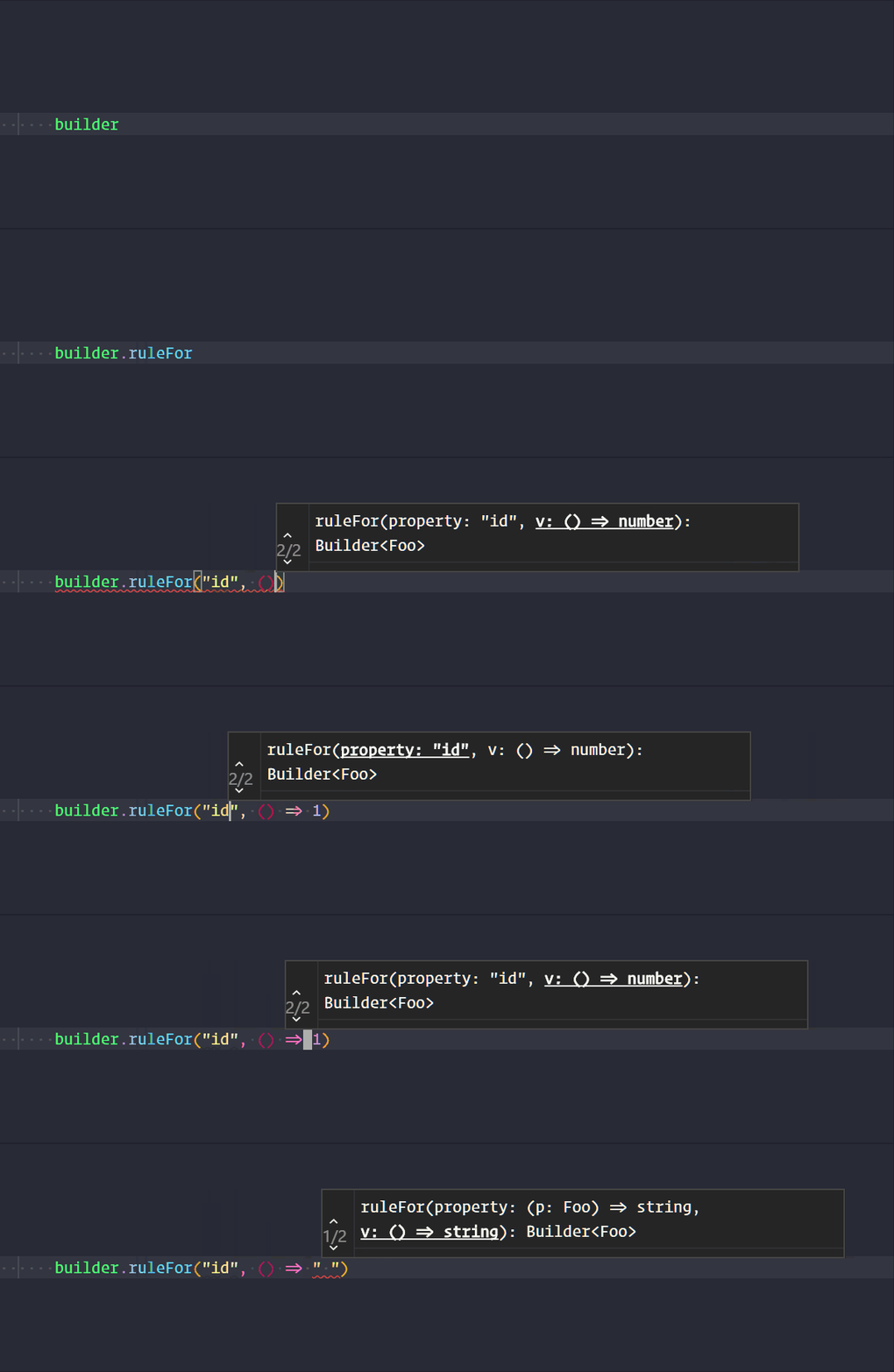
With these methods it's easy to derive a class from Builder and make a domain specific builder
import Builder from 'fluentbuilder'

class FooBuilder extends Builder<Foo> {
    constructor(){
        super()

        // define basic props
        this.from(faker => ({
            id: faker.random.number(),
            name: faker.name.firstName()
        }))
    }

    withName(name: string): this {
        this.ruleFor("name", name);
        return this
    }
}

const fooBuilder = new FooBuilder()

fooBuilder.generate() // { id: 58431, name: 'Lesley' }
fooBuilder.withName("Fluffy").generate() // { id: 25927, name: 'Fluffy' }
The methods can be chained, so this is a valid approach
const fooFactory = () =>
    new Builder<Foo>()
    .ruleFor("id", f => f.random.number())
    .ruleFor("name", f => f.name.firstName())
    .generate()
Localization
You can change de locale with a function setLocale
suported locales can be checked here
import { setLocale } from 'fluentbuilder'

setLocale("pt_BR")