
foss-design
v0.9.16
Published
Design canvases and design systems for coding agents: live, animated, clickable screens on an infinite canvas, served locally from a .design folder.

Maintainers
 knownout
Readme
foss-design
Design canvases and design systems on your machine: live, animated, clickable screens on an infinite canvas, served locally from a gitignored .design folder. Built for coding agents (Claude Code, Codex and other Agent Skills clients), usable by hand.
npx -y foss-design init            # .design/ + .gitignore entry
npx -y foss-design system init     # starter design system
npx -y foss-design new onboarding  # a canvas with one screen
npx -y foss-design preview         # the local viewer; prints its URL
Or install the design command globally: npm i -g foss-design.
What you get
- Canvases.
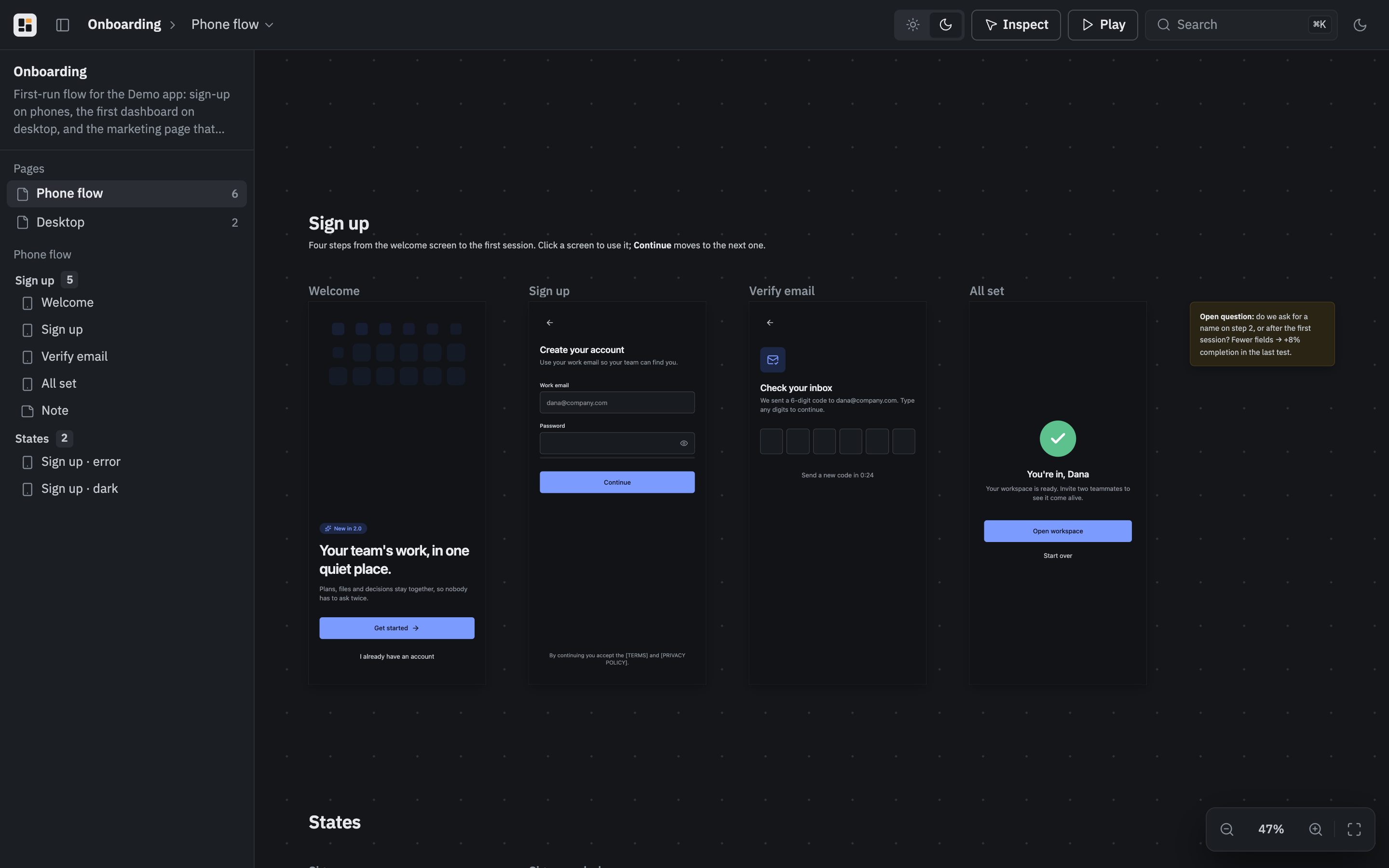
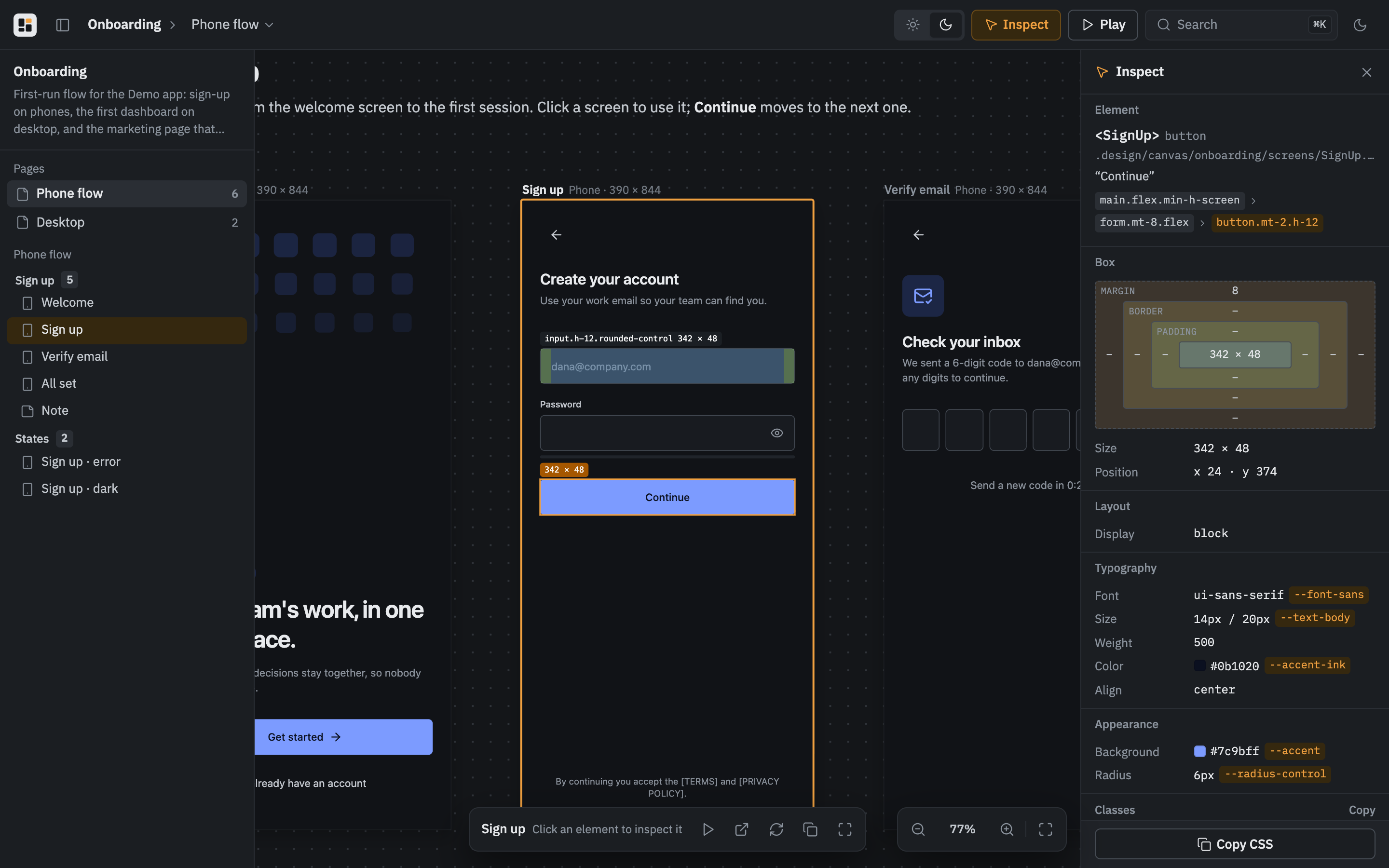
.design/canvas/<id>/canvas.jsonlays out pages → sections → screens, URL frames, notes and images. Screens are React components (.tsx, default export) or HTML pages, each rendered live in its own frame with hot reload: animations, forms and navigation work. Frames use device presets (phone,tablet,desktop…) or any size, and"height": "auto"for long pages. - A design system.
.design/system/holdstokens.css(light and dark CSS variables mapped to Tailwind v4 utilities), components importable as@system/components/…, specimens, guidelines and assets. The viewer renders it as a style guide at/system. - Batteries. Every screen gets Tailwind v4 with the tokens, React,
motion,lucide-react,clsxandtailwind-merge, even in projects without them; the project's own packages anddesign.jsonaliases work too.import { go, useTheme, useScreen } from '@design/runtime'links screens into prototypes. - Checks for agents.
design check --renderloads every screen in Chrome and reports errors;design shotwrites PNGs an agent can look at. - Sharing.
design build --tarproduces a static site of the canvases and the system for any static host, or foss-design Cloud syncs.designbetween machines and people:design login,design link,design push,design pull, anddesign canvases,url,history,rollback,publish,archiveto manage canvases there.
Commands
| Command | What it does |
| --- | --- |
| init [--name] [--no-gitignore] | Create .design and ignore it in git. |
| system init [--name] [--empty] | Scaffold .design/system. |
| new <canvas> [--title] [--empty] | Scaffold a canvas. |
| preview [--open [path]] [--port] [--restart] [--foreground] | Start or reuse the viewer and print its URL. |
| stop, status | Stop the viewer; show its state, a project summary and the cloud state. |
| check [canvas…] [--render] [--json] | Validate the project; --render also loads every screen in Chrome. |
| shot <canvas>[/<screen>] [--page] [--theme] [--out] [--overview] | Screenshot screens or whole pages. |
| build [canvas…] [--out] [--tar] | Static site. |
| login, logout | Sign this machine in to foss-design Cloud (a link with the code in it). |
| link [<project>] [--new <name>] | List cloud projects, or link .design to one. |
| push [canvas…] [--resolved <unit>], pull [canvas…] [--theirs <unit>] | Sync with the cloud, with progress; push prints the web link of each pushed canvas; exit 2 on a conflict. |
Requirements: Node.js 20.19+. check --render and shot need an installed Chrome, Chromium, Edge or Brave, or DESIGN_CHROME pointing at one.
Formats, agent skills and plugins: https://github.com/wiolett-industries/foss-design · Cloud: https://fossdesign.dev
MIT © Wiolett Industries