
fps.ts
v0.18.5
Published
JavaScript Performance Monitor - TypeScript Edition
Downloads
599

Maintainers
 abeall
Readme
fps.ts
JavaScript Performance Monitor - TypeScript Edition
This class provides a simple info box that will help you monitor your code performance.
- FPS Frames rendered in the last second. The higher the number the better.
- MS Milliseconds needed to render a frame. The lower the number the better.
- MB MBytes of allocated memory. (Run Chrome with
--enable-precise-memory-info) - CUSTOM User-defined panel support.
Forked from mrdoob's stats.js
Screenshots
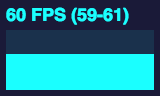
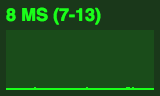
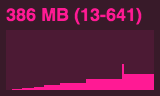
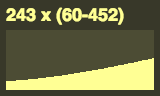
Examples
Installation
npm install fps.tsUsage
import Stats from 'fps.ts';

const stats = new Stats();
stats.showPanel(1); // 0: fps, 1: ms, 2: mb, 3+: custom
document.body.appendChild(stats.dom);

function animate() {

	stats.begin();

	// monitored code goes here

	stats.end();

	requestAnimationFrame(animate ;

}

requestAnimationFrame(animate);
Bookmarklet
You can add this code to any page using the following bookmarklet:
javascript:(function(){const script=document.createElement('script');script.onload=function(){const stats=new Stats();document.body.appendChild(stats.dom);requestAnimationFrame(function loop(){stats.update();requestAnimationFrame(loop)});};script.src='https://aaronbeall.github.io/fps.ts/build/fps.min.js';document.head.appendChild(script);})()