
fpx-webpack-loader
v1.0.3
Published
viewport(rem、vw适配)


Readme
前言
前面我们分析了webpack,最后还实战了一个vue的项目:
强烈推荐大家去阅读一下前面的文章哈!
今天我们带来点干货,我们利用前面的知识撸一个h5移动端适配的框架,我们取名为"fpx-css-loader"。
说到h5移动端适配的,大家都会想到rem跟vw,我们去caniuse看一下这两个方案的兼容性:
rem

可以看到,绝大多数的浏览器是兼容的,平时项目用它完全是没毛病!
vw

vm跟rem比就差多了,不过当下大部分手机是可以覆盖的。
思路
- 我们利用caniuse的数据判断当前项目环境是否支持vw适配,如果支持就用vw适配,不支持就用rem适配
- webpack插件做rem适配兼容
- webpak loader做css中的单位转换("fpx"转“vw”、“rem”)
开始
caniuse
/**
 * 判断当前环境是否支持vw适配
 * @returns {boolean}
 */
exports.supportVw = function () {
  //  支持浏览器环境
  const supportList = require('browserslist')(); //获取当前项目的浏览器列表
  // vw所支持的浏览器环境
  const vw = require('caniuse-lite/data/features/viewport-units');//vw在caniuse数据库中的位置
  const unpack = require('caniuse-lite').feature; //caniuse数据库数据解析工具
  // 默认支持
  let support = true;
  function browsersSort(a, b) {
    a = a.split(' ');
    b = b.split(' ');
    if (a[0] > b[0]) {
      return 1;
    }
    if (a[0] < b[0]) {
      return -1;
    }
    return Math.sign(parseFloat(a[1]) - parseFloat(b[1]));
  }
  // 转换caniuse的数据
  function f(data, opts, callback) {
    data = unpack(data);
    if (!callback) {
      [callback, opts] = [opts, {}];
    }
    const need = [];
    // eslint-disable-next-line guard-for-in,no-restricted-syntax
    for (const browser in data.stats) {
      const versions = data.stats[browser];
      // eslint-disable-next-line guard-for-in,no-restricted-syntax
      for (const version in versions) {
        const suppor = versions[version];
        //筛选出不支持的浏览器
        if (suppor === 'n') {
          need.push(`${browser} ${version}`);
        }
      }
    }
    callback(need.sort(browsersSort));
  }
  f(vw, (browsers) => {
    browsers.forEach((item) => {
      //如果当前项目浏览器列表中包含不支持vw的浏览器的时候
      if (supportList.includes(item)) {
        support = false;
      }
    });
  });

  return support;
};
plugin
/**
 * fpx-css-loader webpack插件
 * 自动给入口文件注入flexible.js代码
 */
const { supportVw } = require('./utils');

class FpxWebpackPlugin {
  constructor(options) {
    this.options = options || {};
  }

  apply(compiler) {
    //如果设置了强制使用rem或者不支持vw并且不是强制使用vw的时候,自动注入amfe-flexible/index.min.js做rem适配
    if ((this.options.forceRem || !supportVw()) && !this.options.forceVw) {
      //获取webpack中配置的所有入口
      Object.keys(compiler.options.entry).forEach((key) => {
        if (!(compiler.options.entry[key] instanceof Array)) {
          compiler.options.entry[key] = [compiler.options.entry[key]];
        }
        //给每个入口加上一个“amfe-flexible/index.min.js”文件
        compiler.options.entry[key] = [`!!${require.resolve('amfe-flexible/index.min.js')}`, ...compiler.options.entry[key]];
      });
    }
  }
}

FpxWebpackPlugin.NAME = 'FpxWebpackPlugin';
module.exports = FpxWebpackPlugin;
loader
const loaderUtils = require('loader-utils');
const plugin = require('./plugin');
const webParse = require('./parser/web');

const defaultOpts = { //默认配置
  rootValue: {
    fpx: 750, //ui基准
  },
  forceRem: false, //是否强制使用rem
  forceVw: false, //是否青汁使用vw
  platform: 'web', //平台选择
  unitPrecision: 5, //计算过后的值保留的小数位
};

module.exports = function (source, options) {
  options = { //获取配置的loader参数
    ...defaultOpts,
    ...loaderUtils.getOptions(this) || {},
  };
  if (source) {
    let result;
    switch (options.platform) {
      case 'web':
        result = webParse(source, options); //解析css
        break;
      default:
        result = webParse(source, options);
        break;
    }
    return result;
  }
  return source;
};
module.exports.FoxCssPlugin = plugin;
parse
/**
 * web端fpx单位适配
 */
const postcss = require('postcss');
const px2rem = require('postcss-plugin-px2rem');
const fvw = require('../postcss/fvw');
const { supportVw } = require('../utils');
module.exports = function (source, options) {
  //如果设置了强制使用rem或者不支持vw并且不是强制使用vw的时候,利用postcss的px2rem插件做rem单位转换
  if ((options.forceRem || !supportVw()) && options.forceVw) {
    return postcss([px2rem({
      ...options,
      rootValue: {
        fpx: options.rootValue.fpx / 10,
      },
    })]).process(source).css;
  }
  //当为vw适配方案的时候,使用自定义postcss插件进行vm单位转换
  return postcss([fvw(options)]).process(source).css;
};
fvw
const postcss = require('postcss');

module.exports = postcss.plugin('postcss-plugin-fvm', (options) => {
  const { unitPrecision, rootValue } = options;
  const pxRegex = /(\d*\.?\d+)fpx/gi;
	//替换fpx为vw单位
  const vwReplace = function (value, $1) {
    // eslint-disable-next-line no-restricted-properties
    const fixed = Math.pow(10, unitPrecision);
    // eslint-disable-next-line no-mixed-operators
    return `${Math.round((parseFloat($1) / (rootValue.fpx / 100)) * fixed) / fixed}vw`;
  };
	//开始遍历csstree
  return function (css) {
    css.walkDecls((decl, i) => {
      // eslint-disable-next-line no-bitwise
      if (~decl.value.indexOf('fpx')) { // 当遍历的css属性值中包换“fpx”的时候进行替换
        const value = decl.value.replace(pxRegex, vwReplace);
        decl.value = value;
      }
    });

    css.walkAtRules('media', (rule) => {
      if (!rule.params.indexOf('fpx')) { // 当遍历的css属性值中包换“fpx”的时候进行替换
        rule.params = rule.params.replace(pxRegex, vwReplace);
      }
    });
  };
});
使用
我们利用vue-cli创建一个简单的vue项目叫fpx-demo:
➜ vue create fpx-demo安装
➜ npm install fpx-webpack-loader -D配置
参数(默认参数)
{ //默认配置
  rootValue: {
    fpx: 750, //ui基准
  },
  forceRem: false, //是否强制使用rem
  forceVw: false, //是否青汁使用vw
  platform: 'web', //平台选择
  unitPrecision: 5, //计算过后的值保留的小数位
};
vue-cli项目
vue.config.js:
module.exports = {
    chainWebpack: config => {
        ["css"].forEach((r) => {
            config.module.rule(r).oneOf('vue').use("fpx-loader").before("postcss-loader").loader(require.resolve("fpx-webpack-loader")).options({ //默认配置
  rootValue: {
    fpx: 750, //ui基准
  },
  forceRem: false, //是否强制使用rem
  forceVw: false, //是否青汁使用vw
  platform: 'web', //平台选择
  unitPrecision: 5, //计算过后的值保留的小数位
});
            config.module.rule(r).oneOf('normal').use("fpx-loader").before("postcss-loader").loader(require.resolve(" fpx-webpack-loader")).options({ //默认配置
  rootValue: {
    fpx: 750, //ui基准
  },
  forceRem: false, //是否强制使用rem
  forceVw: false, //是否青汁使用vw
  platform: 'web', //平台选择
  unitPrecision: 5, //计算过后的值保留的小数位
});;
            config.plugin("fpx-plugin").use(require("fpx-css-loader").FoxCssPlugin, [{}]);
        });
    }
};
普通项目webpack配置
module.exports = {
  ...
    module: {
        rules: [
            {
                test: /\.(sass|scss)$/,
                use: [
                    "style-loader",
                    "css-loader",
                    {
                        loader: "postcss-loader",
                        options: {
                            config: {
                                path: path.resolve(__dirname, "./postcss.config.js")
                            }
                        }
                    },
                    "fpx-webpack-loader", //配置loader,不传就使用默认参数
                    "sass-loader"
                ],
            }
        ]
      ...
    },
    plugins: [
        new (require("fpx-webpack-loader").FoxCssPlugin)(), //配置plugin
    ]
  ...
};
大概是这样,大家具体按照自己项目配置。
css
<template>
  <div id="app">
    <div class="fpx-375">fpx-375</div>
    <div class="fpx-750">fpx-750</div>
  </div>
</template>

<script>
import HelloWorld from './components/HelloWorld.vue'

export default {
  name: 'app',
  components: {
    HelloWorld
  }
}
</script>

<style>
  html, body {
    margin: 0;
    padding: 0;
  }

  #app {
    font-size: 24fpx;//使用fpx
    color: white;
  }

  .fpx-375 {
    width: 375fpx;//使用fpx
    height: 100fpx;//使用fpx
    background: red;
  }

  .fpx-750 {
    width: 750fpx; //使用fpx
    height: 100fpx;//使用fpx
    background: green;
  }
</style>
效果
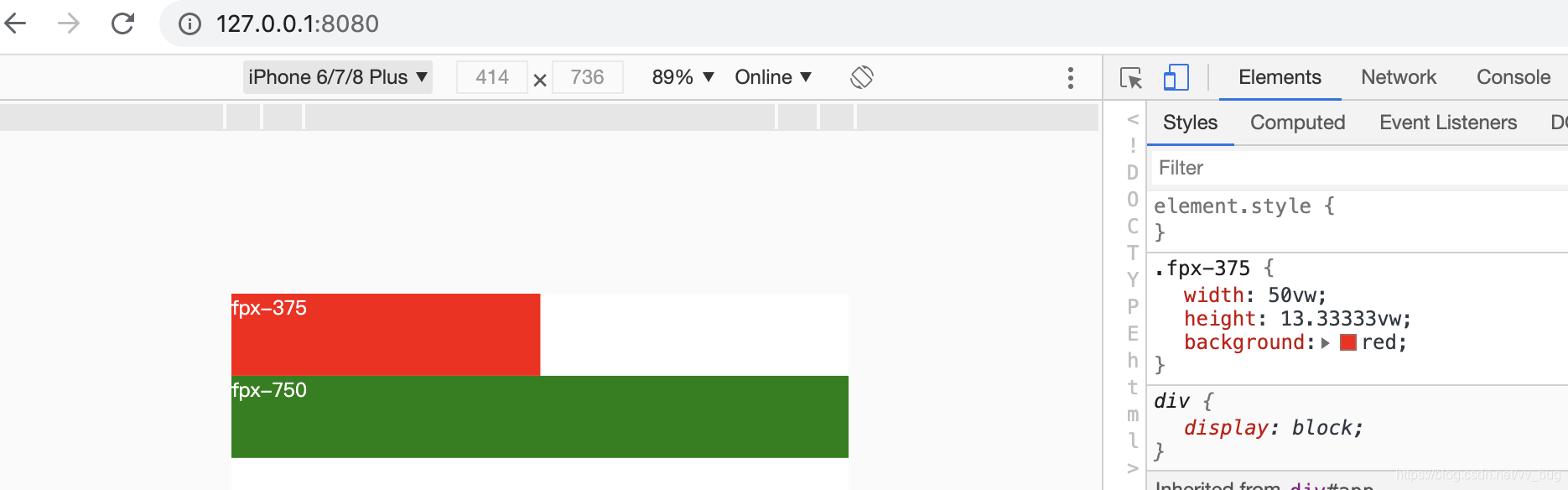
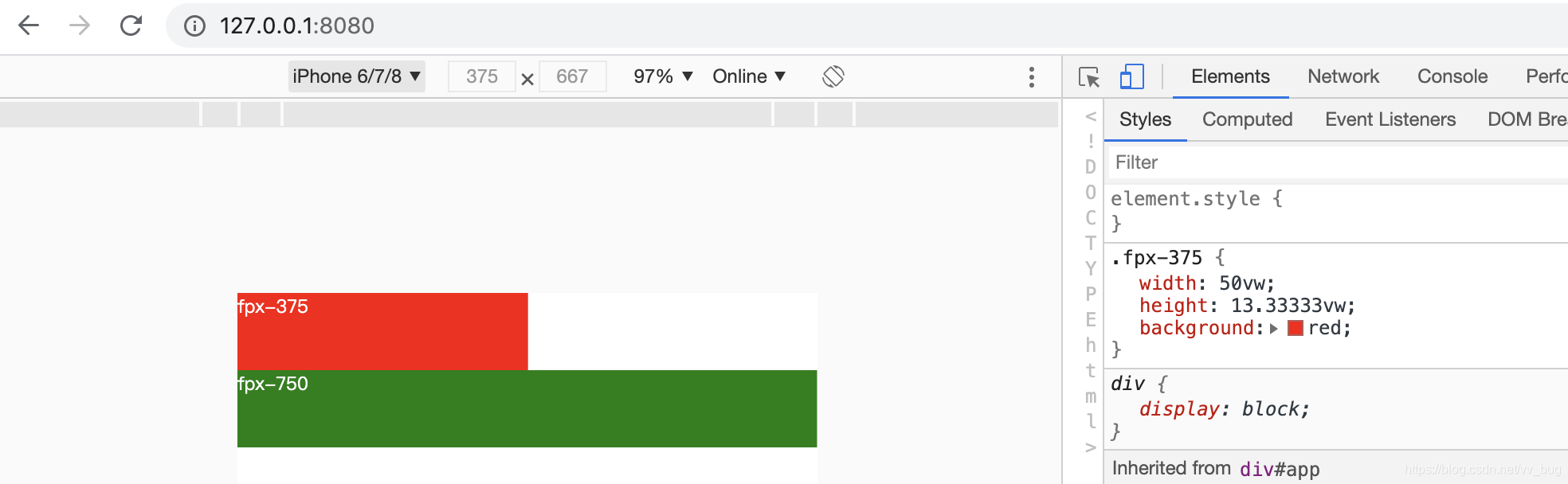
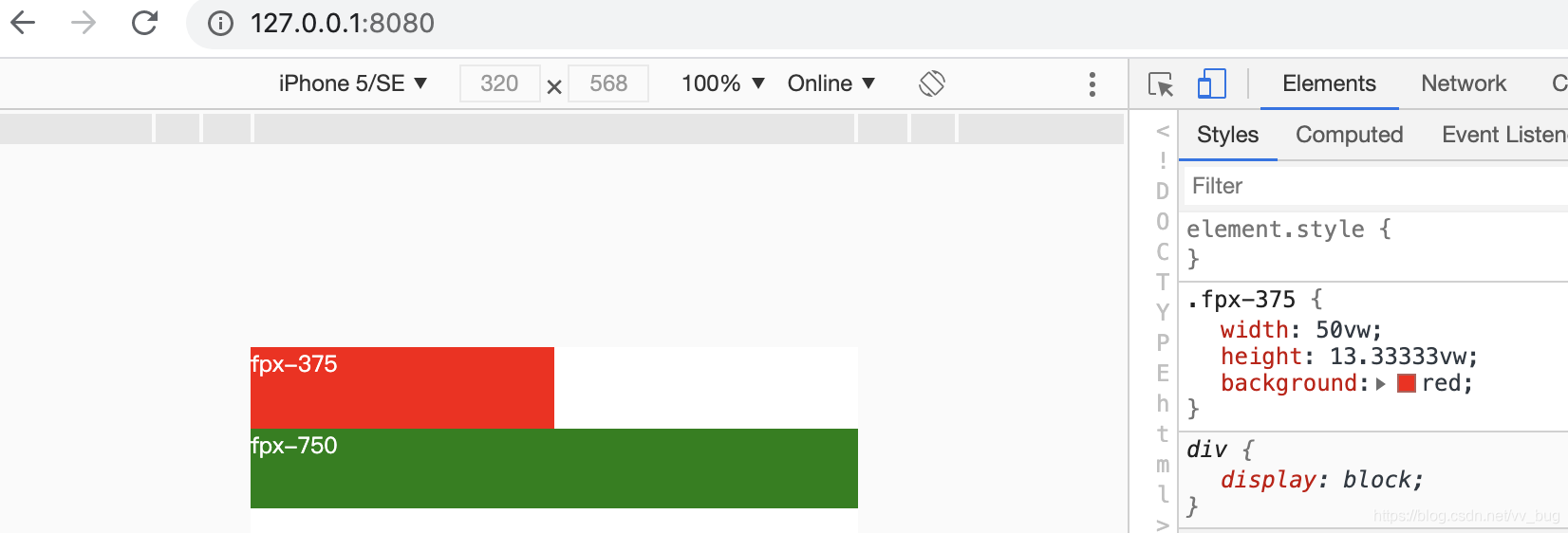
项目已上传github:https://github.com/913453448/fpx-css-loader, 欢迎start、欢迎fork!!