
frosted-glass
v0.3.1
Published
Add a live frosted glass blur effect over any type of web content, including text.


Readme
Frosted Glass 
❄️ Add a live frosted glass blur effect over any type of web content, including text. ️️



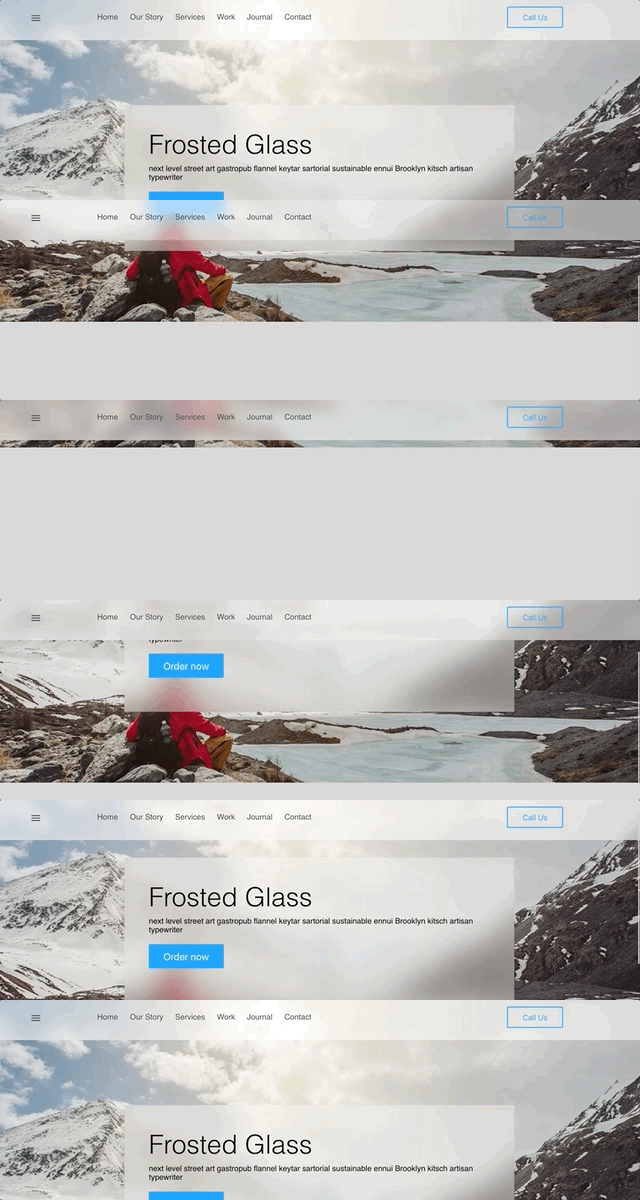
Demos
Install
npm install frosted-glass --saveSetup
- Add a script tag in the head of your index.html
<script src='node_modules/frosted-glass/dist/frostedglass.js'></script>Usage
- Add a
frosted-glass-containerelement - Add a child
frosted-glasselement that should have a blur effect applied
<frosted-glass-container>
  <h1>Welcome!</h1>
  <frosted-glass>
    <div class="nav-content">Nav content</div>
  </frosted-glass>
</frosted-glass-container>
Optional properties
frosted-glass
blur-amount- specifies the blur amount appliedoverlay-color- adds an overlay on top of the blur
frosted-glass-container
stretch- ensures that edges get blurred by stretching the container dimentions by 5%;
Example
<frosted-glass-container stretch="true">
  <frosted-glass blur-amount="5px" overlay-color="ffffff52"></frosted-glass>
</frosted-glass-container>
License
frosted-glass is licensed under the MIT Open Source license. For more information, see the LICENSE file in this repository.