
gamification-react
v0.1.8
Published
Provides prebuilt ui component for with theming and config.


Readme
LeaderboardUI
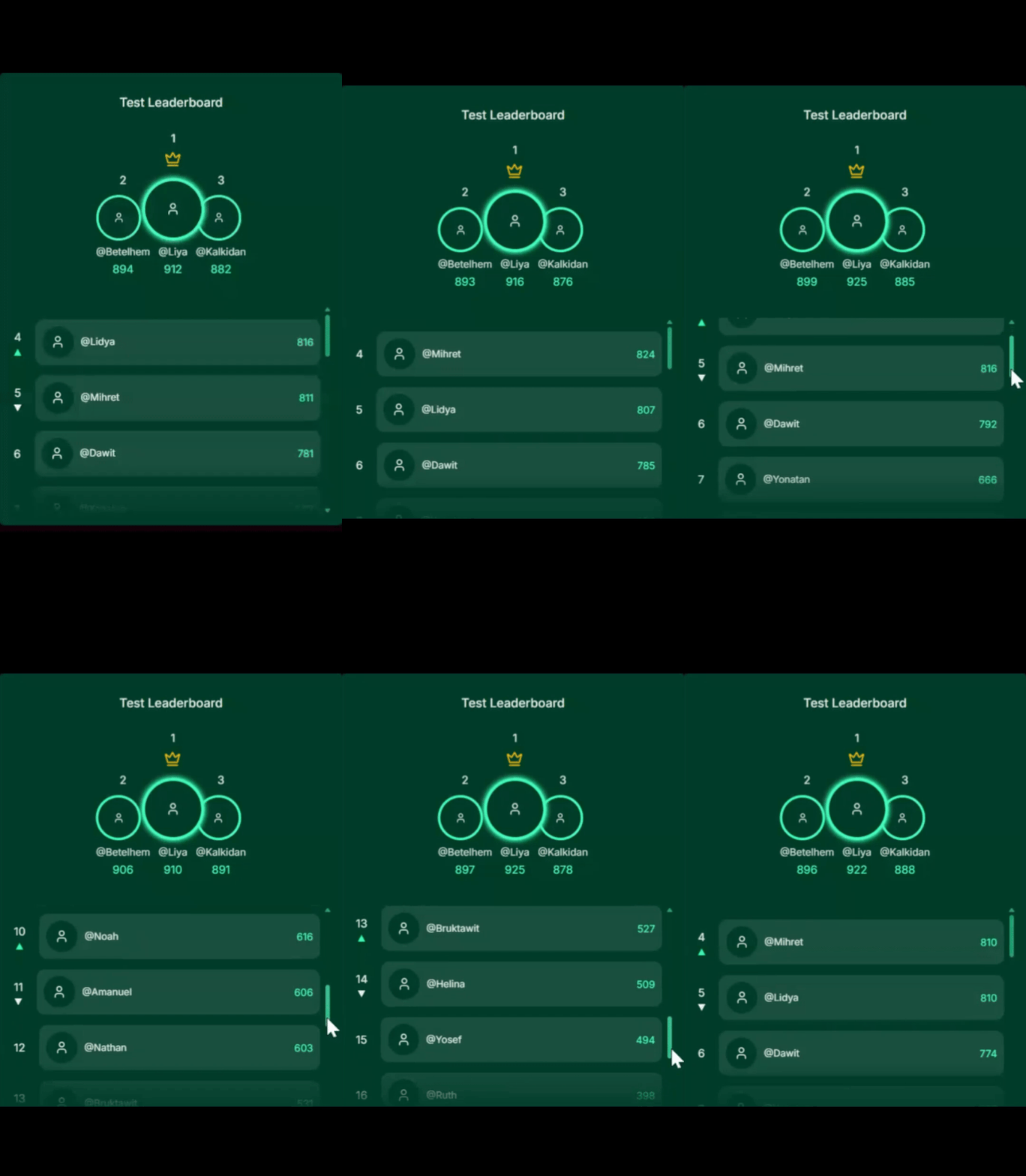
A configurable React leaderboard component that connects to Phoenix Gamification leaderboards. Supports multiple filter types, WebSocket updates, and optional theming.
Installation
npm install gamification-react
# or
yarn add gamification-react
Usage
The frontend never uses your secret. Your backend should generate a signature and timestamp, then pass them to the frontend.
import React, { useEffect, useState } from "react";
import { LeaderboardUI } from "gamification-react";

export default function App() {
  const [wsData, setWsData] = useState<{
    signature: string;
    timestamp: string;
  } | null>(null);

  useEffect(() => {
    // Call your backend endpoint to get signature and timestamp
    fetch("/ws-signature?tenantId=tenant_id&leaderboardId=leaderboard_id")
      .then((res) => res.json())
      .then((data) => setWsData(data));
  }, []);

  if (!wsData) return <div>Loading...</div>;

  return (
    <LeaderboardUI
      title="Weekly Spenders"
      tenantId="tenant_id"
      leaderboardId="leaderboard_id"
      signature={wsData.signature}
      timestamp={wsData.timestamp}
      baseUrl="wss://query-gateway.example.com"
      filter={{ type: "none" }}
      theme={{
        primaryColor: "#7d0663ff",
        secondaryColor: "#f5b3f2ff",
        fontFamily: "Inter, sans-serif",
        borderRadius: "12px",
        padding: "20px",
      }}
    />
  );
}
Server-side Endpoint Example
Node.js / Express — safely generate signature and timestamp:
import express from "express";
import CryptoJS from "crypto-js";

const app = express();
const WS_SECRET = process.env.WS_SECRET;

app.get("/ws-signature", (req, res) => {
  const { tenantId, leaderboardId } = req.query as {
    tenantId: string;
    leaderboardId: string;
  };
  const path = `/v1/leaderboards/${tenantId}/${leaderboardId}/ws`;
  const timestamp = Math.floor(Date.now() / 1000).toString();
  const canonical = `WS\n${path}\n${timestamp}`;
  const signature = CryptoJS.HmacSHA256(canonical, WS_SECRET).toString(
    CryptoJS.enc.Hex
  );

  res.json({ signature, timestamp });
});

app.listen(3000, () => console.log("Server running on port 3000"));
Props
| Prop | Type | Required | Description |
| --------------- | ------------------ | -------- | --------------------------------------------------- |
| title | string | Yes | Text displayed above the leaderboard. |
| tenantId | string | Yes | Tenant identifier used by the leaderboard service. |
| leaderboardId | string | Yes | Leaderboard key to fetch and subscribe to. |
| signature | string | Yes | HMAC signature generated on your backend. |
| timestamp | string | Yes | Timestamp used to generate the signature. |
| baseUrl | string | Yes | Base URL of the Phoenix Query Gateway. |
| theme | LeaderboardTheme | No | Optional styling configuration. |
| filter | FilterConfig | Yes | Defines how the leaderboard data should be fetched. |
Theme Properties (Optional)
| Property | Type | Description |
| ---------------- | -------- | ----------------------------------------- |
| primaryColor | string | Main color used across the leaderboard. |
| secondaryColor | string | Accent/highlight color. |
| fontFamily | string | Font family applied to all text. |
| borderRadius | string | Border radius for components. |
| padding | string | Padding around the leaderboard container. |
FilterConfig Guide
The filter prop determines how leaderboard entries are fetched. Below are all supported filters:
1. Base Filter (No Filtering)
{
  type: "none";
}
2. Page Range Filter
{ type: "page_range", page: 1, page_size: 50 }3. Top N Filter
{ type: "top_n", n: 20 }4. User IDs Filter
{ type: "user_ids", user_ids: ["john123", "anna54"] }5. Rank Range Filter
{ type: "rank_range", min_rank: 10, max_rank: 50 }6. Page-Aware Filter (Dynamic Updates)
{ type: "page_aware", page: 1, page_size: 50, buffer_size: 10 }Notes
filteris mandatory. Pick one type from above.- Frontend receives only
{ signature, timestamp }and passes them toLeaderboardUI.