
gemini-thought-signature-proxy
v1.0.12
Published
A proxy to bypass the Gemini 3.1 Pro thought_signature 400 error in VS Code Copilot BYOK

Maintainers
 johnraymon
Readme
Gemini Thought Signature Proxy
400 INVALID_ARGUMENT: Function call is missing a thought_signature in functionCall parts.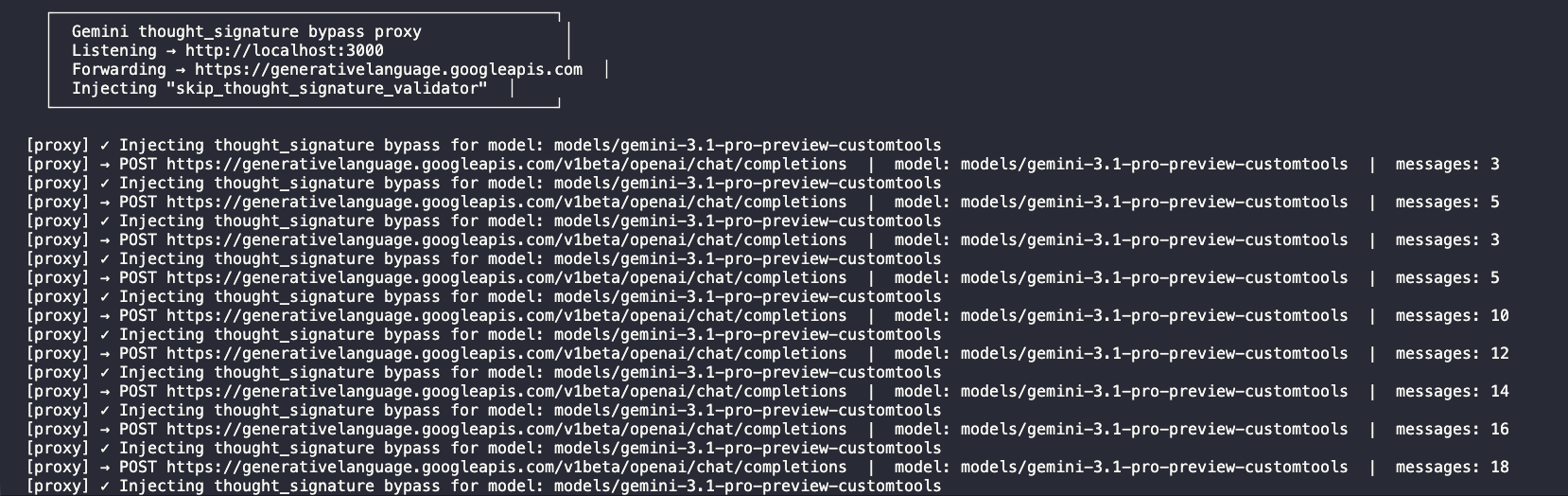
What this is and why I built it (The Simple Version)
I wanted to use the new Gemini 3.1 Pro Preview model directly inside VS Code Insiders using GitHub Copilot's new "Bring Your Own Key" (BYOK) feature.
I set it up using the "OpenAI Compatible" (customoai) vendor option. It worked great for normal chatting. But the moment I tried to use Agent mode (where the AI can actually run tools, read files, and do things), it broke immediately with the thought_signature 400 error above.
Why? Gemini 3.1 does a "thinking" step before it uses a tool. Google attaches a special cryptographic signature to that thought. When VS Code replies back to Google, Google expects to see that signature again. But VS Code is built for OpenAI, not Google, so it just deletes that signature because it doesn't recognize it. Google sees the missing signature and throws a 400 error.
The Fix: This package is a tiny local proxy server. It sits between VS Code and Google. Right before VS Code sends a message to Google, this proxy sneaks in and injects a special "bypass code" (skip_thought_signature_validator) that Google officially allows. This tricks Google into accepting the request without the signature.
Quick Start
1. Run the proxy locally
Open your terminal and run:
npx gemini-thought-signature-proxy(When it starts, it will print out a curl command you can use to test that it's working. We do not store or log your API key!)
2. Configure VS Code Insiders
You need to edit your chatLanguageModels.json file.
How to find it:
- Press
Cmd+Shift+P(orCtrl+Shift+Pon Windows/Linux) - Search for
Chat: Open Language Models (JSON) - Or find it directly at
~/Library/Application Support/Code - Insiders/User/chatLanguageModels.jsonon macOS.
Make sure your file looks like this (pointing to localhost:3000 instead of Google):
[
  {
    "name": "OpenAI Compatible",
    "vendor": "customoai",
    "apiKey": "",
    "models": [
      {
        "id": "models/gemini-3.1-pro-preview-customtools",
        "name": "Gemini 3.1 Pro Preview Custom Tools",
        "url": "http://localhost:3000/v1beta/openai/",
        "toolCalling": true,
        "vision": true,
        "maxInputTokens": 1000000,
        "maxOutputTokens": 66000
      }
    ]
  }
]
3. Add your API Key in VS Code
Just putting it in the JSON file isn't enough! You have to tell VS Code what your actual Google Gemini API key is. (You can get your Gemini API key here: https://aistudio.google.com/api-keys)
- Open the Command Palette (
Cmd+Shift+P). - Search for and select
Chat: Manage Language Models. - You should see the model you just added (
Gemini 3.1 Pro Preview Custom Tools). Click on it. - If it asks for a name, just hit Enter.
- An input box will appear asking for the API key. Paste your Google Gemini API key here and hit Enter.
That's it! You can now use Gemini 3.1 Pro in Agent mode without the 400 error.
Technical Details
The Failure Flow
- VS Code → Google (round 1, signature returned)
- VS Code strips signature
- VS Code → Google (round 2, 400 error)
How it works under the hood
Before forwarding any request, the proxy walks the messages array, finds every role: "assistant" message with tool_calls, and injects a stateless bypass sentinel:
"extra_content": { "google": { "thought_signature": "skip_thought_signature_validator" } }Path routing note
VS Code constructs the final URL by appending v1/chat/completions to the base URL in chatLanguageModels.json. With a base of http://localhost:3000/v1beta/openai/, VS Code sends requests to /v1beta/openai/v1/chat/completions. The Google endpoint is /v1beta/openai/chat/completions (no extra /v1). The proxy intercepts VS Code's path and rewrites the upstream target accordingly.
Note on Models (Privacy & Safety)
This proxy is strictly scoped. The bypass logic only activates for the models/gemini-3.1-pro-preview-customtools model. If you use any other model through this proxy, the request passes through 100% untouched. We do not modify, log, or store your messages or API keys.
When this might stop working
If Google changes enforcement post-GA, the PATCHED_MODEL_ID and BYPASS_SIGNATURE constants may need to be updated.