
generator-gsndnn
v6.0.3
Published
Scaffolds DNN extensions, including Modules (Webforms, SPA, and MVC), Persona Bar, Skin Object, Library, Scheduler, and Hotcakes Commerce projects (based on the generator built by Matt Rutledge).

Maintainers
 geraldn
Readme
generator-upendodnn 


Scaffolds DNN extensions, including Modules (Webforms, SPA, and MVC), Persona Bar, Skin Object, Library, Scheduler, and Hotcakes Commerce projects (based on generator-dnn built by Matt Rutledge).
Learn more about DNN CMS at the official DNN community website.
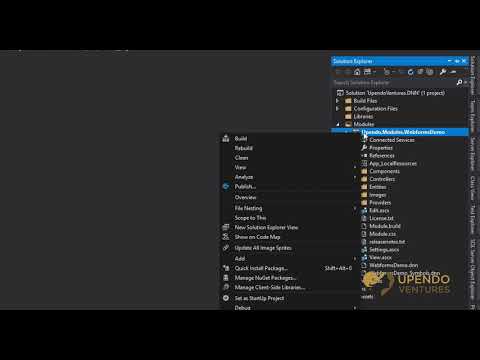
The 25 minute video below will walk you through everything you need to know. (right-click and open in a new tab)
Installation
First, install Yeoman and generator-upendodnn using npm (we assume you have pre-installed node.js).
Warning: You may need to add the user path to your Environmental Variables. Here is an example from Windows 10 (you'd replace your username):
C:\Users\yourUsername\AppData\Roaming\npm
You also need to install the latest version of MSBuild if you don't already have it installed.
- Build tools for Visual Studio 2017
- Build tools for Visual Studio 2015
- Build tools for Visual Studio 2013
Note: Visual Studio 2019 should have installed MSBuild for you.
Now, simply run the following commands:
npm install -g yo
npm install -g yarn
npm install -g generator-upendodnn
Then generate your new project:
mkdir my-project-name
cd my-project-name
yo upendodnn
You're intended to first create the Solution Structure if you haven't yet done so in this directory.
More verbose instructions on how to use this.
Video Overview
First-Timers: How to Use
First, install the generator using the steps above.
- Create and navigate to a folder where you wish to begin your new DNN-based solution. (command line example is above)
- Run
yo upendodnnin CMD or Powershell in that folder. - For the first time, you'll want to always first choose the
Solution Structurescaffold and step through the wizard. - Once the solution scaffold is created, run
yo upendodnnagain to add your other desired DNN projects. - After you add the desired solution/project, open the original Solution scaffold in Visual Studio and add the new project to this main solution.
That's it! Now you can begin building your awesome DNN extension(s) as you see fit. Everything is now under one easy to open, run, code, build, and commit to source control solution.
Say hi to Will at DNN Summit and DNN-Connect. :)
Additional Features
By default, the namespace and extension names will be cased using Pascal-casing rules. If you'd like to override this behavior, you can add a -f parameter to the name.
For example, if your company name is abcCompany, the default behavior will change the name to AbcCompany. In most cases, this is the intended behavior. If you enter abcCompany -f, the namespace or extension name will honor the casing as-is.
More Documentation
Want to learn more or how to build the generator code locally?
Original Project Documentation
License
MIT © 2018 Matt Rutledge
MIT © 2019-2020 Upendo Ventures, LLC