generator-umbraco
v0.0.5
Published
An Umbraco Property Editor Yeoman generator


Readme
generator-umbraco 

An Umbraco Yeoman generator
Getting Started
What is Yeoman?
Trick question. It's not a thing. It's this guy:

Basically, he wears a top hat, lives in your computer, and waits for you to tell him what kind of application you wish to create.
Not every new computer comes with a Yeoman pre-installed. He lives in the npm package repository. You only have to ask for him once, then he packs up and moves into your hard drive. Make sure you clean up, he likes new and shiny things.
npm install -g yoYeoman Generators
Yeoman travels light. He didn't pack any generators when he moved in. You can think of a generator like a plug-in. You get to choose what type of application you wish to create, such as a Backbone application or even a Chrome extension.
To install generator-umbraco from npm, run:
npm install -g generator-umbracoFinally, initiate the generator:
yo umbraco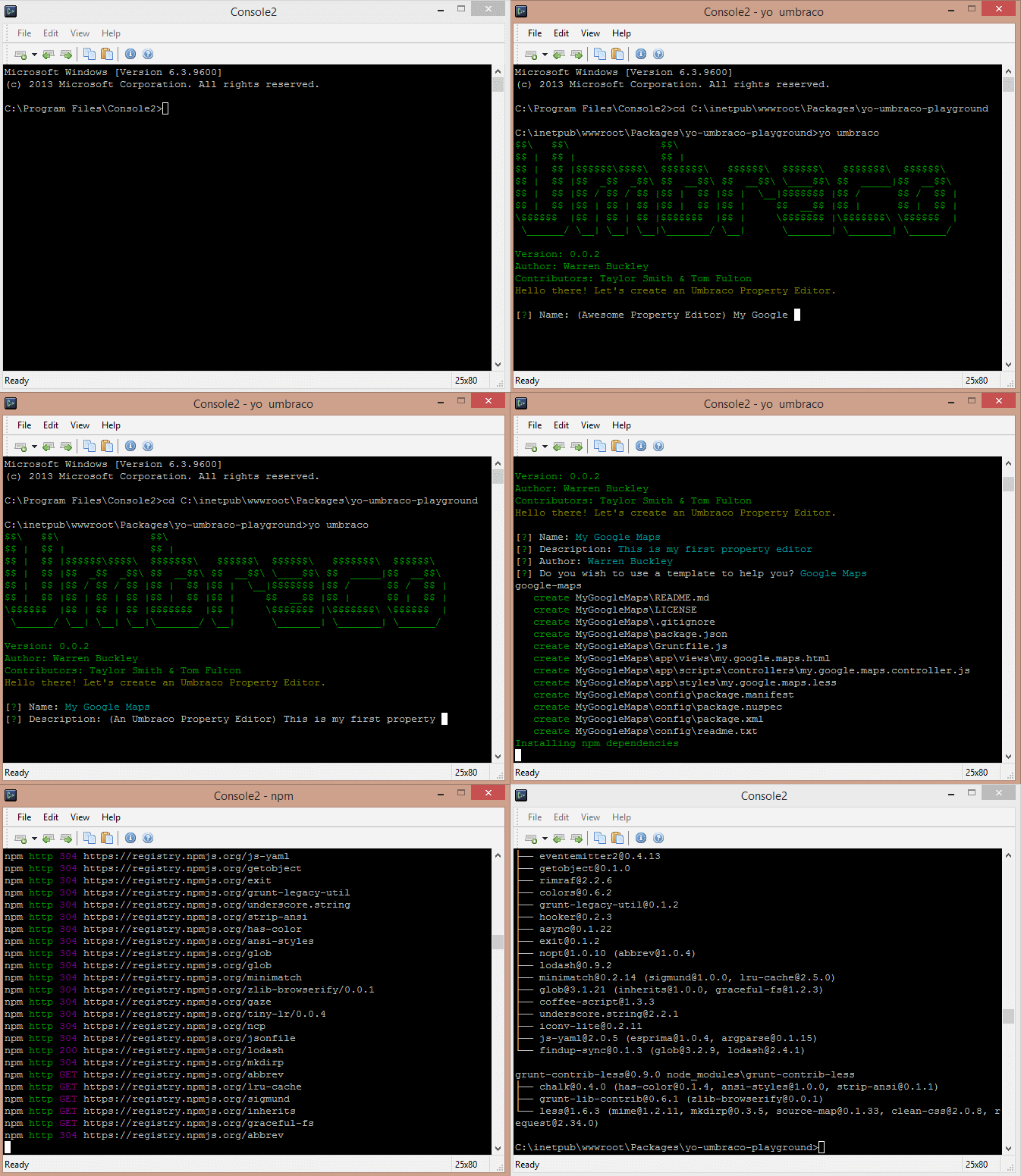
The friendly YeoMan will ask you some questions about creating your Umbraco property editor and then go off and scaffold it all for you to start building your own Umbraco property editor.
Once you have YeoMan create the Umbraco Property Editor for you you can use the power of GruntJS build tool to help build the property editor. If you have GruntJS already installed then you will not need to run the command below.
npm install -g grunt-cliGrunt Tasks
There are several grunt tasks you can run from the folder where YeoMan has copied the folder & files for you, make sure you chaneg directory to that folder then you can run the following commands:
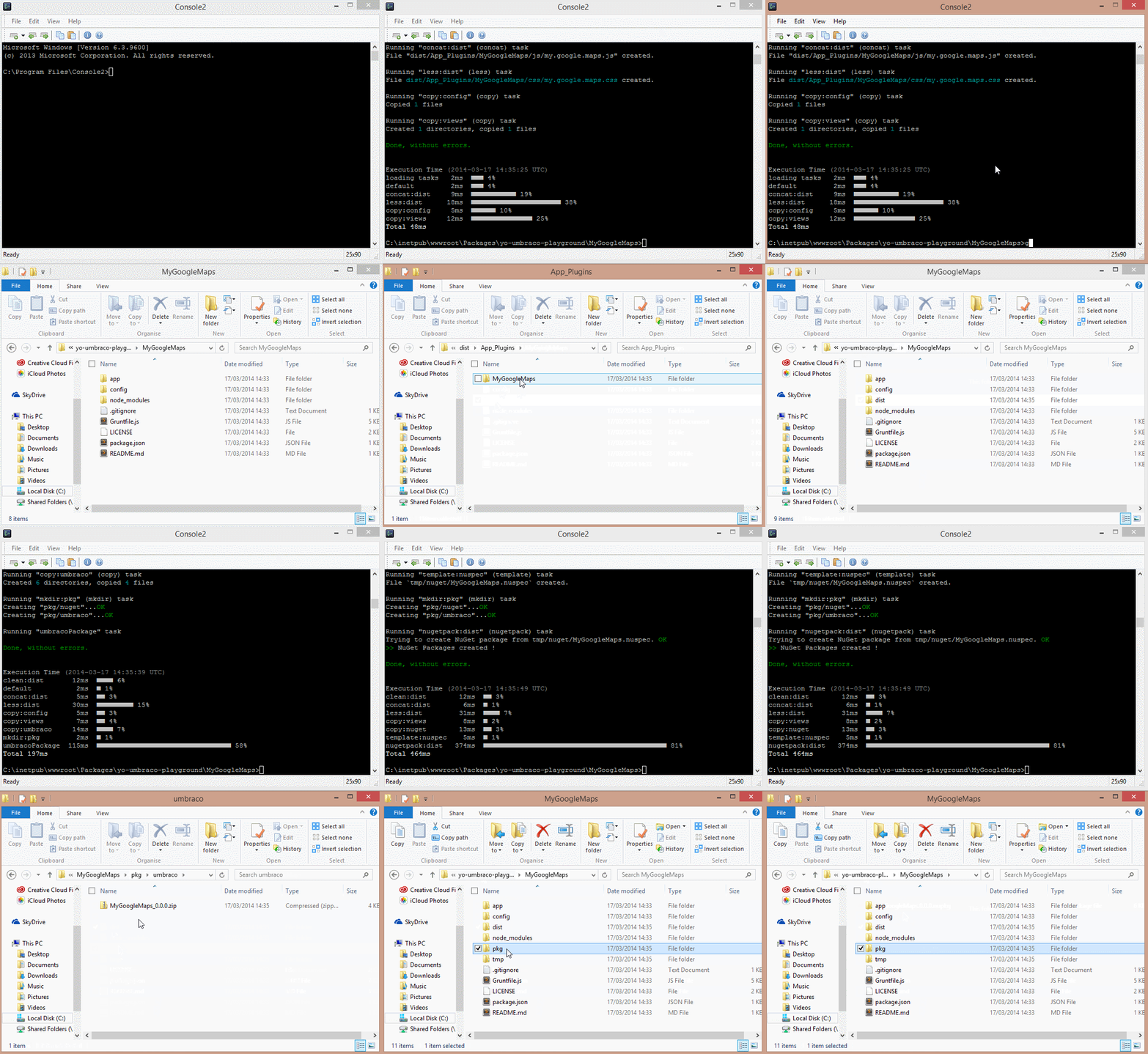
General Build
gruntBuild NuGet Package
grunt nugetBuild Umbraco Package
grunt packageAutomatically watch & build files
This will monitor the Less, Javascript & HTML files for you and build, concat & copy them as needed every time you save a file.
grunt watchTest with an Umbraco Site
You can easily copy your property editor to an Umbraco site to test it out. This will copy the folder that gets run when calling grunt. You simply need to specify the root of the Umbraco site by specifiying a target switch.
grunt --target=c:\inetpub\wwwroot\my-umbraco-site\Unit test your controller
Your property editor comes with a basic test setup for unit testing the editors controller. This is done with Jasmine and Karma
To run your unit tests:
grunt testNotice: To run unit tests you have to copy over all Umbraco's core javascript files. Which you can do by setting -target to point at your /umbraco/ directory, you only have to do this once.
grunt test --target=c:\inetpub\wwwroot\my-umbraco-site\umbraco