
ghore
v2.0.1
Published
"An offline package which gives you a preview of Github markdown before commiting"
Downloads
38

Maintainers
 balu_paalepu
Readme
Hey, I am currently open to new work opportunities, you can find my resume here
Ghore (GitHub offline renderer)
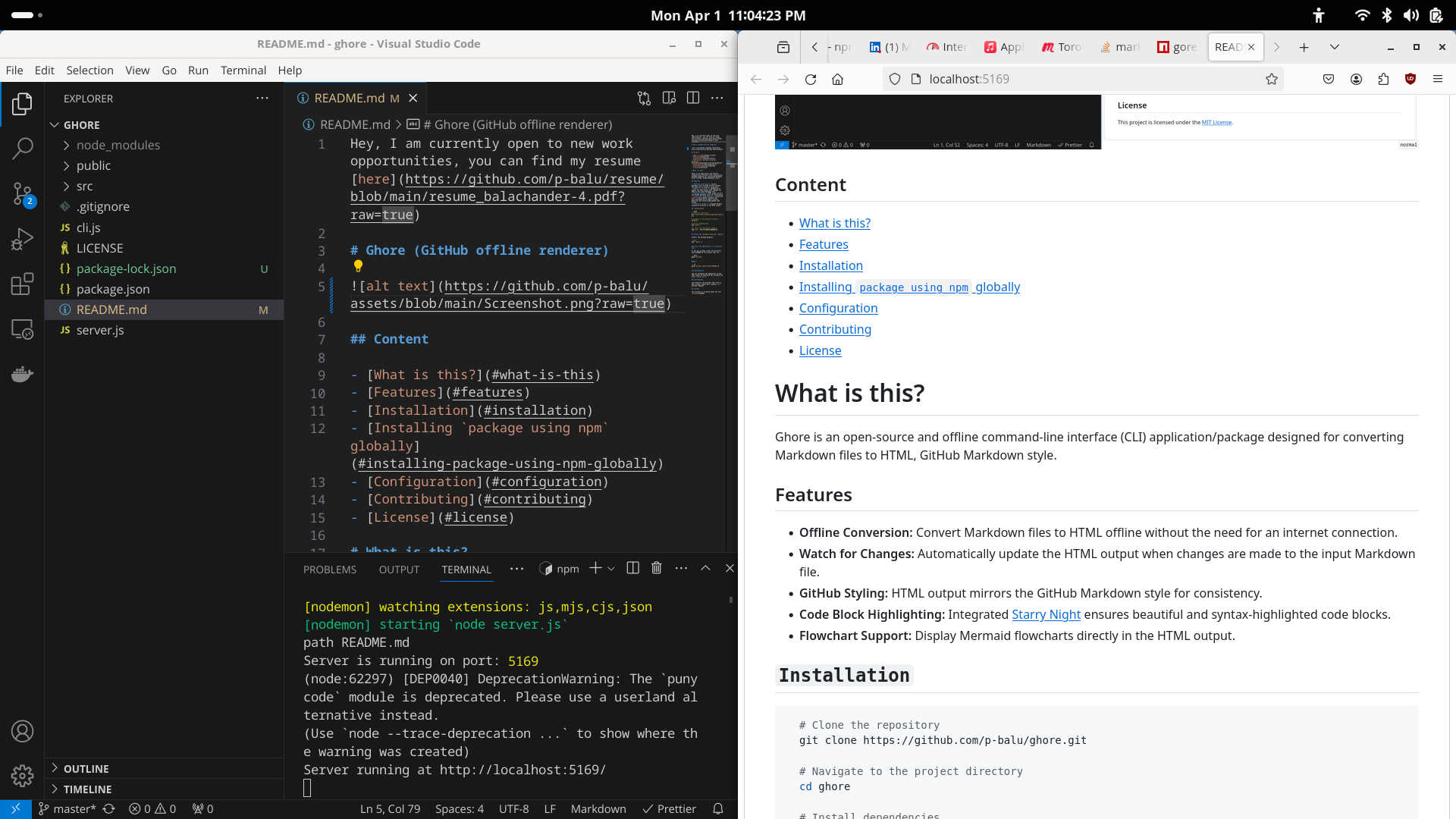
Content
- What is this?
- Features
- Examples
- Requirements
- Installation
- Installing package using npm globally
- Multiple instances
- Configuration
- Contributing
- License
What is this?
Ghore is an open-source, offline command-line interface (CLI) tool specifically designed for developers and writers working with GitHub. Its primary function is to render Markdown files into HTML, closely emulating the GitHub Markdown style. This enables users to preview how their Markdown documents will look on GitHub before committing them to a repository.
Features
- Offline Conversion: Convert Markdown files to HTML offline without the need for an internet connection.
- Watch for Changes: Automatically update the HTML output when changes are made to the input Markdown file.
- GitHub Styling: HTML output mirrors the GitHub Markdown style for consistency.
- Code Block Highlighting: Integrated Starry Night ensures beautiful and syntax-highlighted code blocks.
- Flowchart Support: Live preview of mermaid code blocks (GitHub's API doesn't process mermaid code blocks).
- Auto-open Browser: Automatically opens the preview in your default browser when the server starts.
- Multiple Instances: Run several previews at once — each instance gets its own port automatically selected from the range
5169–5200. - Instance Tracking: Active instances are logged to a shared file in a temporary directory, showing which file is served at which URL.
Examples
Highlights the below code block function using integrated Starry Night
    ```sh
    // Highlight code blocks function
const highlightCode = async (lang, str) => {
  if (!starryNight || !toHtml) {
    await initializeStarryNight();
  }
    ```
like this
const highlightCode = async (lang, str) => {
  if (!starryNight || !toHtml) {
    await initializeStarryNight();
  }
Below mermaid block will be displayed
```mermaid
gitGraph:
    commit "test"
    branch newbranch
    checkout newbranch
    commit id:"1111"
    commit tag:"test"
    checkout main
    commit type: HIGHLIGHT
    commit
    merge newbranch
    commit
    branch b2
    commit
```
like this
gitGraph:
    commit "changes"
    branch newbranch
    checkout newbranch
    commit id:"1111"
    commit tag:"test"
    checkout main
    commit type: HIGHLIGHT
    commit
    merge newbranch
    commit
    branch b2
    commit
Requirements
Node.js 18.0.0 or above.
Installation
# Clone the repository
git clone https://github.com/p-balu/ghore.git

# Navigate to the project directory
cd ghore

# Install dependencies
npm install

# Start the application locally
npm start your/filepath/README.md
Installing package using npm globally
Install the package globally
npm i ghore -gStart the application in 2 different ways
If you are already inside the directory where README.md exists, run:
ghore previewor
ghore preview /path/to/your/README.mdThe preview opens automatically in your default browser.
Multiple instances
You can run multiple previews at the same time. Each instance picks a free port in the range 5169–5200 automatically:
ghore preview README.md &
ghore preview INSTALL.md &
ghore preview docs/CHANGELOG.md &
Each instance logs itself to a shared tracking file inside a temporary directory (printed on startup):
Instance list: /tmp/ghore-abc123/instancesThe file format is:
PATH; FILE; URL
/home/user; README.md; http://localhost:5169/
/home/user; INSTALL.md; http://localhost:5170/
/home/user/docs; CHANGELOG.md; http://localhost:5171/
When an instance is stopped (Ctrl+C or SIGTERM), its line is removed automatically.
Configuration
You can customize the appearance of the HTML output by modifying the included CSS file (styles.css).
Contributing
Contributions are welcome! Feel free to open issues, submit pull requests, or provide feedback.
License
This project is licensed under the MIT License.