
git-commitai-cli
v2.7.3
Published
AI-powered git commit message generator

Maintainers
 sahar.avr
Readme
git commitai
A command-line tool that helps you write clear, conventional git commit messages. It uses AI to suggest commit messages that follow the Conventional Commits specification.
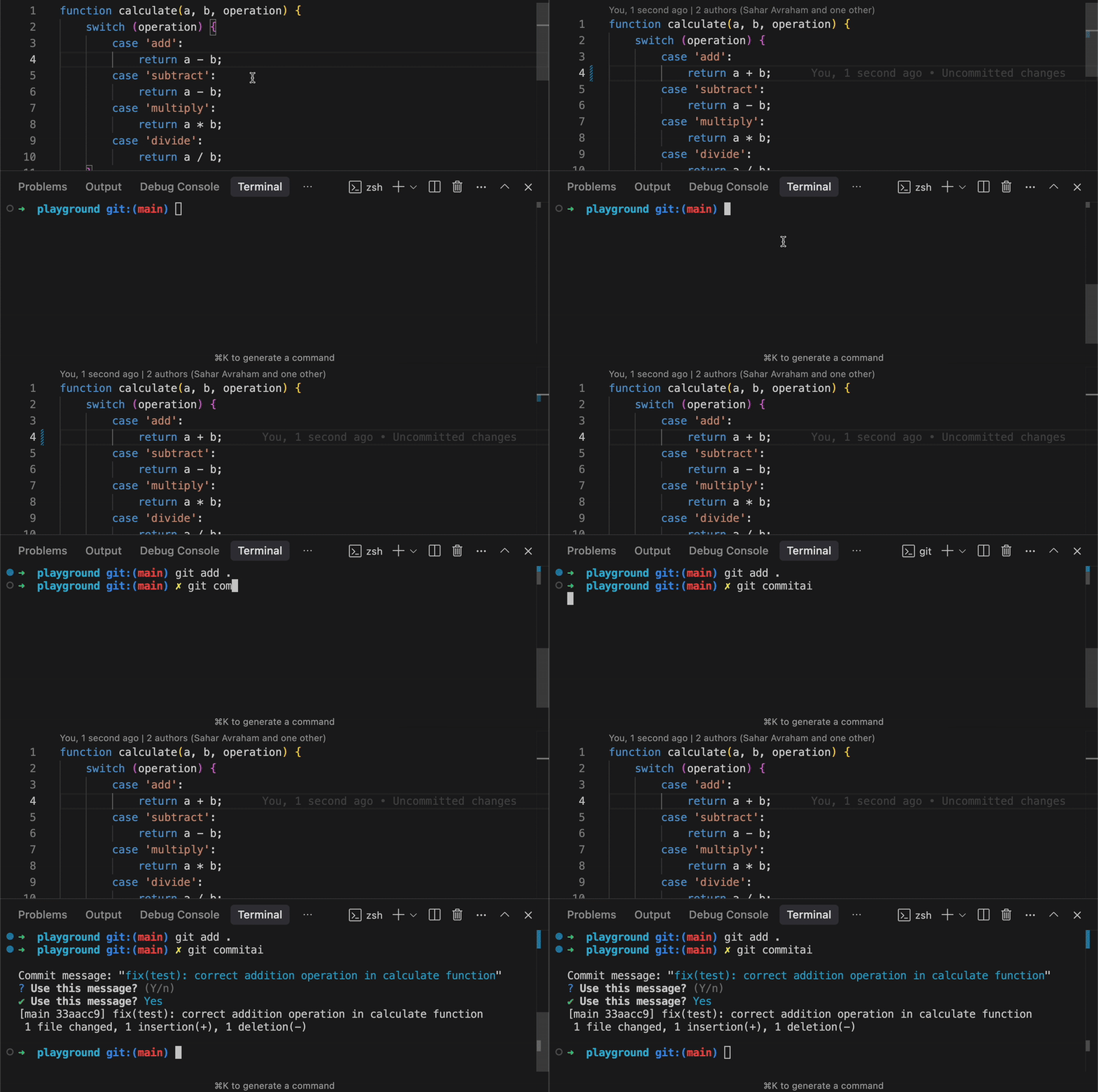




✨ Features
- Generates commit messages using multiple AI providers:
- OpenAI (GPT)
- Google (Gemini)
- Anthropic (Claude)
- Follows the Conventional Commits specification
- Supports message regeneration
- Auto-accept mode with
-yor--yesflag - Stores your API keys securely
- Allows specifying commit prefixes
- Passes through git commit arguments
📦 Installation
# Using npm
npm install -g git-commitai-cli
⚙️ Setup
- Get your API key from one of the supported providers:
- Run
git commitaiand follow the prompts to select a provider and save your API key
🚀 Usage
# Stage your changes
git add .

# Generate and commit with a suggested message
git commitai

# Auto-accept the generated message (no prompt)
git commitai -y
# or
git commitai --yes

# Pass git commit arguments
git commitai --no-verify

# Use a specific prefix
git commitai "feat"

# Combine options
git commitai feat -y --no-verify

# Change AI provider or other settings
git commitai settings
📝 Commit Message Format
This tool generates messages that follow the Conventional Commits format:
<type>(<scope>): <description>

[optional body]

[optional footer(s)]
Types include:
feat: A new featurefix: A bug fixdocs: Documentation changesstyle: Code style changes (formatting, etc.)refactor: Code changes that neither fix bugs nor add featuresperf: Performance improvementstest: Adding or modifying testschore: Changes to the build process or auxiliary tools
🛠️ Configuration
The API keys are stored in ~/.git-commitai/config. You can edit this file manually if needed.
🤝 Contributing
- Fork the repository
- Create a feature branch (
git checkout -b feature/your-feature) - Commit your changes (
git commit -m 'feat: add your feature') - Push to your branch (
git push origin feature/your-feature) - Open a Pull Request
🧑💻 Development Setup
# Clone the repository
git clone https://github.com/SaharAvr/git-commitai.git

# Install dependencies
npm install

# Build the project
npm run build

# Run tests
npm test

# Run linting
npm run lint
📄 License
This project is licensed under the MIT License. See the LICENSE file for details.