
glaceui
v0.3.0
Published
Glacé — beautiful frosted-glass toasts for React. An opinionated, themeable child of sonner with real glass, springy motion, and optional haptics.

Maintainers
 seangeng
Readme
Glacé 🧊
A frosted-glass UI kit for React. Real edge refraction, springy motion, light/dark, and optional haptics — as a tiny, opinionated kit. Ships toasts, a glass button, and a <Glass> surface primitive you can wrap anything in. Think sonner, wearing glass.
glaceui.com — live demo, playground, and docs.
npm i glaceuiimport { Toaster, toast } from "glaceui";
import "glaceui/styles.css";
export default function App() {
return (
<>
<button onClick={() => toast.success("Saved to your library")}>Save</button>
<Toaster position="bottom-right" />
</>
);
}That's the whole setup: drop one <Toaster /> near the root, call toast() from anywhere.
Why
Most toast libraries are either gorgeous-but-rigid or flexible-but-plain. Glacé is opinionated about the look — proper frosted glass that blurs whatever's behind it, with a specular top edge, a faint grain, and a soft shadow — and unopinionated about everything else. It's themeable with plain CSS variables, has no styling dependency, and ships a single stylesheet, so it drops into a Tailwind/shadcn app or a plain one without touching your config.
Features
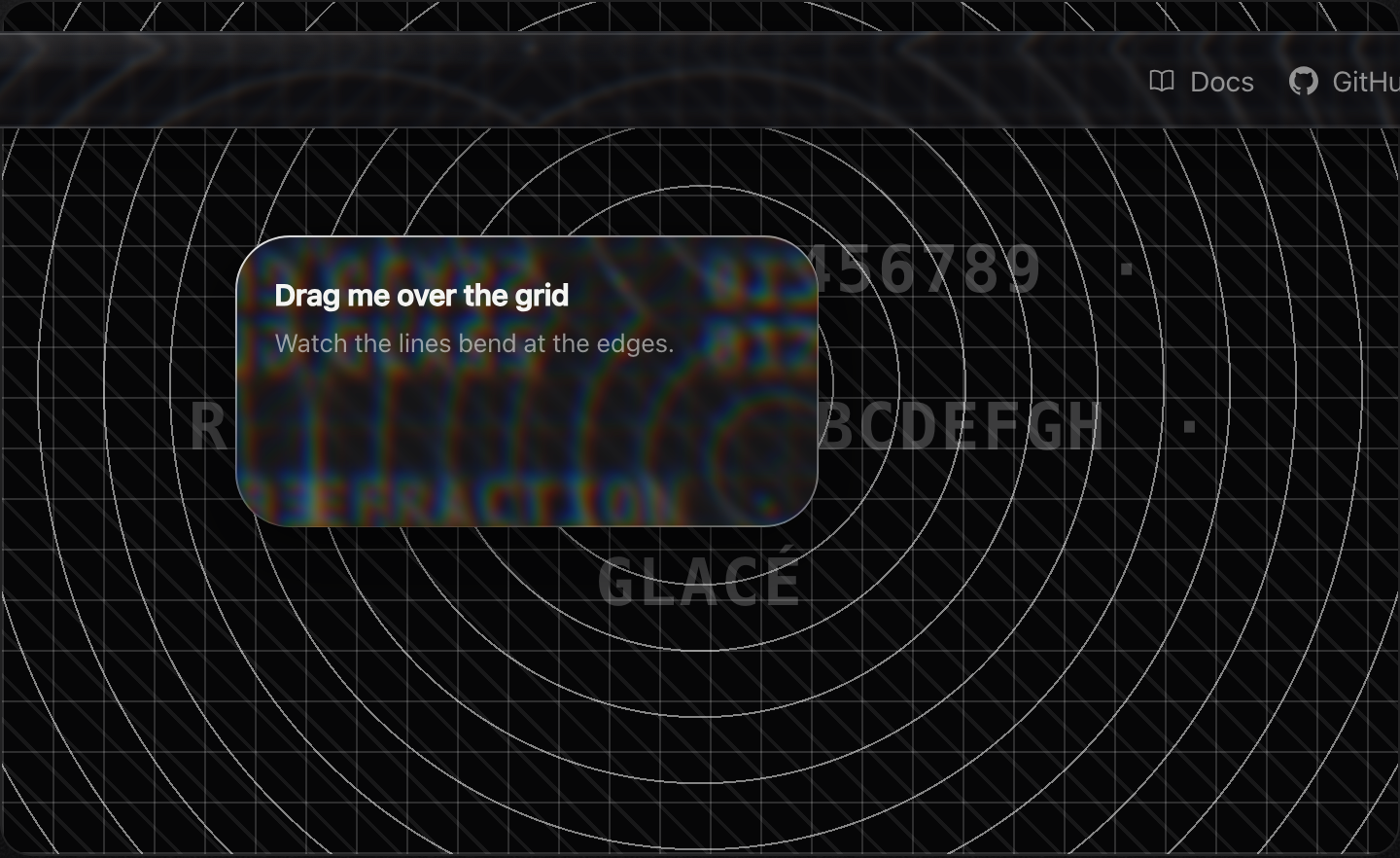
- 🧊 Real glass — edges that refract: an SVG displacement map bends the backdrop at the rim (the Aave glass recipe), with a specular highlight and only a little blur. Degrades to frosted blur where unsupported.
- 🌗 Light / dark / system — looks right on both, automatically.
- 🪄 Springy stack — toasts collapse behind each other and fan open on hover, sonner-style.
- 👆 Swipe to dismiss — pointer-driven, works on touch and trackpad.
- 📳 Optional haptics — a buzz on appear / action / dismiss where the device supports it (inspired by web-haptics).
- 🎨 Themeable — every color, blur, radius, and gap is a CSS variable.
- ⚡ Tiny & dependency-free — just React as a peer. Promise, loading, action buttons, custom render included.
- ♿ Accessible —
aria-liveregion, reduced-motion aware.
Toast API
toast("Plain message");
toast.success("Profile updated");
toast.error("Couldn't reach the server");
toast.warning("Storage almost full");
toast.info("New version available");

const id = toast.loading("Uploading…");
toast.success("Uploaded", { id }); // update in place

// with description + action
toast("Invite sent", {
  description: "[email protected] will get an email.",
  action: { label: "Undo", onClick: () => revoke() },
});

// promise — loading → success / error automatically
toast.promise(saveProfile(), {
  loading: "Saving…",
  success: (data) => `Saved ${data.name}`,
  error: (err) => `Failed: ${err.message}`,
});

// render anything
toast.custom(<MyCard />);

toast.dismiss(id); // or toast.dismiss() to clear all
<Toaster /> props
| Prop | Type | Default | |
|---|---|---|---|
| position | top-left \| top-center \| top-right \| bottom-left \| bottom-center \| bottom-right | bottom-right | where the stack sits |
| theme | light \| dark \| system | system | follows the OS unless pinned |
| richColors | boolean | false | tinted glass per type instead of neutral |
| expand | boolean | true | fan the stack open on hover |
| visibleToasts | number | 3 | how many show before older ones collapse out |
| gap | number | 14 | px between toasts when expanded |
| offset | number | 24 | px from the screen edge |
| duration | number | 4000 | default ms before auto-dismiss |
| closeButton | boolean | false | show an × on every toast |
| blur | number | 16 | glass blur radius in px |
| haptics | boolean \| HapticsOptions | true | vibration feedback (no-op where unsupported) |
| toastOptions | { duration, className, style, closeButton } | — | defaults applied to every toast |
Buttons — <GlassButton>
A frosted button on the glass surface, with a springy liquid press. Docs: glaceui.com/buttons.
import { GlassButton } from "glaceui";

<GlassButton onClick={save}>Save</GlassButton>
<GlassButton size="lg" tone="light">Large light</GlassButton>
<GlassButton morph>{open ? "Collapse" : "Expand"}</GlassButton>  // width springs on change
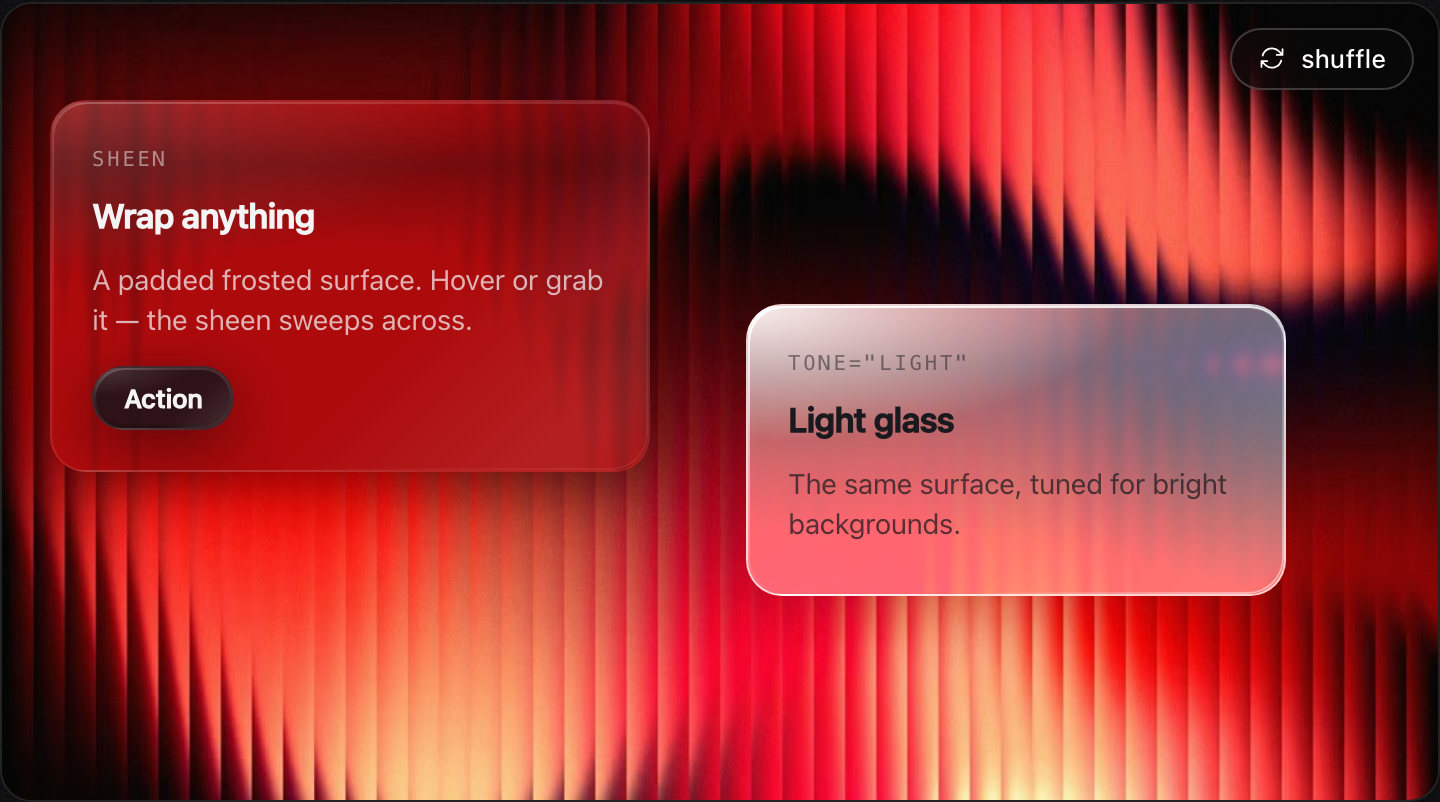
Every button has a specular sheen that sweeps on hover and a 3D press that tips the glass back. Props: tone (light/dark), size (sm/md/lg), refract (false/true/px), aberration, bezel, saturation, morph, plus all <button> props.
GlassCard / Glass take a sheen prop for the same swept highlight on hover/press.
Panels — <GlassCard>
A padded glass container — drop anything inside. Docs: glaceui.com/panels.
import { GlassCard, GlassButton } from "glaceui";

<GlassCard tone="dark" interactive>
  <h3>Pricing</h3>
  <p>Wrap anything in real glass.</p>
  <GlassButton size="sm">Upgrade</GlassButton>
</GlassCard>
Primitives — <Glass>
The raw surface every component is built on. Render any element via as. Docs: glaceui.com/primitives.
import { Glass, useGlassFilter } from "glaceui";

<Glass as="section" tone="light" radius={24}>…</Glass>
<Glass as="aside" morph>…liquid-resizes without distortion…</Glass>
Tuning the refraction — the same knobs the Glass Lab exposes are props on every surface (Glass, GlassCard, GlassButton, Toaster):
<Glass
  refract={80}     // edge displacement in px — or true (auto) / false (off)
  aberration={6}   // chromatic fringe at the rim
  bezel={0.16}     // rim thickness, as a fraction of the shorter side
  blur={3}         // backdrop blur
  radius={28}      // corner radius
/>
Full <Glass> props: as (default div), tone, radius, refract (false/true/px), aberration (1), bezel (0.16), blur (3), saturation (180), fallbackBlur (14), interactive, morph. Displacement maps + their SVG filters are generated per element size and cached by size+tuning, so every same-sized surface — including the toasts — shares one filter.
Theming
Glacé is driven entirely by CSS variables on [data-glace-toaster]. Override any of them — they map cleanly onto shadcn's token system, so you can wire them to your existing palette:
[data-glace-toaster][data-theme="dark"] {
  --glace-bg: rgba(20, 20, 28, 0.55);
  --glace-border: rgba(255, 255, 255, 0.1);
  --glace-text: hsl(var(--foreground));
  --glace-radius: 14px;
}
Per-toast styling is just className / style:
toast("Custom", { className: "my-toast", style: { "--glace-radius": "22px" } });Haptics
On by default — a light buzz on appear / action / dismiss, a no-op where the
Vibration API isn't available (iOS Safari, most desktops). Pass haptics={false}
to turn it off, or tune the patterns:
<Toaster haptics />
<Toaster haptics={{ enabled: true, show: 8, action: [6, 10, 6], dismiss: 4 }} />
Uses the Vibration API where available (Android Chrome and others). iOS Safari doesn't expose it, so it's a progressive enhancement — never required, never throws.
Credits
Standing on the shoulders of work I admire:
- sonner by Emil Kowalski — the toast API and stacking behavior this follows.
- Building glass for the web by Aave — the layered-glass recipe.
- Sileo by Aaryan — glass-notification aesthetic inspiration.
- web-haptics by Lochie — the case for tactile web feedback.
License
MIT © Sean Geng