
globe-threejs
v3.0.1
Published
A 3D globe visualization using Three.js with dynamic lighting and timezone calculations.


Readme
Globe Module
The Globe module is a dynamic 3D Earth visualization tool built on Three.js. It displays day and night textures, and clicking the globe gives you the local time zone, time and date for that spot, including daylight saving time. The globe has Earth's axial tilt, rotates at the real sidereal rate, and lights the surface according to the sun's actual position for the current date and time.
▶ Live demo: orbit the globe, click anywhere to see its local time, or try the 10K textures.
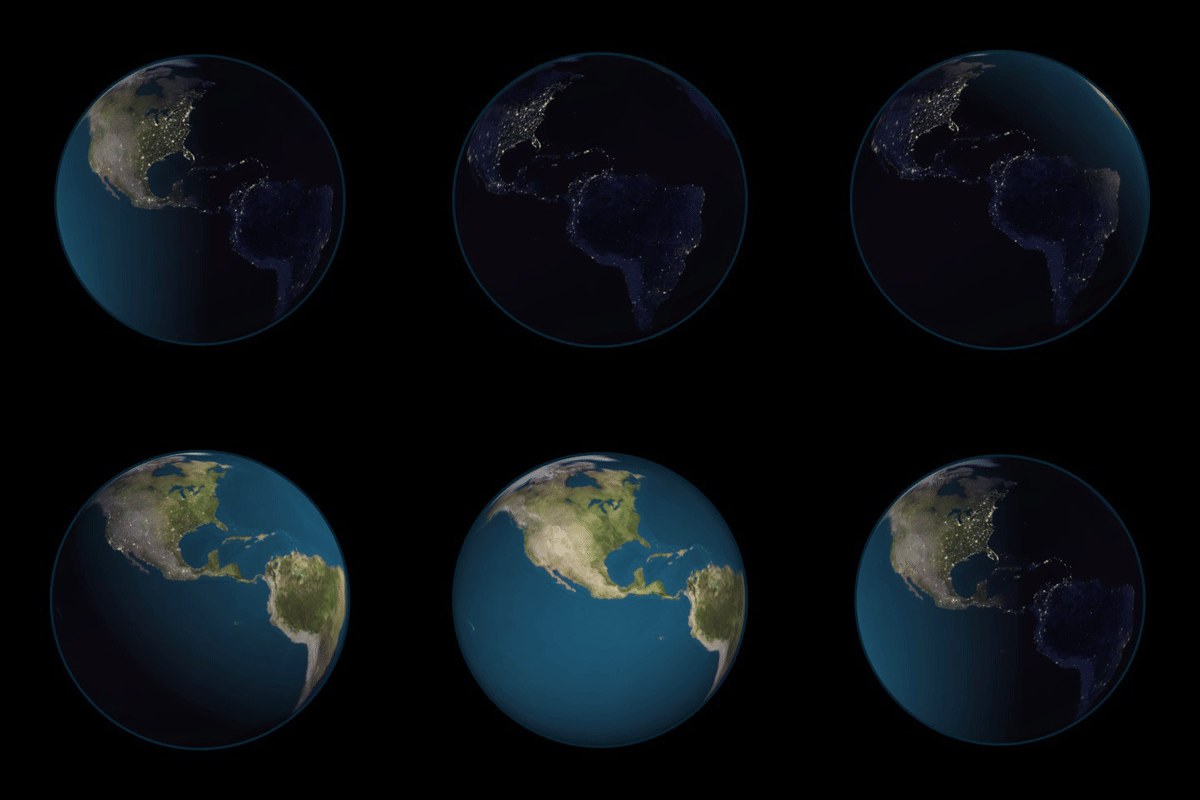
Recorded from the live demo: 24 hours of daylight and city lights at the June solstice. Click the animation to try it yourself.
Features
- Dynamic Day/Night Cycle: Renders Earth with day and night textures that update in real time according to the sun's position.
- Timezone Interaction: Clicking the globe returns the location's IANA time zone (e.g.
Europe/Berlin), UTC offset, local time and date, with daylight saving time handled correctly. - 3D Visualization: Renders a 3D globe with an atmosphere effect.
- Time Control: Show any date and time with
setDateTime(), or let the globe follow real time. - 4K or 10K Textures: Lightweight 4K textures by default, sharper 10K textures on request.
- TypeScript Types: Type definitions are included.
Installation
npm install globe-threejs threethree (version 0.150 or newer) is a peer dependency, so your app and the globe share a single copy. TypeScript users should also install @types/three.
The package is an ES module and is meant to be used with a bundler such as Vite or webpack. The default textures are resolved relative to the package, so bundlers pick them up automatically.
Usage
import * as THREE from 'three';
import { Globe } from 'globe-threejs';

const globe = new Globe({
    onLocationClick(info) {
        console.log('Clicked location info:', info);
    },
});

// Initialize a Three.js scene
const scene = new THREE.Scene();
const camera = new THREE.PerspectiveCamera(75, window.innerWidth / window.innerHeight, 0.1, 1000);
const renderer = new THREE.WebGLRenderer();
renderer.setSize(window.innerWidth, window.innerHeight);
document.body.appendChild(renderer.domElement);

// Add the globe to the scene
globe.addToScene(scene);

// Forward clicks to the globe
renderer.domElement.addEventListener('click', (event) => {
    globe.handleMouseClick(event, camera, renderer.domElement);
});

// Camera and rendering setup
camera.position.z = 15;
function animate() {
    requestAnimationFrame(animate);
    renderer.render(scene, camera);
}
animate();
Textures
| textureResolution | Size | Source |
|---|---|---|
| '4k' (default) | 4096×2048, ~2.5 MB total | Included in the package |
| '10k' | 10800×5400, ~17 MB total | Loaded from the jsDelivr CDN |
const globe = new Globe({ textureResolution: '10k' });10K textures look sharper when zoomed in, but take longer to download and need a GPU that supports textures of that size, which many phones don't. You can also use your own images with the dayTexture and nightTexture options.
API Reference
Options
When creating a new instance of the Globe, you can pass in an options object:
- textureResolution:
'4k'(default) or'10k'. See Textures. - dayTexture: URL of a custom daytime texture. Overrides
textureResolution. - nightTexture: URL of a custom nighttime texture. Overrides
textureResolution. - startTime: The date and time the globe starts at. Default is
new Date()(now). - earthRadius: The radius of the globe in Three.js units. Default is
5. - onLocationClick: Callback executed when a location on the globe is clicked. See Events. Default is
null. - autoUpdate: When
true(default), the globe runs its own animation loop to advance time, rotation and lighting. Set tofalseto callupdate()from your own loop instead.
Properties
- earth: The
THREE.Meshof the globe, available immediately after construction. Add your own objects as children to have them rotate with the Earth.
Methods
addToScene(scene): Adds the globe to a Three.js scene.
setDateTime(date): Sets the globe's date and time, which updates the lighting and the local times reported by clicks. The globe's clock keeps running from there.
getDateTime(): Returns the globe's current date and time as a
Date.update(now?): Advances the globe's clock, rotation and lighting by the time elapsed since the previous call. Only needed when
autoUpdateisfalse.nowis a timestamp in milliseconds such as the one passed torequestAnimationFramecallbacks, and defaults toperformance.now().handleMouseClick(event, camera, domElement): Performs raycasting for a mouse or pointer event and calls
onLocationClickif the globe was hit.- event: The mouse or pointer event.
- camera: The Three.js camera used to render the scene.
- domElement: The canvas the renderer draws into.
dispose(): Stops the animation loop, removes the globe from its scene and frees its GPU resources.
Events
onLocationClick receives an object with the following properties:
- lat: Latitude of the clicked location.
- lon: Longitude of the clicked location.
- timezone: UTC offset, e.g.
GMT+2orGMT+5:30. - timezoneName: IANA time zone name, e.g.
Europe/Berlin. - localTime: Local time, e.g.
14:05:09. - localDay: Local day of the week, e.g.
Monday. - localDate: Local date, e.g.
July 1, 2024.
Upgrading from 2.x
- Install
threeyourself: it is now a peer dependency. - The
timezoneGeoJSONoption was removed. Time zones are looked up automatically. - The default textures are now 4K. Pass
textureResolution: '10k'for the previous resolution. timezoneusesGMT+5:30instead ofGMT+5.5for fractional offsets. The newtimezoneNamefield gives the IANA name.update()no longer schedules itself. You only need it withautoUpdate: false.startTimeandsetDateTime()now actually change the lighting and reported local times.
Development
Requires Node.js ≥ 20.
npm install
npm run dev        # demo page with live reload at http://localhost:5173 (add ?res=10k for 10K textures)
npm test           # unit tests
npm run typecheck  # checks the TypeScript definitions
npm run build      # builds the demo into dist/
The demo in demo/ imports the library directly from src/, so changes show up immediately.
License
This project is licensed under the MIT License. Time zone lookup uses @photostructure/tz-lookup (CC0).