go-learning-ide
v1.0.2
Published
Interactive Go Learning IDE with Monaco Editor
Readme
Go Learning IDE
A VS Code-style, dark-themed web IDE for learning Go — built with Node.js, Express, Commander, and Monaco Editor.
Table of Contents
- Prerequisites
- Installation
- Running the Server
- Project Layout
- Using the IDE
- Keyboard Shortcuts
- Autocomplete & Hover
- REST API
- CLI Options
- Technology Stack
- Troubleshooting
- License
Prerequisites
| Software | Minimum Version | Notes |
|----------|----------------|-------|
| Node.js | 14 LTS | Required to run the server |
| Go | 1.16 | Must be on your PATH; the IDE shells out to go run |
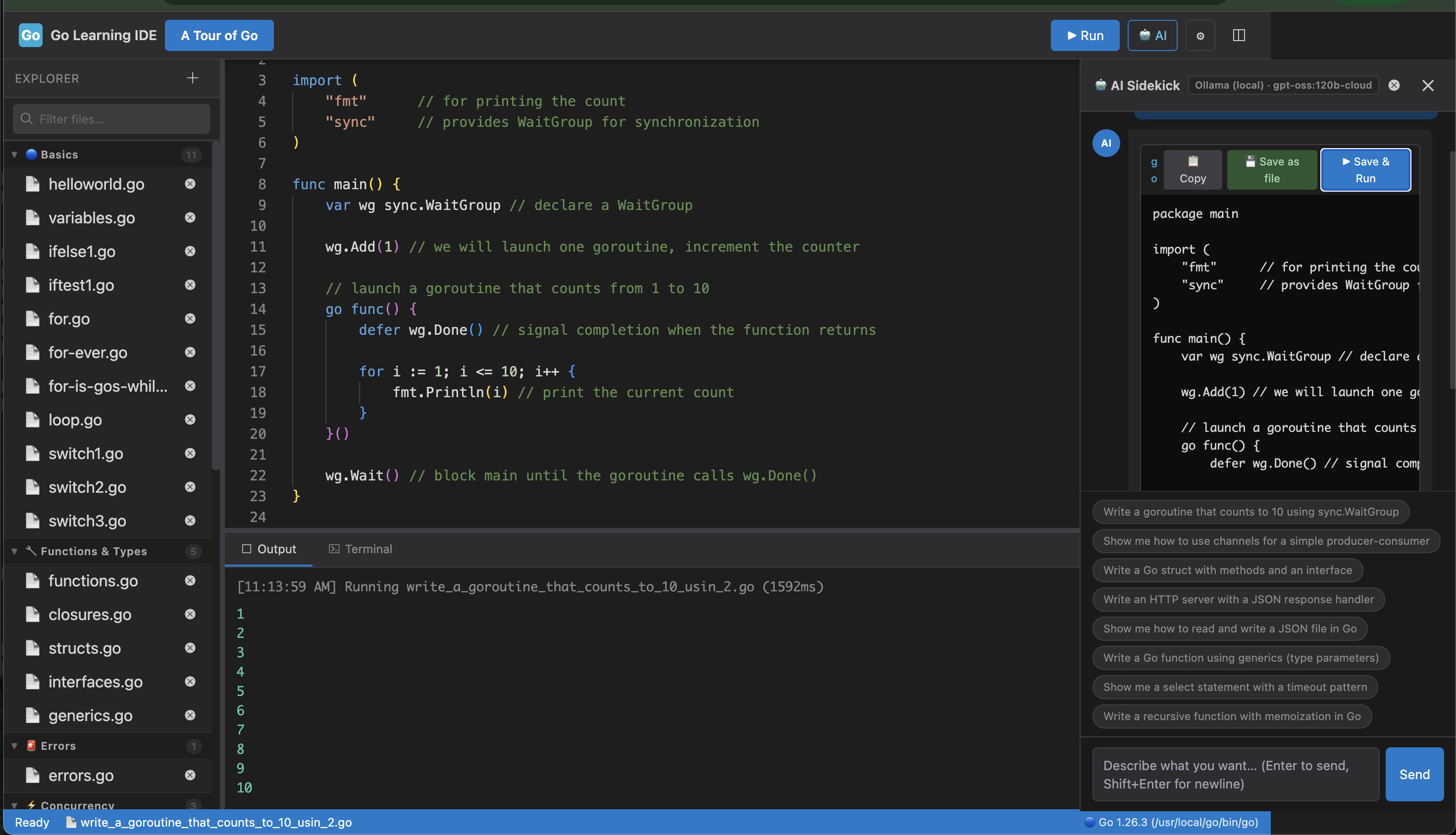
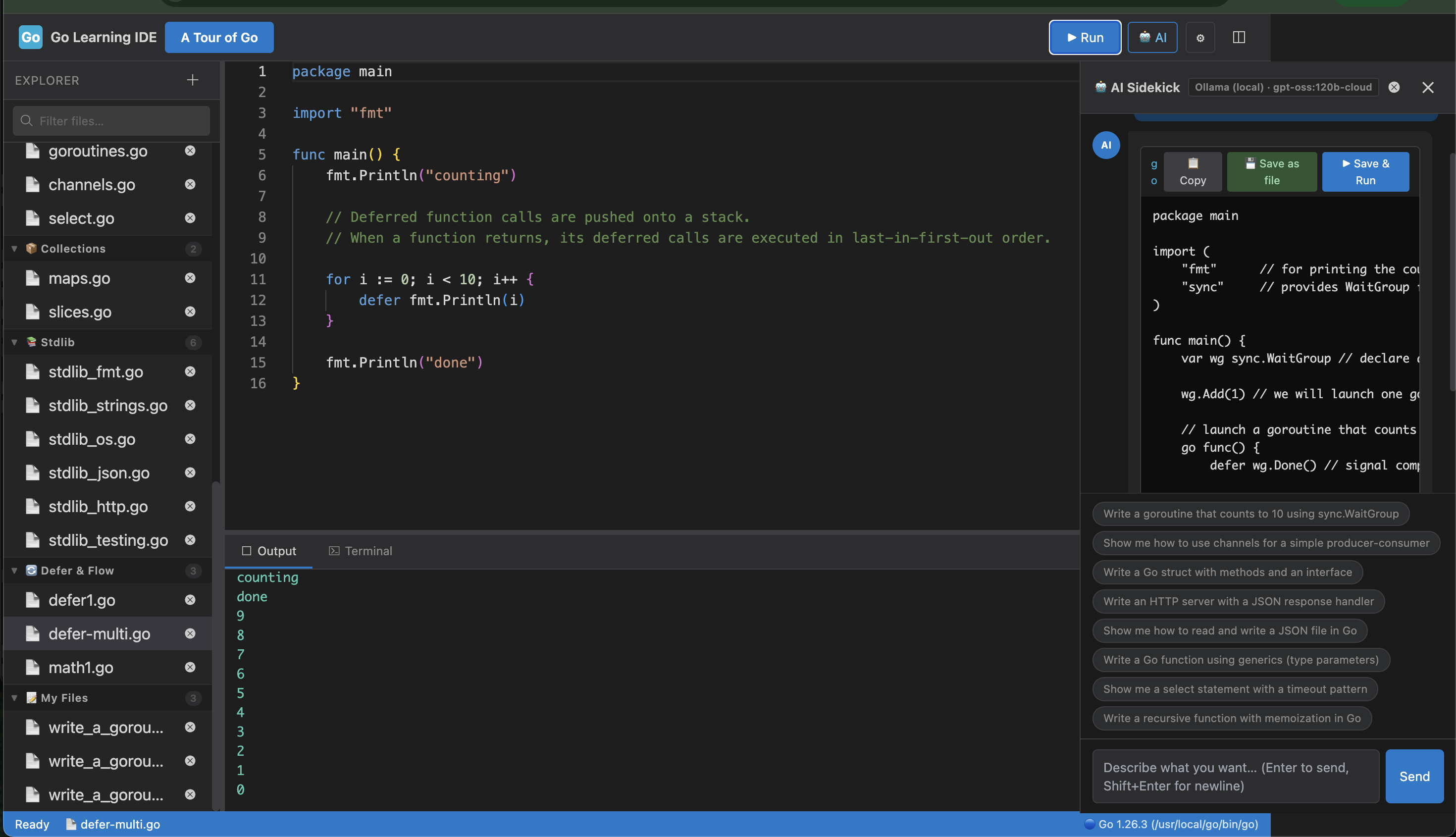
Screenshot

Installation
npm install -g go-learning-ideThat is it. No build step, no bundler, no global dependencies beyond Node and Go.
Running the Server
go-ide -p 5678 Open http://localhost:5678 in your browser.
A workspace/ directory is created automatically on first launch and pre-populated with a main.go welcome file.
Using the IDE
File Explorer
The left pane lists every .go file inside workspace/.
| Action | How |
|--------|-----|
| Create a file | Click the + icon in the Explorer header. Type a name (the .go extension is appended automatically if omitted). A boilerplate package main template is written for you. |
| Open a file | Single-click its name. The editor loads its content immediately. |
| Delete a file | Click the × that appears next to the file name. A confirmation dialog is shown first. |
Editor
The center pane is a full Monaco Editor instance configured for Go:
- Syntax highlighting (built-in Monaco Go grammar)
- Line numbers and minimap
- Word wrap enabled
- Tab size 4, hard tabs (matching
gofmtconventions) - Auto-save before every run
Output Panel
The bottom pane captures everything that go run writes to stdout and stderr. Each execution block is preceded by a timestamp and the elapsed wall-clock time in milliseconds. Exit code 0 output is rendered in green; any error output is rendered in red.
Resizable & Toggleable Panes
| Pane | Toggle button | Drag handle | |------|--------------|-------------| | Explorer (left) | Sidebar icon in the header toolbar | Vertical bar between Explorer and Editor |
When a pane is toggled off its drag handle disappears with it and the Editor expands to fill the freed space. Drag handles turn blue on hover so they are easy to find.
Keyboard Shortcuts
| Shortcut | Action |
|----------|--------|
| Ctrl + Enter / Cmd + Enter | Save the current file and run it |
| Ctrl + S / Cmd + S | Save the current file |
| Esc | Close the "New File" dialog |
| Space / typing | Triggers quick-suggestions after 200 ms |
| . (dot) | Triggers package-member completion immediately |
Autocomplete & Hover
The IDE ships a custom Monaco CompletionProvider and HoverProvider that together give you Go-aware IntelliSense without any external language server.
What Triggers Autocomplete
| Trigger | What you see |
|---------|-------------|
| Any identifier character | All keywords, builtin functions, predeclared types, constants, standard-library package names, and code snippets — filtered as you type. |
| . immediately after a package alias | Only the exported members of that package. |
Dot-Completion & Named Aliases
When you type fmt., the provider:
- Scans the current file's
importdeclarations (both single-line and grouped blocks). - Maps the alias you typed to the actual import path.
- Returns the matching package's exported members with full signatures and documentation.
Named aliases work out of the box:
import r "math/rand"
// typing r. → shows Intn, Float64, Seed, …Covered Packages
17 standard-library packages are included, each with full member lists and doc-strings:
| Package | Import Path | Notable Members |
|---------|-------------|-----------------|
| fmt | fmt | Println, Printf, Sprintf, Errorf, Scan … |
| math | math | Sqrt, Pow, Abs, Pi, Sin, Cos … |
| strings | strings | Contains, Split, Join, Replace, TrimSpace … |
| strconv | strconv | Atoi, Itoa, ParseInt, FormatFloat … |
| os | os | Args, Exit, ReadFile, WriteFile, Getenv … |
| errors | errors | New, Is, As, Unwrap |
| sort | sort | Ints, Strings, Slice, Search … |
| rand | math/rand | Intn, Float64, Seed, Shuffle, Perm … |
| time | time | Now, Since, Sleep, Parse, Second … |
| log | log | Print, Fatal, Panic, New … |
| regexp | regexp | Compile, MustCompile, MatchString … |
| sync | sync | Mutex, WaitGroup, Once, Map … |
| io | io | Copy, ReadAll, EOF, Reader, Writer … |
| bufio | bufio | NewReader, NewWriter, NewScanner … |
| json | encoding/json | Marshal, Unmarshal, MarshalIndent … |
| http | net/http | Get, ListenAndServe, HandleFunc … |
| filepath | path/filepath | Join, Base, Dir, Ext, Walk … |
In addition to package members, the provider surfaces 25 keywords, 15 builtin functions, 21 predeclared types, and 4 predeclared constants (true, false, nil, iota).
Snippets
16 code snippets are available and float to the top of the suggestion list. Each inserts a multi-line template:
| Snippet | Inserts |
|---------|---------|
| package | Full package main + import "fmt" + main() |
| main | func main() { … } |
| func | Empty function declaration |
| if | if / else block |
| for | Classic for i := 0; … loop |
| forRange | for i, v := range … loop |
| switch | switch with two cases and a default |
| struct | Struct type declaration with sample fields |
| interface | Interface type declaration |
| goroutine | Anonymous go func() { … }() |
| defer | Deferred anonymous function |
| channel | Buffered channel declaration |
| select | select with a default case |
| errCheck | if err != nil { log.Fatal(err) } |
| map | Initialised map[string]int literal |
| slice | Initialised []string literal |
Hover
Hovering over any keyword, builtin, type, constant, or package name anywhere in the editor pops up a Markdown tooltip with the signature and a short description. Hovering over a package name also lists all of its exported members.
REST API
All endpoints are served by the same Express process. Every route accepts and returns JSON.
| Method | Path | Description |
|--------|------|-------------|
| GET | /api/files | Returns { files: ["main.go", …] } — names of all .go files in the workspace |
| GET | /api/files/:filename | Returns { content: "…" } — full text of the requested file |
| POST | /api/files | Creates a new file. Body: { filename: "hello.go" }. Returns 400 if the file already exists. A boilerplate template is written automatically. |
| POST | /api/files/:filename | Overwrites the file. Body: { content: "…" } |
| DELETE | /api/files/:filename | Deletes the file |
| POST | /api/run | Saves and executes a file. Body: { filename: "main.go" }. Returns { output, exitCode, duration }. Execution is capped at a 10-second timeout; if the program does not finish within that window it is killed and an error is returned. |
All file-related endpoints reject any filename that does not end in .go.
CLI Options
Usage: go-learning-ide [options]
Interactive Go Learning IDE
Options:
-V, --version output the version number
-p, --port <number> port to run server on (default: "3000")
-h, --host <string> host to bind to (default: "localhost")Troubleshooting
| Symptom | Cause & Fix |
|---------|-------------|
| "Go is not installed on this system" appears in the Output panel | Go is not on your PATH. Install it from https://go.dev/dl/ and verify with go version in your terminal. |
| Port 3000 is already in use | Start on a different port: node server.js --port 8080 |
| Files are not persisting across restarts | The workspace/ directory is created relative to server.js. Make sure you are running the server from the project root and that the directory is writable. |
| Autocomplete does not appear after typing a dot | The package must be imported in the file. The provider reads your import block to decide which completions to show. |
| Output panel or sidebar does not toggle | Make sure you are running the latest index.html and app.js. The toggle buttons are the two icons to the right of the Run button in the header. |
License
MIT (c) Mohan Chinnapan