
google-book-shell
v0.1.13
Published
Search books on Google Books

Maintainers
 dance2die
Readme
Google Book Shell
Search Google Books from command line window.
Video of "How to Install & Use Google-Book-Shell"

How to Install
npm install -g google-book-shell
If you have already installed it before (Thank you 😇), update it as shown below.
npm update -g google-book-shell
Link to Google-Book-Shell NPM page.
How to Run 🏃
Type gbs
dance2die@LELOUCH c:\misc\sources
> gbs
google book search$
Usage
Type help for the list of commands
google book search$ help

  Commands:

    help [command...]  Provides help for a given command.
    exit               Exits application.
    search <book>      search for a book in Google Books
    open <number>      open # in searched book list
    view <number>      view detailed description of the book
    print              print searched books
Commands
search
- USAGE:
search <book name>(book name is required). - ALIAS:
s - DESCRIPTION: Searches for the book on Google Books.
- If the name has a space, use a double/single quote around the name.
- EXAMPLE
google book search$ search "Grokking Algorithms"
01: Grokking Algorithms
02: Grokking Deep Learning
03: Algorithms For Dummies
04: Algorithms Unlocked
05: Data Structures and Algorithms in Python
06: Essential Algorithms
07: The Algorithm Design Manual
08: The CS Detective
09: Algorithmic Puzzles
10: Python Algorithms
open
- USAGE:
open [options] <number>(number is required). - ALIAS:
o - DESCRIPTION: Opens the searched book by the search result order in a web browser.
- NOTE: Works only after search is run.
- OPTIONS:
Options:
    --help                        output usage information
    -a, --amazon                  open Amazon link
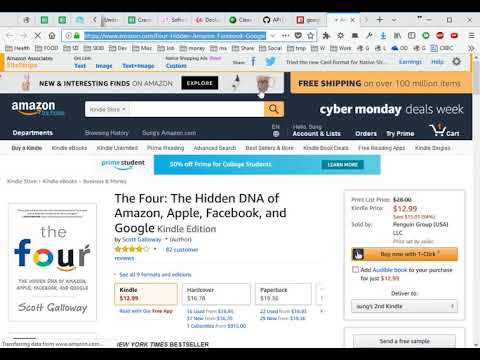
-s, --strip-amazon-affiliate strip affiliate query parameter--amazon(or-afor short): Opens Amazon Web Link with affiliate info- Amazon's Product API requires a developer to sign up as an affiliate so this was unavoidable.
- So I added the following option (
-s) to strip out affiliate info if you choose to do so - This flag calls an Azure Function, which needs to wake up after some inactivity (Takes about 10~30 seconds). It will work faster after the first call.

--strip-amazon-affiliate(or-sfor short): Strip out affiliate info (Please support me by not using this flag 👼)e.g.)
open 1open -a 1(oropen --amazon 1)open -a -s 1(oropen --amazon --strip-amazon-affiliate 1)- YouTube walk-through
view
USAGE:
view [number](number is optional).ALIAS:
vDESCRIPTION: Displays the description of the searched book in console by search result order.
When
[number]argument is missing, it will let user choose a book to view detail forNOTE: Works only after search is run.
EXAMPLE with
[number]argument.![Example with [number] argument.](https://i.imgur.com/J5THPsJ.gif)
EXAMPLE withOUT
[number]argument.![Example withOUT [number] argument.](https://i.imgur.com/leUgfor.gif)
- USAGE:
print - ALIAS:
p - DESCRIPTION: Reprints searched book result
- Note: Displays nothing when no search was performed previously.
- EXAMPLE
google book search$ print
01: Grokking Algorithms
02: Grokking Deep Learning
03: Algorithms For Dummies
04: Algorithms Unlocked
05: Data Structures and Algorithms in Python
06: Essential Algorithms
07: The Algorithm Design Manual
08: The CS Detective
09: Algorithmic Puzzles
10: Python Algorithms
Demo using Aliases only
You can search, view details, and open browser much faster with aliases.

How to 🏃 from the Source
- Clone the source:
git clone https://github.com/dance2die/google-book-shell.git - Install NPM packages/dependencies
npm installoryarn - Run it using
npmoryarn
yarn start--or--
npm run start
TODO
- Separate each command into different files.
- Use a plugin archiecture to dynamically load commands.
- ? Compare prices from Google Books/Amazon/Barnes & Noble?