google-search-for-react
v0.1.0
Published
A simple search components it's UI just like google search

Maintainers
 pomelo-nwu
Readme
google-search-for-react
English | 简体中文
A simple search components it's UI just like google search
Installation
npm i google-search-for-react --saveUsage
import React from 'react'
import Search from 'google-search-for-react'
class Demo extends React.PureComponent {

  mockData = value =>
    Array(18).fill({ name: `${value} :随机数${Math.random()}` });
  onSearchHistory = value =>
    new Promise(resolve => resolve(this.mockData(`${value}历史数据`)));
  onSearch = value => new Promise(resolve => resolve(this.mockData(value)));
  onEnter = value => {
    console.log("searchword:" + value);
  };
  placeholder = open =>
    open
      ? "指标搜索:最多支持三个关键词搜索,以空格隔开"
      : "指标搜索 (微贷/财富/保险)";
  renderContent = options => {
    const { rows, highlight, searchWords, handleClose } = options;
    return rows.map((item, index) => {
      const text = highlight(searchWords, item.name);
      return (
        <li
          key={`${index}content_li`}
          onClick={() => {
            console.log(item.name);
            handleClose();
          }}
        >
          <div dangerouslySetInnerHTML={{ __html: text }} />
        </li>
      );
    });
  };
  render() {
    return (
      <div>
        <div style={{ width: "90%" }}>
          <Search
            anchor="right"
            placeholder={this.placeholder}
            onSearchHistory={this.onSearchHistory} // 历史搜索
            onSearch={this.onSearch} // 搜索查询
            onEnter={this.onEnter} // 回车键入
            renderContent={this.renderContent} // 渲染内容
            renderFooter={this.renderFooter}
          />
        </div>
      </div>
    );
  }
}
API
| 成员 | 说明 | 类型 | 默认值 | |-------------|----------------|--------------------|--------------| | anchor | searchbar展开的方向 | String | 'right' | | placeholder | 必填,输入框底文 | String/Function:(isOpen)=>{} | | | onSearch | 搜索查询 | Function (searchWords)=> Promise | 无 | | onSearchHistory | 查询历史记录 | Function (searchWords)=> Promise| 无 | | onEnter | 搜索回车事件 | Function (searchWords)=>{} | 无 | | renderHeader | 自定义搜索结果面板的header | Function (rows)=>{} | 无 | | renderContent | 定义搜索结果面板的Content | Function ( {rows,highlight,searchWords,handleClose})=>{} | 无| | renderFooter | 定义搜索结果面板的Footer | Function (rows)=>{} | 无 |
Feature
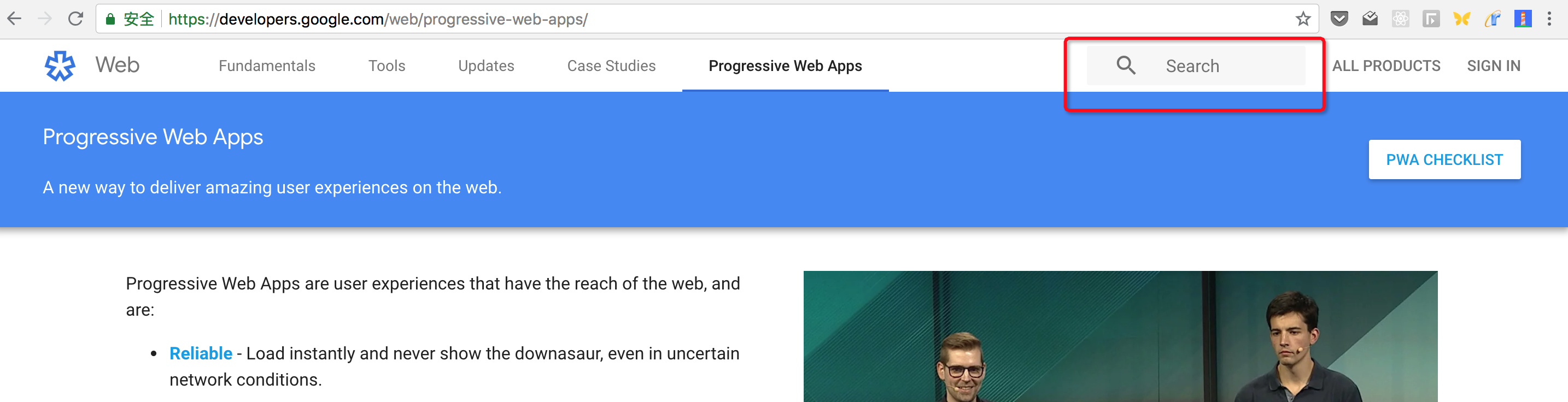
- Highlight Search:通过点击searchbar后,搜索框动态放大,占据视觉主体,从而突出搜索功能
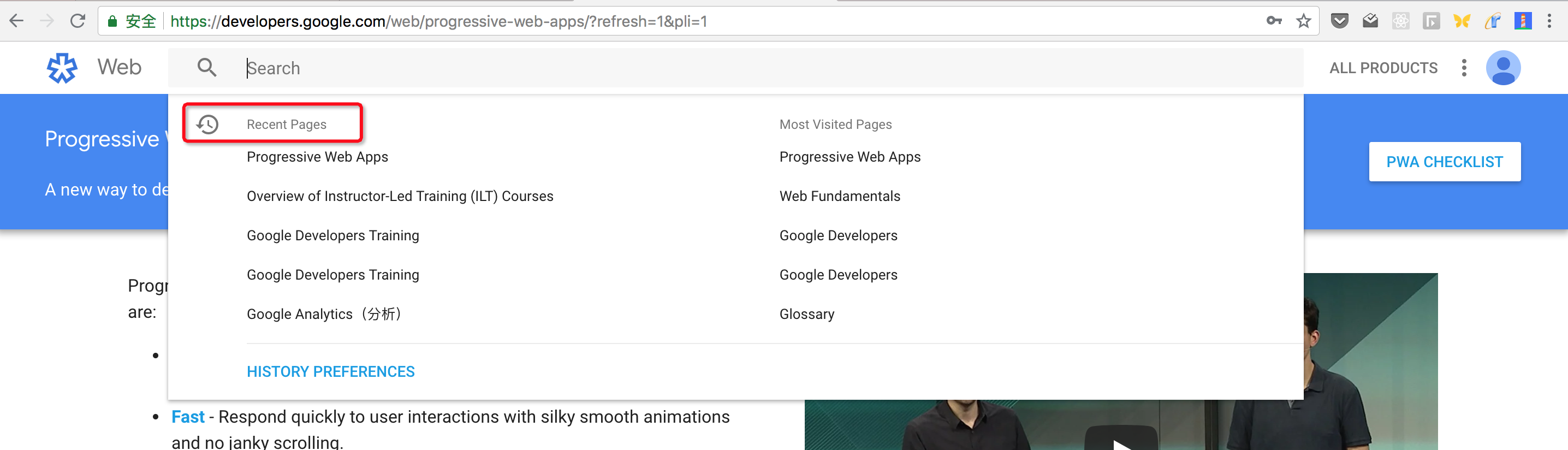
- Intelligence Related:智能联想,补全用户想要的内容
- Recent Pages/Most Visted Pages:最近搜索的内容和热度最多的内容,帮助用户快速检索,增加用户粘性
- One Search , All Products:同一体系下,搜索的交互和体验一致,提供后端接口服务
- Search as a service:提供后端接口API,高效灵活,适配不同场景
reference
- google search