
graphicus-charts
v2.4.0
Published
Downloads
147


Readme
Graphicus (Charts Library)

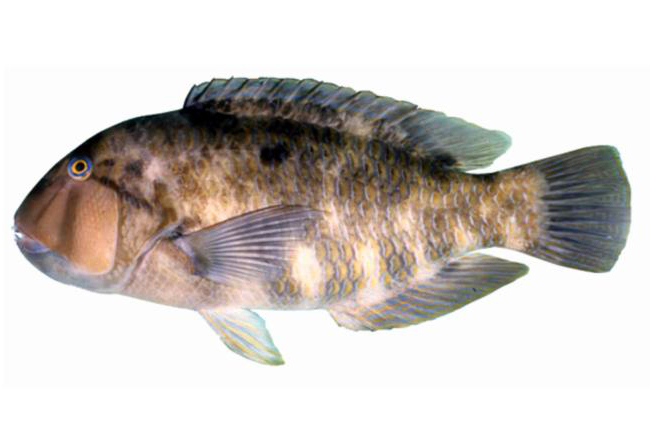
The Graphic Tuskfish (Choerodon graphicus) is found in the Western Pacific between Australia and New Caledonia. Their preferred habitat is over rubble and sandy bottoms of lagoons and seaward reefs. Very shy!
They have been seen using rocks and coral heads as anvils to break open bivalves to obtain food.
Before you start
We use a number of packages in private repositories. To support these you'll need to add two
environment variables to your shell config (e.g. .bashrc, .zshrc, .bash_profile):
# Fishbrain package registry tokens
export FISHBRAIN_PACKAGE_REGISTRY_TOKEN=XXXXX
export FONT_AWESOME_PACKAGE_REGISTRY_TOKEN=XXXXX
For FISHBRAIN_PACKAGE_REGISTRY_TOKEN the token can be generated by creating
a personal access token in your Github account.
Make sure to provide repo, write:packages and read:packages scopes for your token. Copy your token and Enable SSO.
The token can now be used as the value for FISHBRAIN_PACKAGE_REGISTRY_TOKEN.
Getting started
Runs yarn start to run the app in the development mode. This will start a Storybook instance
which you can use for development.
Run tests with yarn test and linting with yarn lint.
There is a live version of Graphicus Storybook (develop branch) available at http://graphicus.surge.sh/.
Adding a new component
In order to enable individual bundling of components you will need to use a specific format for new components.
Create a directory src/NewComponent with a file named index.tsx. Your component should be exported from
this file. You also need to specify the component in three files: src/index.tsx, config/rollup.config.module.js and config/rollup-shared.js (in the array EXPORTED_COMPONENTS).
Releasing
Run yarn release to go through the release process. If sucessful, this will result in a new version
of Graphicus being published to NPM.
You will need to create a file .env.deploy and add a GITHUB_TOKEN to allow the release script to
run. The token will need to have "repo" access; no "admin" or other scopes.
Usage
Individual components can be imported like so: import { Weather } from 'graphicus-charts/dist/Weather.
Styles can be applied with import styles from 'graphicus-charts/dist/browser/styles.css' (currently only needed for the Calendar component).
A single package for use inline in the browser is also available at ./dist/browser/index.js