
gravity-wave
v0.2.0
Published
Circular and morphing Canvas2D wave fields, with an optional React component.


Readme
gravity-wave
Circular and morphing wave fields drawn with Canvas2D. A quiet lattice of points creates animated relief, with inward or outward flow, distance fading, and an optional React component.
Preview
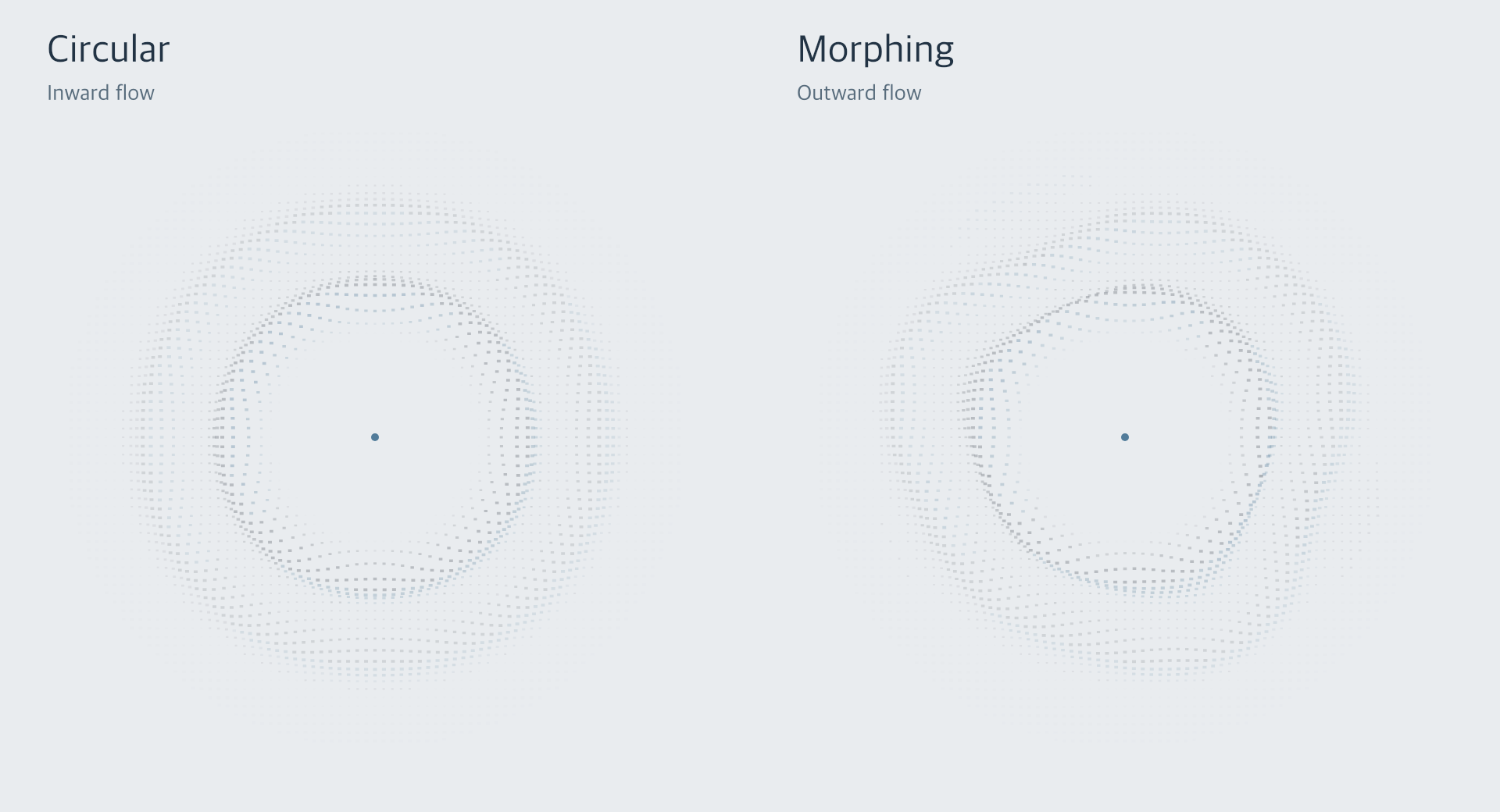
Circular waves flow inward on the left; morphing waves flow outward on the right. These captures use the real Canvas2D renderer, its default colors, and the accepted default opacity. The morphing example uses morphAmount: 0.65 to make the changing contours easy to see.
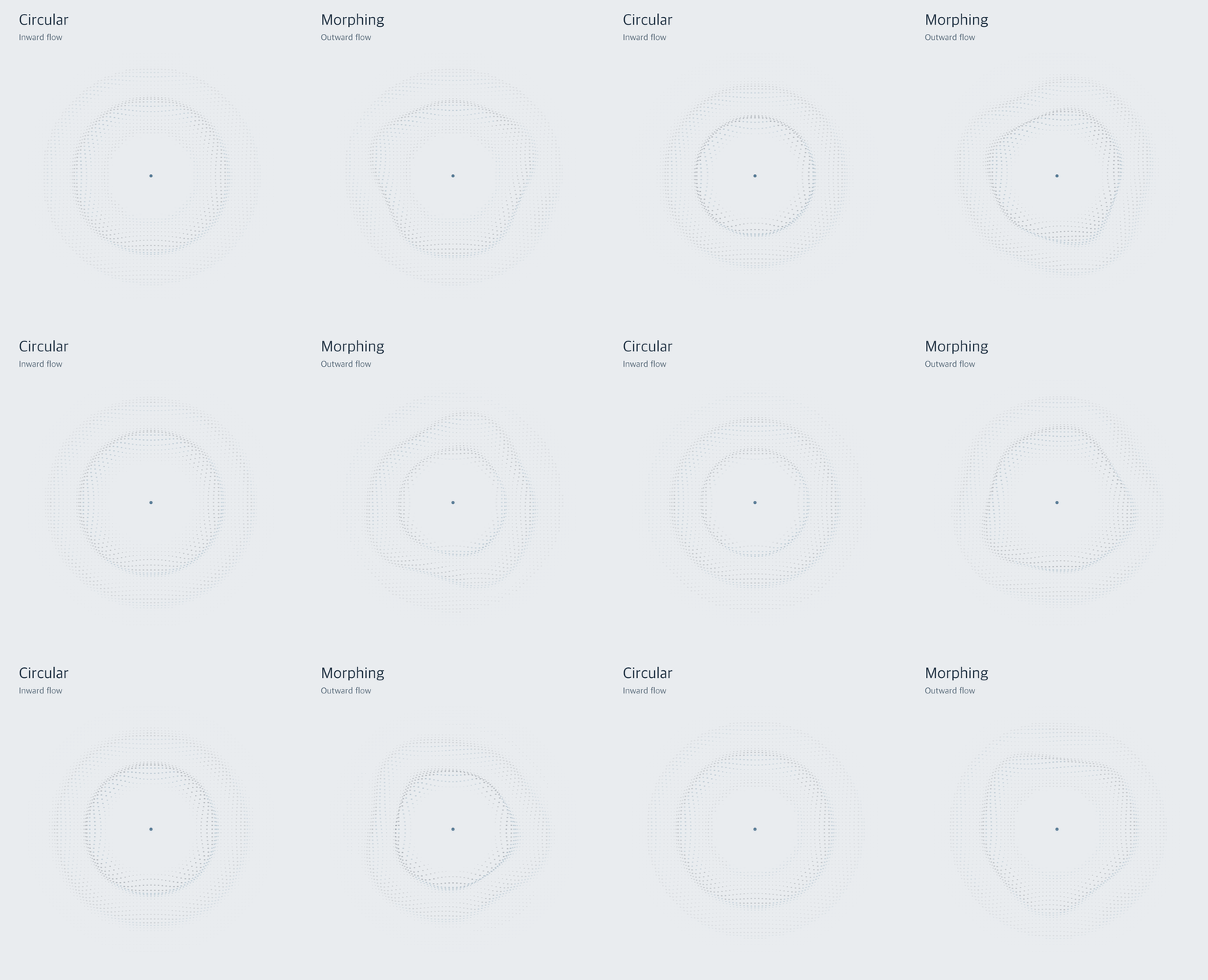
The GIF repeats the recording. The circular animation has a 2.7-second crest cycle; the morphing contours continue evolving during normal playback.
Video recordings: Circular inward waves (MP4) · Morphing outward waves (MP4)
Each video is an 8.1-second capture at 30 frames per second. Open the full-resolution still or watch the seamless circular loop.
The framework-independent core has no runtime dependencies. React is only needed for gravity-wave/react.
Source: https://github.com/AR13570/gravity-wave
Package: https://www.npmjs.com/package/gravity-wave
Copyright © 2026 Arnav Asodu Rajesh. Released under the MIT license.
Run the playground
npm install
npm run dev
Open http://127.0.0.1:5193. The playground exposes both modes, multiple sources, playback controls, and appearance settings.
Install
npm install gravity-waveTo try a local development build:
npm run build
npm pack
# In your application, install the generated .tgz file:
npm install /absolute/path/to/gravity-wave-0.2.0.tgz
The package exports ESM and TypeScript declarations. Use a modern browser or bundler; CommonJS and native mobile rendering are not supported.
Plain JavaScript
Give the canvas a CSS size. The controller measures that size and handles its backing resolution, including a default maximum device pixel ratio of 2.
<canvas
  id="waves"
  style="display:block;width:100%;height:420px"
  aria-hidden="true"
></canvas>
import { createGravityWave } from "gravity-wave";
const wave = createGravityWave(document.querySelector("#waves"), {
mode: "circular",
radius: 200,
innerRadius: 60,
direction: "inward",
speed: 1,
});
wave.update({ mode: "morphing", morphAmount: 0.5 });
wave.pause();
wave.renderAt(1.25); // Deterministic seek, which also pauses playback.
wave.play();
// When the view is removed:
wave.destroy();Use a dedicated canvas for this controller: it clears the canvas before each render. Browser imports are safe during server rendering; create the controller only in the browser. If Canvas2D is unavailable, creation throws a descriptive error.
React
import { useRef } from "react";
import { GravityWave } from "gravity-wave/react";
import type { GravityWaveController } from "gravity-wave/react";

function Preview() {
  const wave = useRef<GravityWaveController>(null);
  return (
    <>
      <GravityWave
        ref={wave}
        mode="morphing"
        morphAmount={0.45}
        duration={5}
        onComplete={() => console.log("Finished")}
        style={{ height: 420 }}
      />
      <button onClick={() => wave.current?.restart()}>Restart</button>
    </>
  );
}
React 18 and newer are supported. The component supplies a responsive wrapper and decorative canvas, creates resources after mount, and cleans them up on unmount. Prop changes update the current controller. Removing an optional prop resets its default. React Strict Mode is supported. The React export includes a use client directive for environments using React Server Components.
The wrapper defaults to full width and height; supply a height directly or through a sized parent. className and style apply to the wrapper. An optional label gives the wrapper an accessible image role. Otherwise it is hidden from assistive technology. Pointer events are disabled by default.
Use an existing render loop
The low-level renderer draws into an existing context. It does not clear, resize, schedule work, or install listeners. It preserves canvas drawing state; it replaces the current path, so call it between your own paths.
import { createWaveRenderer } from "gravity-wave";

const renderer = createWaveRenderer(context);
const fields = [{ center: { x: 240, y: 220 }, radius: 200, innerRadius: 60 }];

// Inside your own loop, after clearing and setting the canvas transform:
renderer.draw(fields, activeElapsedSeconds, {
  scale: 1,
  reducedMotion: prefersReducedMotion,
  lowDensity: false,
});

// Release when finished:
renderer.destroy();
The caller owns elapsed active time and reduced-motion detection for this API. scale is the caller's geometric transform scale, excluding device pixel ratio. This lets point sizes remain consistent under zoom. Coordinates in fields use the caller's drawing coordinate system.
Sample a circular wave
sampleGravityWave(fromEdge, radius, activeTime, repels, result) uses the physical center/body radius, corresponding to WaveField.innerRadius. This differs from WaveField.radius, which is the outer effect extent. It writes { crest, slope } into a reused result object. It uses the default radius-based wavelength and 2.7-second cycle, with no browser resources. fromEdge is the signed distance from the empty center edge; repels: true gives outward travel. Inputs use the same pixel and second units as the renderer.
Controls
Dimensions use CSS pixels for the dedicated controller. Times use seconds.
| Option | Default | Meaning |
| --------------- | ------------------------- | ------------------------------------------------------------------- |
| center | Canvas center | { x, y } position. |
| radius | 200 | Outer extent of the effect. Must exceed innerRadius. |
| innerRadius | 60 | Empty center radius, at least zero. |
| mode | 'circular' | 'circular' or 'morphing'. |
| direction | 'inward' | 'inward' or 'outward'. |
| speed | 1 | Nonnegative travel speed multiplier; zero freezes travel. |
| wavelength | 32 + 0.34 * innerRadius | Distance between crests; greater than zero. |
| amplitude | 28 | Relief height before fading and radial projection; at least zero. |
| pointSize | 1 | Quad size multiplier; greater than zero. |
| density | 'auto' | 'auto', 'low', or 'high'. |
| color | '#527c9a' | Lit wave color, using a valid Canvas2D CSS color. |
| shadowColor | '#303943' | Shadow color. |
| opacity | 1 | Overall multiplier from zero to one. |
| intensity | 1 | Nonnegative shading gain; values above one strengthen the wave. |
| morphAmount | 0.35 | Contour deformation from zero to one. |
| morphSpeed | 1 | Nonnegative deformation speed, independent of travel speed. |
| duration | Infinity | Total active playback seconds; nonnegative. |
| playing | true | Whether automatic playback is requested. |
| reducedMotion | 'auto' | Follow the system preference, or explicitly set true / false. |
| pixelRatio | 2 | Maximum backing resolution ratio; capped at 2 and the device ratio. |
| onComplete | None | Called once when automatic playback finishes. |
| fields | One centered field | Array of fields, replacing the single-field options. |
Circular mode keeps crests concentric. Morphing smoothly deforms their contours with deterministic harmonics. Setting morphAmount to zero reproduces circular sampling. Changing mode takes effect immediately. The default appearance includes the accepted 70% shading factor; opacity: 1 means that default, rather than unattenuated shading.
Radius controls the whole effect. Wavelength controls crest spacing. Amplitude controls relief. Point size changes the individual marks. These controls are independent. At extreme settings, displacement and glyph size are constrained to preserve the patch bounds.
Invalid numbers, colors, modes, or radii throw descriptive errors. Infinity is accepted only for duration. Updates are validated before replacing the previous configuration. Set an optional option to undefined to restore its default. Each field in fields uses independent appearance defaults, rather than inheriting single-field options.
Multiple sources
wave.update({
  fields: [
    { center: { x: 200, y: 200 }, color: "#527c9a" },
    { center: { x: 480, y: 200 }, direction: "outward", color: "#b76550" },
  ],
});
Field coordinates are absolute. Update them yourself when a layout changes. Omitting fields, or setting it to undefined in an update, restores the single centered source. fields: [] clears the canvas and suspends playback until sources are added.
Playback and motion preferences
At speed 1 a crest travels one wavelength every 2.7 seconds. Finite duration is independent of speed: five seconds means five active seconds at any speed. Finite runs hold the final frame and stop requesting animation frames. Duration zero completes on the first active frame. restart() begins a new run; play() resumes a paused run but does not restart a completed one.
renderAt(seconds) pauses and seeks without calling onComplete. Seeking backward after a completed run permits replay from that point, but does not re-arm the completion callback; only restart() does that. Its time is bounded by a finite duration. getState() returns { elapsed, playing, completed, reducedMotion }. playing records playback intent; document visibility or reduced motion can suspend actual animation while that remains true. Calling destroy() repeatedly is safe; later controller mutations do nothing.
The dedicated controller follows prefers-reduced-motion by default. Reduced motion draws a static time-zero view, including static morphing, and schedules no animation frames. An explicit override should be used only when the user has chosen it. A static view does not consume duration or fire completion.
Hidden documents, offscreen canvases, and zero-size containers suspend active time. Duplicate and backward timestamps and gaps over 100 milliseconds do not advance the effect. Pause preserves the last rendered frame. Speed zero stops travel; use playing: false or pause() to stop both travel and morphing.
Use the effect as decoration. If it communicates status, provide a separate text equivalent and avoid relying on motion or color alone.
Opacity and intensity
opacity keeps its usual zero-to-one transparency range. intensity adjusts the shading strength independently, with a default of 1 that preserves the previous appearance. Use it when the default wave is too subtle, including on dark backgrounds:
wave.update({ intensity: 1.5, opacity: 1 });

// With the shared-canvas renderer, put appearance options on each field:
renderer.draw(
  [{ center: { x: 240, y: 220 }, intensity: 1.5, opacity: 0.8 }],
  activeElapsedSeconds,
);
<GravityWave intensity={1.5} opacity={1} style={{ height: 420 }} />The per-shade alpha is callerGlobalAlpha * opacity * min(1, defaultShadeAlpha * intensity). Gain is clamped before either opacity multiplier, so increasing intensity never bypasses a caller's transparency setting. It strengthens both lit and shadow shades without adding geometry or another draw pass. It does not change the chosen colors. 0 hides a field; negative or non-finite values throw. Removing an optional intensity prop or updating it to undefined resets it to 1. Explicit fields keep independent defaults, as with the other appearance options. A gain of 1.5 is a starting point, not an exact match for drawing twice, whose overlapping alpha is nonlinear.
Performance and supported browsers
The renderer reuses one 85,264-byte point/bucket buffer and two small bucket index arrays. It batches sixteen shade paths per field in stable order, visiting each point once for sampling and once for painting. A bounded per-renderer cache shares static geometry across matching fields, including fresh input objects or moving centers. The eight most recently used grids consume at most about 3.6 MiB in total for morphing at the highest density, plus the point buffer. Geometry changes such as radii or sampling step rebuild a grid; time, center, colors, intensity, wavelength, and relief changes reuse it. Continuous zoom can rebuild grids when it changes the sampling step. Destruction clears the cache. It considers at most 73 by 73 samples per high-density patch and 49 by 49 at low density. No points are allocated inside the lattice loop. Large radii increase spacing rather than growing the sample budget. Multiple fields add linear rendering cost; evaluate your scene on the target device.
The core uses Canvas2D. The controller targets modern Safari, Chrome, Firefox, iOS Safari, and Android Chrome with animation frames, matchMedia, and ResizeObserver. IntersectionObserver is used when available; without it, document visibility still suspends playback. Browser compatibility targets are broader than the browsers actually verified. See the performance report for benchmark methodology, results, and limitations.
Develop and release
npm test
npm run typecheck
npm run build
npm run demo:build
npm run check:package
The package smoke check installs temporary tarballs into isolated JavaScript and React consumers without publishing. The repository contains a release guide at docs/releasing.md with the steps for creating the remote repository and publishing to npm.
License
MIT. See LICENSE.