greenline-shared
v1.0.0
Published
A place for managing shared types for Greenline
Downloads
4


Readme
greenline-shared

This is the mono-repo for Greenline's shared packages. Deploys are managed through Lerna and Yarn Workspaces Commits are using conventional-changelog through Commitizen
/packages contains the different domains in Greenline. This will grow and spread out as services become larger and more comprehensive
Setup
yarn installyarn bootstrapwill set things upyarn watchwill watch all packagesyarn lintwill lint all packages. Linting is also ran when committing changes
Committing changes
stage your filesgit commit- This will start the interactive Commitizen commit- Additionally this will run
lint-stagedwhich will lint and clean the code to our standards
- Additionally this will run
- Answer the questions based on the scope of the changes. Confused? Ask the team
git push- When all changes are complete run
yarn new-version- This will build
CHANGELOG.mdbased on the commit messages
- This will build
Locally linking packages to homi-web
yarn build/yarn watchyarn link:all- Run in
homi-web- Already published and added packages:
yarn link @getgreenline/shared
- Brand new packages that aren't published yet
yarn add file:<pwd-package-folder>yarn link @getgreenline/shared
- Already published and added packages:
Current caveats - Multiple verisons of Axios seems to be a problem. Could use the @getgreenline/homi-shared version and then update that page.
Using published packages (IMPORTANT)
Once your greenline package is published, please ensure that
^is added to the package versionyarn upgrade --scope @getgreenlineoryarn add <package-name>is run to updateyarn.lockinstead of manually changing the package version and runningyarn install. The latter can cause the package to use versions of dependent packages like@getgreenline/shared
Example
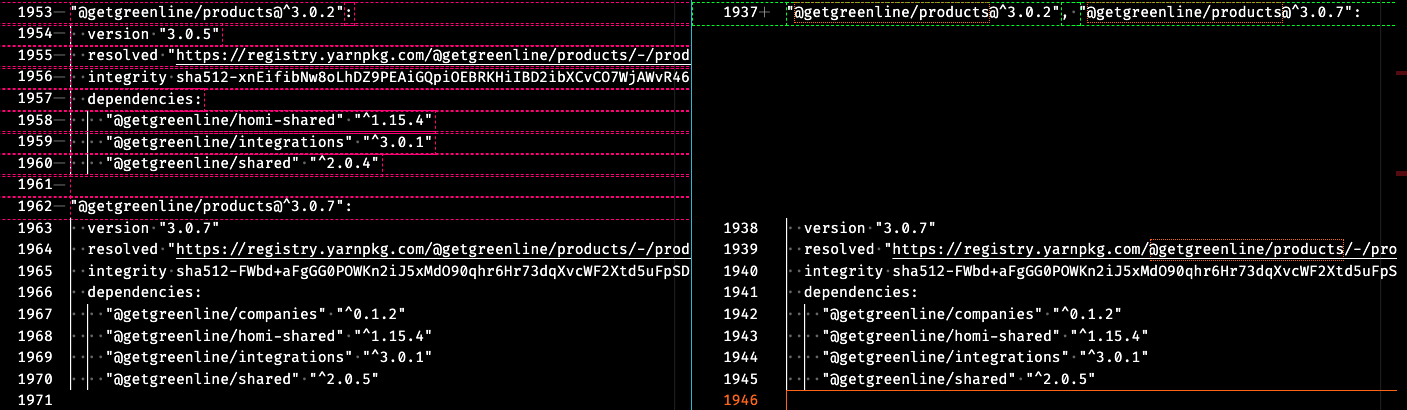
- Before:
@getgreenline/products@^3.0.2uses@getgreenline/shared ^2.0.4while@getgreenline/[email protected]uses@getgreenline/shared ^2.0.5 - After: both versions of
@getgreenline/productsuse@getgreenline/shared ^2.0.5