
gridworld
v0.1.3
Published
2D gridworld representation and canvas renderer, intended for experimentation with various game algorithms.


Readme
gridworld
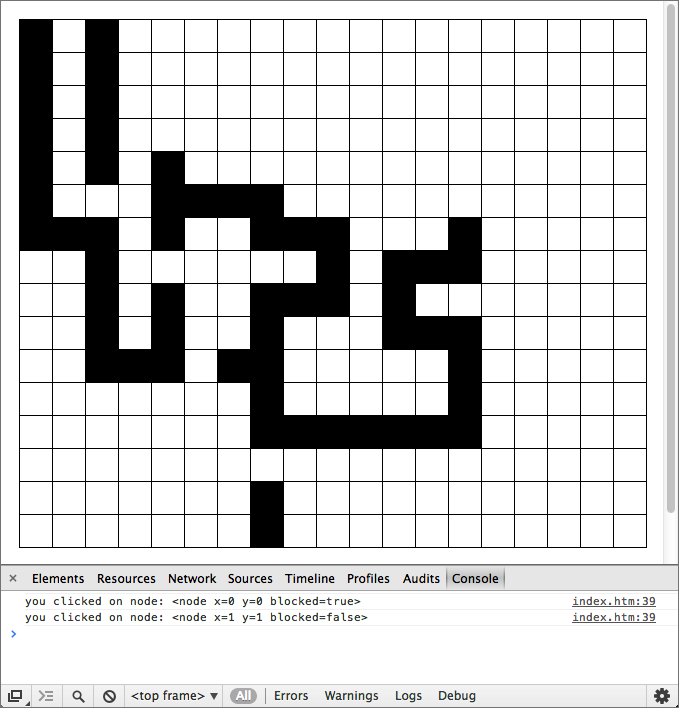
This is a small module that provides a representation and canvas renderer for 2D "gridworlds". Its intended use is for experimentation with game and AI algorithms such as pathfinding, line-of-sight, plus any number of grid-based board games.
Here's what it looks like:
Installation
Browserify is recommended.
$ npm install gridworldAPI
Creating a world
new GridWorld(canvasEl, width, height, [options])
Create a new GridWorld with a given width and height (specified in terms of grid cells) that will draw onto canvas.
Supported options:
cellSizesize of each cell in pixels. Default: 32.cellPaddingsize between each cell in pixels. Default: 1.drawBorderif set, a border will be drawn around the entire world, instead of just between each cell.borderColordefault:'black'.backgroundColordefault cell background color. Default:'white'.resizeCanvasif set, canvas element will be resized to fit world's dimensions, including any specified padding.paddinghow much space to leave around the rendered world. Can be specified as a single number or as an object with keystop,right,bottomandleft. Mostly useful withresizeCanvasoption. Default: 0.onclickclick handler for cells. See event handling, below.
Example:
var GridWorld = require('gridworld').GridWorld;
var world = new GridWorld(canvas, map[0].length, map.length, {
  padding       : {top: 10, left: 10, right: 10, bottom: 60},
  cellSize      : 32,
  cellSpacing   : 1,
  resizeCanvas  : true,
  drawBorder    : true,
  onclick: function(node) {
    console.log("you clicked on node: " + node);
  }
});
Drawing the world
world.draw()
Draws the world on its canvas.
Setting world attributes
world.setBackgroundColor(x, y, color)
Set the background color of the node at (x,y) to color.
world.setBlocked(x, y, blocked)
Flag the cell at (x, y) as passable/impassable. A cell's passability does not affect how it is drawn.
world.setAttribute(x, y, attr, value)
Set arbitrary attribute attr on node (x,y) to value.
Iterating
world.eachNeighbour(x, y, callback)
Iterate over each Manhattan neighbour of node (x,y). Callback receives (x,y) co-ordinate of neighbour as a parameter.
world.eachNeighbourNode(node, callback)
Iterate over each Manhattan neighbour of node. Callback receives neighbour node object as a parameter.
world.eachNode(callback)
Iterate over each of the world's node objects. Callback receives node object as a parameter.
Event Handling
world.onclick = function(node) { /* ... */ }
Function to invoke when user clicks on a node. Receives clicked node as a paremeter.
TODO
- Add event handlers for dragging
- Allow markers to be overlaid on cells
- Support optional diagonal neighbours