
gsvt
v0.0.6
Published
Create git semver tags with additional major and minor tags easily
Downloads
38


Readme
gsvt
Create git semver tags with additional major and minor tags easily
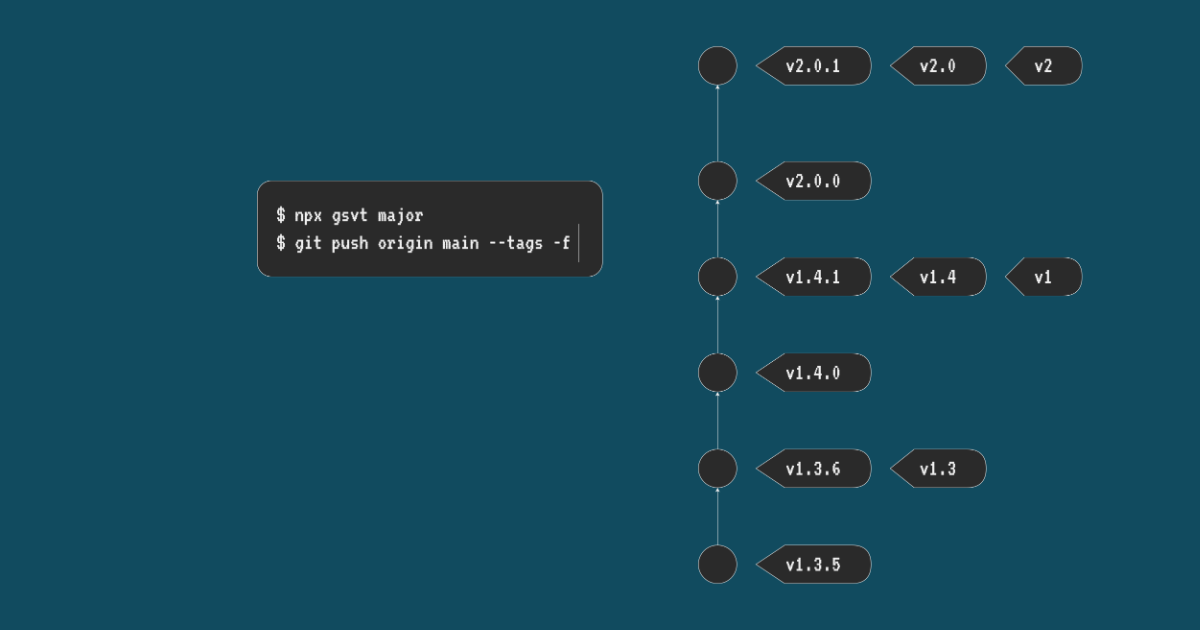
Example
Let's say the latest tag is v2.1.1:
| Command | Result |
| ------------ | ---------------------- |
| gsvt | v2.1.2, v2.1, v2 |
| gsvt major | v3.0.0, v3.0, v3 |
| gsvt minor | v2.2.0, v2.2, v2 |
| gsvt patch | v2.1.2, v2.1, v2 |
| gsvt 1.2.3 | v1.2.3, v1.2, v1 |
If there is no tag matching the pattern v*.*.*, the next patch will be v0.0.1.
Why?
Unlike npm, some registry services like GitHub Actions didn't resolve the version with semantically versioned tags by default. For example, we can install the latest 1.x.x package with npm install package@1 but we can't do the same thing with actions/my-action@v1. We have to specify the exact version like actions/[email protected].
We recommend creating releases using semantically versioned tags – for example,
v1.1.3– and keeping major (v1) and minor (v1.1) tags current to the latest appropriate commit. For more information, see "About custom actions" and "About semantic versioning. -- Releasing and maintaining actions - GitHub Docs
The way to let the user use the action semantically is creating tags with the major version like v1 and the minor version like v1.1, but it's not easy to create these tags manually, so I created this tool to resolve this with one command simply.
Install
npm install -g gsvtOr use npx gsvt directly without installing.
Usage
gsvt detect the git tags with v*.*.* automatically, and create the next patch
semver tag.
gsvtYou can increase the version with major or minor:
gsvt major
gsvt minor
gsvt patch
gsvt patch is equal to gsvt.
You can also specify the version manually:
gsvt <version>
gsvt v0.1.0
And you can push the commit with tags:
git push origin main --tags -fLicense
Copyright (c) 2022-preset ViPro (京京)