
hale-commenting-system
v3.11.0
Published
A commenting system for PatternFly React applications that allows designers and developers to add comments directly on design pages, sync with GitHub Issues, and link Jira tickets.


Readme
Hale Commenting System
A commenting system for PatternFly React applications that allows designers and developers to add comments directly on design pages, sync with GitHub Issues, and link Jira tickets.
🚨 Important: Proper Uninstall Required
This package modifies your project files during setup. Before uninstalling, you MUST run:
npx hale-commenting-system remove
npm uninstall hale-commenting-system
Failure to run remove first will break your app. See Uninstalling for details.
Key Features
- React Component Detection - Automatically identifies React components with names, types, props, and component tree paths
- Smart Pin Positioning - Pins anchor to elements using CSS selectors and follow them on scroll/resize
- Hover Preview - Visual preview with dashed border before creating a comment
- Component Highlighting - Chrome DevTools-style blue border on selected components
- Resizable Widget - Adjustable panel size (300-800px width)
- Thread Discussions - Organized comment threads with replies
- GitHub Integration - Automatic sync with GitHub Issues including component metadata
- Jira Integration - Link tickets to specific pages or sections
- Missing Element Detection - Pins fade and show [deleted] when target is removed
Prerequisites
This package was developed for PatternFly React Seed projects, but can be used with similar PatternFly React applications that have:
- Webpack-based setup with
webpack.dev.js src/app/directory structure- PatternFly React Core and Icons dependencies
The automated integration script (npx hale-commenting-system init) works best with PatternFly React Seed or projects with a similar structure.
Quick Start
# Install
npm install hale-commenting-system

# Run setup
npx hale-commenting-system init

# Start dev server
npm run start:dev
The interactive setup will guide you through configuring GitHub OAuth and Jira integration (both optional).
Uninstalling
Always remove integration before uninstalling:
# Step 1: Remove integration
npx hale-commenting-system remove

# Step 2: Uninstall package
npm uninstall hale-commenting-system

# Step 3: Restart
npm run start:dev
Already Uninstalled by Mistake?
If your app is broken after uninstalling without running remove:
npm install hale-commenting-system
npx hale-commenting-system remove
npm uninstall hale-commenting-system- Removes imports from
src/app/index.tsx - Removes imports from
src/app/AppLayout/AppLayout.tsx - Notifies about webpack middleware (may require manual removal)
- Keeps
.envand.env.serverfiles
Usage
Creating Comments
- Hover over any component to see a preview with a dashed blue border and component label
- Click to attach a comment pin - the system detects React components automatically
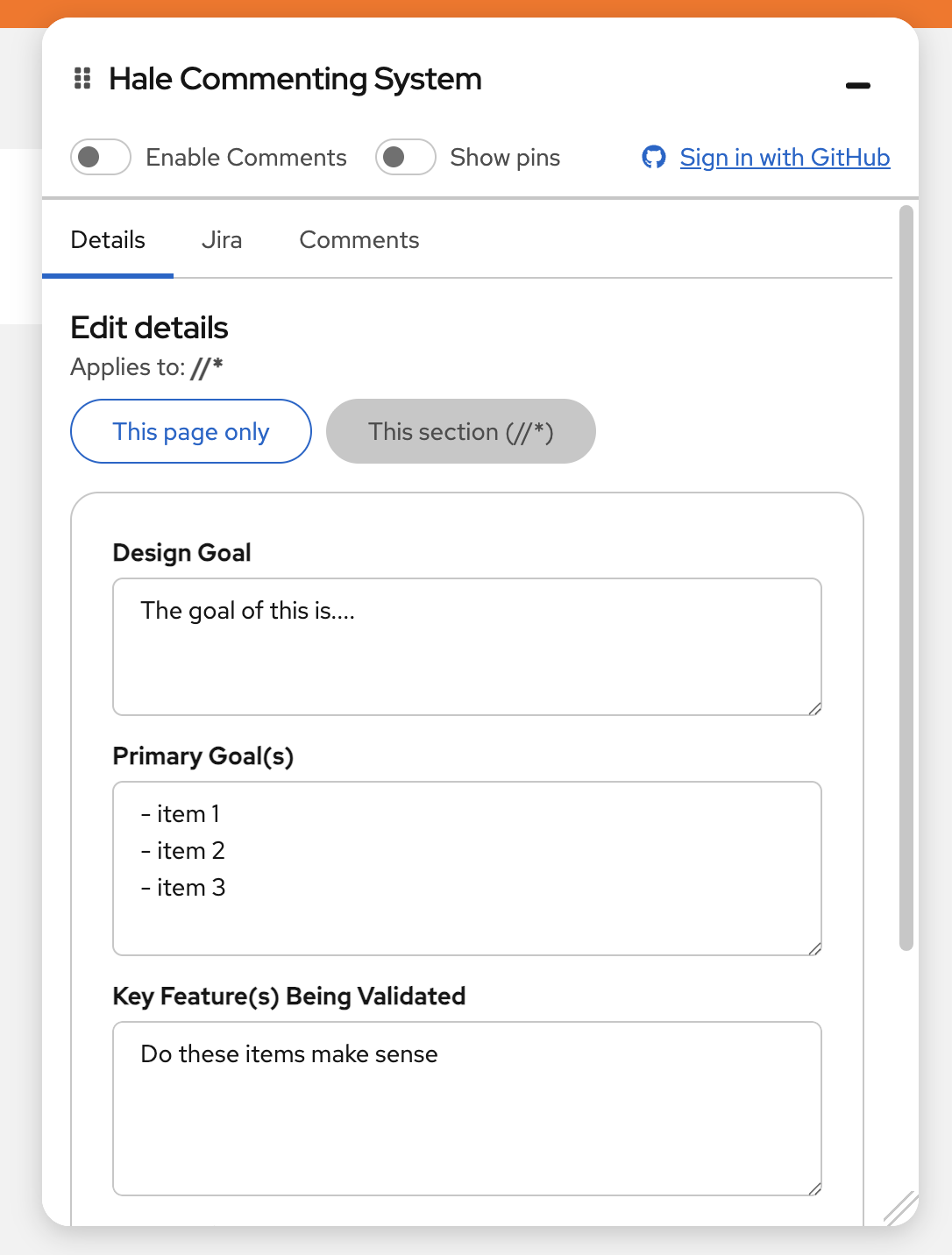
- View component details in the panel including name, type, tree path, and props
Managing Comments
- Toggle visibility - Enable/disable comments or use "Show pins" to view without creating new ones
- Resize widget - Drag the resize handle (300-800px width, 200px to viewport height)
- Pin behavior - Pins follow elements on scroll/resize; fade to 40% opacity if element is deleted
- Thread discussions - Reply to comments, close/reopen threads, view all in sidebar
- Remove pins - Delete comment threads as needed
How It Works
The system uses a hybrid approach:
React Component Detection (Primary)
- Detects components using React fiber nodes
- Extracts name, type, props, and component tree path
- Works with all React component types including HOCs
CSS Selector Fallback
- Uses
data-testid,id, or tag + class + aria attributes - Stores coordinates as fallback if element is deleted
Integrations
GitHub (Optional)
- Comments sync as GitHub Issues with component metadata
- Replies sync as issue comments
- Status changes (open/closed) sync bidirectionally
Jira (Optional)
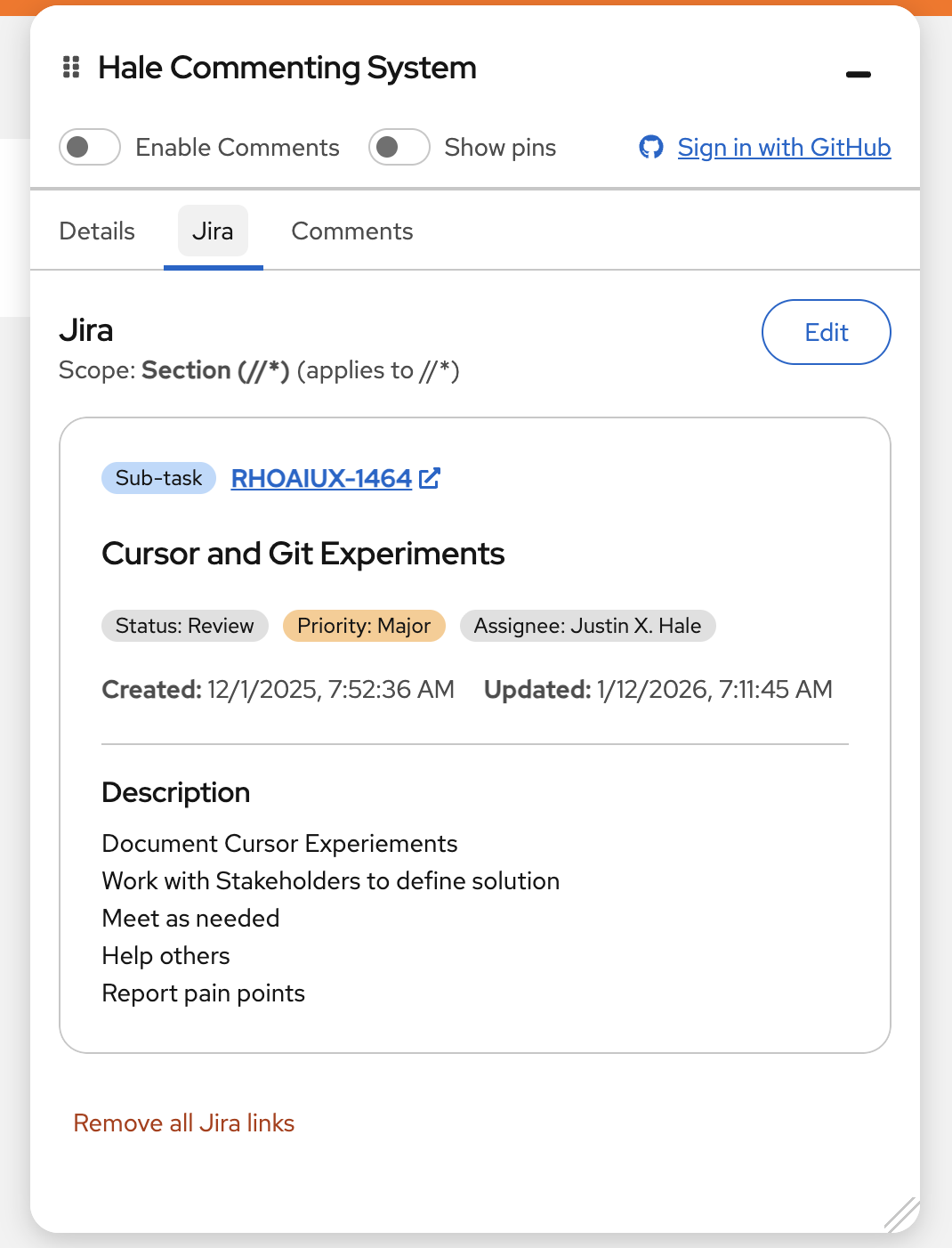
- Link Jira tickets to specific pages or sections
- View ticket details in the commenting panel
- Track design work alongside development
Configuration
.env (client-side, safe to commit)
- GitHub OAuth client ID, Jira base URL
.env.server (server-side secrets, auto-added to .gitignore)
- GitHub OAuth client secret, Jira API tokens
Requirements
- PatternFly React Seed project (or compatible PatternFly React app)
- Node.js 18+ (for webpack middleware with native
fetch()) - React 18+
What Gets Modified
The init script automatically updates:
src/app/index.tsx- Adds providerssrc/app/routes.tsx- Adds Comments routesrc/app/AppLayout/AppLayout.tsx- Adds panel and overlay componentswebpack.dev.js- Adds OAuth/Jira proxy middleware- Creates
src/app/Comments/Comments.tsxand config files
Local Testing
Using npm link (Recommended)
# In package directory
npm run build && npm link

# In test app
npm link hale-commenting-system
npx hale-commenting-system init
npm run start:dev

# Clean up when done
npx hale-commenting-system remove
npm unlink hale-commenting-system && npm install
Using npm pack
# In package directory
npm run build && npm pack

# In test app
npm install /path/to/hale-commenting-system-*.tgz
npx hale-commenting-system init
npm run start:dev
Test Checklist
- Hover preview and pin creation
- Component detection (name, type, path, props)
- Pin positioning and dynamic tracking
- Widget resizing and toggles
- Element deletion handling
- Comments, replies, and GitHub/Jira sync
Development
npm install          # Install dependencies
npm run start:dev    # Start dev server
npm run build        # Production build
License
MIT
Support
For issues or questions, please open an issue on GitHub or npm.