
hazeglow
v0.6.1
Published
Animated, grainy gradient backgrounds and mesh gradients for React. WebGL2, zero dependencies.

Maintainers
 scoobynko
Readme
hazeglow
Animated, grainy gradient backgrounds and mesh gradients for React. A small JSON config goes in, a canvas comes out: a blurred shape or a colour mesh, with film grain, slow motion, an optional hover pull and dither, ASCII, halftone, pixel or glass effects. Drawn on the GPU with WebGL2. Zero dependencies. ~13kb gzipped. MIT.
Design your own: https://hazeglow.dev/generator
For AI coding agents: npx skills add hazeglow/hazeglow, or point yours at https://hazeglow.dev/llms.txt. The package also ships an AGENTS.md.
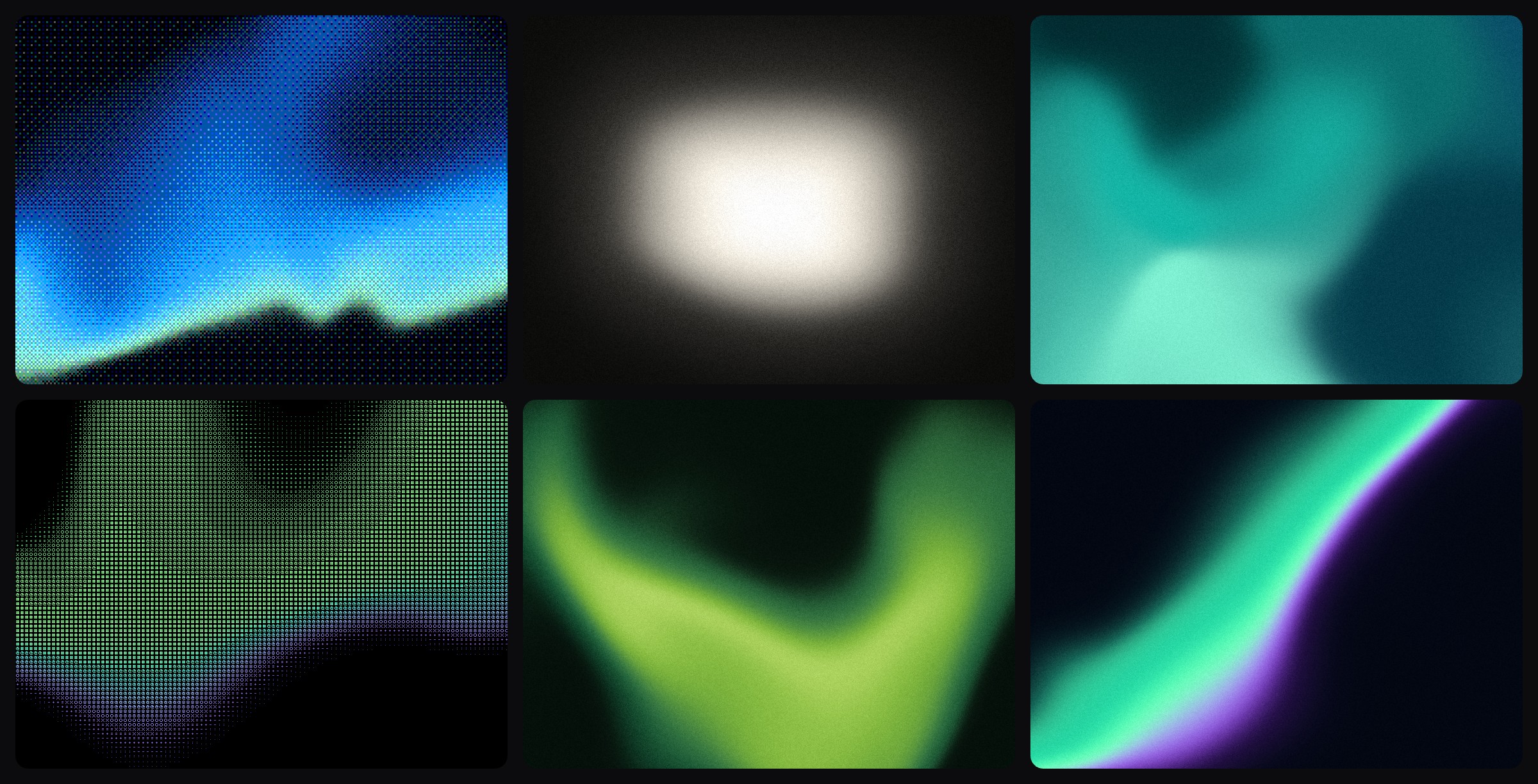
Install
npm install hazeglowReact 18 or 19.
Usage
import { Hazeglow, presets } from "hazeglow";

export function Hero() {
  return (
    <div style={{ height: 480 }}>
      <Hazeglow config={presets.dusk} />
    </div>
  );
}
The canvas fills its parent, so give the parent a size. No CSS to import.
Works in the Next.js App Router as is. Hazeglow is a client component you can render from a server component.
Props
| Prop | Type | Description |
| --------------- | ---------------------- | ---------------------------------------------------------------- |
| config | GradientConfig | The gradient. Required. Pass a new object to change it. |
| className | string | Class for the canvas. |
| style | CSSProperties | Merged over display: block; width: 100%; height: 100%. |
| onUnsupported | () => void | Called once when there is no WebGL2 on a GPU. Show a fallback. |
| ref | Ref<HazeglowHandle> | ref.current.getTime() returns the animation clock in seconds. |
The canvas is aria-hidden. It's decoration, so your content goes next to it or on top.
Design a gradient
Don't write the config by hand. Shape the gradient at https://hazeglow.dev/generator, copy the JSON, paste it as config.
import { Hazeglow, type GradientConfig } from "hazeglow";

const config: GradientConfig = {
  version: 1,
  seed: 1,
  shape: "pill",
  center: [0.5, 0.42],
  size: [0.86, 0.6],
  roundness: 0.7,
  softness: 0.5,
  rotation: 0,
  rampDirection: 0.9,
  angle: 90,
  warp: 0.06,
  warpScale: 1,
  palette: ["#6a3df5", "#35aef2", "#c9a0e8", "#f59a22", "#3a5cf5", "#5a28e8"],
  background: "#000000",
  mesh: [],
  grain: 0.3,
  motion: "drift",
  speed: 1,
  loop: 0,
  hover: 0,
  hoverMode: "pull",
  effect: "none",
  effectSize: 8,
  effectAmount: 0.5,
};

<Hazeglow config={config} />;
Config from a CMS, a URL or a .json file? Run it through parseConfig first. It never throws. Missing or invalid fields fall back to the defaults, numbers get clamped.
import { Hazeglow, parseConfig } from "hazeglow";

<Hazeglow config={parseConfig(untrusted)} />;
For share links, encodeConfig(config) gives a URL-safe string and decodeConfig(string) turns it back.
Presets
Six of them: dusk, pearl, ember, horizon, ultraviolet, candy. The configs behind the picture at the top are in docs/cover.json.
Start from one and override what you need:
<Hazeglow config={{ ...presets.horizon, motion: "breathe", grain: 0.5 }} />presets is a Record<string, GradientConfig>. With noUncheckedIndexedAccess on, write presets.dusk!.
randomConfig(seed) returns a good-looking config for any integer seed. Same seed, same gradient.
Config reference
Positions and sizes are fractions of the canvas: [0, 0] is top left, [1, 1] bottom right. Colours are hex, oklch() or a CSS variable, blended in Oklab so the steps stay clean. See Colours.
| Field | Type / range | What it does |
| --------------- | ---------------------------------------------------------------------- | ----------------------------------------------------------------------------- |
| version | 1 | Config format version. |
| seed | integer | Noise pattern for the warp and the grain. |
| shape | "pill" \| "band" \| "blob" \| "ring" \| "mesh" | Form of the glow. mesh uses mesh points instead of palette. |
| center | [x, y], 0 to 1 | Where the shape sits. |
| size | [width, height], 0 to 1.5 | Shape size. 1 spans the canvas. |
| roundness | 0 to 1 | 0 is a rounded box, 1 an ellipse. For blob, lower is more irregular. |
| softness | 0 to 1 | How far the edge fades. For mesh, how much the points melt together. |
| rotation | 0 to 360 | Turns the shape, in degrees. |
| rampDirection | 0 to 1 | 0 runs the colours from the middle out, 1 in a line along angle. |
| angle | 0 to 360 | Direction of the colour line, in degrees. 90 is top to bottom. |
| warp | 0 to 1 | How much noise bends the shape. |
| warpScale | 0.5 to 4 | Size of the bends. Higher is finer. |
| palette | 2 to 10 colours | Colour stops, first to last. |
| background | colour | What's behind the shape. |
| mesh | up to 16 [x, y, colour] points | Colour points for shape: "mesh". Ignored by the other shapes. |
| grain | 0 to 1 | Film grain strength. |
| motion | "none" \| "drift" \| "breathe" \| "flow" | drift slowly reshapes, breathe pulses in size, flow slides the colours. |
| speed | 0 to 2 | Motion speed multiplier. |
| loop | 0 to 30 | Seamless loop length in seconds. 0 never repeats. |
| hover | 0 to 1 | How strongly the gradient reacts to the pointer. 0 is off. |
| hoverMode | "pull" \| "push" | Towards the pointer or away from it. |
| effect | "none" \| "dither" \| "ascii" \| "halftone" \| "pixelate" \| "glass" | A stylised finish on top. |
| effectSize | 2 to 64 | Effect cell size. |
| effectAmount | 0 to 1 | Effect strength. |
The lists and limits are exported, so you can build your own controls: SHAPES, MOTIONS, EFFECTS, HOVER_MODES, RANGES, MIN_STOPS, MAX_STOPS, MAX_MESH_POINTS, DEFAULT_CONFIG.
Colours
palette, background and the mesh points take any mix of:
- Hex:
#rgbor#rrggbb. - OKLCH:
oklch(L C H).Lis 0 to 1 or a percentage,Cthe chroma,Hthe hue in degrees. An alpha after/is ignored. Written the way CSS writes it, minuscalc()and relative colours. - CSS variables:
var(--name)orvar(--name, fallback). The fallback is hex, OKLCH or anothervar().
<Hazeglow
  config={{
    ...presets.dusk,
    palette: ["var(--brand)", "oklch(0.72 0.16 250)", "var(--accent, #f59a22)"],
    background: "var(--surface, #000000)",
  }}
/>
The gradient blends in Oklab, so OKLCH colours go in as they are. Colours outside sRGB are clipped to sRGB after blending. Display P3 output is not supported yet.
Theme tokens
Variables are read from the canvas, so a variable set on any ancestor works, scoped themes included. It can hold any colour the browser understands: hex, rgb(), hsl(), oklch(), lab(), color(), color-mix(), light-dark(), a named colour. Build tools that rewrite oklch() to lab() are fine.
A missing variable, or one that doesn't hold a colour, uses the fallback. With no fallback it draws black, so give one.
The gradient picks up new colours when prefers-color-scheme changes or when the class, style or data-theme attribute on <html> changes. That's how most theme switchers work. It redraws even when paused or under reduced motion.
Theme switched some other way, like a class on <body>? Resolve the variables yourself after the switch and pass plain colours. Here theme is whatever state your switcher changes:
const [resolved, setResolved] = useState(config);
useEffect(() => setResolved(resolveConfig(config, document.body)), [config, theme]);

<Hazeglow config={resolved} />;
resolveConfig(config, element) reads the variables from element and returns a copy where each var() is the colour it holds: as written for hex and OKLCH, as oklch() for anything else. Use it too:
- before
encodeConfig, so a share link carries colours instead of your variable names, - for a worker or the server, where there's no DOM and variables fall back. Resolve on the main thread and send the result.
isColor(value) checks the syntax. colorToOklab(colour, element?) returns the colour as Oklab [L, a, b], or null.
Hover
Set hover above 0. The gradient follows the pointer and eases back when it leaves.
<Hazeglow config={{ ...presets.dusk, hover: 0.6, hoverMode: "pull" }} />- Pointer events, so mouse, pen and touch all drive it.
- Hover on: the canvas sets
touch-action: pan-y, so a finger on the gradient still scrolls the page. Override it throughstyle, for examplestyle={{ touchAction: "none" }}on a full-screen gradient. - Hover off: the pointer handlers do nothing and
touch-actionis left alone.
Without React
/core is the engine with no React import. Use it in Vue, Svelte, plain JavaScript, a worker with an OffscreenCanvas, or to render one frame for an image export.
import { createRenderer, presets } from "hazeglow/core";

const canvas = document.querySelector("canvas")!;
const renderer = createRenderer(canvas);

if (renderer) {
  renderer.resize(1600, 900);
  renderer.render(presets.dusk, 0);
}createRenderer(canvas)returnsnullwhen there is no WebGL2 on a GPU.renderer.render(config, time, pointer?)draws one frame.timeis in seconds. Same config and time, same picture.renderer.resize(width, height)sets the size in device pixels.renderer.maxSizeis the largest side the GPU allows.renderer.dispose()frees its GPU resources and the listeners.
To animate, call render from requestAnimationFrame with a growing time. To save a frame, read the canvas (toBlob, drawImage) right after render, in the same task. The drawing buffer isn't kept between frames.
Everything on /core is also in the main entry: parseConfig, encodeConfig, decodeConfig, presets, randomConfig, randomMesh, mulberry32, the colour helpers (isColor, colorToOklab, resolveConfig, isHex, parseHex, toHex, srgbToLinear, linearToSrgb, linearToOklab, hexToOklab) and the pointer easing the component uses (IDLE_POINTER, stepPointer, isSettled).
Limits
- Needs WebGL2 on a GPU. Software rendering is refused on purpose. It took 9 to 10 seconds to start. No GPU means an empty canvas and an
onUnsupportedcall, so keep a CSS background behind it. - About 16 per page. Browsers cap live WebGL contexts at roughly 16 and each
Hazeglowuses one. Past the cap the oldest get dropped. - Reduced motion means no motion. Under
prefers-reduced-motion: reduceyou get a still frame and no hover. - Tested in Chrome only. Safari, Firefox and real phones are untested.
- Nothing in server-rendered HTML. The canvas is empty until JavaScript runs.
To stay light, the loop draws at most 60 frames a second, pauses while the canvas is off screen or the tab is hidden, and stops once the gradient has caught up with a pointer resting on it. Device pixel ratio is capped at 2, and the loop never re-renders React. Dither, ascii and pixelate work out the gradient once per cell, not once per pixel.
Renamed from @scoobynko/afterglow
Same engine, new name. Every config renders exactly as before, so saved configs and share links keep working.
- import { Afterglow } from "@scoobynko/afterglow";
+ import { Hazeglow } from "hazeglow";
Swap the package with npm uninstall @scoobynko/afterglow && npm install hazeglow. The types are now HazeglowProps and HazeglowHandle, and the engine lives at hazeglow/core.
Contributing
PRs welcome.
- Branch off
mainastype/short-description, for examplefeat/hover-strength. The type is one offeat,fix,chore,docs,refactor,test,ci,perf. Lowercase with hyphens. CI rejects other names. - Run
npm run typecheck,npm testandnpm run build. All three must pass. - Touched
src/? Runnpx changeset. Pickpatch(bug fix),minor(feature) ormajor(breaking change) and write a one-line summary from the consumer's perspective. CI fails without one. - Open a PR.
Releases are automated. Merging a PR with a changeset opens (or updates) a "version packages" PR that bumps package.json and updates CHANGELOG.md. Merging that one publishes to npm and tags the release.
Don't run npm publish or npm version, don't tag by hand, don't commit dist/ or node_modules/, don't edit changeset files in the version PR, and don't add runtime dependencies.
License
MIT © Jakub Šalmík