
hcg-sortable
v1.0.0
Published
A tiny, dependency-free vanilla JavaScript library for reorderable lists and grids via drag and drop. Supports connected lists, drag handles, custom placeholders, FLIP animation, auto-scroll, and lifecycle callbacks.

Maintainers
 html-code-generator
Readme
hcg-sortable
A tiny, dependency-free vanilla JavaScript library for reorderable lists and grids via drag & drop. Works with mouse and touch via Pointer Events, and supports connected lists, drag handles, custom placeholders, FLIP animation, edge auto-scrolling, and sort lifecycle callbacks.
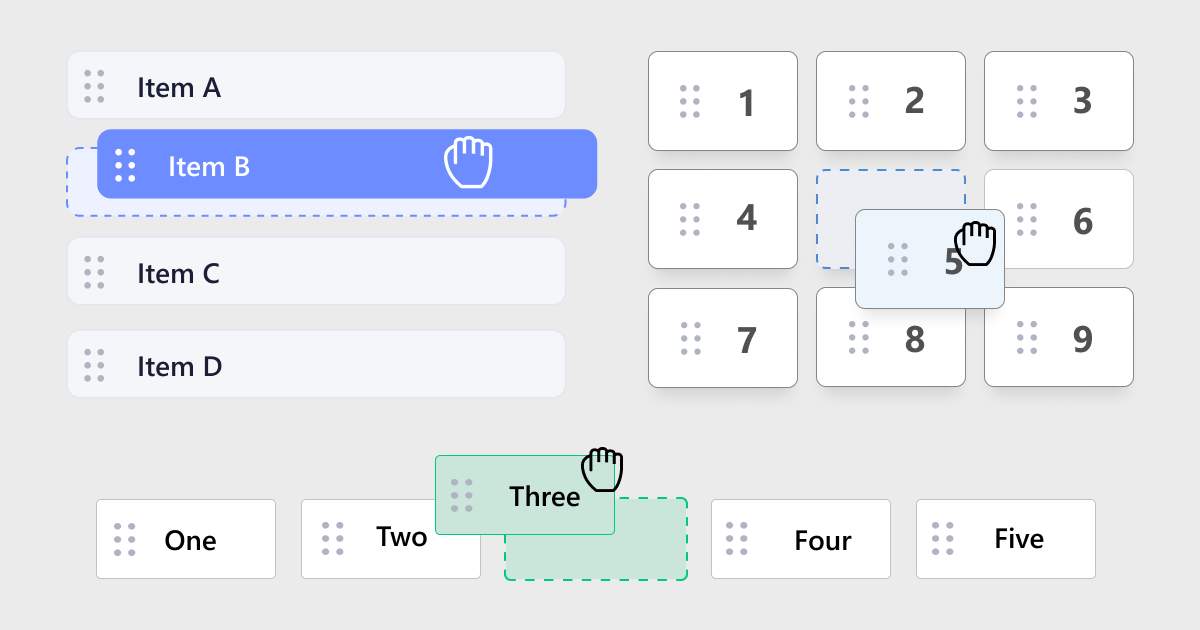
- Pure vanilla JavaScript, zero dependencies, no frameworks
- Mouse + touch + stylus (Pointer Events)
- Axis modes: vertical list, horizontal row, 2D grid, or auto
- Connected lists, drag handles, custom placeholder, edge auto-scroll
- UMD / AMD / CommonJS / global friendly
Links
- Demo & documentation: https://www.html-code-generator.com/javascript/sortable-library
- GitHub: https://github.com/html-code-generator/hcg-sortable
- Direct JS: https://www.html-code-generator.com/js/library/hcg-sortable/hcg-sortable.js
- Direct CSS: https://www.html-code-generator.com/styles/library/hcg-sortable/hcg-sortable.css
Install
npm install hcg-sortableUsage
Node.js / bundlers (Vite, webpack, Rollup)
import HcgSortable from 'hcg-sortable';
import 'hcg-sortable/hcg-sortable.css';

const sortable = new HcgSortable('#my-list', {
  axis: 'y',
  animation: 150,
  onUpdate(detail) {
    console.log(this.toArray());
  }
});
CommonJS:
const HcgSortable = require('hcg-sortable');
const sortable = new HcgSortable('#my-list');
Vanilla JavaScript in the browser
<link rel="stylesheet" href="hcg-sortable.css" />
<script src="hcg-sortable.js"></script>
<script>
  const sortable = new HcgSortable('#my-list', { axis: 'y', animation: 150 });
</script>
React
import { useEffect, useRef } from 'react';
import HcgSortable from 'hcg-sortable';
import 'hcg-sortable/hcg-sortable.css';

export default function SortableList() {
  const ref = useRef(null);
  useEffect(() => {
    const sortable = new HcgSortable(ref.current, { axis: 'y', animation: 150 });
    return () => sortable.destroy();
  }, []);
  return <ul ref={ref}><li>One</li><li>Two</li><li>Three</li></ul>;
}
Connected lists
Lists that share the same group name can exchange items:
var opts = {
  axis: 'y',
  animation: 150,
  group: { name: 'shared', pull: true, put: true }
};
new HcgSortable('#list-a', opts);
new HcgSortable('#list-b', opts);
Min-height required: when a connected list becomes empty, its container collapses to zero height and cannot receive drops. Set a minimum height on each list container.
CSS:
.sortable-list {
  min-height: 60px;
}
Or set minHeight in JavaScript during drag when a list is empty:
function ensureDropHeight(selector) {
  document.querySelectorAll(selector).forEach(function (list) {
    if (list.offsetHeight < 1) list.style.minHeight = '60px';
    else if (list.style.minHeight) list.style.minHeight = '';
  });
}

new HcgSortable('#list-a', {
  group: 'shared',
  onStart: ensureDropHeight,
  onMove: ensureDropHeight,
  onEnd: ensureDropHeight
});
new HcgSortable('#list-b', {
  group: 'shared',
  onStart: ensureDropHeight,
  onMove: ensureDropHeight,
  onEnd: ensureDropHeight
});
zIndex
new HcgSortable('#list', {
  zIndex: 2000
});
Options
| Option | Type | Default | Description |
| ----------------- | ------------------------------------------------- | ---------------------- | ----------------------------------------------------------------- |
| group | string \| { name, pull, put } \| null | null | Connects lists so items can transfer between them |
| handle | string \| null | null | CSS selector for a drag handle inside each item |
| cancel | string \| null | null | CSS selector for children that must NOT start a drag (jQuery UI Sortable compatible) |
| axis | 'x' \| 'y' \| 'grid' \| 'auto' | 'y' | Drop-slot detection direction |
| className | string | 'hcg-sortable-drag' | Class applied to the item while dragging |
| placeholder | boolean \| string | true | Generated gap, HTML string, class name, or false |
| animation | number | 150 | FLIP sibling animation duration in ms |
| scroll | boolean \| HTMLElement | true | Edge auto-scroll for the nearest scrollable element or page |
| containment | 'parent' \| HTMLElement \| object \| null | null | Constrain the dragged item within an element or region |
| dragThreshold | number | 4 | Pointer movement (px) required before a drag begins |
| disabled | boolean | false | Disables sorting |
| cursor | string \| false | 'grab' | Item cursor when enabled; false opts out of library styling |
| zIndex | number | 1000 | Stacking order of the floated item while dragging |
Callbacks
onStart, onMove, onAdd, onRemove, onUpdate, onEnd each receive a single detail object:
{
  event,     // the originating pointer event
  item,      // the dragged element
  from,      // the source list element
  to,        // the destination list element
  oldIndex,  // index when the drag started
  newIndex   // current/final index
}
this inside a callback is the HcgSortable instance (use a regular function or method shorthand, not an arrow, if you need this).
Methods
sortable.toArray();          // => array of data-id (or index) in current order
sortable.option('axis');     // get an option
sortable.option('axis','x'); // set an option
sortable.setOption('axis','x'); // alias for option(name, value)
sortable.enable();           // re-enable sorting
sortable.disable();          // disable sorting
sortable.destroy();          // remove all listeners & classes

HcgSortable.version;         // library version
CSS classes
.hcg-sortable— added to the container.hcg-sortable-drag— present on the item being dragged (configurable viaclassName).hcg-sortable_placeholder— the generated drop-slot placeholderbody.hcg-sortable-dragging— added to<body>during a drag
License
MIT