
headreel
v1.7.4
Published
Animated GitHub profile banners made from your GitHub activity, with a GitHub Action or CLI.

Maintainers
 arifszn
Readme
headreel




Animated banners for your GitHub profile, made from your GitHub activity.
Pick one way to make your banner:
- GitHub Action: updates the banner every day. No setup on your computer.
- CLI command: makes the banner once on your computer.
GitHub Action
The Action is on the GitHub Marketplace.
Add
.github/workflows/headreel.ymlto your repository:name: headreel on: schedule: - cron: '0 0 * * *' # every day at 00:00 UTC workflow_dispatch: permissions: contents: write jobs: banner: runs-on: ubuntu-latest steps: - uses: actions/checkout@v7 - uses: arifszn/headreel@v1 with: style: contribution-city publish_mode: branch tagline: Open source maintainer website: https://example.comRun the workflow once from the Actions tab. It adds
headreel.gifto theheadreelbranch.Add the image line to your
README.md. The workflow run page shows it, ready to copy. It looks like this:
The workflow updates the banner only when it changes. After an update, the new banner can take up to 5 minutes to show. See Settings for all inputs.
Keep your repository small
The setup above uses publish_mode: branch. The banner lives on its own headreel branch, and each update replaces the old banner, so your repository does not grow.
If you remove publish_mode: branch, each update adds a new commit to your main branch. Old banners stay in your history, and each one is a few MB.
CLI command
Run this command. Replace octocat with your GitHub username.
npx headreel --style highlights-reel --user octocat --tagline "Open source maintainer" --website https://example.com --option theme=dark --option accent=greenThe command saves headreel.gif in the current folder. Add the file to your repository, and add  to its README.md.
You need a GitHub token. Pass --token, set GITHUB_TOKEN, or log in with the GitHub CLI (gh auth login).
Settings
The Action and the command use the same settings.
| Action input | Command flag | Default | Description |
| ---------------- | ---------------------- | ------------------------------- | -------------------------------------------------------------------------------------------------------------------- |
| style | --style | (required) | The banner style. See Styles. |
| username | --user | repository owner | The GitHub user to show. The command requires it. |
| tagline | --tagline | empty | One line under your name. |
| website | --website | empty | Your website. |
| handle | --handle | empty | A handle, for styles that show one. |
| options | --option <key=value> | empty | Style options. Action: one key: value on each line. Command: repeat the flag, for example --option accent=green. |
| output | --out | headreel.gif | The path of the banner. |
| token | --token | github.token | The token that reads your GitHub data. |
| publish_mode | - | commit | commit adds a commit on every update. branch keeps one commit on its own branch, replaced on every update. |
| commit_to | - | checked-out branch / headreel | The branch that gets the banner. The default is headreel in branch mode. |
| commit_message | - | chore: update headreel banner | The commit message. |
| - | --config <file> | - | A JSON file with these settings. Flags replace its values. |
Empty settings do not show on the banner. Your name comes from your GitHub profile. If your profile has no name, the banner shows your username.
Styles
Set the style with style: <name> in the Action, or --style <name> in the command. Set an option with options: 'accent: green' in the Action, or --option accent=green in the command. For more than one option in the Action, put each on its own line.
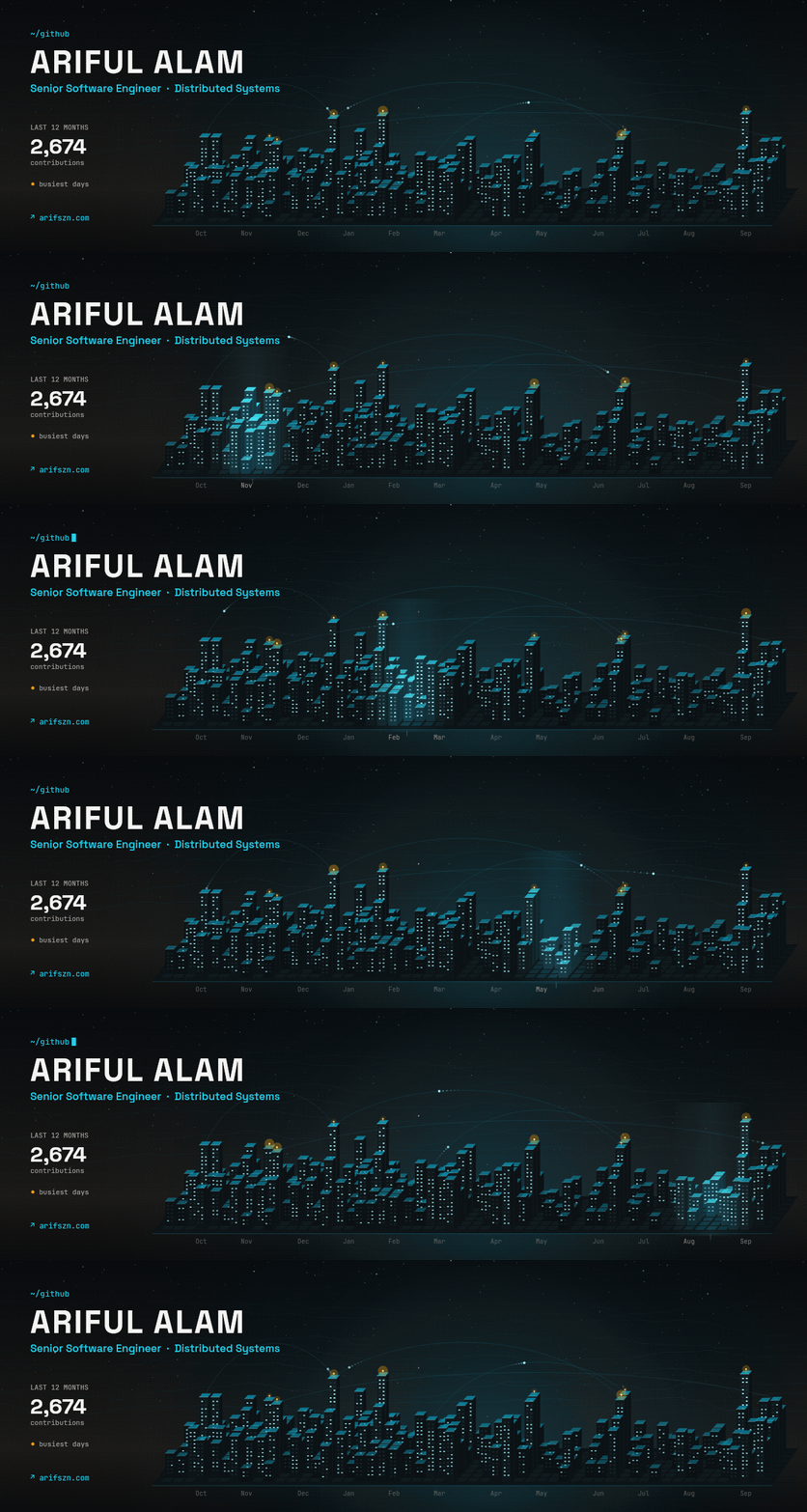
Contribution City
contribution-city: each day of the last 12 months is one building. A taller building means more contributions. Beacons glow on your busiest days.
| Option | Default | Description |
| -------- | ------- | ----------------------------------------------------------------------------- |
| accent | cyan | Color of the lights and links: cyan, cobalt, green, violet or pink. |
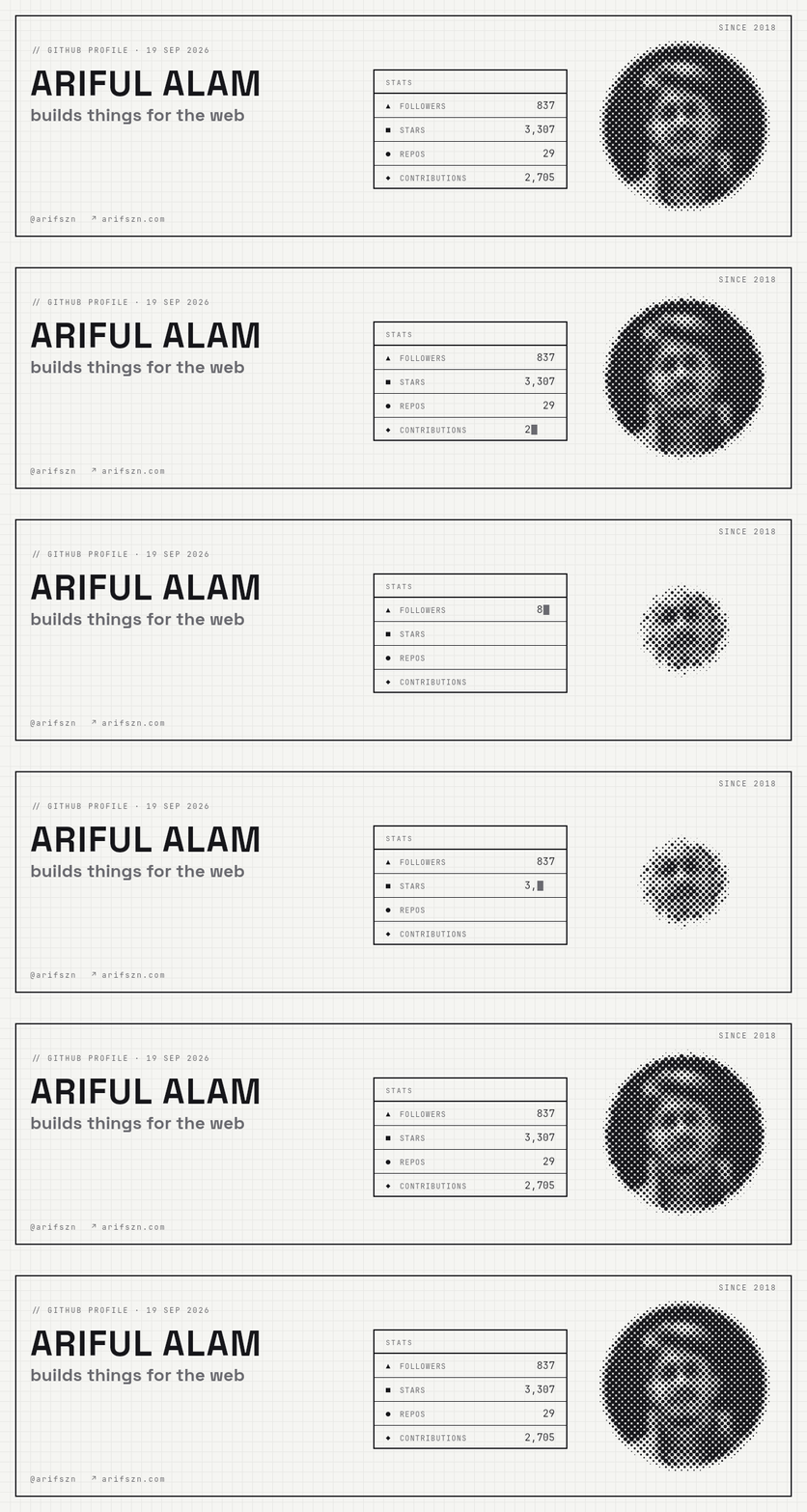
Spec Sheet
spec-sheet: your profile as a printed spec card. Your avatar turns into a dot pattern that fades out and back in, next to your followers, stars, repositories and contributions.
| Option | Default | Description |
| -------- | ------- | --------------------------------------------------------------------------------- |
| accent | gray | Label, tagline, website and cursor: gray, teal, cobalt, violet, sienna. |
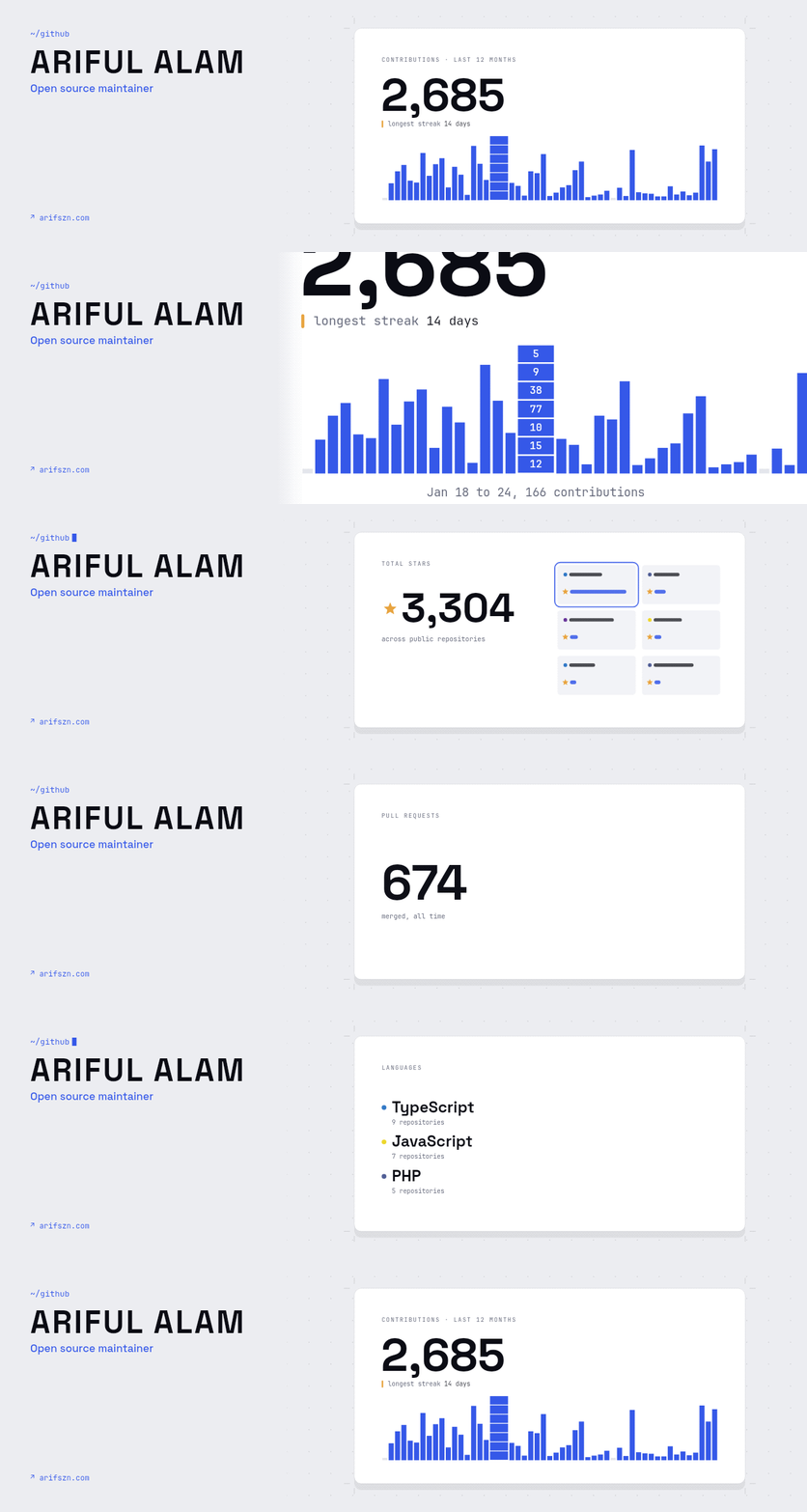
Highlights Reel
highlights-reel: a few profile facts, each on its own card, filmed by one camera. The camera travels between the cards, pushes into your busiest week, and ends on a wide shot of the whole reel.
| Option | Default | Description |
| -------- | -------- | ----------------------------------------------------------------------------- |
| theme | light | light or dark. Use dark for GitHub dark mode. |
| accent | cobalt | Color of the bars and links: cobalt, green, violet, orange or pink. |
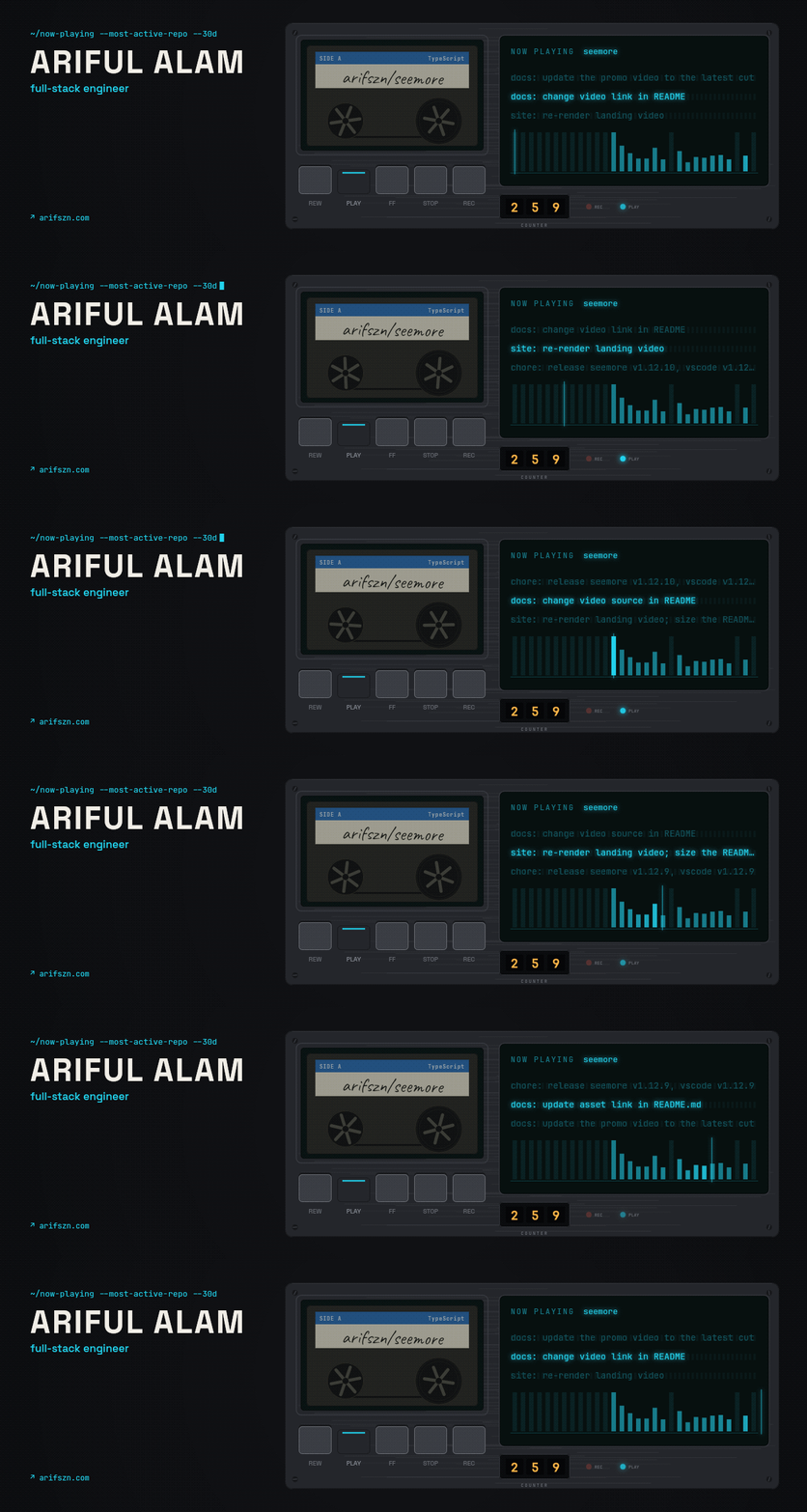
Now Playing
now-playing: a cassette deck plays the repository you committed to most in the last 30 days. Your commit messages scroll across the display, and the meter shows each day of the month.
| Option | Default | Description |
| --------- | ------- | -------------------------------------------------------------------------- |
| theme | dark | dark (graphite deck) or light (silver deck). |
| accent | cyan | Display color, meter and links: cyan, green or orange. |
| exclude | empty | Comma-separated repositories to skip, for example your profile repository. |
Receipt
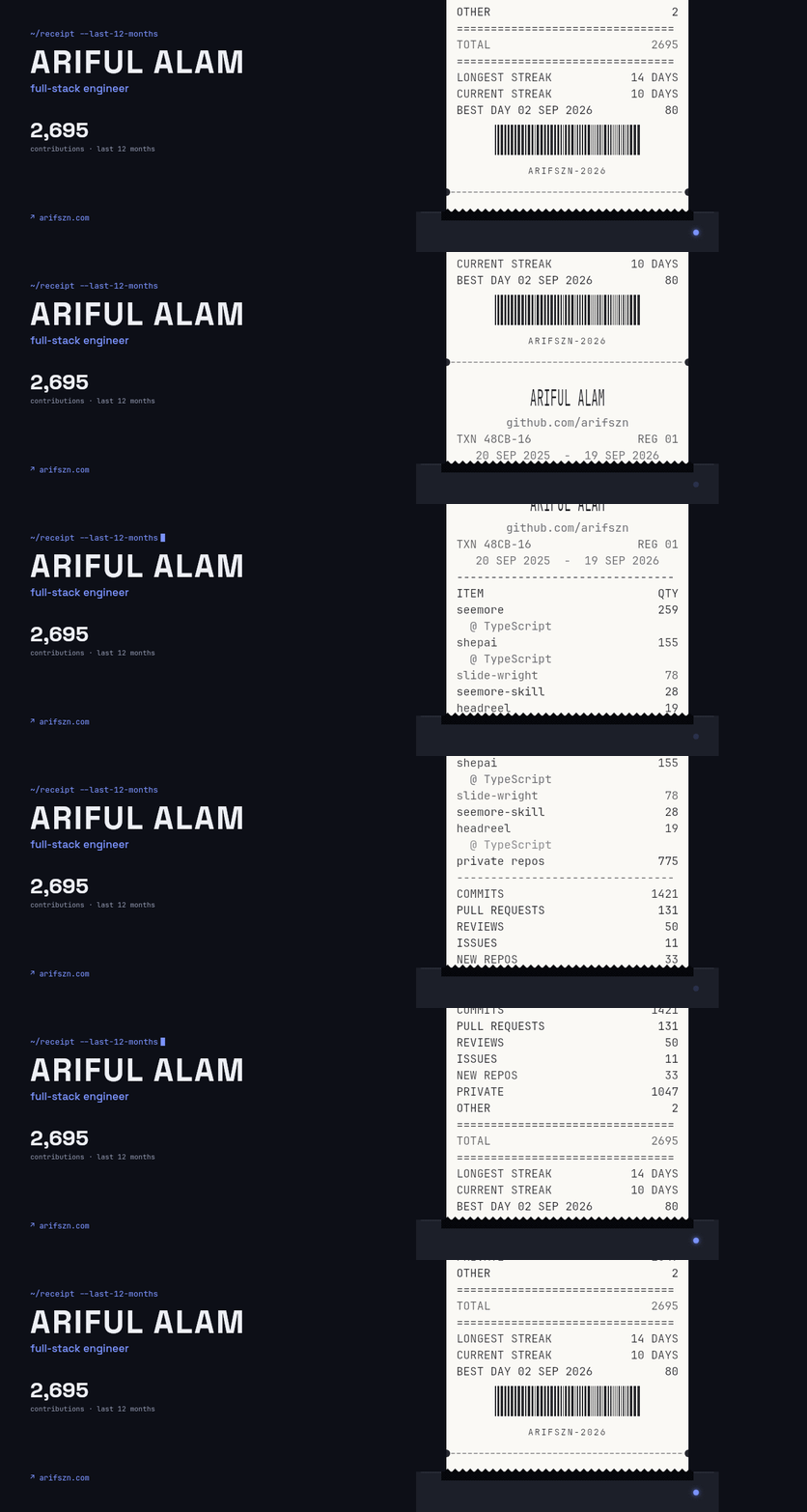
receipt: your last 12 months printed as a shop receipt. Your repositories are the items and your contributions are the totals, with your streaks and best day below.
| Option | Default | Description |
| -------- | -------- | ------------------------------------------------------------------------------- |
| theme | dark | dark or light. Use light if your profile is mostly viewed in light mode. |
| accent | cobalt | Color of the prompt and light: cobalt, green, violet, orange or pink. |
| items | 5 | Repositories printed as line items, 0 to 5. |
Trail Profile
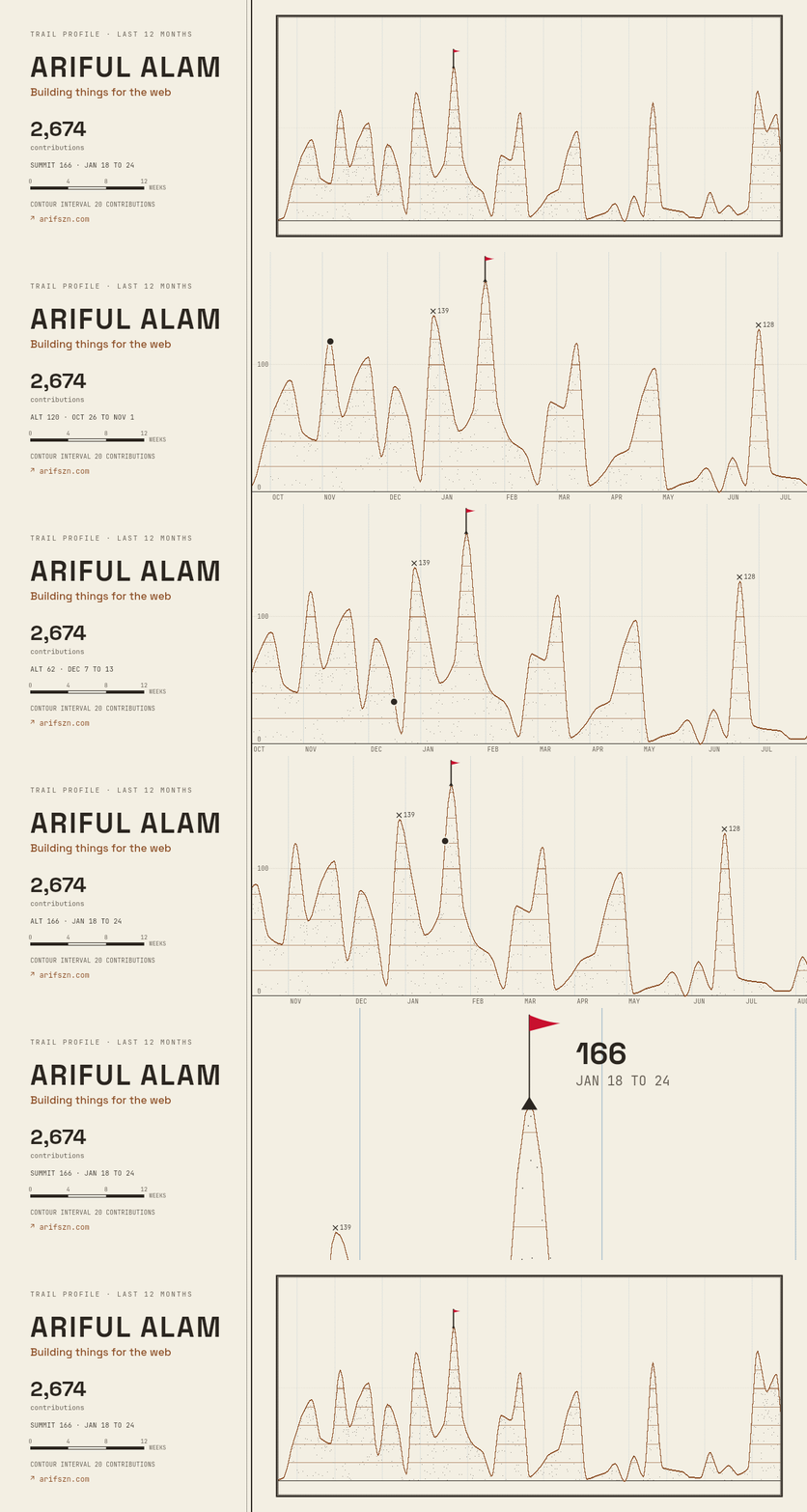
trail-profile: your last 12 months as a hiking trail. Each week's contributions set the trail's height. A hiker walks to your busiest week, the summit.
| Option | Default | Description |
| -------- | -------- | ---------------------------------------------------------------------- |
| accent | sienna | Color of the trail and links: sienna, cobalt, green or violet. |
Repo Galaxy
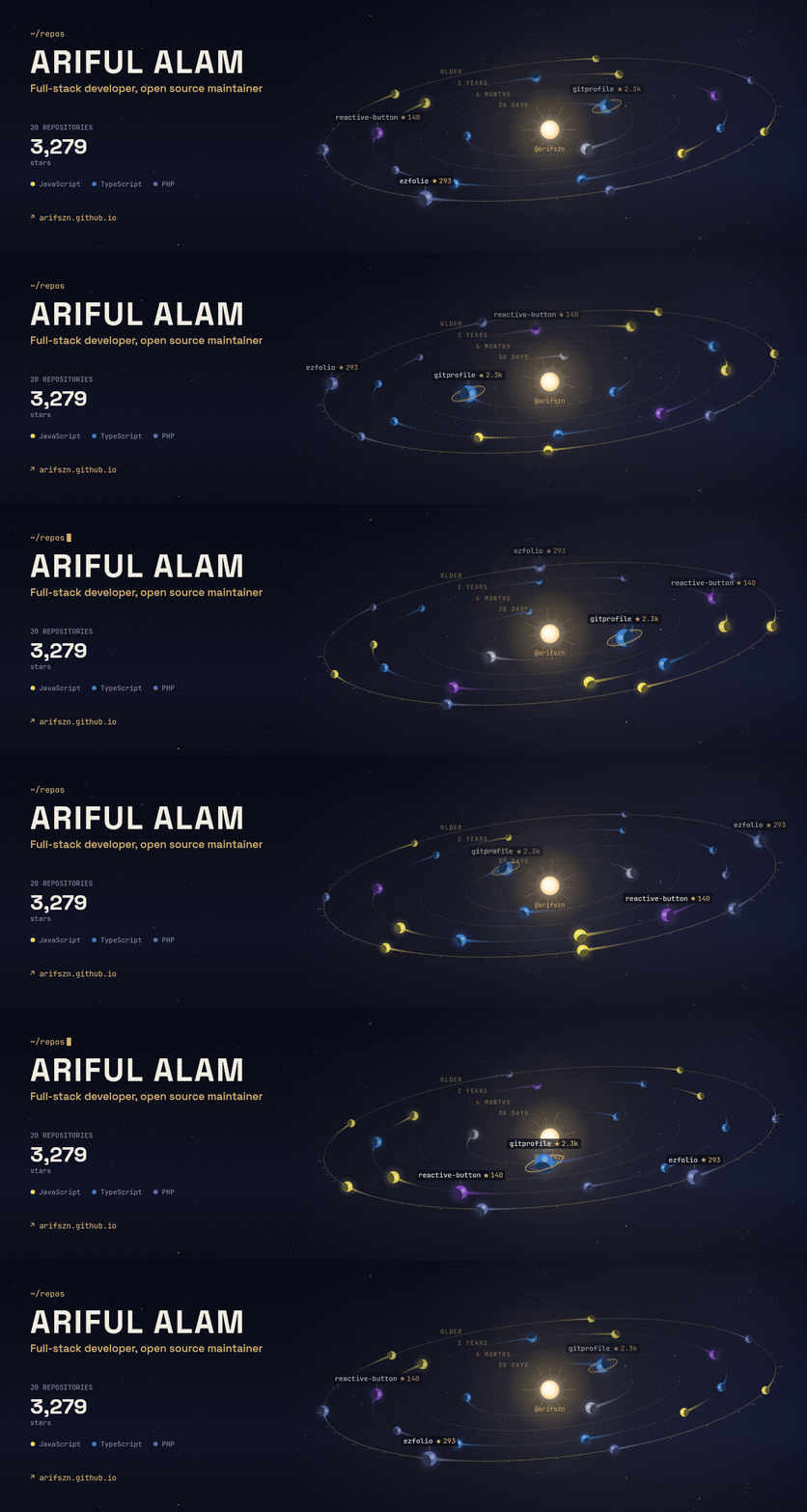
repo-galaxy: your most starred repositories orbit a sun. A bigger planet has more stars, and its color is the repository's main language. Repositories you pushed to recently orbit closer to the sun.
| Option | Default | Description |
| --------------- | ------- | --------------------------------------------------------------------- |
| max_repos | 20 | The number of repositories to show, 5 to 30. |
| include_forks | false | Show forked repositories too. |
| labels | top3 | top3 names the three most starred repositories. none hides names. |
Troubleshooting
| Problem | Fix |
| -------------------------------- | -------------------------------------------------------- |
| "Permission denied" or 403 error | Add permissions: contents: write to the workflow file. |
| "Could not resolve to a User" | Set username to a valid GitHub username. |
| "No GitHub token found" | Run gh auth login, or set GITHUB_TOKEN. |
Support
If headreel is useful to you, please star the repository. It helps other people find it.