
hexo-filter-fcircle
v0.0.8
Published
A friend link subscribe plugin for hexo,you can also apply it in any project which is based on html

Maintainers
 akilarlxh
Readme
hexo-filter-fcircle
给hexo博客添加 友链朋友圈
特别鸣谢
|ID|站点|备注| |:--|:--|:--| |【冰】冰卡诺|小冰博客|友链朋友圈理念奠基人,初代友链朋友圈方案作者(前后端),冰老师YYDS| |【糖】Akilar|Akilarの糖果屋|历代朋友圈前端方案、插件方案编写者。(自己鸣谢自己有点不好意思啊)| |【红】heo|HEO|友链朋友圈视觉设计,UI方案多样化| |【茶】贰猹|贰猹の小窝|友链朋友圈后端维护,3.0方案编写者,多主题友链抓取适配,朋友圈售后中流砥柱| |RaXianch|快乐咸鱼の RaXianch 窝|友链朋友圈后端维护,多主题友链抓取适配|
安装
安装插件,在博客根目录
[Blogroot]下打开终端,运行以下指令(与旧版前端方案不兼容,如有安装旧版请先卸载):npm uninstall hexo-butterfly-fcircle --save npm install hexo-filter-fcircle --save添加配置信息 在站点配置文件
_config.yml或者主题配置文件例如_config.butterfly.yml中添加
  # fcircle
  # see https://akilar.top/posts/8480b91c/
  fcircle:
    enable: true #控制开关
    apiurl: https://hexo-friendcircle-api.vercel.app/api #api地址
    initnumber: 20 #【可选】页面初始化展示文章数量
    stepnumber: 10 #【可选】每次加载增加的篇数
    error_img: /img/404.png #【可选】头像图片加载失败时的默认头像
    css: https://npm.elemecdn.com/hexo-filter-fcircle/assets/css/butterfly.css #【可选】开发者接口,自定义css链接
    js: https://npm.elemecdn.com/hexo-filter-fcircle/assets/js/fcircle.js #【可选】开发者接口,自定义js链接
    fetchJs: https://npm.elemecdn.com/hexo-filter-fcircle/assets/js/fetch.js #可选】开发者接口,自定义fetchJs链接
    path: #【可选】fcircle的路径名称。默认为 fcircle,生成的页面为 fcircle/index.html
    front_matter: #【可选】fcircle页面的 front_matter 配置
      title: 朋友圈
comments: false- 参数释义
|参数|备选值/类型|释义| |:--|:--|:--| |enable|true/false|控制开关| |apiurl|URL|api链接,配置教程参看友链朋友圈 3.0 食用说明书| |initnumber|number|【可选】填写阿拉伯数字,页面展示文章数量,默认20| |stepnumber|number|【可选】填写阿拉伯数字,每次加载增加的篇数,默认10| |error_img|URL|【可选】头像图片加载失败时的默认头像| |css| URL|【可选】开发者接口,自定义css链接| |js| URL|【可选】开发者接口,自定义js链接| |fetchJs|URL|可选】开发者接口,自定义fetchJs链接| |path| string|【可选】字符串,fcircle的路径名称。默认为 fcircle,生成的页面为 fcircle/index.html| |front_matter|object|【可选】写法见上文示例,fcircle页面的 front_matter 配置|
截图
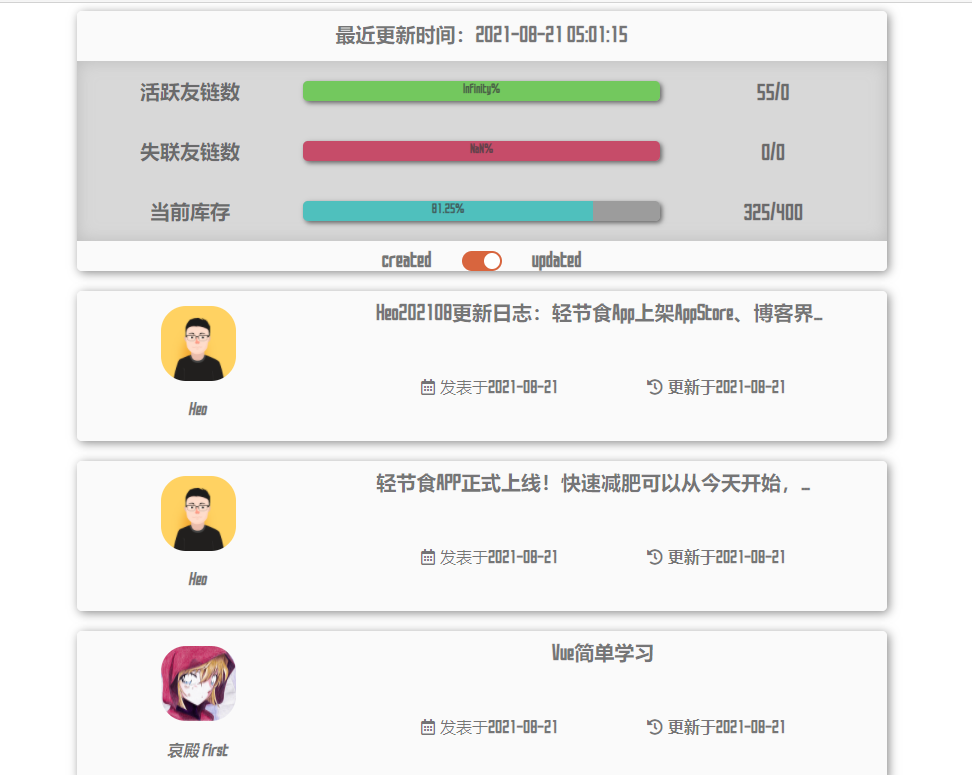
- SAO-UI-默认样式
- Author:Akilar
- 所用主题:无
- 样式CDN链接:
# css https://npm.elemecdn.com/hexo-filter-fcircle/assets/css/default.min.css # js https://npm.elemecdn.com/hexo-filter-fcircle/assets/js/fcircle.min.js - 预览效果截图:
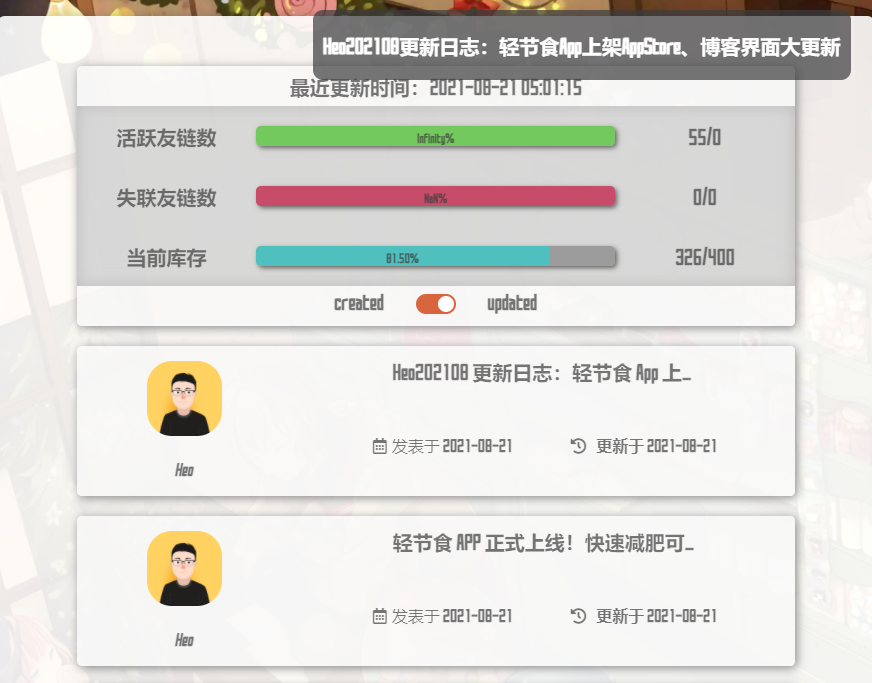
- SAO-UI-适配butterfly主题样式
- Author:Akilar
- 所用主题:hexo-theme-butterfly
- 样式CDN链接:
# css https://npm.elemecdn.com/hexo-filter-fcircle/assets/css/butterfly.min.css # js https://npm.elemecdn.com/hexo-filter-fcircle/assets/js/fcircle.min.js - 预览效果截图:
欢迎投稿
https://github.com/Akilarlxh/hexo-filter-fcircle/issues