
hips2fits-js
v0.1.4
Published
Simple utility for requesting data from the CDS hips2fits service.

Maintainers
 lloydevans
Readme
hips2fits-js
Simple utility for requesting data from the CDS hips2fits service.
This package provides both ES and CJS module formats.
It is ES5 compatible, however it does not provide any polyfills.
It's a simple setup - Use the getImage or getImageUrl functions, which take the HipsOptions object.
Documentions on the service can be found here.
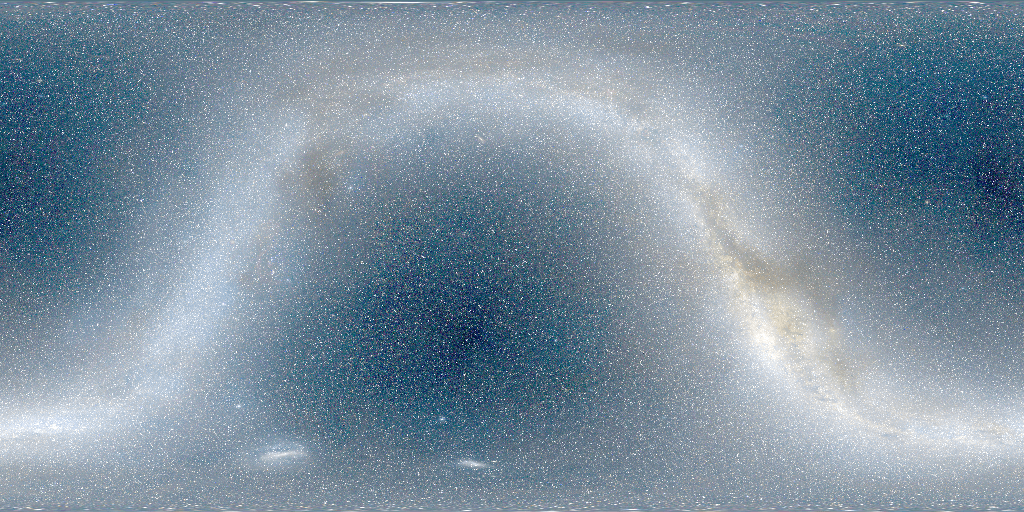
Installation
npm i -S hips2fits-js
Index
Enumerations
Interfaces
Functions
Functions
getImage
▸ getImage(options: HipsOptions, endPoint?: string): Promise‹Uint8Array›
Defined in get-image.ts:59
Get an image from the hips2fits service.
example
const { writeFile } = require("fs").promises;

const {
  getImage,
  HipsImageFormat,
  HipsProjection,
  HipsService,
  HipsStretch,
  HipsCoordsys,
} = require("hips2fits-js");

(async function () {
  let data;

  try {
    data = await getImage({
      hips: HipsService.CDS_P_DSS2_color,
      coordsys: HipsCoordsys.Icrs,
      projection: HipsProjection.Car,
      stretch: HipsStretch.Asinh,
      format: HipsImageFormat.Png,
      width: 2048 / 4,
      height: 1024 / 4,
      ra: 0,
      dec: 0,
      fov: 360,
    });

    await writeFile("image.png", data);
  } catch (error) {
    console.log(error);
    return;
  }

})();
Parameters:
Name | Type | Description |
------ | ------ | ------ |
options | HipsOptions | Options object configuring the Hips image generated. |
endPoint? | string | Base URL endpoint. |
Returns: Promise‹Uint8Array›
getImageUrl
▸ getImageUrl(options: HipsOptions, endPoint: string): string
Defined in get-image-url.ts:56
Get an image URL from the hips2fits service.
example
import {
  getImageUrl,
  HipsImageFormat,
  HipsProjection,
  HipsService,
  HipsStretch,
  HipsCoordsys,
} from "hips2fits-js";

let url;
let width = 1024;
let height = 512;

url = getImageUrl({
  hips: HipsService.CDS_P_DSS2_color,
  coordsys: HipsCoordsys.Icrs,
  projection: HipsProjection.Car,
  stretch: HipsStretch.Asinh,
  format: HipsImageFormat.Png,
  width,
  height,
  ra: 0,
  dec: 0,
  fov: 360,
});

let img = new Image();
img.width = width;
img.height = height;
img.src = url;

window.addEventListener("load", function () {
  window.document.body.appendChild(img);
});
Parameters:
Name | Type | Default | Description |
------ | ------ | ------ | ------ |
options | HipsOptions | - | Options object configuring the Hips image generated. |
endPoint | string | DEFAULT_ENDPOINT | Base URL endpoint. |
Returns: string
parseWcs
▸ parseWcs(wcsString: string): WcsDict
Defined in parse-wcs.ts:30
Parse a WCS configuration string.
example
let wcs = `
NAXIS1  =                 2000
NAXIS2  =                 1000
WCSAXES =                    2 / Number of coordinate axes
CRPIX1  =               1000.0 / Pixel coordinate of reference point
CRPIX2  =                500.0 / Pixel coordinate of reference point
CDELT1  =                -0.18 / [deg] Coordinate increment at reference point
CDELT2  =                 0.18 / [deg] Coordinate increment at reference point
CUNIT1  = 'deg'                / Units of coordinate increment and value
CUNIT2  = 'deg'                / Units of coordinate increment and value
CTYPE1  = 'GLON-MOL'           / galactic longitude, Mollweide's projection
CTYPE2  = 'GLAT-MOL'           / galactic latitude, Mollweide's projection
CRVAL1  =                  0.0 / [deg] Coordinate value at reference point
CRVAL2  =                  0.0 / [deg] Coordinate value at reference point
`;

let wcsDict = parseWcs(wcs);
Parameters:
Name | Type | Description |
------ | ------ | ------ |
wcsString | string | |
Returns: WcsDict