
hirngespinst
v0.2.1
Published
Create svg infographics with ease


Readme

create self-contained »slideshow-like« SVG infographics with ease
:sparkles: DEMO
Features
- single purpose
- create »slideshow-like« infographics
- vanilla-javascript
- modern browser support and IE11
- self-contained - the svg animates itself
- convention over configuration - works out of the box
- progress bar is animated
- automatic looping
- indentation of leading whitespace of tspan by 5px each
- minified: js 4.7 KB css 0.8 KB total 5.5 KB
- gzipped: js 1.6 KB css 0.4 KB total 2.0 KB
Usage with Sketch and Atom
You can easily create such above graphic with Sketch and Atom like so:
:black_large_square:(1) Download the example :closed_book:demo.sketch or :closed_book:demo--withControls.sketch file.
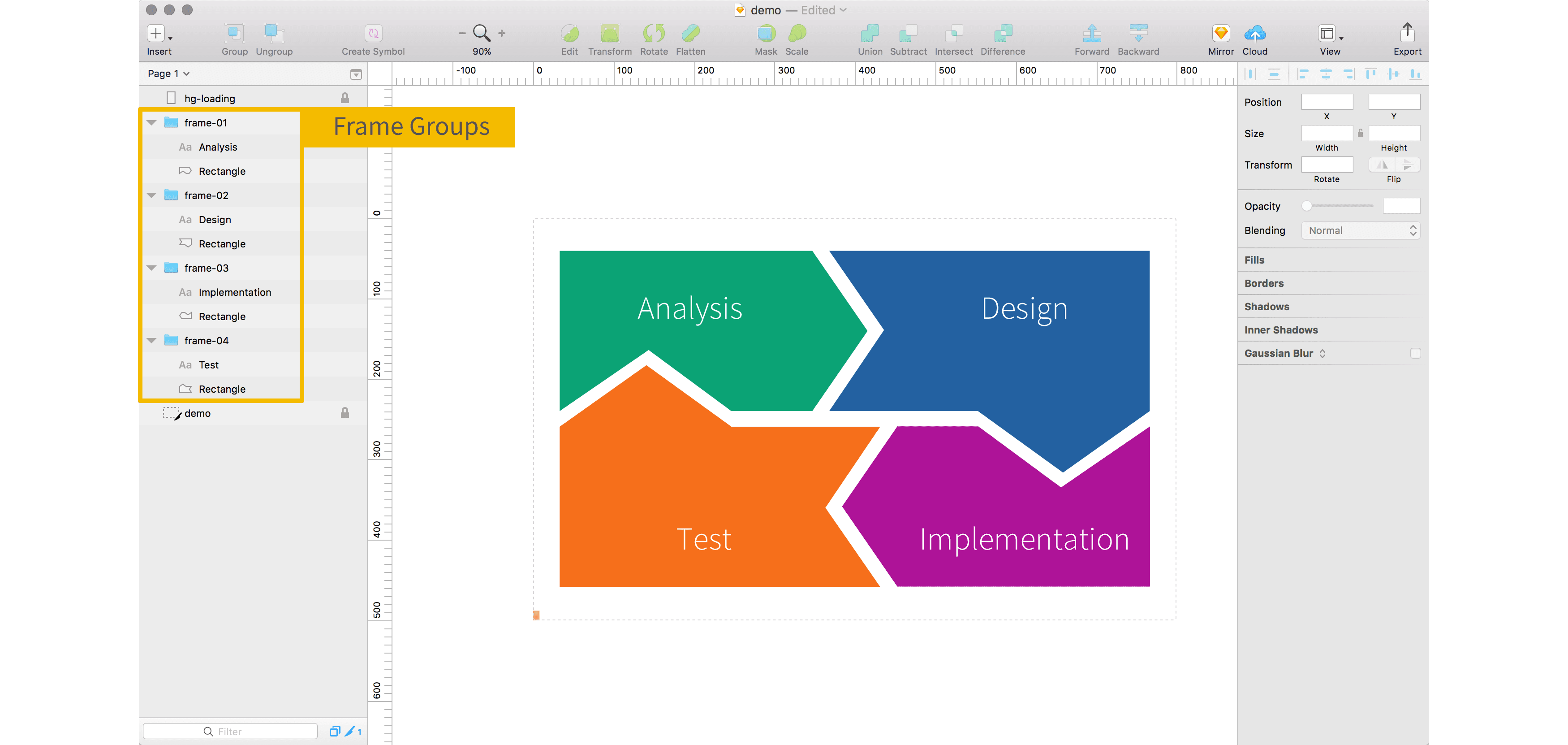
:black_large_square:(2) Create groups with names from frame-01 to frame-99 which get shown after each other.
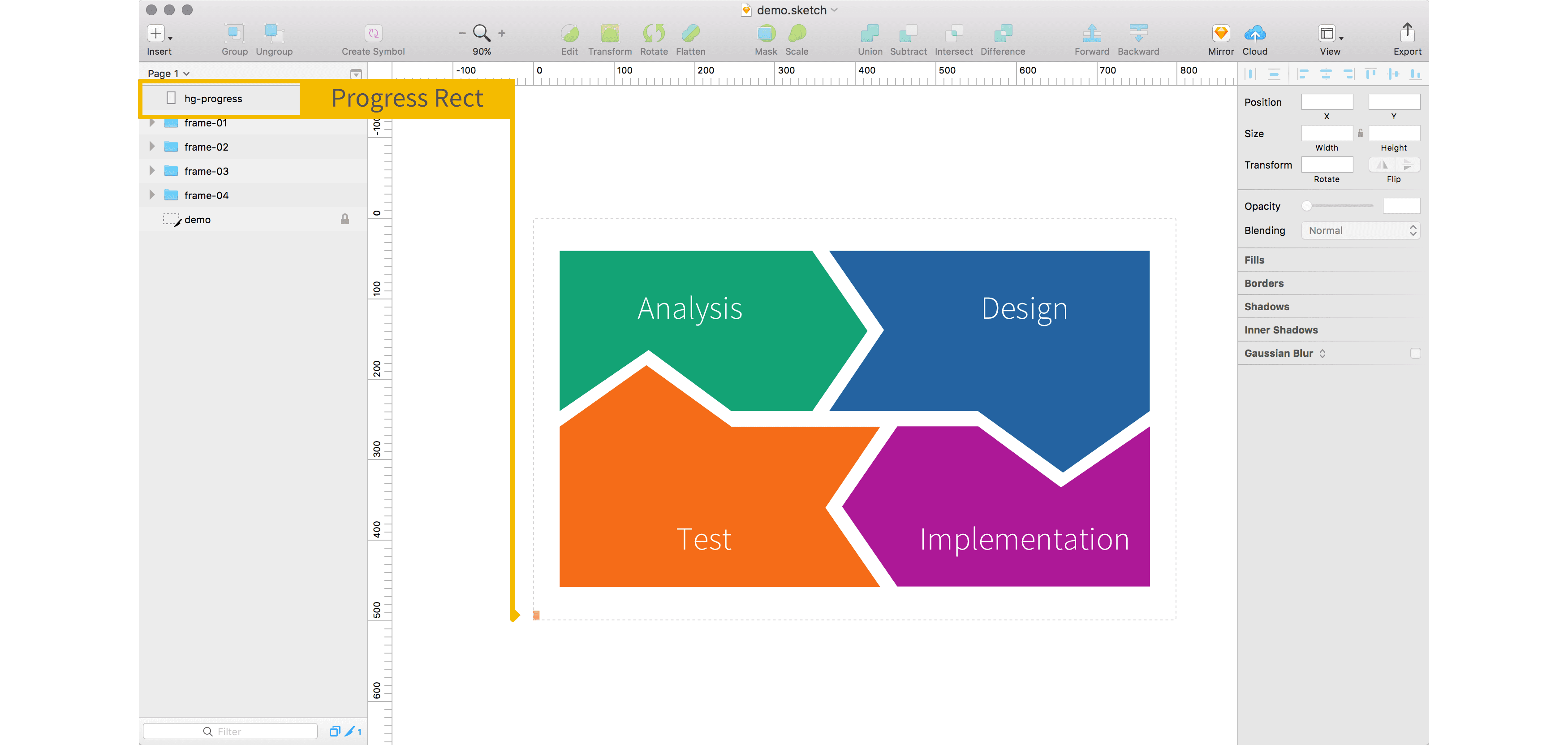
:black_large_square:(3) OPTIONAL: Create a rect with name hg-progress placed in the bottom left. This rect will then be expanded to 100% width as an animation.
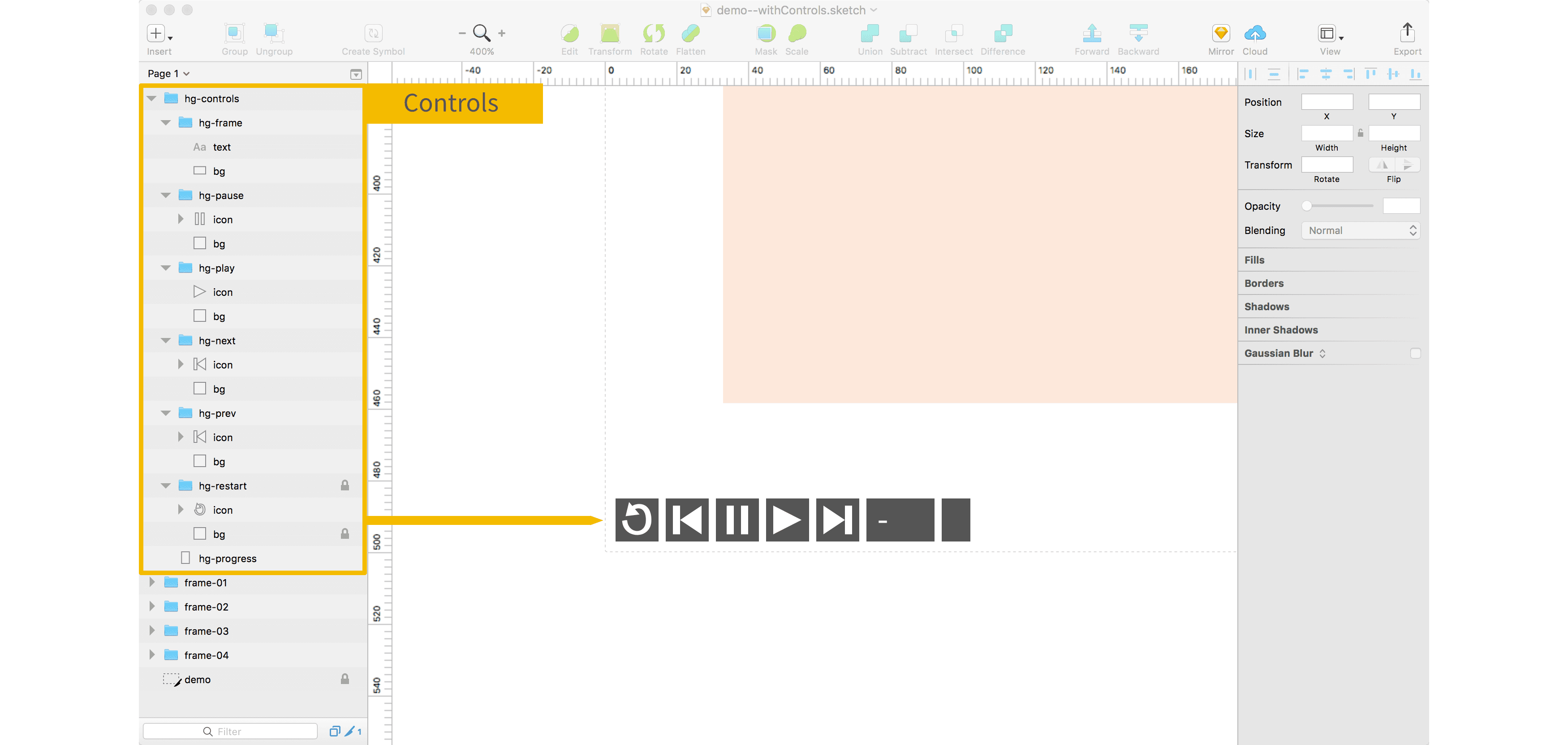
:black_large_square:(4) OPTIONAL: You can create controls like play, pause, prev and next. If you specify them, the ids of the elements must match.
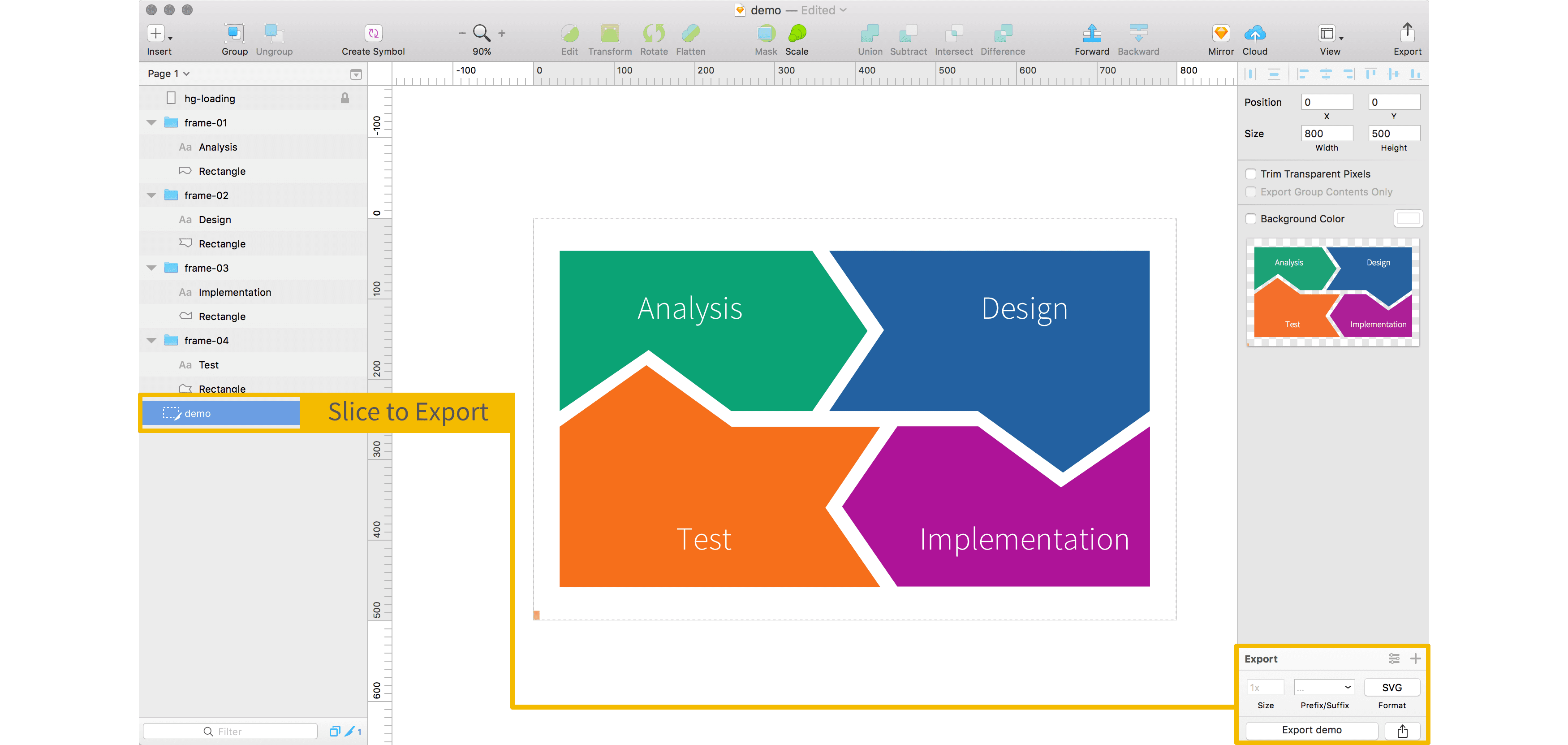
:black_large_square:(5) Insert a slice and export as SVG. Make sure all frame-groups are visible even if they overlap, otherwise they will not get exported.
:black_large_square:(6) Open the SVG in an Editor like the awesome Atom and add the following.
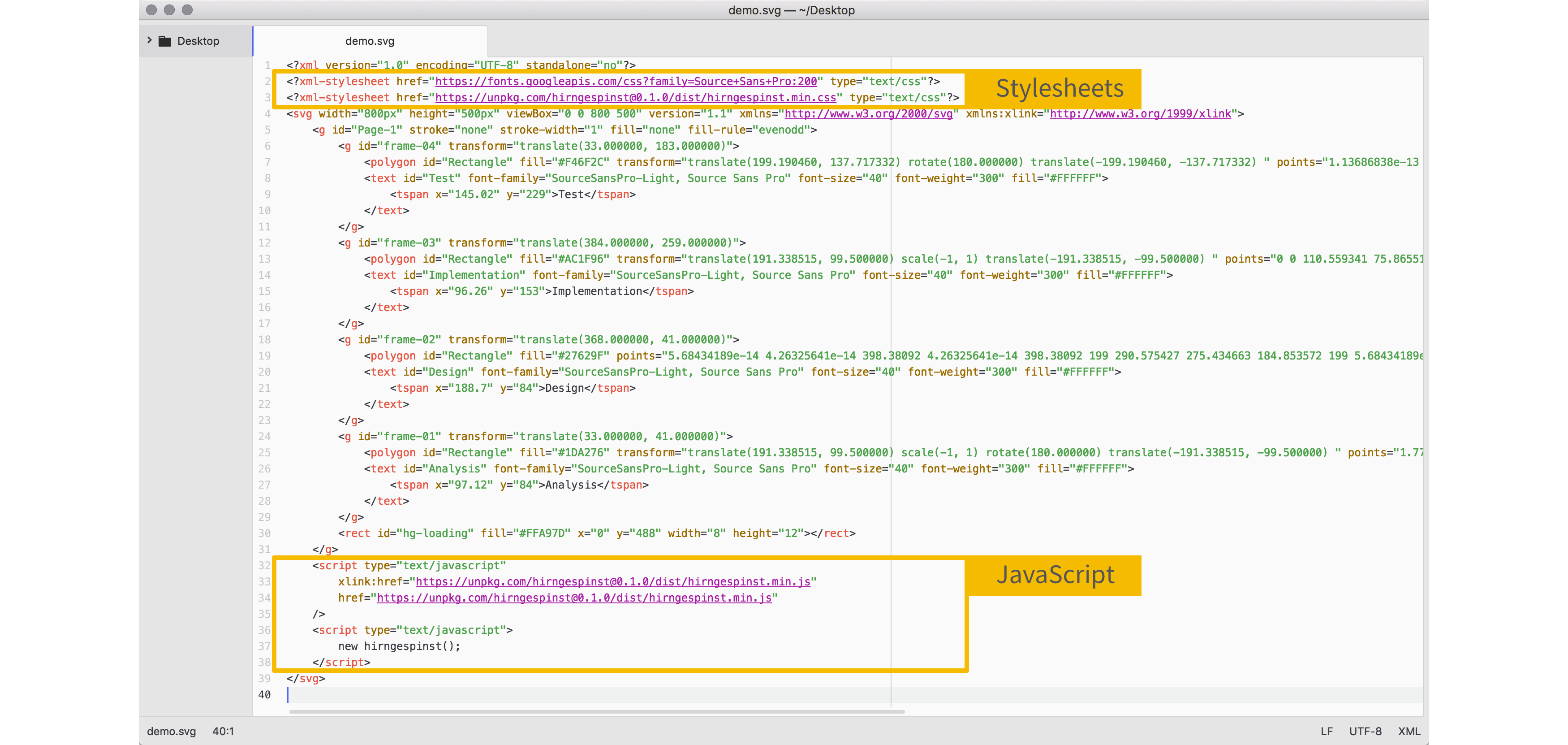
<?xml version="1.0" encoding="UTF-8" standalone="no"?>
<?xml-stylesheet href="https://fonts.googleapis.com/css?family=Source+Sans+Pro:200" type="text/css"?>
<?xml-stylesheet href="https://cdn.jsdelivr.net/npm/[email protected]/dist/hirngespinst.min.css" type="text/css"?>
<svg width="751px" height="529px" viewBox="0 0 751 529" version="1.1"
    xmlns="http://www.w3.org/2000/svg"
    xmlns:xlink="http://www.w3.org/1999/xlink">
    <g>
      ...
      <!-- svg stuff -->
      ...
    </g>
    <script type="text/javascript"
            xlink:href="https://cdn.jsdelivr.net/npm/[email protected]/dist/hirngespinst.min.js"
            href="https://cdn.jsdelivr.net/npm/[email protected]/dist/hirngespinst.min.js"
    />
    <script type="text/javascript">
        new hirngespinst();
    </script>
</svg>
:black_large_square:(7) Now use your SVG like so in your website
WILL NOT WORK: <img src="http://myserver/my.svg" />

WILL WORK:     <object data="http://myserver/my.svg" type="image/svg+xml"></object>
Demo
See working demos:
- :sparkles: demo with default options
- :sparkles: demo with
frameAutoHide=true - :sparkles: demo with controls
Options
You can customize the options like so
new hirngespinst({
    frameVisibleInSeconds: 10,   // Duration how long a frame is shown
    frameAutoHide: true          // will hide the frame after it was shown for a certain time
});
Browser Support
Works in all modern browsers and was tested in the following versions

Note: Internally CSS animations with @keyframe are used since SMIL browser-support will fade out.
Known Limitations
- IE11:
- when having multiple objects on the same page webfont fails for either one
- Solution: load webfont on the page itself.
Development and Release
See DEVELOPMENT.md