
html-planner
v0.1.12
Published
Turn AI-agent markdown plans into live, interactive HTML planning surfaces.
Downloads
842

Maintainers
 igalem
Readme
◐ html-planner
Markdown is dead for AI-agent planning. HTML is the new standard.
Site & live playground: html-planner.com
html-planner gives your AI coding agents a live, interactive UI to present their plans to you. It is ready out-of-the-box for all major AI IDEs and providers, including Claude Code, Cursor, and Antigravity.
Instead of reading thousands of lines of markdown in a chat window, you get a beautiful web app where you can visually review the architecture, approve or reject individual steps, and answer the agent's questions before they write any code.
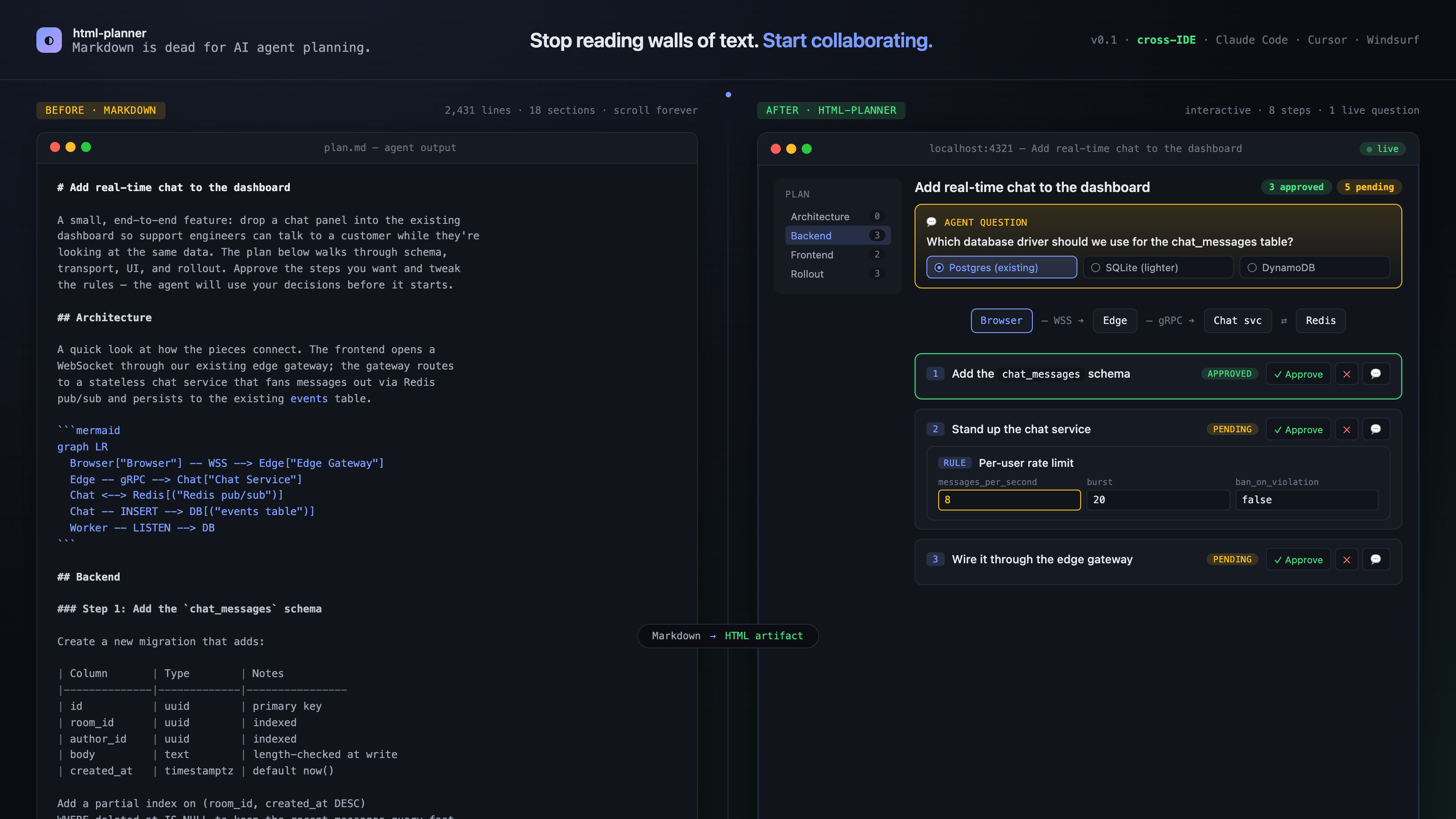
Open
assets/hero-comparison.htmlin a 1600×900 browser to see the interactive before/after.
⚡ Quick Start
You can get started in your project with a single command!
Step 1: Install & Initialize
Run this in your terminal at the root of your project:
npx html-planner@latest init .This command will detect your AI coding assistant and install the necessary integration skills. It will ask you to confirm your provider (Claude, Cursor, or Antigravity).
Step 2: Ask your AI Agent to plan
Open your AI coding assistant and simply ask it to plan a task using the html-planner skill.
Example Prompt:
"I want to add real-time chat to this app. Please create a plan using
/html-planner."
Step 3: Review in the Browser
The agent will automatically start the local planner server and open the live UI in your web browser.
From the UI you can:
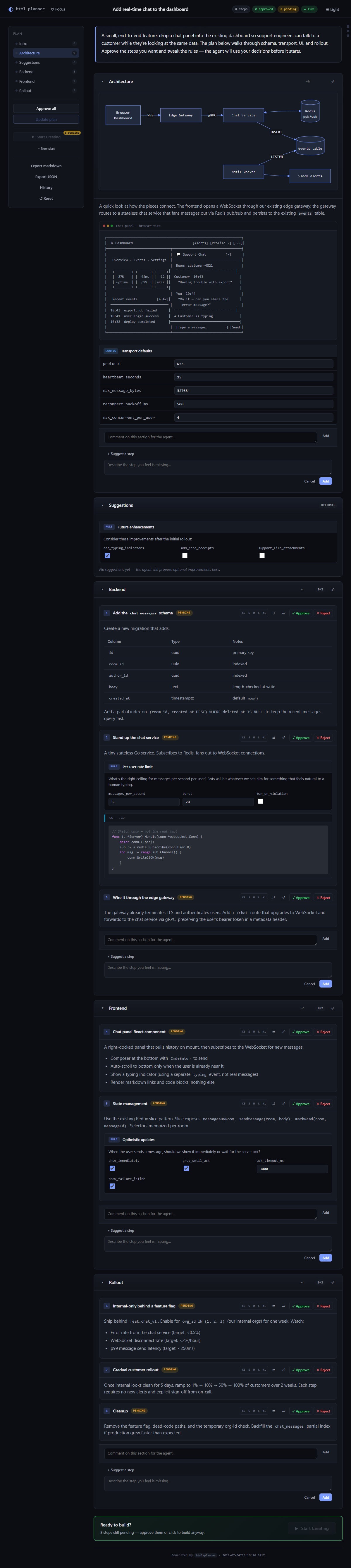
- Review Architecture: View live flowchart diagrams of the plan.
- Answer Questions: If the agent needs clarification, their questions will appear as cards in the UI. Type your answer and click submit!
- Approve or Reject: Go through the steps and approve or reject them. The agent will read your decisions and adjust its code generation accordingly.
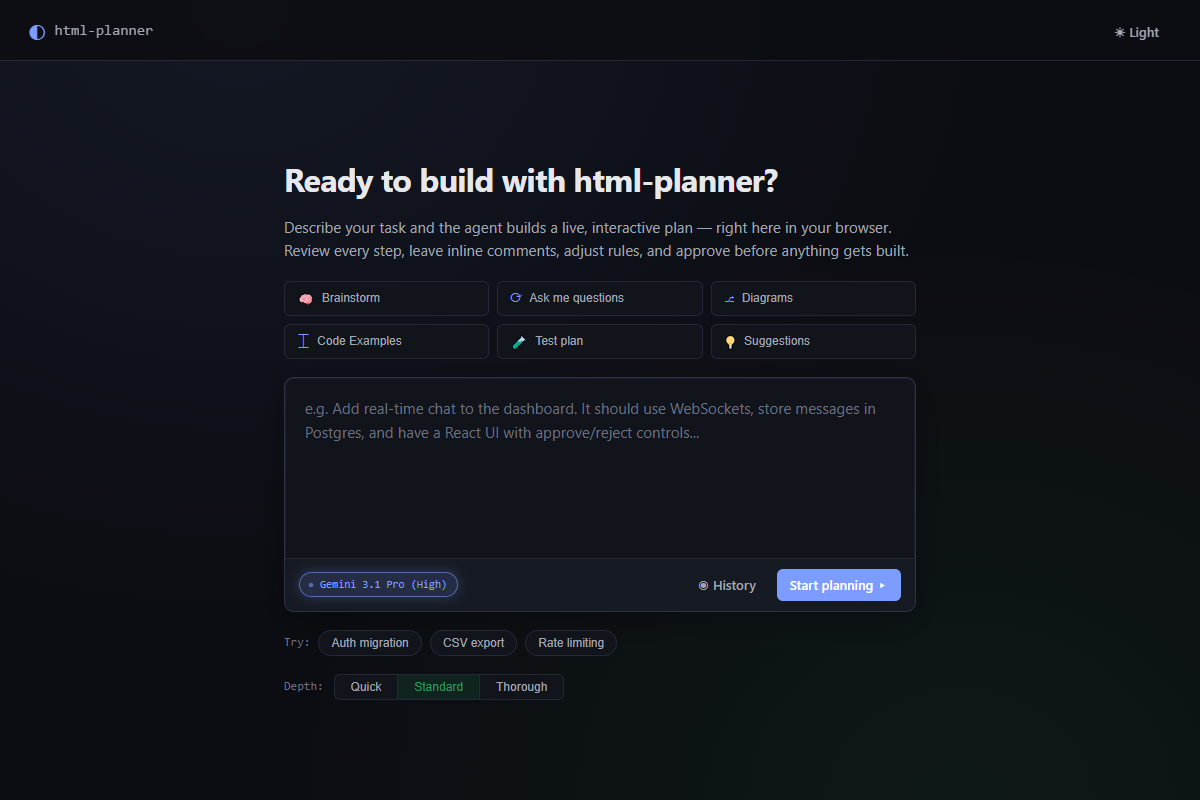
1. Prompt & Brainstorm UI
2. Live Plan UI
🤖 Supported Agents
html-planner init . automatically configures your workspace for the following tools:
Claude Code
Installs the skill to .claude/skills/. To use it, just type /html-planner in your Claude Code terminal prompt.
Cursor IDE
Installs the skill to .cursor/skills/. Open the Cursor AI pane and type /html-planner in your prompt.
Antigravity IDE
Installs the skill to .agents/skills/. Ask Antigravity to use /html-planner when tackling a complex task.
🛠️ Advanced Commands
For advanced users who want to manually run or render plans:
| Command | What it does |
|---|---|
| npx html-planner serve . --open | Manually starts the live planning server and opens the browser. |
| npx html-planner render plan.md -o plan.html | Converts a markdown plan into a standalone, offline HTML file. |
| npx html-planner init . --provider <name> | Force install for a specific tool (claude, cursor, antigravity). |
License
MIT