
html-skeleton-webpack-plugin
v2.1.0
Published
This webpack plugin is designed for generate the skeleton screen for page
Downloads
25


Readme
html-skeleton-webpack-plugin
This webpack plugin is designed for generate the skeleton screen for page.
Install
npm i -D html-skeleton-webpack-pluginUsage
In your webpack configuration (webpack.config.js):
const HtmlSkeletonWebpackPlugin = require('html-skeleton-webpack-plugin');

module.exports = {
    //...
    plugins: [
        new HtmlSkeletonWebpackPlugin()
    ]
}NOTE: You should add it after
html-webpack-plugin
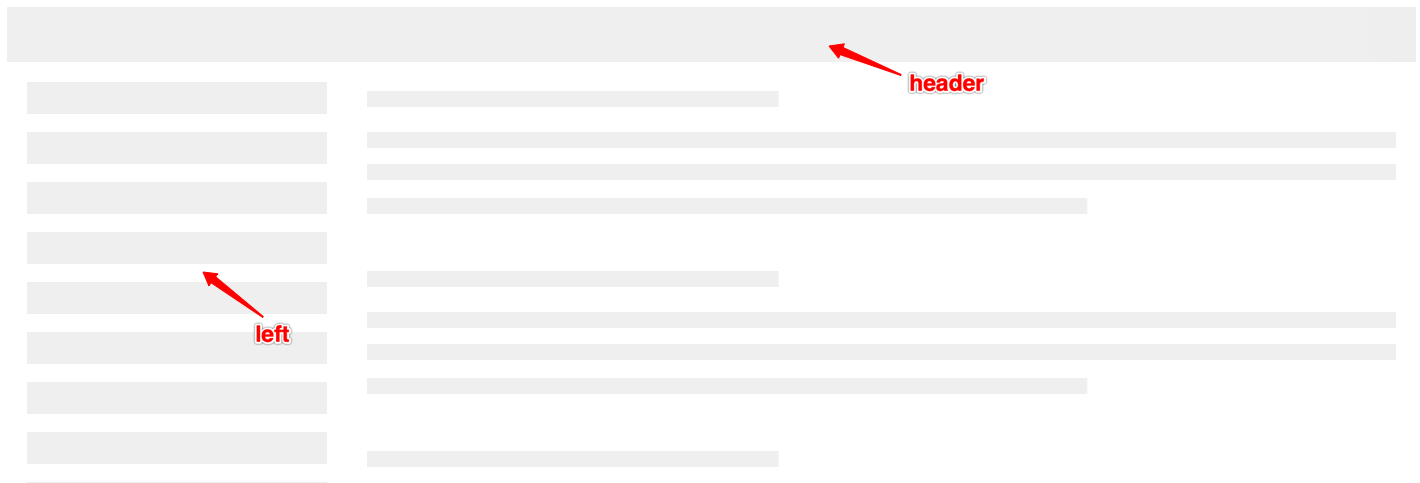
Options
header
boolean. Default value is true.
Whether to show the header.
left
boolean. Default value is true.
Whether to show the left.
processHtml
string or RegExp or function. Default value is /<!--\s*skeleton\s*-->/.<!-- skeleton --> in html template will be replaced with skeleton screen code by default.
css
string or function.
Insert skeleton screen style. The default style will not be added when passing in this value.