htmlreport4jest
v2.4.1
Published
Html report for jest

Maintainers
 contactvinoth89
Readme
Jest Html Reporter




Jest reporter to generate hierarchical html report
Installation
Install with npm
npm install htmlreport4jest --save-devInstall with yarn
yarn add htmlreport4jest --devUsage
Configure Jest to process the test results by adding the following entry to the Jest config (jest.config.json or jest.config.js):
"jest": {
  ...,
  "reporters": [
    "default",
    "htmlreport4jest"
  ],
  ...
}
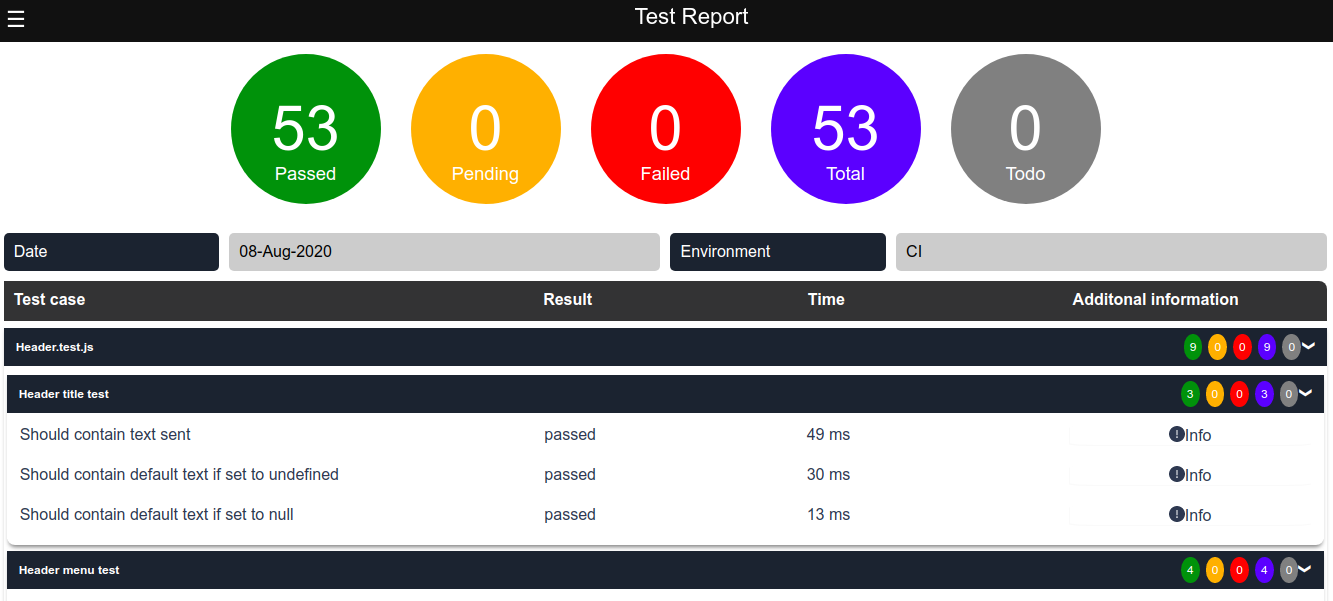
Executing the jest tests with above configuration will create a result.html under temp folder inside the project root. Test report can be configured with below options.
Available Options
The options below are specific to the reporter.
| Option Name | Type | Default | Description |
| :---------------- | :----- | :----------------- | :--------------------------------------------------------------------------------------------------------------------------------------------------------------- |
| title | string | 'Jest Html Report' | Title of the generated html report |
| reportPath | string | './temp/' | Generated html file will be stored under the given path |
| reportFileName | string | 'result.html' | Name of the html report to be generated |
| hideMenu | boolen | false | Hides filter menu |
| expandResults | boolen | false | Expand result tabs in report |
| expandMenuItems | boolen | false | Expand menu nodes in menu |
| information | array | | Displays information in the report. Information should be in below format. [{title:"Environment",value:"CI",type:"string"}]. Allowed values for type are given |
Allowed Types
Data types allowed for information.
| Type | Example | Description |
| :---------------- | :----- | :----------------------------------------------------------------------------------------------------------------------------------------------------------------------------------------------------------------------- |
| string | "CI" | Will display the text passed |
| date | new Date() | Date object or timestamp can be passed. All date will be formated as dd-MMM-yyyy |
| datetime | new Date() | Date object or timestamp can be passed. All datetime will be formated as dd-MMM-yyyy hh:mm:ss |
| time | 1234 | timestamp can be passed.|
| boolean | true or false | true will be displayed as "Yes" and false will be displayed as "No".|
example add config options
...,
"reporters": [
  "default",
  ["htmlreport4jest", {
    "title": 'Jest Html Report',
    "hideMenu": true,
    "information": [{ title: 'Environment', value: 'CI', type: 'string' }]
  }]
]
Sample report