
http4ts
v0.1.2
Published
Server as a Function http toolkit for Typescript


Readme
http4ts
Server as a Function HTTP toolkit for TypeScript



http4ts is a minimal HTTP library for JavaScript environments (Node.js, Deno etc.) implementing the pattern of server as a function. In http4ts, a server is just a function with the following signature:
type HttpHandler = (req: HttpRequest) => HttpResponse | Promise<HttpResponse>;See the simple server application examples, one for deno and another for Node.js.
Using in Node.js
Installation
Http4ts is available via npm. You can install it using the following command:
npm install http4tsBinding to Node.js
In order to use this library in Node.js, you have to bind the HttpHandler to the Node.js HTTP server. Http4ts supplies a function called toNodeRequestListener to bind an HttpHandler to the server.
import * as http from "http";

import {
  HttpRequest,
  HttpStatus,
  toNodeRequestListener,
  stringBody,
  res
} from "http4ts";

async function handler(req: HttpRequest) {  // 1. Write the handler as a function that returns response
  return res({
    body: stringBody("Hello world!"),
    status: HttpStatus.OK
  });
}

const server = http.createServer(
  toNodeRequestListener(handler)            // 2. Connect the handler to the node.js server
);

const hostname = "127.0.0.1";
const port = 3000;

server.listen(port, hostname, () => {       // 3. Start your node server as you were before
  console.log(`Server running at http://${hostname}:${port}/`);
});
Using in Deno
Installation
In Deno, it is possible to import the library via its url. You can use Http4ts by importing the following url:
https://deno.land/x/[email protected]/mod.tsBinding to Deno
In order to use this library in Deno, you have to bind the HttpHandler to the Deno HTTP server. Http4ts supplies a function called toDenoRequestListener to bind an HttpHandler to the server.
import { listenAndServe } from "https://deno.land/std/http/server.ts";

import {
  HttpRequest,
  HttpStatus,
  toDenoRequestListener,
  stringBody,
  res
} from "https://deno.land/x/[email protected]/mod.ts";

async function handler(req: HttpRequest) {  // 1. Write the handler as a function that returns response
  return res({
    body: stringBody("Hello world!"),
    status: HttpStatus.OK
  });
}

console.log("Listening on http://localhost:8000");
await listenAndServe({ port: 8000 }, toDenoRequestListener(handler));
You can also run this example by executing the following command in your shell environment:
deno run --allow-net https://deno.land/x/[email protected]/examples/readme-example.tsPhilosophy
http4ts aims to obey the following rules as its base architectural mindset:
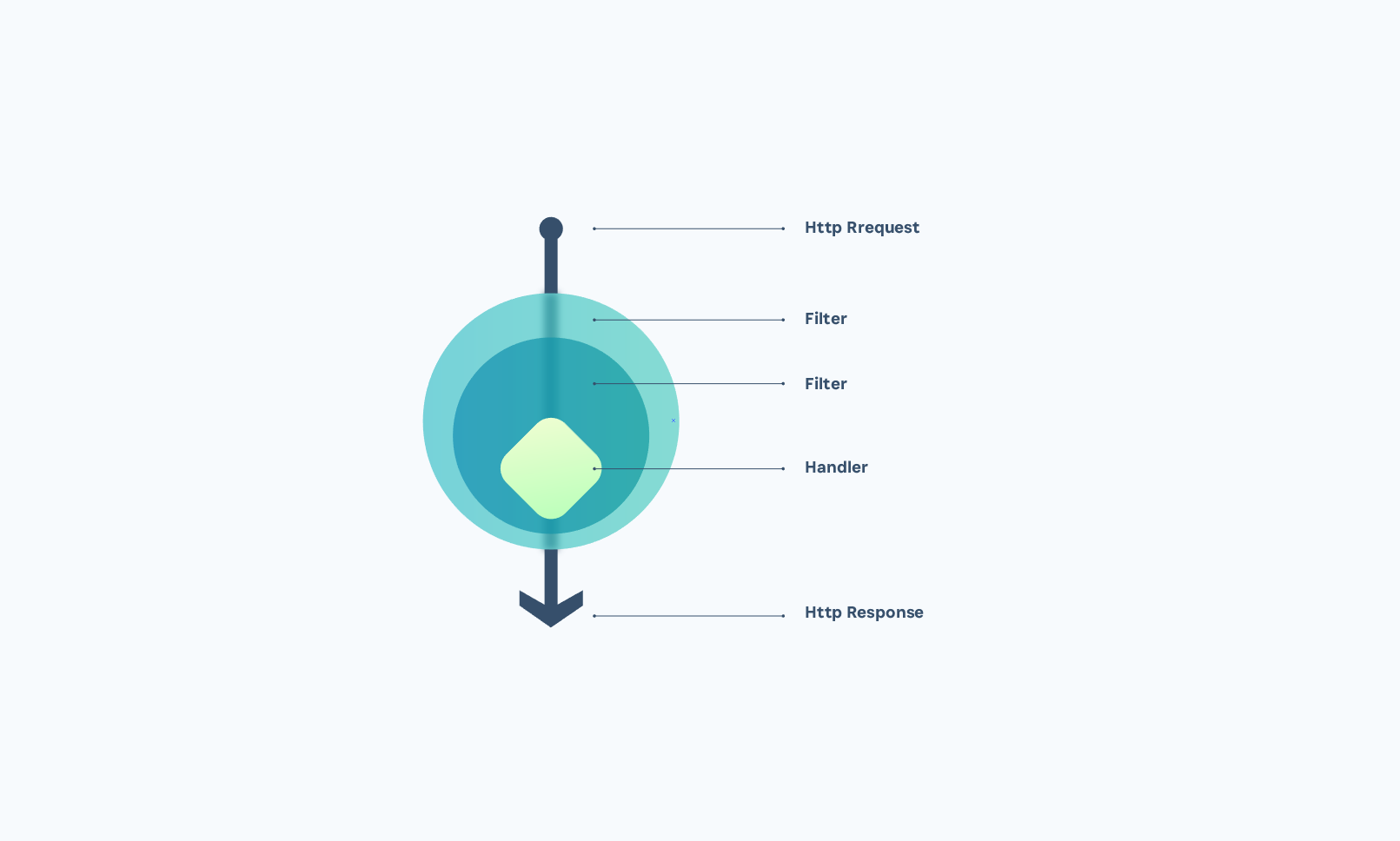
- Server as a Function: This library is based on the Twitter paper Your Server as a Function and inspired by the fantastic http4k library. An HTTP server application is a composition of two main types:
HttpHandler: defines the functions that handle requests.HttpFilter: a higher-order function that accepts anHttpHandlerand returns anHttpHandler. It should be used to add request/response pre-/post-processing.
- Runtime Independence: This library has bindings for both Node.js and Deno runtimes.
- Symmetric: Similar to http4k, this library supports symmetric interfaces for the HTTP client and HTTP server. It is possible to reuse the same
HttpHandlerinterface and all the filters on both server- and client-side. There is anHttpClientfunctionality available in the library which follows thefetchinterface and is independent of any runtime. - Type Safety: http4ts is built using the maximum type safety power of TypeScript and, in order to use its maximum power, you should do the same.
- Immutability: Similar to http4k, all entities in the library are immutable unless, naturally, it is not possible.
- Testability: Since the basic building blocks of this library are functions and the main entities are abstracted from the environment, it is extremely simple to write tests for the code built by http4ts.
- Minimal The request and response contain only the necessary information to represent the HTTP message. Extra information such as session and cookies are not included because they don't belong to the HTTP protocol.
- Composable All the building blocks are composable which is a great addition to code reusability, organization and extension.
Http4ts data-flows
Example Project
We have implemented the famous realworld backend for you to compare the code with other http libraries in node.js. You can find this example here.