
icalender
v1.0.6
Published
一个可以标记日期范围的vue日历插件

Maintainers
 flitrue
Readme
icalender
一个可以标记日期范围的vue日历插件
预览
| 预览图 | 说明 |
|:--|:--|
| 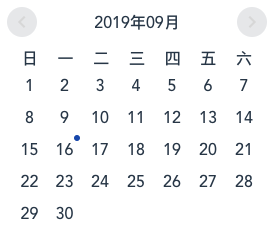 | 没有标记:
marks = [] |
| 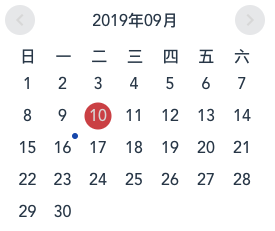 | 标记一个日期:
marks = [{start: "2019-09-10", end: "2019-09-10"}] |
| 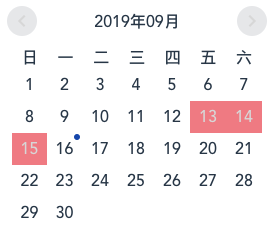 | 标记一个日期范围:
 marks = [{start: "2019-09-13", end: "2019-09-15"}] |
| 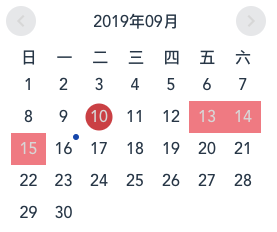 | 混合标记:
marks = [{start: "2019-09-10", end: "2019-09-10"}, {start: "2019-09-13", end: "2019-09-15"}] |
| 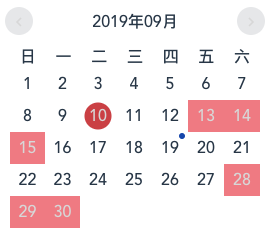
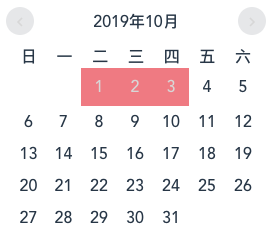 | 跨月标记 :
marks = [{start: "2019-09-10", end: "2019-09-10"}, {start: "2019-09-13", end: "2019-09-15"}, {start: "2019-09-28", end: "2019-10-03"}] |
使用
npm install icalender --save全局注册组件
import icalender from 'icalender';

Vue.use(icalender);
组件内使用
CommonJS
var icalender = require('icalender');

new Vue({
    components: { icalender },
    data: function () {
        return {
            marks: [
                {
                    start: "2019-09-10",
                    end: "2019-09-10"
                },
                {
                    start: "2019-09-13",
                    end: "2019-09-15"
                },
                {
                    start: "2019-09-28",
                    end: "2019-10-03"
                }
            ]
        };
    },
    template: '<icalender :marks="marks" />'
});
ES6
import icalender from 'icalender';

new Vue({
    components: { icalender },
    data: function () {
        return {
            marks: [
                {
                    start: "2019-09-10",
                    end: "2019-09-10"
                },
                {
                    start: "2019-09-13",
                    end: "2019-09-15"
                },
                {
                    start: "2019-09-28",
                    end: "2019-10-03"
                }
            ]
        };
    },
    template: '<icalender :marks="marks" />'
});
API
Props
| 属性 | 说明 | 类型 | 默认值 |
|:--|:--|:--|:--|
| marks | 可选,标记日期范围的数组,数组成员里必须包含start和end两个对象属性,例如 [{start: "2019-09-13, end: "2019-09-15"}] | Array | [] |
Events
| 事件名 | 说明 | 返回值 | |:--|:--|:--| | on-click | 点击日期时触发 | 返回当前日期的属性 | | forward | 点击向前翻动日历触发 | 返回当前年份和月份 | | back | 点击向后翻动日历触发 | 返回当前年份和月份 |