
if-automap
v0.1.1
Published
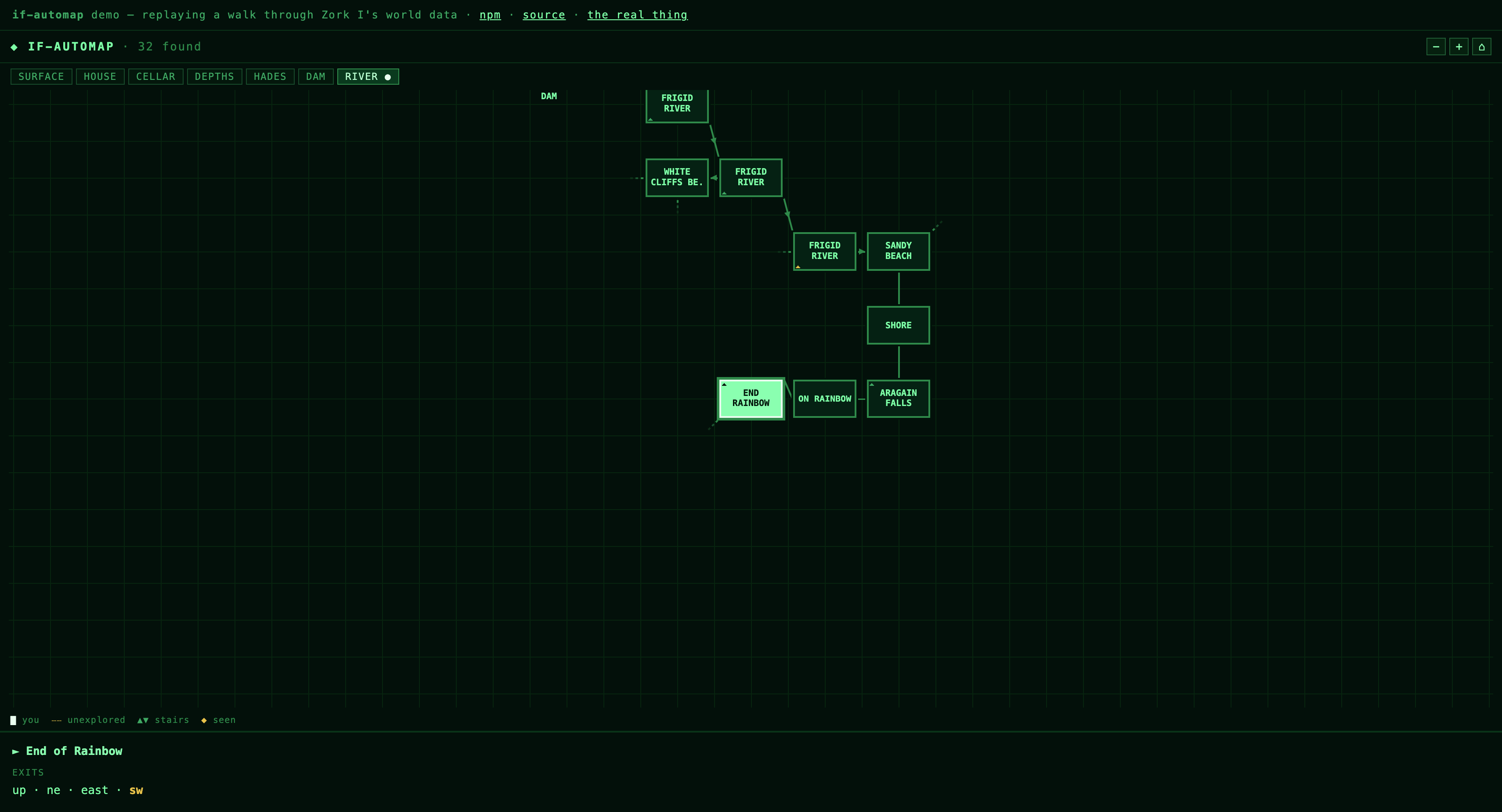
A Trizbort-style live auto-map for interactive fiction: direction-true layout, region tabs, labelled passages, dashed unexplored exits. Extracted from zork-ui.

Maintainers
 posabsolute
Readme
if-automap


A Trizbort-style live auto-map for interactive fiction shells. Hand it a room
graph, feed it discover() events as the player moves, and it draws the map
the way players drew them by hand in 1980: labelled boxes on graph paper,
direction-true layout, dashed trails at exits not yet taken, arrowheads on
one-way passages, stair marks, and region tabs with labelled passages between
regions.
Live demo (a scripted walk through Zork I's world data) and the real thing at zork.arobase.co, where it maps the Great Underground Empire against an untouched Z-machine. Zero dependencies, ~9 kB gzipped, TypeScript types included.
Install
npm install if-automapESM-only, shipped unminified with source maps; your bundler does the rest.
(No build step? import { createAutomap } from "https://esm.sh/if-automap" works.)
Use
import { createAutomap } from "if-automap";

const map = createAutomap(document.getElementById("map"), {
  rooms: {
    "FIELD": { id: "FIELD", name: "Open Field", exits: { EAST: { to: "FOREST" }, DOWN: { to: "CAVE" } } },
    "FOREST": { id: "FOREST", name: "Forest", exits: { WEST: { to: "FIELD" } } },
    "CAVE": { id: "CAVE", name: "Cave", exits: { UP: { to: "FIELD" } } },
  },
  saveKey: "mygame:map",           // omit or null for no persistence
  onGo: (dir) => game.submit(dir), // tap-to-walk from the exits panel
});

map.discover("FIELD"); // call as the player moves; the map is a diary
The container just needs a height.
Styles don't leak, either direction
By default the widget renders inside a shadow root. Its stylesheet is
adopted by that root and never touches your document; your page's CSS (resets,
button { } rules, utility frameworks) never touches the widget. Mounting adds
zero stylesheets and zero classes to your document.
You still control the look from outside:
- CSS custom properties pierce the boundary: set
--automap-fontor--automap-scrollbaron the container (or anywhere above it). ::part()hooks for structural theming:#map::part(head),::part(tabs),::part(stage),::part(legend),::part(info),::part(tip).
If you would rather style everything directly with plain CSS, opt out with
isolation: "light", the widget then renders in your DOM with a single
class-scoped <style data-automap> in the head (all selectors live under
.automap; injected once no matter how many maps you mount).
Regions
Big worlds rarely fit one coherent sheet (a cellar's geometry should never tug on the house above it). Split the world and each region lays out independently, with tabs and labelled stub arrows at every passage between them, labelled only once the player has actually been through:
createAutomap(el, {
  rooms,
  sections: [
    { id: "SURFACE", name: "SURFACE", anchor: "FIELD" },
    { id: "CAVES", name: "CAVES", anchor: "CAVE" },
  ],
  regions: { FIELD: "SURFACE", FOREST: "SURFACE", CAVE: "CAVES" },
  portals: [["FIELD", "DOWN", "CAVE"]], // passages your engine resolves in code
});
API
createAutomap(el, options) returns the instance:
| method | purpose |
| --- | --- |
| discover(roomId, items?) | register the player entering a room (optionally with visible item names) |
| visited() | Set of discovered room ids |
| refresh() | re-render (call after resizing the container) |
| dump() | layout oracle: placed nodes, live stub hit-rects, active section |
| destroy() | stop the heartbeat, remove listeners |
Options: rooms (required), sections, regions, portals, saveKey,
storage, onGo, title, heartbeatMs (auto-disabled under
prefers-reduced-motion). Directions understood: N/S/E/W, NE/NW/SE/SW, IN,
OUT, LAND, UP, DOWN (stairs flatten onto the sheet as diagonals).
The layout engine is invariant-tested against the full 110-room Zork I graph (shuffled discovery orders, random subsets, random walks) in the zork-ui repository's test suite.
License
MIT