
image-slideshow-cli
v2.0.1
Published
Node.js CLI to generate dark-themed HTML slideshows from a folder of images and videos
Downloads
218

Maintainers
 mohanchinnappan
Readme
Image Slideshow CLI
A lightweight Node.js command-line tool to generate a beautiful Tailwind CSS dark-themed HTML slideshow from a folder of images — with fullscreen mode, folder browser, background music, and optional WebM/MP4 video export.
Overview
Image Slideshow CLI scans a folder of images (.png, .jpg, .jpeg, .webp, .gif) and generates:
- A stunning interactive HTML slideshow with thumbnails, autoplay, keyboard controls, and fullscreen mode
- A sub-folder browser — pick any sub-folder from a slide-in panel and switch slideshows instantly
- Background music support (mp3, wav, ogg, etc.)
- A high-quality WebM + MP4 video slideshow (VP9 / H.264) using
ffmpeg - A dedicated
show-video.htmlpage that embeds the video with native controls
Screenshots
| Slideshow | Video Viewer |
|-----------|-------------|
| 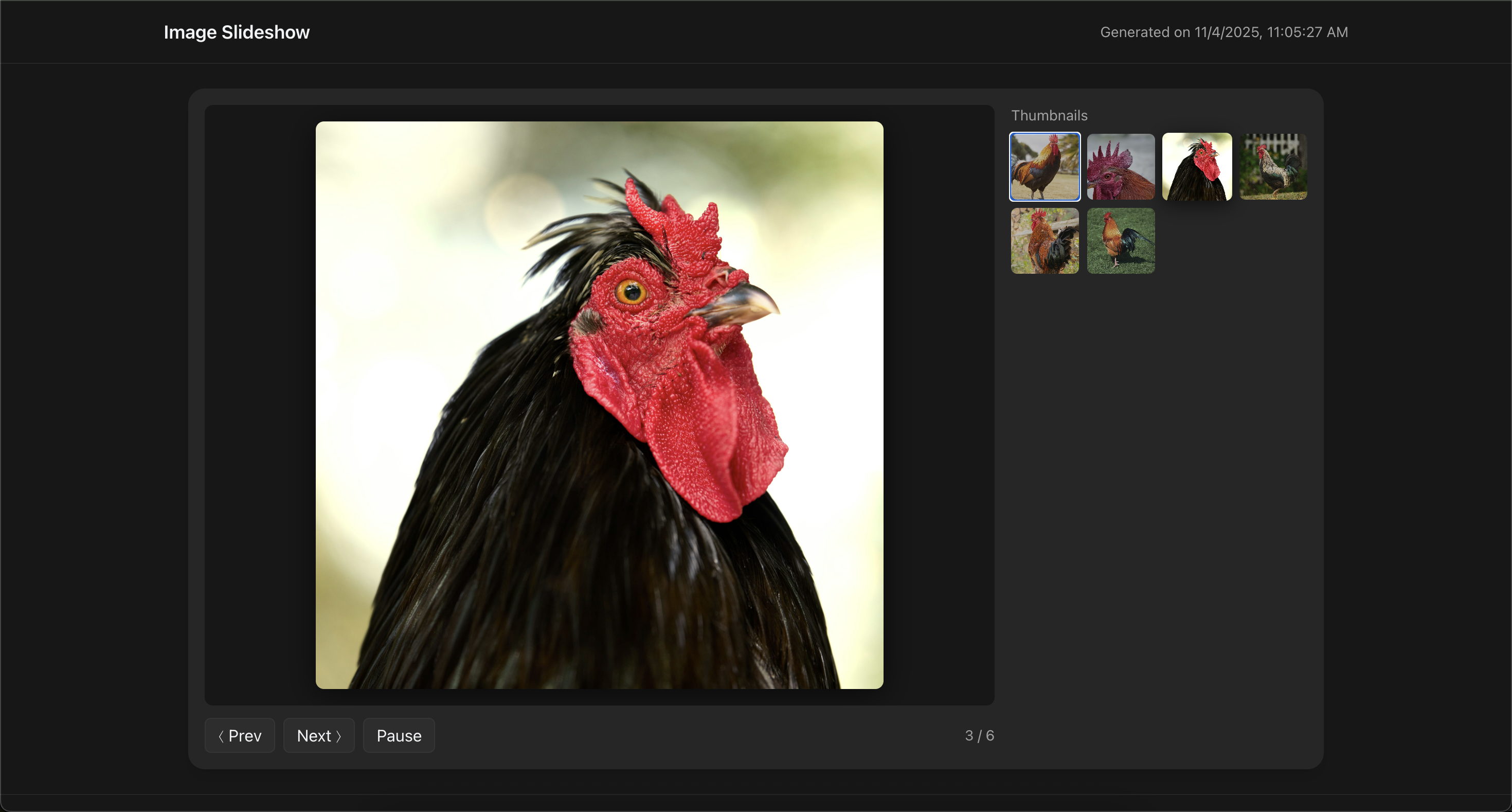 |
|  |
|
Installation
npm install -g image-slideshow-cliThen run anywhere:
image-slideshow -f ./photosRequires Node.js ≥ 18 For video export: ffmpeg must be installed and in your PATH
Usage
image-slideshow -f <folder> [options]Basic Examples
# Just the HTML slideshow
image-slideshow -f ./vacation

# Slideshow with background music
image-slideshow -f ./vacation -b ./music/ambient.mp3

# HTML slideshow + WebM/MP4 video + video viewer page
image-slideshow -f ./vacation -v

# Custom title, autoplay, and longer image duration in video
image-slideshow -f ./vacation -v -t "Summer 2025" -a 4 --duration 5 --quality high
Options
| Option | Alias | Description | Default |
|---|---|---|---|
| --folder <path> | -f | Folder containing images (required) | — |
| --output <filename> | -o | Output HTML slideshow filename | slideshow.html |
| --title <title> | -t | Title shown in the slideshow header | Image Slideshow |
| --autoplay <seconds> | -a | Auto-advance interval (0 = off) | 5 |
| --pattern <exts> | | Comma-separated extensions (no dots) | png,jpg,jpeg,webp,gif |
| --background-music <path> | -b | Path to a music file (mp3, wav, ogg…) | — |
| --video | -v | Generate WebM + MP4 + show-video.html | false |
| --video-output <name> | | Base name for video files (no extension) | slideshow |
| --duration <seconds> | | Seconds each image appears in the video | 3 |
| --fps <number> | | Frames per second for video | 30 |
| --quality <level> | | Video quality: low | medium | high | medium |
Features
Slideshow viewer
- Dark Tailwind theme — modern, elegant UI with glassmorphism controls
- Fully responsive — looks great on phones, tablets, and desktops
- Thumbnail grid — sidebar strip of all images; click any to jump directly to it
- Autoplay — configurable interval; Play/Pause button or
Spacekey - Favicon — custom favicon baked into every generated page
Keyboard shortcuts
| Key | Action |
|---|---|
| ← / → | Previous / next image |
| Space | Play / pause autoplay |
| F or F11 | Enter fullscreen |
| ESC | Exit fullscreen (or close open panel) |
| T | Toggle thumbnail strip (fullscreen only) |
| D | Open / close folder browser panel |
| M | Toggle background music on/off |
| ? | Open / close the help panel |
Fullscreen mode
- Image takes over the entire screen — pure black background, zero UI chrome
- Mouse move reveals a floating controls bar at the top (Prev, Next, Thumbnails, counter, Exit) — auto-hides after 3 s, cursor hides too
Tkey slides a thumbnail strip up from the bottom; active image highlighted in blue; scrolls to keep it in view- Navigate with
←/→without leaving fullscreen ESC,F, or the Exit button returns to normal view
Folder browser
- When the
-ffolder contains sub-folders with images, a Folders button appears in the controls bar - Slide-in panel from the left lists every sub-folder with a preview thumbnail and image count
- Click a folder card to instantly reload the slides, sidebar thumbnails, and fullscreen strip — no page reload
- Active folder is highlighted; panel closes automatically after selection
Dhotkey toggles the panel from anywhere
Background music (-b)
- Attach any audio file (mp3, wav, ogg, flac, etc.) to the slideshow
- Play Music / Stop Music button in the controls bar; button turns green while playing
Mkey toggles music in both normal and fullscreen modes- Audio loops continuously
Help panel
?key or the Help button opens a slide-in reference panel from the right- Covers all keyboard shortcuts, fullscreen controls, thumbnail strip, folder browser, music, and slideshow metadata
- Dismissible via
ESC, the close button, or clicking the backdrop
Video export (-v)
Generates three additional files:
/your-folder/
├── photo1.jpg
├── photo2.webp
├── slideshow.html      ← Interactive image slideshow  (auto-opens)
├── slideshow.webm      ← VP9 WebM video
├── slideshow.mp4       ← H.264 MP4 video
└── show-video.html ← Full-screen video player (auto-opens)- Both WebM (VP9) and MP4 (H.264) generated in one pass
- Frames scaled and padded to 1920×1080
show-video.html— dark-themed player with autoplay, loop, native controls, and a link back to the slideshow
Video quality presets
| Level | CRF | Best for |
|---|---|---|
| low | 35 | Fast encoding, small file size |
| medium | 23 | Great balance (default) |
| high | 15 | Maximum quality |
Example Commands
# Quick slideshow
image-slideshow -f ./gallery

# Slideshow with background music
image-slideshow -f ./gallery -b ./music/ambient.mp3

# Full package: slideshow + high-quality video
image-slideshow -f ./gallery -v -t "My Portfolio 2025" --quality high --duration 6

# Fast video for social media
image-slideshow -f ./memories -v --quality low --duration 2 --fps 24

# Only PNG/WEBP images, custom output name
image-slideshow -f ./art --pattern png,webp -o gallery.html

# Sub-folder browsing — point at a parent directory
image-slideshow -f ./photo-library
# → opens a folder browser listing all sub-folders (Portraits/, Landscapes/, etc.)
Output Structure
./your-folder/
├── sub-folder-a/           ← browsable via Folders panel
│   ├── img1.jpg
│   └── img2.png
├── sub-folder-b/
│   └── img3.webp
├── slideshow.html          ← Interactive viewer (always generated)
├── slideshow.webm          ← Video (-v only)
├── slideshow.mp4           ← Video (-v only)
└── show-video.html         ← Video player (-v only)
Requirements for Video Export
# macOS
brew install ffmpeg

# Ubuntu / Debian
sudo apt update && sudo apt install ffmpeg

# Windows (winget or chocolatey)
winget install ffmpeg
# or
choco install ffmpeg
License
MIT License © 2025 Mohan Chinnappan