
influga
v0.1.4
Published
A Dashboard for InfluxDB
Downloads
45


Readme
Influga 

A InfluxDB Dashboard and Graph Editor.
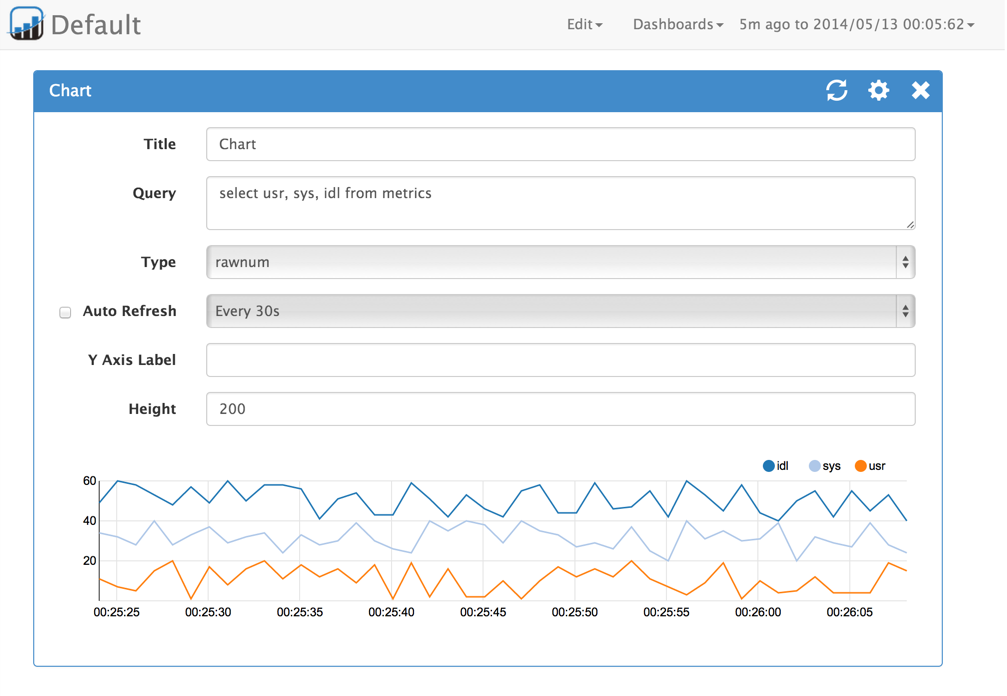
Features
- Create dashboard for InfluxDB
- Influga can write raw query for InfluxDB
- Drag and drop panel sorting
- Mobile optimized layout
How to use
Install
You can install influga via npm:
$ npm install -g influgaSetup
Move to working directory and type influga init
$ influga init
Config file template is created to influga-config.json
Edit config for your environment

{
  "dashboardDbPath": "./db/influga.db",
  "host": "localhost",
  "port": 8086,
  "database": "db",
  "username": "root",
  "password": "root"
}
Config file template is created to influga-config.json.
Open this file on your editor and edit values for your environment.
| Name | Description | | --------------- | --------------------------------------- | | dashboardDbPath | Dashboard database file path | | host | InfluxDB hostname or IP | | port | InfluxDB HTTP API port. Default is 8086 | | database | InfluxDB database name | | username | InfluxDB username | | password | InfluxDB user's password |
Run
Run influga server using start command with config file, like this.
$ influga start -c influga-config.jsonNow you can access on your browser, http://[server]:8089
How to develop
Install
$ npm install -g gulp
$ npm install -g bower
$ npm install
$ bower install
Build and run
$ gulp
$ gulp watch
Build for production
$ gulp productionLICENSE
MIT