
initfiles
v1.0.0
Published
Create multiple files based on custom templates.


Readme
InitFiles
initfiles is a code generation tool for frontend project。
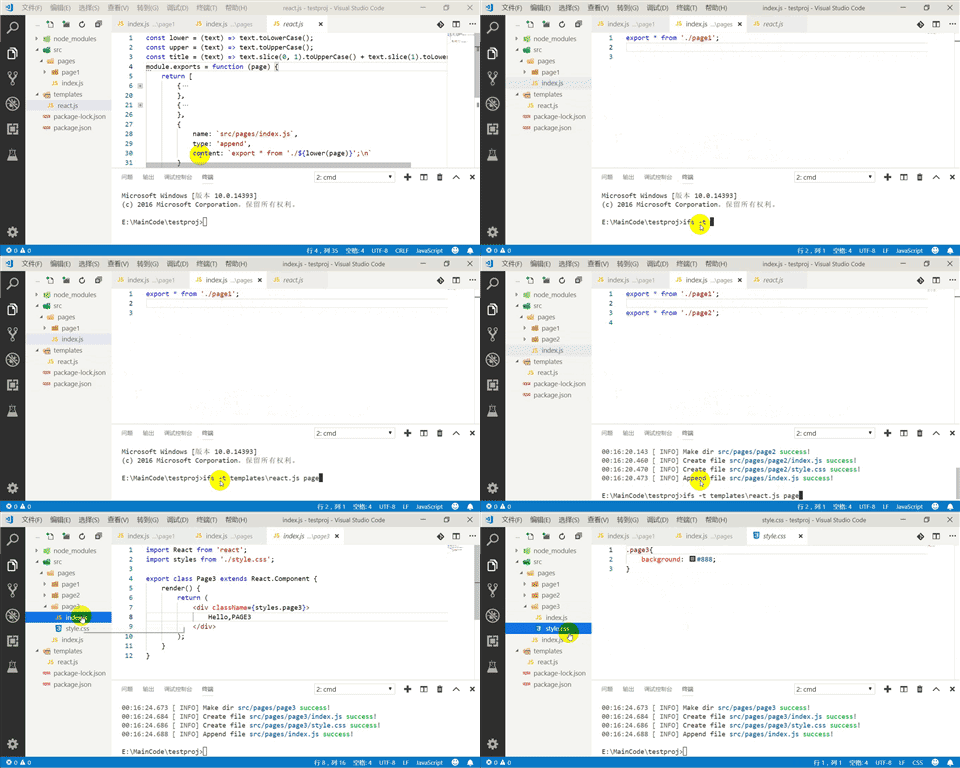
How to use
npm install initfiles -DCreate a template file in your project. You can add the javascript template file in any folder. eg
templates/abc.js.module.exports = function (arg1, arg2) { return [ { name: `src/pages/${arg1}/${arg2}.js`, content: '// this is js content' }, { name: `src/pages/${arg1}/index.js`, type: 'append', content: '// this is append content\n' } ] }The js template file should return a object array, and the array item schame as below.
| propertyname | description | required | defaultvalue | | ------ | ------ | ------ | ------ | |name|the file name, it should be a relative file name and can contains folder path.|true| | |content|the file content.|true| | |type|the file type, ['create' or 'append']. if 'create' then will crate a new file with content, if 'append' then will append the content to the file. |false|'create'|
Then you can run the command
ifs -t templates/abc.js value1 value2, in this case, your project root folder then will add two filesrc/pages/value1/value2.jsandsrc/pages/value1/index.js.