
insomnia-plugin-response-extensions
v1.0.1
Published
Reference values (such as headers or OAuth2 token) from other request's responses - extensions


Readme
Insomnia response extensions template tag

This simple community plugin adds a template tag which makes it possible to reference additional attributes of another request's response in environmental variables.
Response plugin from base Insomnia package supports only basic attributes: body, raw body, header, request URL. Install this extension if you want to access additional info such as OAuth2 tokens or response headers.
Installation
Install package from npm:
- Go to
Application -> Preferences -> Plugins. - Type
insomnia-plugin-response-extensionsasnpm-package-nameand click Install Plugin.
Usage
Response extensions template tag makes it easy to define common response-based settings in the global, per environment or per folder scope.
Add a tag:
{
    "AccessToken": "{% responseExtensions 'req_cadf591fbdda4d5eb42f2625eddbbaec', 'oauth2', '$.accessToken' %}"
}
where:
- request_id - ID of the source request, e.g.:
req_20958b46132f4296ae6d8d4748fa6b84 - attribute - attributes of the response:
oauth2|response - filter - JSONPath filter of the object associated with particular attribute, e.g.:
$.accessTokenfor OAuth2
Or, configure in the visual editor:
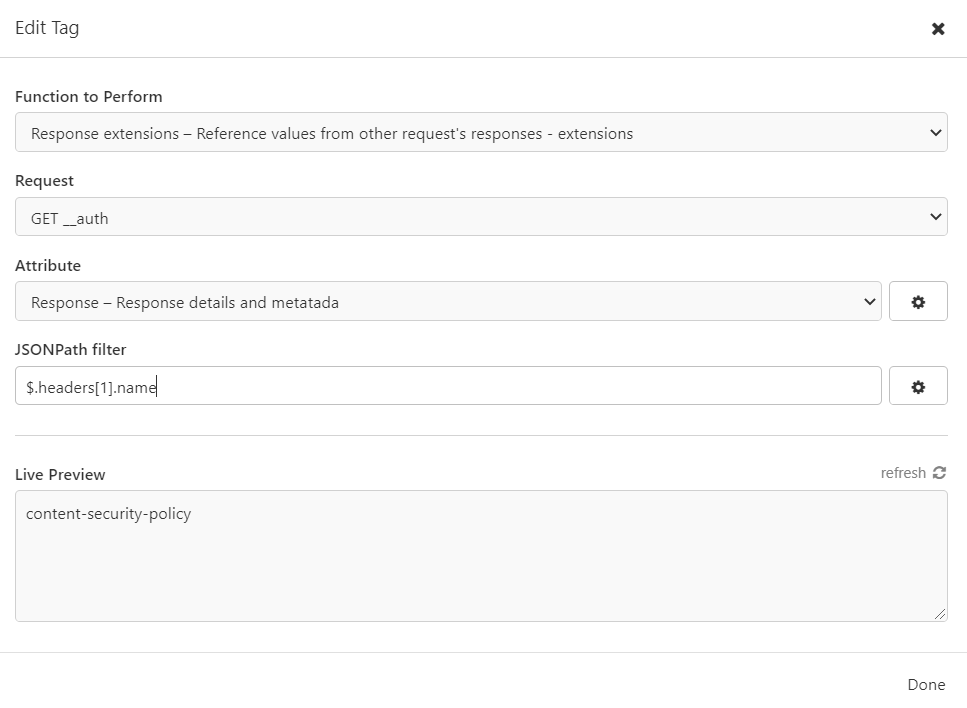
Supported attributes/filters
Below the list of supported attributes and their filters. You can always type $ as a filter to see the object associated with the selected attribute.
oauth2- OAuth2 token details. Applies to requests withOAuth 2.0authentication selectedtype-OAuth2TokenparentId- ID of the selected request, e.g.req_20958b46132f4296ae6d8d4748fa6b84modifiedcreatedexpiresAtrefreshTokenaccessTokenidentityTokenxResponseIdxErrorerrorerrorDescriptionerrorUri_id
response- response details and metadata_idtypeparentIdmodifiedcreatedstatusCodestatusMessagehttpVersioncontentTypeurlbytesReadbytesContentelapsedTimeheaderstimelinePathbodyPathbodyCompressionerrorrequestVersionIdsettingStoreCookiessettingSendCookiesenvironmentId
Primary use case - reusing OAuth2 token from another request
I wrote this extension because I wanted to reuse the same authentication token between multiple requests. Without going into details, I couldn't simply obtain the authorization code so I decided to take advantage of built-in support for OAuth2 flow which does let me to get the access token I needed. With this extended response template tag, you can perform more advanced requests chaning to for example simplify authentication settings on global level.
With base Insomnia, you can do this for current request, but not for any other. This feature has been requested previously:
- https://github.com/Kong/insomnia/discussions/3694
- https://github.com/Kong/insomnia/issues/1116
Here's how to use the tag for this purpose:
- Define a request that you will use to fetch/refresh the access token. Configure it to use OAuth2.
This is the only place you need to configure the OAuth2 details such as for example client credentials.
- Configure an environment variable to reference the token
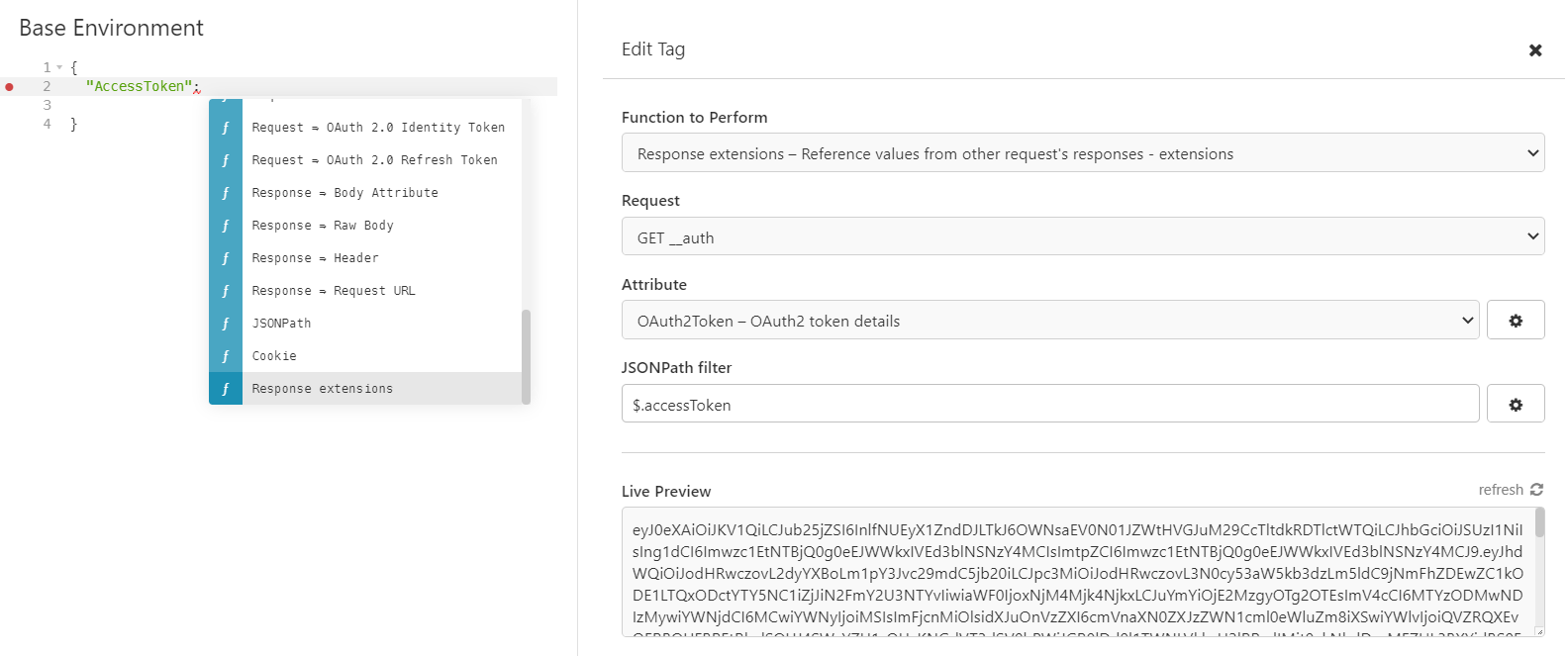
You can do it in your base environment, on a sub environment or even on a folder level:
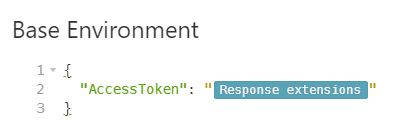
This is especially handy if you have a collection that consists of multiple folders, where each of them reaches a different service and you need to provide different credentials for each.
Directory tree:

|_ Folder A
    |_ Request 1
    |_ Request 2
    |_ __auth
|_ Folder B
    |_ Request 3
    |_ Request 4
|_ __auth- Configure the bearer token on your requests:
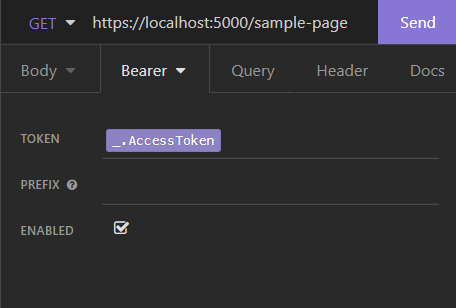
Now you can utilize Insomnia's built-in OAuth2 mechanisms and have your requests chained. No need to configure every single request with detailed OAuth2 settings nor to copy-paste anything.
License and support
This plugin is licensed under the MIT license.
If you've found a bug or have a feature request, feel free to open an issue: https://github.com/vajsm/insomnia-plugin-response-extensions/issues
If you use and like the extension, please give it a star, so that I know there are people out there who may appreciate new features! Thanks :)
GitHub repository: https://github.com/vajsm/insomnia-plugin-response-extensions