
insta-who-unfollowed-me
v1.4.0
Published
Utility to make it easy to track unfollowers on Instagram

Maintainers
 maxgfr
Readme
insta-who-unfollowed-me
Utility to make it easy to track unfollowers on Instagram.
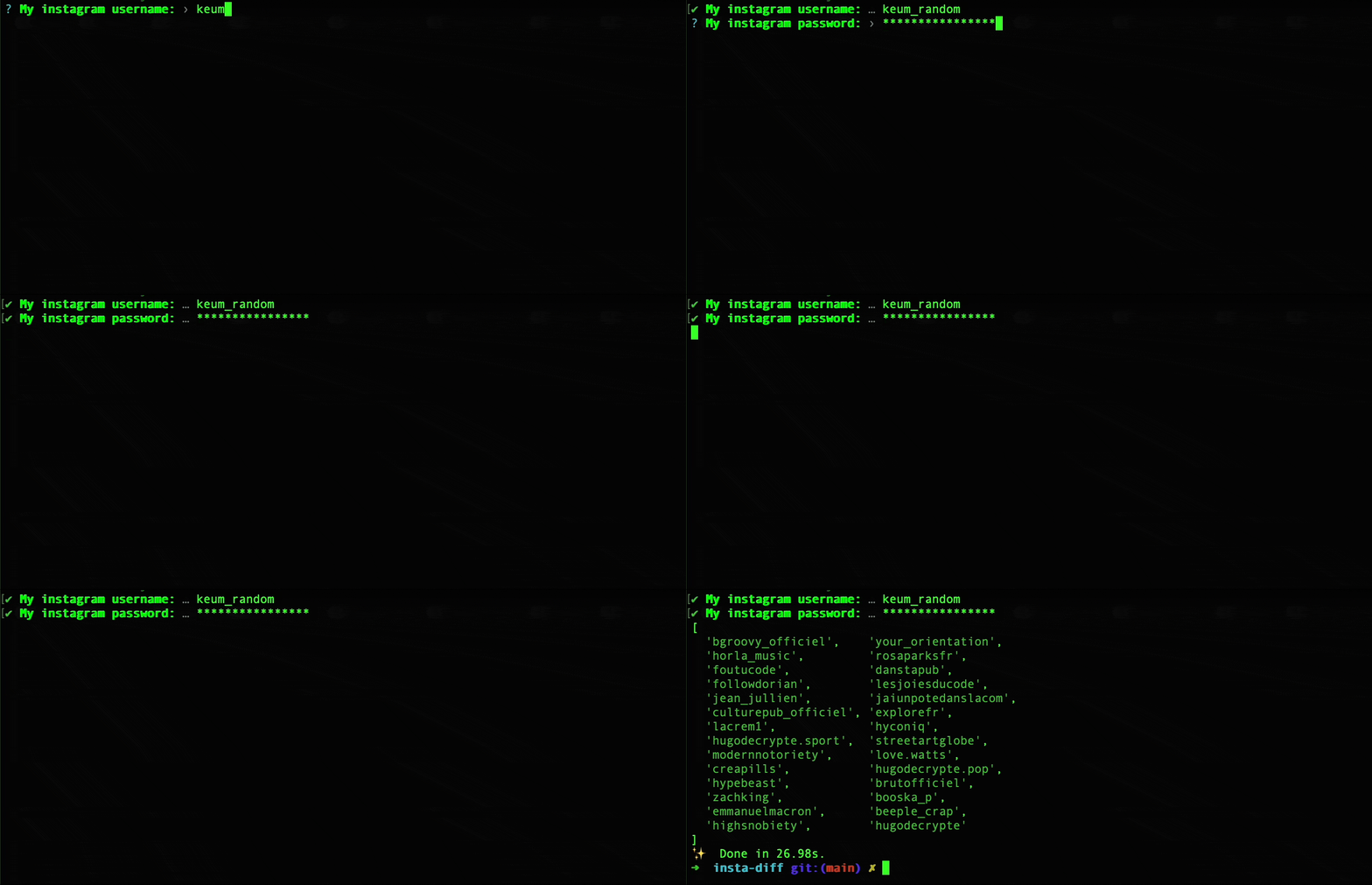
Features
- 📊 Track Unfollowers: Find users who don't follow you back
- 🔐 Secure: Supports environment variables for credentials
- 📝 Multiple Output Formats: Text and JSON support
- 💾 Save Results: Export results to a file
- 📈 Statistics: View detailed statistics about your followers
- 🎨 Color Themes: Customizable color themes (light, dark, none)
- 💽 Session Caching: Reuses a saved login session to avoid repeated checkpoints
- 🛡️ Challenge Handling: Prompts for the verification code when Instagram asks for one
- 🔄 Retry Logic: Automatic retry with exponential backoff
Installation
npm install -g insta-who-unfollowed-me

# or using npx
npx insta-who-unfollowed-me
Usage
Interactive Mode
The simplest way to use the tool is in interactive mode:
insta-who-unfollowed-meYou will be prompted to enter your Instagram email and password.
Command-Line Arguments
You can also provide credentials directly via command-line arguments:
insta-who-unfollowed-me --email [email protected] --password yourpasswordEnvironment Variables
For better security, use environment variables:
export INSTA_EMAIL="[email protected]"
export INSTA_PASSWORD="yourpassword"
insta-who-unfollowed-me
Login Sessions & Challenges
On the first successful login, your authenticated session is cached to
~/.insta-who-unfollowed-me/<account>.json (one file per account, created with
user-only permissions). Subsequent runs reuse that session instead of logging in
from scratch, which is the most reliable way to avoid Instagram's
checkpoint_required challenges. If the saved session expires, it's discarded
and a fresh login happens automatically.
When Instagram does require a verification challenge, the tool asks it to send a code (to your email by default) and then prompts you to paste it in:
🔐 Instagram sent a verification code (check your email or SMS).
✔ Enter the verification code: … 123456
If a checkpoint keeps firing, log in to Instagram once from your browser, confirm it's you, then re-run the tool.
Options
| Option | Alias | Description | Default |
|--------|-------|-------------|---------|
| --email <email> | -e | Instagram email | Prompt |
| --username <email> | -u | Instagram email (deprecated: use --email) | Prompt |
| --password <password> | -p | Instagram password | Prompt |
| --format <format> | -f | Output format (text, json, or csv) | text |
| --output <file> | -o | Save results to file | - |
| --stats | -s | Show detailed statistics | false |
| --verbose | -v | Enable verbose output | false |
| --limit <number> | -l | Limit the number of results | - |
| --theme <theme> | -t | Color theme (light, dark, none) | light |
| --no-color | | Disable colored output | - |
| --sort <option> | | Sort results (username, username-desc, random) | - |
Examples
Basic Usage
# Interactive mode
insta-who-unfollowed-me

# With credentials
insta-who-unfollowed-me -e [email protected] -p yourpassword

# With deprecated username option (still works)
insta-who-unfollowed-me -u [email protected] -p yourpassword
Output Formats
# JSON output
insta-who-unfollowed-me -e [email protected] -p yourpassword -f json

# JSON output with statistics
insta-who-unfollowed-me -e [email protected] -p yourpassword -f json -s

# CSV output
insta-who-unfollowed-me -e [email protected] -p yourpassword -f csv

# CSV output with statistics
insta-who-unfollowed-me -e [email protected] -p yourpassword -f csv -s
Save Results to File
# Save to JSON file
insta-who-unfollowed-me -e [email protected] -p yourpassword -o results.json

# Save with statistics
insta-who-unfollowed-me -e [email protected] -p yourpassword -o results.json -s
Show Statistics
# Display detailed statistics
insta-who-unfollowed-me -e [email protected] -p yourpassword -s
Limit Results
# Limit to first 100 results
insta-who-unfollowed-me -e [email protected] -p yourpassword -l 100
Verbose Mode
# Enable verbose output for debugging
insta-who-unfollowed-me -e [email protected] -p yourpassword -v
Sort Results
# Sort by username (alphabetical)
insta-who-unfollowed-me -e [email protected] -p yourpassword --sort username

# Sort by username (reverse alphabetical)
insta-who-unfollowed-me -e [email protected] -p yourpassword --sort username-desc

# Random sort
insta-who-unfollowed-me -e [email protected] -p yourpassword --sort random
Color Themes
# Light theme (default)
insta-who-unfollowed-me -e [email protected] -p yourpassword -t light

# Dark theme
insta-who-unfollowed-me -e [email protected] -p yourpassword -t dark

# No colors
insta-who-unfollowed-me -e [email protected] -p yourpassword -t none

# Disable colors explicitly
insta-who-unfollowed-me -e [email protected] -p yourpassword --no-color
Combined Options
# Full example with all options
insta-who-unfollowed-me \
  -e [email protected] \
  -p yourpassword \
  -f json \
  -o results.json \
  -s \
  -v \
  -l 100 \
  -t dark \
  --sort username
Output
Text Format
==================================================
📋 Unfollowers List
==================================================

Found 5 user(s) who don't follow you back:

  1. @user1
  2. @user2
  3. @user3
  4. @user4
  5. @user5

--------------------------------------------------
📊 Statistics
--------------------------------------------------
  Followers:      1000
  Following:      500
  Unfollowers:     5
  Mutual:          495
  Follow Ratio:    2.00
JSON Format
{
  "unfollowers": ["user1", "user2", "user3", "user4", "user5"],
  "stats": {
    "followers": 1000,
    "following": 500,
    "unfollowers": 5,
    "mutual": 495,
    "ratio": 2.0
  }
}
CSV Format
username,type
user1,unfollower
user2,unfollower
user3,unfollower
user4,unfollower
user5,unfollower
Color Themes
Light Theme (Default)
- Bright, vibrant colors for better visibility
- Optimized for light terminal backgrounds
Dark Theme
- Muted, softer colors for dark terminals
- Reduced eye strain in low-light environments
None
- Plain text output without any colors
- Useful for piping to files or CI/CD environments
Error Handling
The tool includes comprehensive error handling for common Instagram API issues:
- Authentication Failed: Invalid credentials or login issues
- Rate Limited: Too many requests, will retry automatically
- Network Error: Connection issues, will retry automatically
- Challenge Required: Instagram requires you to complete a challenge in your browser
- Account Locked: Your account may be locked or disabled
The tool will automatically retry up to 3 times with a 2-second delay between attempts.
Security
- Never commit credentials: Avoid hardcoding passwords in scripts
- Use environment variables: Store credentials in environment variables
- Clear terminal history: Use
history -cafter running with credentials - Use a dedicated account: Consider using a secondary Instagram account
Troubleshooting
"Unsupported version" / checkpoint_required → /web/unsupported_version/
If the error mentions checkpoint_required with a link to
https://i.instagram.com/web/unsupported_version/, this is not an account
problem — Instagram rejected the client version. The underlying
instagram-private-api
library bundles an outdated Instagram app version (222.0.0.13.114, ~2021) and
ancient Android 6–8 devices, which Instagram no longer accepts.
This tool already overrides those with current values (app version, version
code, bloks id, and a modern Pixel 8 Pro / Android 14 device) mirrored from the
maintained instagrapi library. Run
with --verbose to see what's in use (🔎 Client: Instagram … device …).
When those eventually go stale, refresh them via environment variables — get
current values from
instagrapi's config.py
or APKMirror:
export INSTA_APP_VERSION="428.0.0.47.67"          # version name
export INSTA_APP_VERSION_CODE="961145276"          # its numeric version code
export INSTA_BLOKS_VERSION_ID="<current bloks version id>"
# android_version/release; dpi; resolution; manufacturer; model; device; cpu
export INSTA_DEVICE="34/14; 480dpi; 1344x2992; Google/google; Pixel 8 Pro; husky; husky"
node build/index.js --verbose
⚠️ Heads-up:
instagram-private-api(the JS library) is unmaintained. Current constants get pastunsupported_version, but the library can still hit other walls (sentry blocks, login challenges, signing changes), so success isn't guaranteed. For a properly maintained option, the Python libraryinstagrapiis the realistic path.
"Challenge Required" Error
If you see this error, Instagram requires you to complete a security challenge:
- Open Instagram in your browser
- Login to your account
- Complete any security prompts
- Try running the tool again
"Account Locked" Error
If your account appears locked:
- Contact Instagram support
- Verify your account information
- Wait for Instagram to unlock your account
Rate Limiting
If you're rate-limited:
- Wait a few minutes before trying again
- Use the
--limitoption to reduce the number of requests - Consider running the tool less frequently
Colors Not Showing
If colors are not displaying:
- Check that your terminal supports ANSI colors
- Use
--theme lightor--theme darkexplicitly - Use
--no-colorto disable colors if preferred - Set the
NO_COLORenvironment variable to disable colors globally
License
MIT License - see LICENSE file for details.
Disclaimer
This tool is for educational purposes only. Use it responsibly and respect Instagram's Terms of Service. The authors are not responsible for any misuse of this tool or any consequences that may arise from its use.